

WooCommerce Support Ticket System 18.5
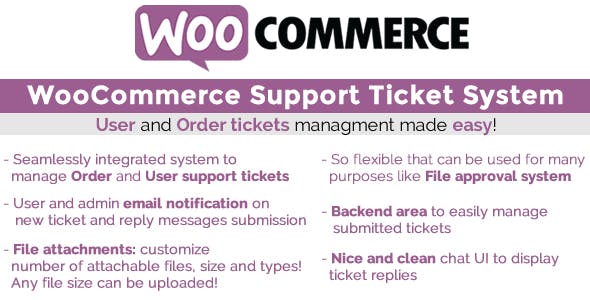
Overview of WooCommerce Support Ticket System
The WooCommerce Support Ticket System is an essential tool designed to streamline and professionalize customer service for any WooCommerce-powered online store. This robust plugin empowers businesses to efficiently manage all customer inquiries, support requests, and feedback through a centralized, easy-to-use ticketing system. It’s the perfect solution for store owners looking to enhance customer satisfaction, improve response times, and bring order to their support operations.
Key Features of WooCommerce Support Ticket System
- Effortless Ticket Creation: Customers can easily submit support tickets directly from their account dashboard or a dedicated contact form, ensuring all inquiries are captured and organized from the start.
- Centralized Ticket Management: All support tickets are consolidated into a single, intuitive interface within your WordPress admin, allowing your team to view, categorize, and prioritize issues efficiently.
- Agent Assignment & Collaboration: Assign tickets to specific support agents or departments, facilitating teamwork and ensuring the right person handles each query. Agents can also add internal notes for seamless collaboration.
- Customizable Ticket Statuses & Priorities: Define custom statuses (e.g., “Open,” “Pending,” “Resolved”) and priority levels (e.g., “Low,” “Medium,” “High”) to manage workload and communicate progress effectively.
- Email Notifications & Automation: Automated email notifications keep both customers and agents informed about ticket updates, new replies, and status changes, ensuring timely communication without manual intervention.
- Attachment Support: Customers and agents can attach files, screenshots, or documents to tickets, making it easier to explain issues and provide comprehensive solutions.
- Customer Account Integration: Customers can view the status and history of their support tickets directly within their WooCommerce account, fostering transparency and reducing follow-up inquiries.
- Comprehensive Reporting: Gain insights into your support performance with detailed reports on ticket volume, resolution times, and agent activity, helping you identify trends and areas for improvement.
Why Choose WooCommerce Support Ticket System?
Choosing the WooCommerce Support Ticket System means investing in a smoother, more organized, and ultimately more effective customer service experience. In today’s competitive e-commerce landscape, exceptional support is not just a bonus; it’s a necessity. This powerful plugin transforms chaotic email inboxes and scattered communication into a structured, professional support hub. By centralizing all customer interactions, you eliminate the risk of inquiries falling through the cracks, ensure consistent communication, and significantly reduce response and resolution times. The result is happier customers who feel valued and heard, leading to increased loyalty and repeat business.
Beyond customer satisfaction, the WooCommerce Support Ticket System brings immense operational benefits to your team. Its intuitive dashboard and powerful management tools empower your support agents to work more efficiently. Features like agent assignment, internal notes, and customizable statuses mean your team can collaborate seamlessly, prioritize urgent issues, and quickly access all relevant information for each customer. This efficiency translates directly into cost savings by optimizing staff time and reducing the need for redundant communications. Embrace the WooCommerce Support Ticket System to elevate your brand’s reputation and ensure your support operations are as professional and responsive as your products.
Who Should Use WooCommerce Support Ticket System?
The WooCommerce Support Ticket System is ideal for any business, regardless of size, that operates an online store powered by WooCommerce and is committed to providing outstanding customer service. This includes small startups looking to establish a professional support system from day one, growing businesses struggling with an increasing volume of customer inquiries, and large enterprises aiming to optimize their existing support workflows. If you receive customer questions via email, social media, or phone and find it challenging to track, manage, and resolve them efficiently, then the WooCommerce Support Ticket System is the perfect solution for you.
How to Install WooCommerce Support Ticket System
- Download the Plugin: After purchasing the WooCommerce Support Ticket System, download the plugin .zip file from your account on our site.
- Upload to WordPress: Log in to your WordPress admin dashboard. Navigate to ‘Plugins’ > ‘Add New’ and click the ‘Upload Plugin’ button at the top.
- Choose File & Install: Click ‘Choose File’, select the .zip file you downloaded, and then click ‘Install Now’.
- Activate the Plugin: Once the installation is complete, click ‘Activate Plugin’ to enable the WooCommerce Support Ticket System on your site.
- Configure Settings: Go to the newly added ‘Support Ticket System’ menu item in your WordPress dashboard to configure its settings, set up agents, and customize your support portal.
Frequently Asked Questions About WooCommerce Support Ticket System
Is WooCommerce Support Ticket System compatible with all WooCommerce themes?
Yes, the WooCommerce Support Ticket System is designed to be highly compatible with standard WooCommerce installations and most WordPress themes. It integrates seamlessly with your existing WooCommerce setup. While some minor styling adjustments might be needed for highly customized themes, the core functionality of the WooCommerce Support Ticket System will work out of the box, ensuring a smooth experience for both you and your customers.
Can I customize the appearance of the WooCommerce Support Ticket System customer portal?
Absolutely! The WooCommerce Support Ticket System offers various customization options to ensure the customer portal aligns with your brand’s aesthetic. You can typically customize colors, text, and other elements to provide a consistent user experience that matches your website’s design. This ensures that the support experience feels like a natural extension of your store, enhancing your professional image.
How does WooCommerce Support Ticket System improve customer experience?
The WooCommerce Support Ticket System significantly improves customer experience by providing a clear, organized, and reliable channel for support. Customers can easily submit issues, track their progress, and view past interactions, eliminating frustration from lost emails or unclear communication. The efficiency gained by your support team through this system means faster, more accurate responses, leading to higher customer satisfaction and a stronger relationship with your brand. The WooCommerce Support Ticket System ensures every customer feels heard and their issues are professionally addressed.
Get WooCommerce Support Ticket System Today
Ready to transform your customer service and elevate your online store’s reputation? The WooCommerce Support Ticket System is the ultimate solution for bringing order, efficiency, and professionalism to your support operations. Stop sifting through endless emails and start managing customer inquiries like a pro. Explore this and many other premium WordPress Plugins to enhance your site’s functionality. Browse our extensive collection of GPL WordPress Products and take your e-commerce business to the next level with the WooCommerce Support Ticket System.
Related Products You May Like
Here's everything you need to know about your purchase:
- 100% original files — Every product is the genuine, virus-free file, exactly as released by the original developer.
- Instant download — Access your files immediately after purchase from your account.
- Lifetime access — Re-download your purchased files anytime. No expiry, no limits.
- Free updates — Newer version released? Just request an update from us, free for all customers.
- Dedicated support — Our team is available 24/7 for installation and file-related help.
- Easy refunds — Not satisfied? Review our Refund Policy. We offer a hassle-free 7-day guarantee.
$100.00 Original price was: $100.00.$2.00Current price is: $2.00.
Version
18.5
Last Updated
07/04/2026
License
GPL v2
Compatibility
WordPress 5.0+
Need latest version?
Newer version released? Request an update from us — free for all customers!
Request Update →🎁 Your Purchase Includes
Overview of WooCommerce Support Ticket System
The WooCommerce Support Ticket System is an essential tool designed to streamline and professionalize customer service for any WooCommerce-powered online store. This robust plugin empowers businesses to efficiently manage all customer inquiries, support requests, and feedback through a centralized, easy-to-use ticketing system. It’s the perfect solution for store owners looking to enhance customer satisfaction, improve response times, and bring order to their support operations.
Key Features of WooCommerce Support Ticket System
- Effortless Ticket Creation: Customers can easily submit support tickets directly from their account dashboard or a dedicated contact form, ensuring all inquiries are captured and organized from the start.
- Centralized Ticket Management: All support tickets are consolidated into a single, intuitive interface within your WordPress admin, allowing your team to view, categorize, and prioritize issues efficiently.
- Agent Assignment & Collaboration: Assign tickets to specific support agents or departments, facilitating teamwork and ensuring the right person handles each query. Agents can also add internal notes for seamless collaboration.
- Customizable Ticket Statuses & Priorities: Define custom statuses (e.g., “Open,” “Pending,” “Resolved”) and priority levels (e.g., “Low,” “Medium,” “High”) to manage workload and communicate progress effectively.
- Email Notifications & Automation: Automated email notifications keep both customers and agents informed about ticket updates, new replies, and status changes, ensuring timely communication without manual intervention.
- Attachment Support: Customers and agents can attach files, screenshots, or documents to tickets, making it easier to explain issues and provide comprehensive solutions.
- Customer Account Integration: Customers can view the status and history of their support tickets directly within their WooCommerce account, fostering transparency and reducing follow-up inquiries.
- Comprehensive Reporting: Gain insights into your support performance with detailed reports on ticket volume, resolution times, and agent activity, helping you identify trends and areas for improvement.
Why Choose WooCommerce Support Ticket System?
Choosing the WooCommerce Support Ticket System means investing in a smoother, more organized, and ultimately more effective customer service experience. In today’s competitive e-commerce landscape, exceptional support is not just a bonus; it’s a necessity. This powerful plugin transforms chaotic email inboxes and scattered communication into a structured, professional support hub. By centralizing all customer interactions, you eliminate the risk of inquiries falling through the cracks, ensure consistent communication, and significantly reduce response and resolution times. The result is happier customers who feel valued and heard, leading to increased loyalty and repeat business.
Beyond customer satisfaction, the WooCommerce Support Ticket System brings immense operational benefits to your team. Its intuitive dashboard and powerful management tools empower your support agents to work more efficiently. Features like agent assignment, internal notes, and customizable statuses mean your team can collaborate seamlessly, prioritize urgent issues, and quickly access all relevant information for each customer. This efficiency translates directly into cost savings by optimizing staff time and reducing the need for redundant communications. Embrace the WooCommerce Support Ticket System to elevate your brand’s reputation and ensure your support operations are as professional and responsive as your products.
Who Should Use WooCommerce Support Ticket System?
The WooCommerce Support Ticket System is ideal for any business, regardless of size, that operates an online store powered by WooCommerce and is committed to providing outstanding customer service. This includes small startups looking to establish a professional support system from day one, growing businesses struggling with an increasing volume of customer inquiries, and large enterprises aiming to optimize their existing support workflows. If you receive customer questions via email, social media, or phone and find it challenging to track, manage, and resolve them efficiently, then the WooCommerce Support Ticket System is the perfect solution for you.
How to Install WooCommerce Support Ticket System
- Download the Plugin: After purchasing the WooCommerce Support Ticket System, download the plugin .zip file from your account on our site.
- Upload to WordPress: Log in to your WordPress admin dashboard. Navigate to ‘Plugins’ > ‘Add New’ and click the ‘Upload Plugin’ button at the top.
- Choose File & Install: Click ‘Choose File’, select the .zip file you downloaded, and then click ‘Install Now’.
- Activate the Plugin: Once the installation is complete, click ‘Activate Plugin’ to enable the WooCommerce Support Ticket System on your site.
- Configure Settings: Go to the newly added ‘Support Ticket System’ menu item in your WordPress dashboard to configure its settings, set up agents, and customize your support portal.
Frequently Asked Questions About WooCommerce Support Ticket System
Is WooCommerce Support Ticket System compatible with all WooCommerce themes?
Yes, the WooCommerce Support Ticket System is designed to be highly compatible with standard WooCommerce installations and most WordPress themes. It integrates seamlessly with your existing WooCommerce setup. While some minor styling adjustments might be needed for highly customized themes, the core functionality of the WooCommerce Support Ticket System will work out of the box, ensuring a smooth experience for both you and your customers.
Can I customize the appearance of the WooCommerce Support Ticket System customer portal?
Absolutely! The WooCommerce Support Ticket System offers various customization options to ensure the customer portal aligns with your brand’s aesthetic. You can typically customize colors, text, and other elements to provide a consistent user experience that matches your website’s design. This ensures that the support experience feels like a natural extension of your store, enhancing your professional image.
How does WooCommerce Support Ticket System improve customer experience?
The WooCommerce Support Ticket System significantly improves customer experience by providing a clear, organized, and reliable channel for support. Customers can easily submit issues, track their progress, and view past interactions, eliminating frustration from lost emails or unclear communication. The efficiency gained by your support team through this system means faster, more accurate responses, leading to higher customer satisfaction and a stronger relationship with your brand. The WooCommerce Support Ticket System ensures every customer feels heard and their issues are professionally addressed.
Get WooCommerce Support Ticket System Today
Ready to transform your customer service and elevate your online store’s reputation? The WooCommerce Support Ticket System is the ultimate solution for bringing order, efficiency, and professionalism to your support operations. Stop sifting through endless emails and start managing customer inquiries like a pro. Explore this and many other premium WordPress Plugins to enhance your site’s functionality. Browse our extensive collection of GPL WordPress Products and take your e-commerce business to the next level with the WooCommerce Support Ticket System.
Related Products You May Like
Reviews
There are no reviews yet.
Here's everything you need to know about your purchase:
- 100% original files — Every product is the genuine, virus-free file, exactly as released by the original developer.
- Instant download — Access your files immediately after purchase from your account.
- Lifetime access — Re-download your purchased files anytime. No expiry, no limits.
- Free updates — Newer version released? Just request an update from us, free for all customers.
- Dedicated support — Our team is available 24/7 for installation and file-related help.
- Easy refunds — Not satisfied? Review our Refund Policy. We offer a hassle-free 7-day guarantee.
Reviews
There are no reviews yet.