

WooCommerce Dashboard Widgets Stats 6.0
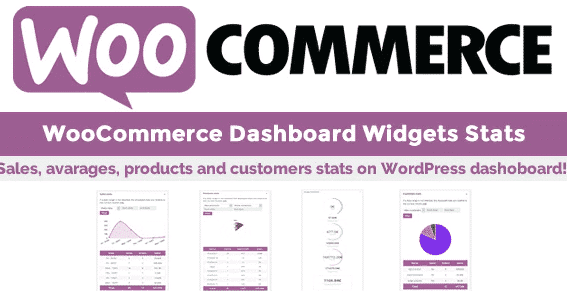
Overview of WooCommerce Dashboard Widgets Stats
The WooCommerce Dashboard Widgets Stats plugin is an essential tool for any online store owner looking to gain instant insights into their business performance. This powerful plugin brings all your crucial WooCommerce statistics directly to your WordPress dashboard, making data analysis effortless and intuitive. Designed for efficiency, WooCommerce Dashboard Widgets Stats empowers you to monitor sales, orders, and customer activity at a glance, helping you make informed decisions quickly.
Key Features of WooCommerce Dashboard Widgets Stats
- Comprehensive Sales Overview: Get a clear picture of your total sales, net sales, and average order value right from your dashboard. WooCommerce Dashboard Widgets Stats provides vital financial metrics without needing to navigate complex reports.
- Real-time Order Tracking: Monitor pending, processing, completed, and refunded orders with dedicated widgets. This feature of WooCommerce Dashboard Widgets Stats ensures you’re always up-to-date on your order fulfillment status.
- Customer Insights: Understand your customer base better with stats on new customers, returning customers, and guest checkouts. WooCommerce Dashboard Widgets Stats helps you identify trends in customer acquisition and loyalty.
- Product Performance Metrics: Discover your top-selling products, most viewed products, and items with low stock. This allows you to optimize your inventory and marketing strategies effectively using WooCommerce Dashboard Widgets Stats.
- Revenue Trends & Graphs: Visualize your revenue over different periods with easy-to-understand graphs and charts. The WooCommerce Dashboard Widgets Stats plugin makes it simple to spot growth patterns or areas needing improvement.
- Customizable Dashboard Widgets: Arrange and display the statistics that matter most to you. WooCommerce Dashboard Widgets Stats offers flexibility, allowing you to tailor your dashboard for maximum relevance and productivity.
- Period Filtering: Easily filter your data by day, week, month, year, or custom date ranges to analyze performance over specific timeframes. This robust filtering is a core strength of WooCommerce Dashboard Widgets Stats.
- User-Friendly Interface: Designed with simplicity in mind, the plugin integrates seamlessly into the WordPress dashboard, offering a clean and intuitive experience for all users of WooCommerce Dashboard Widgets Stats.
Why Choose WooCommerce Dashboard Widgets Stats?
Choosing WooCommerce Dashboard Widgets Stats means opting for unparalleled convenience and actionable insights. In the fast-paced world of e-commerce, time is money, and digging through extensive reports can be a significant drain on your resources. This plugin solves that by consolidating all essential WooCommerce data into easily digestible widgets on your primary dashboard. You no longer need to navigate through multiple menus or generate complex reports; everything you need to monitor your store’s health is right there, updated in real-time.
The true value of WooCommerce Dashboard Widgets Stats lies in its ability to empower store owners with immediate, data-driven understanding. Whether you’re tracking daily sales goals, assessing the impact of a recent marketing campaign, or identifying peak shopping times, this plugin provides the clarity required for strategic decision-making. It transforms raw data into meaningful information, allowing you to react swiftly to market changes, optimize product offerings, and enhance customer satisfaction, ultimately driving growth for your WooCommerce business.
Furthermore, by presenting data visually through graphs and charts, WooCommerce Dashboard Widgets Stats makes complex statistics accessible to everyone, regardless of their analytical expertise. This ensures that you, or anyone managing your store, can quickly grasp performance trends and opportunities. It’s an indispensable tool for maintaining a competitive edge and ensuring your WooCommerce store operates at its maximum potential.
Who Should Use WooCommerce Dashboard Widgets Stats?
WooCommerce Dashboard Widgets Stats is ideal for any individual or business running an online store powered by WooCommerce. This includes small business owners, e-commerce managers, marketing professionals, and even freelancers managing client stores. If you need to keep a finger on the pulse of your sales, orders, and customer activity without getting lost in detailed reports, then WooCommerce Dashboard Widgets Stats is designed for you. It’s perfect for those who value efficiency and actionable data presented in an intuitive format.
How to Install WooCommerce Dashboard Widgets Stats
- Download the Plugin: After purchasing, download the WooCommerce Dashboard Widgets Stats plugin ZIP file from your account on our site.
- Upload to WordPress: Log in to your WordPress dashboard. Navigate to ‘Plugins’ > ‘Add New’ > ‘Upload Plugin’. Click ‘Choose File’, select the downloaded ZIP file for WooCommerce Dashboard Widgets Stats, and then click ‘Install Now’.
- Activate the Plugin: Once the plugin is successfully uploaded and installed, click the ‘Activate Plugin’ button.
- Configure (if necessary): After activation, the WooCommerce Dashboard Widgets Stats widgets should automatically appear on your main WordPress dashboard. You can then customize their arrangement and visibility by clicking ‘Screen Options’ at the top right of your dashboard.
- Enjoy Your Stats: Your WooCommerce Dashboard Widgets Stats are now live and ready to provide you with instant insights into your store’s performance.
Frequently Asked Questions About WooCommerce Dashboard Widgets Stats
Does WooCommerce Dashboard Widgets Stats slow down my website?
No, WooCommerce Dashboard Widgets Stats is designed to be lightweight and efficient. It primarily fetches and displays existing WooCommerce data, so it does not add significant overhead or impact your website’s front-end performance or loading speed.
Can I customize which widgets are displayed?
Yes, absolutely! WooCommerce Dashboard Widgets Stats integrates seamlessly with the standard WordPress dashboard functionality. You can easily drag and drop widgets to rearrange them, and use the ‘Screen Options’ tab at the top of your dashboard to show or hide specific WooCommerce Dashboard Widgets Stats as per your preference.
Is WooCommerce Dashboard Widgets Stats compatible with other WooCommerce extensions?
WooCommerce Dashboard Widgets Stats is built to work flawlessly with the core WooCommerce plugin and is generally compatible with most other WooCommerce extensions. It pulls data directly from the standard WooCommerce database tables, ensuring broad compatibility. If you encounter any specific issues, our support team is ready to assist.
Get WooCommerce Dashboard Widgets Stats Today
Elevate your e-commerce management with the power of instant data. WooCommerce Dashboard Widgets Stats is the essential tool for any store owner serious about understanding and growing their business. Stop guessing and start making data-driven decisions with a clear overview of your store’s performance right on your dashboard. Explore this and many other premium WordPress Plugins, and enhance your website with top-quality GPL WordPress Products. Don’t miss out on optimizing your store’s potential with WooCommerce Dashboard Widgets Stats.
Related Products You May Like
Here's everything you need to know about your purchase:
- 100% original files — Every product is the genuine, virus-free file, exactly as released by the original developer.
- Instant download — Access your files immediately after purchase from your account.
- Lifetime access — Re-download your purchased files anytime. No expiry, no limits.
- Free updates — Newer version released? Just request an update from us, free for all customers.
- Dedicated support — Our team is available 24/7 for installation and file-related help.
- Easy refunds — Not satisfied? Review our Refund Policy. We offer a hassle-free 7-day guarantee.
$59.00 Original price was: $59.00.$2.00Current price is: $2.00.
Version
6.0
Last Updated
23/4/2025
License
GPL v2
Compatibility
WordPress 5.0+
Need latest version?
Newer version released? Request an update from us — free for all customers!
Request Update →🎁 Your Purchase Includes
Overview of WooCommerce Dashboard Widgets Stats
The WooCommerce Dashboard Widgets Stats plugin is an essential tool for any online store owner looking to gain instant insights into their business performance. This powerful plugin brings all your crucial WooCommerce statistics directly to your WordPress dashboard, making data analysis effortless and intuitive. Designed for efficiency, WooCommerce Dashboard Widgets Stats empowers you to monitor sales, orders, and customer activity at a glance, helping you make informed decisions quickly.
Key Features of WooCommerce Dashboard Widgets Stats
- Comprehensive Sales Overview: Get a clear picture of your total sales, net sales, and average order value right from your dashboard. WooCommerce Dashboard Widgets Stats provides vital financial metrics without needing to navigate complex reports.
- Real-time Order Tracking: Monitor pending, processing, completed, and refunded orders with dedicated widgets. This feature of WooCommerce Dashboard Widgets Stats ensures you’re always up-to-date on your order fulfillment status.
- Customer Insights: Understand your customer base better with stats on new customers, returning customers, and guest checkouts. WooCommerce Dashboard Widgets Stats helps you identify trends in customer acquisition and loyalty.
- Product Performance Metrics: Discover your top-selling products, most viewed products, and items with low stock. This allows you to optimize your inventory and marketing strategies effectively using WooCommerce Dashboard Widgets Stats.
- Revenue Trends & Graphs: Visualize your revenue over different periods with easy-to-understand graphs and charts. The WooCommerce Dashboard Widgets Stats plugin makes it simple to spot growth patterns or areas needing improvement.
- Customizable Dashboard Widgets: Arrange and display the statistics that matter most to you. WooCommerce Dashboard Widgets Stats offers flexibility, allowing you to tailor your dashboard for maximum relevance and productivity.
- Period Filtering: Easily filter your data by day, week, month, year, or custom date ranges to analyze performance over specific timeframes. This robust filtering is a core strength of WooCommerce Dashboard Widgets Stats.
- User-Friendly Interface: Designed with simplicity in mind, the plugin integrates seamlessly into the WordPress dashboard, offering a clean and intuitive experience for all users of WooCommerce Dashboard Widgets Stats.
Why Choose WooCommerce Dashboard Widgets Stats?
Choosing WooCommerce Dashboard Widgets Stats means opting for unparalleled convenience and actionable insights. In the fast-paced world of e-commerce, time is money, and digging through extensive reports can be a significant drain on your resources. This plugin solves that by consolidating all essential WooCommerce data into easily digestible widgets on your primary dashboard. You no longer need to navigate through multiple menus or generate complex reports; everything you need to monitor your store’s health is right there, updated in real-time.
The true value of WooCommerce Dashboard Widgets Stats lies in its ability to empower store owners with immediate, data-driven understanding. Whether you’re tracking daily sales goals, assessing the impact of a recent marketing campaign, or identifying peak shopping times, this plugin provides the clarity required for strategic decision-making. It transforms raw data into meaningful information, allowing you to react swiftly to market changes, optimize product offerings, and enhance customer satisfaction, ultimately driving growth for your WooCommerce business.
Furthermore, by presenting data visually through graphs and charts, WooCommerce Dashboard Widgets Stats makes complex statistics accessible to everyone, regardless of their analytical expertise. This ensures that you, or anyone managing your store, can quickly grasp performance trends and opportunities. It’s an indispensable tool for maintaining a competitive edge and ensuring your WooCommerce store operates at its maximum potential.
Who Should Use WooCommerce Dashboard Widgets Stats?
WooCommerce Dashboard Widgets Stats is ideal for any individual or business running an online store powered by WooCommerce. This includes small business owners, e-commerce managers, marketing professionals, and even freelancers managing client stores. If you need to keep a finger on the pulse of your sales, orders, and customer activity without getting lost in detailed reports, then WooCommerce Dashboard Widgets Stats is designed for you. It’s perfect for those who value efficiency and actionable data presented in an intuitive format.
How to Install WooCommerce Dashboard Widgets Stats
- Download the Plugin: After purchasing, download the WooCommerce Dashboard Widgets Stats plugin ZIP file from your account on our site.
- Upload to WordPress: Log in to your WordPress dashboard. Navigate to ‘Plugins’ > ‘Add New’ > ‘Upload Plugin’. Click ‘Choose File’, select the downloaded ZIP file for WooCommerce Dashboard Widgets Stats, and then click ‘Install Now’.
- Activate the Plugin: Once the plugin is successfully uploaded and installed, click the ‘Activate Plugin’ button.
- Configure (if necessary): After activation, the WooCommerce Dashboard Widgets Stats widgets should automatically appear on your main WordPress dashboard. You can then customize their arrangement and visibility by clicking ‘Screen Options’ at the top right of your dashboard.
- Enjoy Your Stats: Your WooCommerce Dashboard Widgets Stats are now live and ready to provide you with instant insights into your store’s performance.
Frequently Asked Questions About WooCommerce Dashboard Widgets Stats
Does WooCommerce Dashboard Widgets Stats slow down my website?
No, WooCommerce Dashboard Widgets Stats is designed to be lightweight and efficient. It primarily fetches and displays existing WooCommerce data, so it does not add significant overhead or impact your website’s front-end performance or loading speed.
Can I customize which widgets are displayed?
Yes, absolutely! WooCommerce Dashboard Widgets Stats integrates seamlessly with the standard WordPress dashboard functionality. You can easily drag and drop widgets to rearrange them, and use the ‘Screen Options’ tab at the top of your dashboard to show or hide specific WooCommerce Dashboard Widgets Stats as per your preference.
Is WooCommerce Dashboard Widgets Stats compatible with other WooCommerce extensions?
WooCommerce Dashboard Widgets Stats is built to work flawlessly with the core WooCommerce plugin and is generally compatible with most other WooCommerce extensions. It pulls data directly from the standard WooCommerce database tables, ensuring broad compatibility. If you encounter any specific issues, our support team is ready to assist.
Get WooCommerce Dashboard Widgets Stats Today
Elevate your e-commerce management with the power of instant data. WooCommerce Dashboard Widgets Stats is the essential tool for any store owner serious about understanding and growing their business. Stop guessing and start making data-driven decisions with a clear overview of your store’s performance right on your dashboard. Explore this and many other premium WordPress Plugins, and enhance your website with top-quality GPL WordPress Products. Don’t miss out on optimizing your store’s potential with WooCommerce Dashboard Widgets Stats.
Related Products You May Like
Reviews
There are no reviews yet.
Here's everything you need to know about your purchase:
- 100% original files — Every product is the genuine, virus-free file, exactly as released by the original developer.
- Instant download — Access your files immediately after purchase from your account.
- Lifetime access — Re-download your purchased files anytime. No expiry, no limits.
- Free updates — Newer version released? Just request an update from us, free for all customers.
- Dedicated support — Our team is available 24/7 for installation and file-related help.
- Easy refunds — Not satisfied? Review our Refund Policy. We offer a hassle-free 7-day guarantee.
Reviews
There are no reviews yet.