

WooCommerce Floating Cart 2.8.7
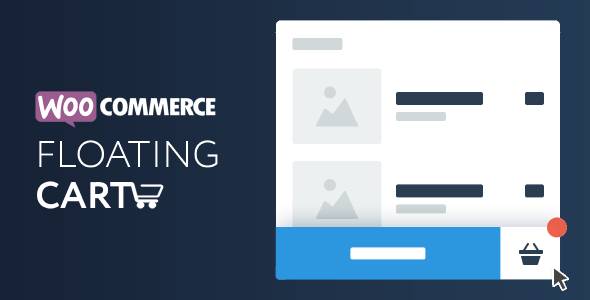
Overview of WooCommerce Floating Cart
The WooCommerce Floating Cart is an essential plugin designed to enhance the shopping experience on your online store. It provides a persistent, always-visible cart icon and summary, ensuring customers can easily track their selections and proceed to checkout at any point. This dynamic tool is perfect for any WooCommerce store owner looking to reduce cart abandonment rates and streamline the purchasing journey for their visitors.
Key Features of WooCommerce Floating Cart
- Persistent Cart Icon: The WooCommerce Floating Cart ensures a prominent cart icon remains visible on all pages, reminding customers of their selected items and making it easy to access their cart.
- Real-time Cart Updates: Items added to the cart are instantly reflected in the floating cart summary without requiring a page refresh, offering a seamless and responsive shopping experience.
- Customizable Design & Position: Tailor the appearance of your WooCommerce Floating Cart to match your brand. Adjust colors, icons, and choose from various positions (left, right, top, bottom) to perfectly integrate with your theme.
- Quick Cart Overview: Users can quickly view their cart contents, item quantities, and subtotal by hovering or clicking on the floating cart icon, minimizing clicks to access critical information.
- Direct Checkout Access: From the WooCommerce Floating Cart, customers can directly navigate to the cart page or proceed straight to checkout, accelerating the conversion process.
- Mobile Responsive: The WooCommerce Floating Cart is fully optimized for all devices, ensuring a flawless and functional experience for shoppers whether they are on a desktop, tablet, or smartphone.
- AJAX Add to Cart Support: Seamlessly add products to the cart using AJAX technology, preventing page reloads and providing a smoother, faster shopping flow within your store.
- Conditional Display Options: Control where the WooCommerce Floating Cart appears on your site. Enable or disable it on specific pages or product types for a tailored user experience.
Why Choose WooCommerce Floating Cart?
Choosing the WooCommerce Floating Cart for your online store brings a multitude of benefits, primarily focusing on improving user experience and boosting your conversion rates. In today’s fast-paced digital world, convenience is key. This plugin ensures that your customers always have their shopping cart in sight, acting as a constant, gentle reminder of their selections and making the path to purchase incredibly straightforward. No more searching for the cart icon or wondering if an item was successfully added; the WooCommerce Floating Cart provides immediate visual confirmation and access.
Beyond convenience, the WooCommerce Floating Cart is a powerful tool for combating cart abandonment. By keeping the cart persistently visible and easily accessible, it reduces friction points that often lead customers to leave without completing their purchase. The quick overview feature allows shoppers to review their items without leaving their current page, maintaining engagement and encouraging them to finalize their order. This professional addition to your WooCommerce setup not only enhances functionality but also elevates the overall perception of your store, making it appear more modern and user-friendly.
Furthermore, the extensive customization options mean that the WooCommerce Floating Cart can be seamlessly integrated into any website design. You can match it perfectly with your brand’s aesthetic, ensuring a cohesive and polished look. This attention to detail, combined with its robust features, makes the WooCommerce Floating Cart an invaluable asset for any serious e-commerce business looking to optimize their sales funnel and provide an exceptional shopping experience. It’s an investment in efficiency and customer satisfaction that pays dividends in increased conversions.
Who Should Use WooCommerce Floating Cart?
The WooCommerce Floating Cart is an ideal solution for any WooCommerce store owner who prioritizes user experience and aims to maximize their conversion rates. It is particularly beneficial for:
- E-commerce stores with a wide range of products where customers might spend a significant amount of time browsing.
- Businesses looking to reduce cart abandonment by making the checkout process as clear and accessible as possible.
- Online retailers who want to provide a modern, intuitive, and responsive shopping interface for their customers.
- Stores that frequently update their inventory or run promotions, as the real-time updates of the WooCommerce Floating Cart keep customers informed.
- Anyone seeking to provide a premium shopping experience, ensuring customers feel confident and in control throughout their purchasing journey.
How to Install WooCommerce Floating Cart
- Download the Plugin: After purchasing the WooCommerce Floating Cart from our store, download the plugin .zip file to your computer.
- Upload to WordPress: Log in to your WordPress admin dashboard. Navigate to ‘Plugins’ > ‘Add New’ > ‘Upload Plugin’. Click ‘Choose File’, select the WooCommerce Floating Cart .zip file, and then click ‘Install Now’.
- Activate the Plugin: Once the plugin is successfully installed, click the ‘Activate Plugin’ button.
- Configure Settings: After activation, a new menu item for the WooCommerce Floating Cart will appear in your WordPress dashboard (usually under ‘WooCommerce’ or a dedicated settings tab). Click on it to access the settings and customize the cart’s appearance and behavior to your liking.
- Test Functionality: Visit your store’s front-end and add some products to your cart to ensure the WooCommerce Floating Cart is working correctly and displaying as intended.
Frequently Asked Questions About WooCommerce Floating Cart
What is a WooCommerce Floating Cart?
A WooCommerce Floating Cart is a plugin that adds a persistent, always-visible cart icon or widget to your WooCommerce store. It typically displays a summary of the items in a customer’s cart, allowing them to quickly view their selections and proceed to checkout without having to navigate away from their current page. This enhances user experience and helps reduce cart abandonment.
Is the WooCommerce Floating Cart customizable?
Yes, the WooCommerce Floating Cart is highly customizable. You can typically adjust its position on the screen, change colors to match your brand, select different icons, and configure various display options. This ensures it integrates seamlessly with your existing WordPress Themes and overall site design.
Does the WooCommerce Floating Cart support AJAX functionality?
Absolutely. The WooCommerce Floating Cart is designed to work with AJAX (Asynchronous JavaScript and XML), meaning that when customers add products to their cart, the floating cart updates in real-time without requiring a full page reload. This provides a smoother, faster, and more engaging shopping experience for your users.
Get WooCommerce Floating Cart Today
Ready to elevate your customer’s shopping experience and boost your store’s conversion rates? The WooCommerce Floating Cart is the premium solution you need. With its intuitive design, robust features, and seamless integration, it’s an indispensable addition to any serious WooCommerce store. Enhance navigation, reduce cart abandonment, and provide a truly modern shopping journey for your customers. Explore this and other high-quality GPL WordPress Products to empower your website. Don’t miss out on optimizing your store with the WooCommerce Floating Cart – get started today!
Related Products You May Like
Here's everything you need to know about your purchase:
- 100% original files — Every product is the genuine, virus-free file, exactly as released by the original developer.
- Instant download — Access your files immediately after purchase from your account.
- Lifetime access — Re-download your purchased files anytime. No expiry, no limits.
- Free updates — Newer version released? Just request an update from us, free for all customers.
- Dedicated support — Our team is available 24/7 for installation and file-related help.
- Easy refunds — Not satisfied? Review our Refund Policy. We offer a hassle-free 7-day guarantee.
$100.00 Original price was: $100.00.$2.00Current price is: $2.00.
Version
2.8.7
Last Updated
25/04/2026
License
GPL v2
Compatibility
WordPress 5.0+
Need latest version?
Newer version released? Request an update from us — free for all customers!
Request Update →🎁 Your Purchase Includes
Overview of WooCommerce Floating Cart
The WooCommerce Floating Cart is an essential plugin designed to enhance the shopping experience on your online store. It provides a persistent, always-visible cart icon and summary, ensuring customers can easily track their selections and proceed to checkout at any point. This dynamic tool is perfect for any WooCommerce store owner looking to reduce cart abandonment rates and streamline the purchasing journey for their visitors.
Key Features of WooCommerce Floating Cart
- Persistent Cart Icon: The WooCommerce Floating Cart ensures a prominent cart icon remains visible on all pages, reminding customers of their selected items and making it easy to access their cart.
- Real-time Cart Updates: Items added to the cart are instantly reflected in the floating cart summary without requiring a page refresh, offering a seamless and responsive shopping experience.
- Customizable Design & Position: Tailor the appearance of your WooCommerce Floating Cart to match your brand. Adjust colors, icons, and choose from various positions (left, right, top, bottom) to perfectly integrate with your theme.
- Quick Cart Overview: Users can quickly view their cart contents, item quantities, and subtotal by hovering or clicking on the floating cart icon, minimizing clicks to access critical information.
- Direct Checkout Access: From the WooCommerce Floating Cart, customers can directly navigate to the cart page or proceed straight to checkout, accelerating the conversion process.
- Mobile Responsive: The WooCommerce Floating Cart is fully optimized for all devices, ensuring a flawless and functional experience for shoppers whether they are on a desktop, tablet, or smartphone.
- AJAX Add to Cart Support: Seamlessly add products to the cart using AJAX technology, preventing page reloads and providing a smoother, faster shopping flow within your store.
- Conditional Display Options: Control where the WooCommerce Floating Cart appears on your site. Enable or disable it on specific pages or product types for a tailored user experience.
Why Choose WooCommerce Floating Cart?
Choosing the WooCommerce Floating Cart for your online store brings a multitude of benefits, primarily focusing on improving user experience and boosting your conversion rates. In today’s fast-paced digital world, convenience is key. This plugin ensures that your customers always have their shopping cart in sight, acting as a constant, gentle reminder of their selections and making the path to purchase incredibly straightforward. No more searching for the cart icon or wondering if an item was successfully added; the WooCommerce Floating Cart provides immediate visual confirmation and access.
Beyond convenience, the WooCommerce Floating Cart is a powerful tool for combating cart abandonment. By keeping the cart persistently visible and easily accessible, it reduces friction points that often lead customers to leave without completing their purchase. The quick overview feature allows shoppers to review their items without leaving their current page, maintaining engagement and encouraging them to finalize their order. This professional addition to your WooCommerce setup not only enhances functionality but also elevates the overall perception of your store, making it appear more modern and user-friendly.
Furthermore, the extensive customization options mean that the WooCommerce Floating Cart can be seamlessly integrated into any website design. You can match it perfectly with your brand’s aesthetic, ensuring a cohesive and polished look. This attention to detail, combined with its robust features, makes the WooCommerce Floating Cart an invaluable asset for any serious e-commerce business looking to optimize their sales funnel and provide an exceptional shopping experience. It’s an investment in efficiency and customer satisfaction that pays dividends in increased conversions.
Who Should Use WooCommerce Floating Cart?
The WooCommerce Floating Cart is an ideal solution for any WooCommerce store owner who prioritizes user experience and aims to maximize their conversion rates. It is particularly beneficial for:
- E-commerce stores with a wide range of products where customers might spend a significant amount of time browsing.
- Businesses looking to reduce cart abandonment by making the checkout process as clear and accessible as possible.
- Online retailers who want to provide a modern, intuitive, and responsive shopping interface for their customers.
- Stores that frequently update their inventory or run promotions, as the real-time updates of the WooCommerce Floating Cart keep customers informed.
- Anyone seeking to provide a premium shopping experience, ensuring customers feel confident and in control throughout their purchasing journey.
How to Install WooCommerce Floating Cart
- Download the Plugin: After purchasing the WooCommerce Floating Cart from our store, download the plugin .zip file to your computer.
- Upload to WordPress: Log in to your WordPress admin dashboard. Navigate to ‘Plugins’ > ‘Add New’ > ‘Upload Plugin’. Click ‘Choose File’, select the WooCommerce Floating Cart .zip file, and then click ‘Install Now’.
- Activate the Plugin: Once the plugin is successfully installed, click the ‘Activate Plugin’ button.
- Configure Settings: After activation, a new menu item for the WooCommerce Floating Cart will appear in your WordPress dashboard (usually under ‘WooCommerce’ or a dedicated settings tab). Click on it to access the settings and customize the cart’s appearance and behavior to your liking.
- Test Functionality: Visit your store’s front-end and add some products to your cart to ensure the WooCommerce Floating Cart is working correctly and displaying as intended.
Frequently Asked Questions About WooCommerce Floating Cart
What is a WooCommerce Floating Cart?
A WooCommerce Floating Cart is a plugin that adds a persistent, always-visible cart icon or widget to your WooCommerce store. It typically displays a summary of the items in a customer’s cart, allowing them to quickly view their selections and proceed to checkout without having to navigate away from their current page. This enhances user experience and helps reduce cart abandonment.
Is the WooCommerce Floating Cart customizable?
Yes, the WooCommerce Floating Cart is highly customizable. You can typically adjust its position on the screen, change colors to match your brand, select different icons, and configure various display options. This ensures it integrates seamlessly with your existing WordPress Themes and overall site design.
Does the WooCommerce Floating Cart support AJAX functionality?
Absolutely. The WooCommerce Floating Cart is designed to work with AJAX (Asynchronous JavaScript and XML), meaning that when customers add products to their cart, the floating cart updates in real-time without requiring a full page reload. This provides a smoother, faster, and more engaging shopping experience for your users.
Get WooCommerce Floating Cart Today
Ready to elevate your customer’s shopping experience and boost your store’s conversion rates? The WooCommerce Floating Cart is the premium solution you need. With its intuitive design, robust features, and seamless integration, it’s an indispensable addition to any serious WooCommerce store. Enhance navigation, reduce cart abandonment, and provide a truly modern shopping journey for your customers. Explore this and other high-quality GPL WordPress Products to empower your website. Don’t miss out on optimizing your store with the WooCommerce Floating Cart – get started today!
Related Products You May Like
Reviews
There are no reviews yet.
Here's everything you need to know about your purchase:
- 100% original files — Every product is the genuine, virus-free file, exactly as released by the original developer.
- Instant download — Access your files immediately after purchase from your account.
- Lifetime access — Re-download your purchased files anytime. No expiry, no limits.
- Free updates — Newer version released? Just request an update from us, free for all customers.
- Dedicated support — Our team is available 24/7 for installation and file-related help.
- Easy refunds — Not satisfied? Review our Refund Policy. We offer a hassle-free 7-day guarantee.
Reviews
There are no reviews yet.