

WooCommerce Google Spreadsheet Addon (Import / Export) 7.5
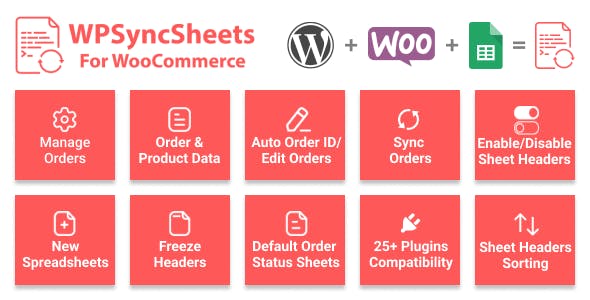
Overview of WooCommerce Google Spreadsheet Addon
The WooCommerce Google Spreadsheet Addon is an indispensable tool designed to revolutionize how you manage your WooCommerce store data. This powerful addon enables seamless import and export of various store information directly to and from Google Spreadsheets, making data management intuitive and highly efficient. It’s perfect for store owners, data analysts, and e-commerce managers who need robust, flexible, and reliable control over their products, orders, customers, and more, all within the familiar environment of Google Sheets.
Key Features of WooCommerce Google Spreadsheet Addon
- Effortless Data Synchronization: Keep your WooCommerce store and Google Spreadsheets perfectly aligned with automated and manual synchronization options. The WooCommerce Google Spreadsheet Addon ensures your data is always up-to-date across platforms.
- Comprehensive Bulk Import/Export: Easily import or export a vast array of WooCommerce data, including products (simple, variable, grouped), orders, customers, coupons, and subscriptions, saving countless hours on manual data entry.
- Customizable Field Mapping: Gain complete control over your data structure with flexible field mapping. Match your spreadsheet columns to WooCommerce fields precisely, ensuring accuracy and consistency during transfers with the WooCommerce Google Spreadsheet Addon.
- Scheduled and Real-Time Updates: Automate your data transfers with scheduled imports and exports, or perform real-time updates whenever needed. This flexibility is a core strength of the WooCommerce Google Spreadsheet Addon.
- Intuitive User Interface: Manage all your import/export operations from a user-friendly interface within your WordPress dashboard. No coding knowledge is required to leverage the full power of the WooCommerce Google Spreadsheet Addon.
- Secure Google API Integration: Benefit from secure and reliable data transfers thanks to robust integration with Google’s official API, protecting your sensitive store information.
- Advanced Filtering and Sorting: Export specific subsets of your data using powerful filtering and sorting options, allowing you to focus on the information most relevant to your current needs.
- Error Logging and Reporting: Monitor the success of your import/export tasks with detailed logs and reports, helping you quickly identify and resolve any potential issues.
Why Choose WooCommerce Google Spreadsheet Addon?
Choosing the WooCommerce Google Spreadsheet Addon means opting for unparalleled efficiency and accuracy in your e-commerce operations. This addon dramatically reduces the time and effort typically associated with managing large volumes of product inventory, customer information, or order details. Instead of tedious manual updates or complex database queries, you can leverage the simplicity and collaborative power of Google Sheets to modify, review, and push data directly to your store. This not only minimizes human error but also frees up valuable time for you to focus on growth strategies and customer engagement.
The value proposition of the WooCommerce Google Spreadsheet Addon extends beyond mere convenience; it’s about empowering informed decision-making. With all your critical store data readily accessible and manipulable in Google Sheets, you can perform advanced analytics, generate custom reports, and collaborate with your team more effectively. Whether you’re updating product prices, adjusting stock levels, migrating customer lists, or processing bulk orders, this addon provides a robust and secure bridge between your WooCommerce store and your data analysis tools. It’s a strategic investment for any store looking to scale its operations and maintain a competitive edge.
Who Should Use WooCommerce Google Spreadsheet Addon?
The WooCommerce Google Spreadsheet Addon is ideal for a wide range of users within the e-commerce ecosystem. Store owners seeking to simplify their daily data management tasks, e-commerce managers needing to streamline inventory updates and order processing, and marketing teams looking to export customer data for targeted campaigns will find it invaluable. Businesses that frequently update product catalogs, manage a large number of orders, or need to collaborate on store data with external teams will especially benefit from the seamless integration and powerful features offered by this WooCommerce Google Spreadsheet Addon.
How to Install WooCommerce Google Spreadsheet Addon
- Download the Plugin: After acquiring the WooCommerce Google Spreadsheet Addon, download the plugin file (usually a .zip archive) to your computer.
- Upload to WordPress: Log in to your WordPress admin dashboard. Navigate to ‘Plugins’ > ‘Add New’. Click the ‘Upload Plugin’ button at the top of the page.
- Choose and Install: Click ‘Choose File’, select the WooCommerce Google Spreadsheet Addon .zip file you downloaded, and then click ‘Install Now’.
- Activate the Plugin: Once the installation is complete, click the ‘Activate Plugin’ button. The WooCommerce Google Spreadsheet Addon will now be active on your site.
- Configure Settings: Go to the newly added menu item (usually under WooCommerce or a dedicated menu) for the WooCommerce Google Spreadsheet Addon to configure your Google API credentials and start setting up your import/export profiles.
Frequently Asked Questions About WooCommerce Google Spreadsheet Addon
What types of WooCommerce data can I manage with the WooCommerce Google Spreadsheet Addon?
With the WooCommerce Google Spreadsheet Addon, you can manage a comprehensive range of data including products (simple, variable, grouped, external), orders, customers, coupons, and subscriptions. This extensive support ensures you have full control over your essential store information.
Is the data transfer secure when using the WooCommerce Google Spreadsheet Addon?
Absolutely. The WooCommerce Google Spreadsheet Addon utilizes Google’s official API for all data transfers, ensuring a secure and authenticated connection between your WooCommerce store and Google Spreadsheets. Your data privacy and integrity are prioritized.
Does the WooCommerce Google Spreadsheet Addon support custom fields and product attributes?
Yes, the WooCommerce Google Spreadsheet Addon is highly flexible and supports custom fields, product attributes, and variations. You can easily map these custom data points during the import and export process, ensuring all your unique store data is handled correctly.
Get WooCommerce Google Spreadsheet Addon Today
Transform your WooCommerce data management with the unparalleled power and flexibility of the WooCommerce Google Spreadsheet Addon. Streamline your operations, save valuable time, and gain deeper insights into your store’s performance by integrating your e-commerce platform with the collaborative capabilities of Google Sheets. Explore this essential tool and many other high-quality WordPress Plugins available. Elevate your online store’s efficiency and discover the full potential of GPL WordPress Products today.
Related Products You May Like
Here's everything you need to know about your purchase:
- 100% original files — Every product is the genuine, virus-free file, exactly as released by the original developer.
- Instant download — Access your files immediately after purchase from your account.
- Lifetime access — Re-download your purchased files anytime. No expiry, no limits.
- Free updates — Newer version released? Just request an update from us, free for all customers.
- Dedicated support — Our team is available 24/7 for installation and file-related help.
- Easy refunds — Not satisfied? Review our Refund Policy. We offer a hassle-free 7-day guarantee.
$100.00 Original price was: $100.00.$2.00Current price is: $2.00.
Version
7.5
Last Updated
04/11/2022
License
GPL v2
Compatibility
WordPress 5.0+
Need latest version?
Newer version released? Request an update from us — free for all customers!
Request Update →🎁 Your Purchase Includes
Overview of WooCommerce Google Spreadsheet Addon
The WooCommerce Google Spreadsheet Addon is an indispensable tool designed to revolutionize how you manage your WooCommerce store data. This powerful addon enables seamless import and export of various store information directly to and from Google Spreadsheets, making data management intuitive and highly efficient. It’s perfect for store owners, data analysts, and e-commerce managers who need robust, flexible, and reliable control over their products, orders, customers, and more, all within the familiar environment of Google Sheets.
Key Features of WooCommerce Google Spreadsheet Addon
- Effortless Data Synchronization: Keep your WooCommerce store and Google Spreadsheets perfectly aligned with automated and manual synchronization options. The WooCommerce Google Spreadsheet Addon ensures your data is always up-to-date across platforms.
- Comprehensive Bulk Import/Export: Easily import or export a vast array of WooCommerce data, including products (simple, variable, grouped), orders, customers, coupons, and subscriptions, saving countless hours on manual data entry.
- Customizable Field Mapping: Gain complete control over your data structure with flexible field mapping. Match your spreadsheet columns to WooCommerce fields precisely, ensuring accuracy and consistency during transfers with the WooCommerce Google Spreadsheet Addon.
- Scheduled and Real-Time Updates: Automate your data transfers with scheduled imports and exports, or perform real-time updates whenever needed. This flexibility is a core strength of the WooCommerce Google Spreadsheet Addon.
- Intuitive User Interface: Manage all your import/export operations from a user-friendly interface within your WordPress dashboard. No coding knowledge is required to leverage the full power of the WooCommerce Google Spreadsheet Addon.
- Secure Google API Integration: Benefit from secure and reliable data transfers thanks to robust integration with Google’s official API, protecting your sensitive store information.
- Advanced Filtering and Sorting: Export specific subsets of your data using powerful filtering and sorting options, allowing you to focus on the information most relevant to your current needs.
- Error Logging and Reporting: Monitor the success of your import/export tasks with detailed logs and reports, helping you quickly identify and resolve any potential issues.
Why Choose WooCommerce Google Spreadsheet Addon?
Choosing the WooCommerce Google Spreadsheet Addon means opting for unparalleled efficiency and accuracy in your e-commerce operations. This addon dramatically reduces the time and effort typically associated with managing large volumes of product inventory, customer information, or order details. Instead of tedious manual updates or complex database queries, you can leverage the simplicity and collaborative power of Google Sheets to modify, review, and push data directly to your store. This not only minimizes human error but also frees up valuable time for you to focus on growth strategies and customer engagement.
The value proposition of the WooCommerce Google Spreadsheet Addon extends beyond mere convenience; it’s about empowering informed decision-making. With all your critical store data readily accessible and manipulable in Google Sheets, you can perform advanced analytics, generate custom reports, and collaborate with your team more effectively. Whether you’re updating product prices, adjusting stock levels, migrating customer lists, or processing bulk orders, this addon provides a robust and secure bridge between your WooCommerce store and your data analysis tools. It’s a strategic investment for any store looking to scale its operations and maintain a competitive edge.
Who Should Use WooCommerce Google Spreadsheet Addon?
The WooCommerce Google Spreadsheet Addon is ideal for a wide range of users within the e-commerce ecosystem. Store owners seeking to simplify their daily data management tasks, e-commerce managers needing to streamline inventory updates and order processing, and marketing teams looking to export customer data for targeted campaigns will find it invaluable. Businesses that frequently update product catalogs, manage a large number of orders, or need to collaborate on store data with external teams will especially benefit from the seamless integration and powerful features offered by this WooCommerce Google Spreadsheet Addon.
How to Install WooCommerce Google Spreadsheet Addon
- Download the Plugin: After acquiring the WooCommerce Google Spreadsheet Addon, download the plugin file (usually a .zip archive) to your computer.
- Upload to WordPress: Log in to your WordPress admin dashboard. Navigate to ‘Plugins’ > ‘Add New’. Click the ‘Upload Plugin’ button at the top of the page.
- Choose and Install: Click ‘Choose File’, select the WooCommerce Google Spreadsheet Addon .zip file you downloaded, and then click ‘Install Now’.
- Activate the Plugin: Once the installation is complete, click the ‘Activate Plugin’ button. The WooCommerce Google Spreadsheet Addon will now be active on your site.
- Configure Settings: Go to the newly added menu item (usually under WooCommerce or a dedicated menu) for the WooCommerce Google Spreadsheet Addon to configure your Google API credentials and start setting up your import/export profiles.
Frequently Asked Questions About WooCommerce Google Spreadsheet Addon
What types of WooCommerce data can I manage with the WooCommerce Google Spreadsheet Addon?
With the WooCommerce Google Spreadsheet Addon, you can manage a comprehensive range of data including products (simple, variable, grouped, external), orders, customers, coupons, and subscriptions. This extensive support ensures you have full control over your essential store information.
Is the data transfer secure when using the WooCommerce Google Spreadsheet Addon?
Absolutely. The WooCommerce Google Spreadsheet Addon utilizes Google’s official API for all data transfers, ensuring a secure and authenticated connection between your WooCommerce store and Google Spreadsheets. Your data privacy and integrity are prioritized.
Does the WooCommerce Google Spreadsheet Addon support custom fields and product attributes?
Yes, the WooCommerce Google Spreadsheet Addon is highly flexible and supports custom fields, product attributes, and variations. You can easily map these custom data points during the import and export process, ensuring all your unique store data is handled correctly.
Get WooCommerce Google Spreadsheet Addon Today
Transform your WooCommerce data management with the unparalleled power and flexibility of the WooCommerce Google Spreadsheet Addon. Streamline your operations, save valuable time, and gain deeper insights into your store’s performance by integrating your e-commerce platform with the collaborative capabilities of Google Sheets. Explore this essential tool and many other high-quality WordPress Plugins available. Elevate your online store’s efficiency and discover the full potential of GPL WordPress Products today.
Related Products You May Like
Reviews
There are no reviews yet.
Here's everything you need to know about your purchase:
- 100% original files — Every product is the genuine, virus-free file, exactly as released by the original developer.
- Instant download — Access your files immediately after purchase from your account.
- Lifetime access — Re-download your purchased files anytime. No expiry, no limits.
- Free updates — Newer version released? Just request an update from us, free for all customers.
- Dedicated support — Our team is available 24/7 for installation and file-related help.
- Easy refunds — Not satisfied? Review our Refund Policy. We offer a hassle-free 7-day guarantee.
Reviews
There are no reviews yet.