

WooCommerce Customers Manager 31.9
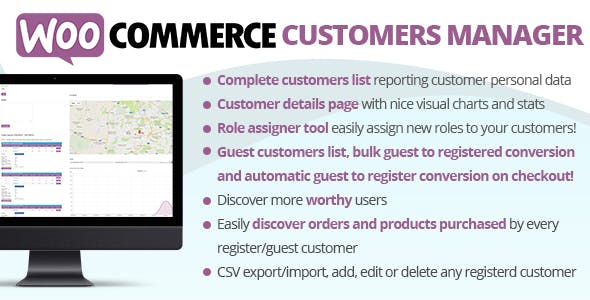
Overview of WooCommerce Customers Manager
The WooCommerce Customers Manager is an indispensable tool designed to empower store owners with unparalleled control and insight into their customer base. This robust plugin transforms the way you interact with and understand your shoppers, providing a centralized hub for all customer-related data within your WooCommerce store. It’s perfect for any e-commerce business looking to streamline customer management, enhance personalized marketing efforts, and ultimately boost customer loyalty and sales.
Key Features of WooCommerce Customers Manager
- Comprehensive Customer Profiles: Gain instant access to detailed customer information, including contact details, billing and shipping addresses, and a complete overview of their purchase history directly from your WordPress dashboard.
- Advanced Customer Segmentation: Easily group your customers based on various criteria such as total spent, number of orders, last purchase date, or specific products purchased, enabling highly targeted marketing campaigns.
- Customer Notes and Activity Logs: Keep track of all interactions, add private notes to individual customer profiles, and view a chronological log of their activities, ensuring personalized and informed customer service.
- GDPR Compliance Tools: Facilitate compliance with data protection regulations by allowing customers to request their data, anonymize profiles, or delete their accounts, all managed efficiently through the WooCommerce Customers Manager.
- Bulk Actions and Export/Import: Save time with powerful bulk editing capabilities for customer data. Export customer lists for external marketing tools or import new customer data with ease.
- Customer Group Management: Create custom customer groups, assign specific roles, and even set up group-specific discounts or promotions, fostering a sense of community and exclusivity.
- Real-time Customer Insights: Access dashboards and reports that provide valuable insights into customer behavior, helping you identify trends, popular products, and opportunities for growth.
- Integrated Communication Tools: Send direct emails or messages to individual customers or entire segments, simplifying follow-ups, promotional offers, and customer support communications.
Why Choose WooCommerce Customers Manager?
Choosing the WooCommerce Customers Manager means investing in the growth and efficiency of your online store. In today’s competitive e-commerce landscape, understanding your customers is not just an advantage; it’s a necessity. This powerful plugin provides you with the tools to move beyond basic order management, allowing you to cultivate deeper relationships with your shoppers. By centralizing customer data and making it easily accessible, you can quickly identify your most valuable customers, re-engage dormant ones, and tailor experiences that convert first-time buyers into loyal advocates.
The value proposition of the WooCommerce Customers Manager extends to improved operational efficiency and smarter marketing. Imagine being able to segment customers who haven’t purchased in 60 days and sending them a targeted re-engagement offer, or identifying your top spenders to reward them with exclusive access to new products. This level of precision not only saves time but also significantly boosts the effectiveness of your marketing spend. Furthermore, by having a clear overview of customer interactions and preferences, your customer service team can provide more informed and personalized support, leading to higher satisfaction rates and positive reviews.
Ultimately, the WooCommerce Customers Manager is more than just a plugin; it’s a strategic asset for any WooCommerce store owner committed to long-term success. It empowers you to make data-driven decisions, foster stronger customer relationships, and unlock new revenue streams through personalized engagement. With its comprehensive features and intuitive interface, managing your customer base becomes a seamless and rewarding experience, allowing you to focus on what you do best: growing your business.
Who Should Use WooCommerce Customers Manager?
The WooCommerce Customers Manager is ideal for a wide range of users, from small business owners just starting their online store to large e-commerce enterprises with thousands of customers. It’s particularly beneficial for marketing managers looking to segment audiences for targeted campaigns, customer support teams aiming to provide personalized assistance, and store administrators needing a centralized, efficient way to handle all customer data. Any WooCommerce store owner who wants to deepen customer relationships, improve retention, and drive sales through better customer insights will find this plugin invaluable.
How to Install WooCommerce Customers Manager
- Download the Plugin File: After acquiring the WooCommerce Customers Manager, download the plugin’s .zip file to your computer.
- Upload via WordPress Dashboard: Log in to your WordPress admin area. Navigate to ‘Plugins’ > ‘Add New’. Click on the ‘Upload Plugin’ button at the top of the page.
- Choose and Install: Click ‘Choose File’, select the downloaded .zip file for WooCommerce Customers Manager, and then click ‘Install Now’.
- Activate the Plugin: Once the installation is complete, you will see a success message. Click on ‘Activate Plugin’ to enable the WooCommerce Customers Manager on your site.
- Configure Settings: After activation, a new menu item or section related to ‘Customers’ or ‘WooCommerce Customers Manager’ will appear in your WordPress dashboard. Navigate to this section to configure the plugin’s settings and begin managing your customers.
Frequently Asked Questions About WooCommerce Customers Manager
Is WooCommerce Customers Manager compatible with other plugins?
The WooCommerce Customers Manager is developed with high standards and is generally compatible with most well-coded WooCommerce and WordPress plugins. However, due to the vast number of plugins available, specific conflicts can occasionally arise. We recommend testing it in a staging environment if you have a highly customized setup or many active plugins.
Can I import existing customer data into WooCommerce Customers Manager?
Yes, the WooCommerce Customers Manager typically includes robust import functionalities, allowing you to easily bring in existing customer data from CSV files or other compatible formats. This ensures a smooth transition and integration of your current customer base into the manager.
Does WooCommerce Customers Manager support GDPR compliance?
Absolutely. The WooCommerce Customers Manager is designed with modern data privacy regulations in mind, offering features that help store owners comply with GDPR and similar laws. This often includes tools for customers to request their data, anonymize profiles, or manage their consent preferences.
Get WooCommerce Customers Manager Today
Elevate your customer management strategy and unlock the full potential of your WooCommerce store with the WooCommerce Customers Manager. This essential tool provides the insights and control you need to build lasting customer relationships and drive sales. Explore our extensive collection of WordPress Plugins and other premium GPL WordPress Products to further enhance your website’s functionality and performance.
Related Products You May Like
Here's everything you need to know about your purchase:
- 100% original files — Every product is the genuine, virus-free file, exactly as released by the original developer.
- Instant download — Access your files immediately after purchase from your account.
- Lifetime access — Re-download your purchased files anytime. No expiry, no limits.
- Free updates — Newer version released? Just request an update from us, free for all customers.
- Dedicated support — Our team is available 24/7 for installation and file-related help.
- Easy refunds — Not satisfied? Review our Refund Policy. We offer a hassle-free 7-day guarantee.
$100.00 Original price was: $100.00.$2.00Current price is: $2.00.
Version
31.9
Last Updated
02/02/2026
License
GPL v2
Compatibility
WordPress 5.0+
Need latest version?
Newer version released? Request an update from us — free for all customers!
Request Update →🎁 Your Purchase Includes
Overview of WooCommerce Customers Manager
The WooCommerce Customers Manager is an indispensable tool designed to empower store owners with unparalleled control and insight into their customer base. This robust plugin transforms the way you interact with and understand your shoppers, providing a centralized hub for all customer-related data within your WooCommerce store. It’s perfect for any e-commerce business looking to streamline customer management, enhance personalized marketing efforts, and ultimately boost customer loyalty and sales.
Key Features of WooCommerce Customers Manager
- Comprehensive Customer Profiles: Gain instant access to detailed customer information, including contact details, billing and shipping addresses, and a complete overview of their purchase history directly from your WordPress dashboard.
- Advanced Customer Segmentation: Easily group your customers based on various criteria such as total spent, number of orders, last purchase date, or specific products purchased, enabling highly targeted marketing campaigns.
- Customer Notes and Activity Logs: Keep track of all interactions, add private notes to individual customer profiles, and view a chronological log of their activities, ensuring personalized and informed customer service.
- GDPR Compliance Tools: Facilitate compliance with data protection regulations by allowing customers to request their data, anonymize profiles, or delete their accounts, all managed efficiently through the WooCommerce Customers Manager.
- Bulk Actions and Export/Import: Save time with powerful bulk editing capabilities for customer data. Export customer lists for external marketing tools or import new customer data with ease.
- Customer Group Management: Create custom customer groups, assign specific roles, and even set up group-specific discounts or promotions, fostering a sense of community and exclusivity.
- Real-time Customer Insights: Access dashboards and reports that provide valuable insights into customer behavior, helping you identify trends, popular products, and opportunities for growth.
- Integrated Communication Tools: Send direct emails or messages to individual customers or entire segments, simplifying follow-ups, promotional offers, and customer support communications.
Why Choose WooCommerce Customers Manager?
Choosing the WooCommerce Customers Manager means investing in the growth and efficiency of your online store. In today’s competitive e-commerce landscape, understanding your customers is not just an advantage; it’s a necessity. This powerful plugin provides you with the tools to move beyond basic order management, allowing you to cultivate deeper relationships with your shoppers. By centralizing customer data and making it easily accessible, you can quickly identify your most valuable customers, re-engage dormant ones, and tailor experiences that convert first-time buyers into loyal advocates.
The value proposition of the WooCommerce Customers Manager extends to improved operational efficiency and smarter marketing. Imagine being able to segment customers who haven’t purchased in 60 days and sending them a targeted re-engagement offer, or identifying your top spenders to reward them with exclusive access to new products. This level of precision not only saves time but also significantly boosts the effectiveness of your marketing spend. Furthermore, by having a clear overview of customer interactions and preferences, your customer service team can provide more informed and personalized support, leading to higher satisfaction rates and positive reviews.
Ultimately, the WooCommerce Customers Manager is more than just a plugin; it’s a strategic asset for any WooCommerce store owner committed to long-term success. It empowers you to make data-driven decisions, foster stronger customer relationships, and unlock new revenue streams through personalized engagement. With its comprehensive features and intuitive interface, managing your customer base becomes a seamless and rewarding experience, allowing you to focus on what you do best: growing your business.
Who Should Use WooCommerce Customers Manager?
The WooCommerce Customers Manager is ideal for a wide range of users, from small business owners just starting their online store to large e-commerce enterprises with thousands of customers. It’s particularly beneficial for marketing managers looking to segment audiences for targeted campaigns, customer support teams aiming to provide personalized assistance, and store administrators needing a centralized, efficient way to handle all customer data. Any WooCommerce store owner who wants to deepen customer relationships, improve retention, and drive sales through better customer insights will find this plugin invaluable.
How to Install WooCommerce Customers Manager
- Download the Plugin File: After acquiring the WooCommerce Customers Manager, download the plugin’s .zip file to your computer.
- Upload via WordPress Dashboard: Log in to your WordPress admin area. Navigate to ‘Plugins’ > ‘Add New’. Click on the ‘Upload Plugin’ button at the top of the page.
- Choose and Install: Click ‘Choose File’, select the downloaded .zip file for WooCommerce Customers Manager, and then click ‘Install Now’.
- Activate the Plugin: Once the installation is complete, you will see a success message. Click on ‘Activate Plugin’ to enable the WooCommerce Customers Manager on your site.
- Configure Settings: After activation, a new menu item or section related to ‘Customers’ or ‘WooCommerce Customers Manager’ will appear in your WordPress dashboard. Navigate to this section to configure the plugin’s settings and begin managing your customers.
Frequently Asked Questions About WooCommerce Customers Manager
Is WooCommerce Customers Manager compatible with other plugins?
The WooCommerce Customers Manager is developed with high standards and is generally compatible with most well-coded WooCommerce and WordPress plugins. However, due to the vast number of plugins available, specific conflicts can occasionally arise. We recommend testing it in a staging environment if you have a highly customized setup or many active plugins.
Can I import existing customer data into WooCommerce Customers Manager?
Yes, the WooCommerce Customers Manager typically includes robust import functionalities, allowing you to easily bring in existing customer data from CSV files or other compatible formats. This ensures a smooth transition and integration of your current customer base into the manager.
Does WooCommerce Customers Manager support GDPR compliance?
Absolutely. The WooCommerce Customers Manager is designed with modern data privacy regulations in mind, offering features that help store owners comply with GDPR and similar laws. This often includes tools for customers to request their data, anonymize profiles, or manage their consent preferences.
Get WooCommerce Customers Manager Today
Elevate your customer management strategy and unlock the full potential of your WooCommerce store with the WooCommerce Customers Manager. This essential tool provides the insights and control you need to build lasting customer relationships and drive sales. Explore our extensive collection of WordPress Plugins and other premium GPL WordPress Products to further enhance your website’s functionality and performance.
Related Products You May Like
Reviews
There are no reviews yet.
Here's everything you need to know about your purchase:
- 100% original files — Every product is the genuine, virus-free file, exactly as released by the original developer.
- Instant download — Access your files immediately after purchase from your account.
- Lifetime access — Re-download your purchased files anytime. No expiry, no limits.
- Free updates — Newer version released? Just request an update from us, free for all customers.
- Dedicated support — Our team is available 24/7 for installation and file-related help.
- Easy refunds — Not satisfied? Review our Refund Policy. We offer a hassle-free 7-day guarantee.
Reviews
There are no reviews yet.