

GeoDirectory WP All Import 2.3.9
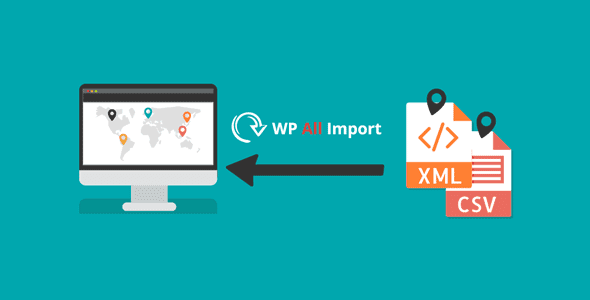
Overview of GeoDirectory WP All Import
Unlock the full potential of your GeoDirectory-powered website with GeoDirectory WP All Import. This essential plugin acts as a powerful bridge, allowing you to effortlessly import vast amounts of data into your GeoDirectory listings. Designed for businesses, directory owners, and webmasters, GeoDirectory WP All Import simplifies the often complex task of populating your site with locations, events, or any custom post type managed by GeoDirectory, saving you countless hours of manual data entry.
Key Features of GeoDirectory WP All Import
- Comprehensive Data Mapping: Seamlessly map fields from your CSV, XML, or spreadsheet files directly to GeoDirectory’s core and custom fields, ensuring every piece of information finds its rightful place.
- Support for All GeoDirectory Post Types: Whether you’re importing business listings, events, places, or any other custom post type registered with GeoDirectory, GeoDirectory WP All Import handles it with precision.
- Update Existing Listings: Easily update previously imported data or modify existing GeoDirectory listings without needing to re-import everything, perfect for maintaining up-to-date directories.
- Advanced Custom Field Integration: Fully supports GeoDirectory’s custom fields, allowing you to import specific details like opening hours, contact information, image galleries, and more, enriching your listings.
- Scheduled Imports: Automate your data updates with scheduled imports, ensuring your directory always reflects the latest information from your data sources without manual intervention.
- Drag-and-Drop Interface: Benefit from a user-friendly, intuitive drag-and-drop interface that makes the mapping process straightforward, even for complex data structures.
- Handling Large Datasets: Engineered to efficiently process large volumes of data, GeoDirectory WP All Import is robust enough for extensive directories with thousands of listings.
- Image and File Imports: Import images, documents, and other media files directly associated with your listings, automatically attaching them to the correct GeoDirectory entries.
Why Choose GeoDirectory WP All Import?
Choosing GeoDirectory WP All Import means investing in efficiency and accuracy for your GeoDirectory-powered website. Manually entering hundreds or thousands of listings is not only time-consuming but also prone to errors. This powerful integration eliminates those hurdles, transforming a daunting task into a streamlined process. It allows you to quickly populate new directories, migrate data from other platforms, or regularly update existing information, all while maintaining the integrity and structure of your GeoDirectory setup. GeoDirectory WP All Import ensures your directory remains dynamic and current with minimal effort.
Beyond initial setup, GeoDirectory WP All Import provides long-term value by simplifying ongoing content management. As your business or community grows, so does your data. With this plugin, you can easily scale your operations, add new categories, and expand your service offerings without being bogged down by data entry. It’s an indispensable tool for anyone serious about managing a professional and comprehensive online directory, offering unparalleled control over your GeoDirectory data imports and updates.
Who Should Use GeoDirectory WP All Import?
GeoDirectory WP All Import is an essential tool for a wide range of users looking to optimize their GeoDirectory websites. This includes owners of local business directories, real estate listing sites, event calendars, job boards, and any other platform built with GeoDirectory that requires bulk data management. If you frequently need to add new listings, update existing information, or migrate large datasets, GeoDirectory WP All Import is designed specifically to meet your needs, saving you significant time and resources.
How to Install GeoDirectory WP All Import
Installing GeoDirectory WP All Import is a straightforward process, allowing you to quickly get started with managing your GeoDirectory data.
- Download the Plugin: First, ensure you have the GeoDirectory core plugin and WP All Import installed and activated on your WordPress site. Then, download the GeoDirectory WP All Import plugin file from your purchase source.
- Upload to WordPress: Log in to your WordPress admin dashboard. Navigate to ‘Plugins’ > ‘Add New’ and click on the ‘Upload Plugin’ button at the top of the page.
- Choose File and Install: Click ‘Choose File’, select the downloaded GeoDirectory WP All Import .zip file from your computer, and then click ‘Install Now’.
- Activate the Plugin: Once the installation is complete, click on the ‘Activate Plugin’ link. This will enable GeoDirectory WP All Import on your website.
- Configure and Use: After activation, you will find new options integrated within WP All Import’s interface, allowing you to select GeoDirectory post types for your import tasks.
Frequently Asked Questions About GeoDirectory WP All Import
What exactly does GeoDirectory WP All Import do?
GeoDirectory WP All Import is an addon that integrates with WP All Import, allowing you to import data from various file types (CSV, XML, spreadsheets) directly into your GeoDirectory listings. It simplifies the process of populating or updating your GeoDirectory-powered website with large volumes of information efficiently.
Can GeoDirectory WP All Import handle custom fields created with GeoDirectory?
Yes, absolutely. GeoDirectory WP All Import is specifically designed to recognize and map data to GeoDirectory’s custom fields, ensuring that all unique information relevant to your listings, such as opening hours, price ranges, or specific attributes, can be imported accurately.
Is it possible to update existing GeoDirectory listings using this plugin?
Yes, GeoDirectory WP All Import allows you to update existing listings. You can choose to create new items, update existing ones based on a unique identifier, or even delete items not present in your import file, providing complete control over your directory’s content.
Get GeoDirectory WP All Import Today
Streamline your GeoDirectory content management and unlock unparalleled efficiency for your directory website. GeoDirectory WP All Import is the essential tool for anyone serious about maintaining a robust and up-to-date online presence. Don’t let manual data entry hold you back; empower your site with automated imports and updates. Explore this and many other premium WordPress Plugins and GPL WordPress Products to enhance your website today.
Related Products You May Like
Here's everything you need to know about your purchase:
- 100% original files — Every product is the genuine, virus-free file, exactly as released by the original developer.
- Instant download — Access your files immediately after purchase from your account.
- Lifetime access — Re-download your purchased files anytime. No expiry, no limits.
- Free updates — Newer version released? Just request an update from us, free for all customers.
- Dedicated support — Our team is available 24/7 for installation and file-related help.
- Easy refunds — Not satisfied? Review our Refund Policy. We offer a hassle-free 7-day guarantee.
$100.00 Original price was: $100.00.$2.00Current price is: $2.00.
Version
2.3.8
Last Updated
11/11/2025
License
GPL v2
Compatibility
WordPress 5.0+
Need latest version?
Newer version released? Request an update from us — free for all customers!
Request Update →🎁 Your Purchase Includes
Overview of GeoDirectory WP All Import
Unlock the full potential of your GeoDirectory-powered website with GeoDirectory WP All Import. This essential plugin acts as a powerful bridge, allowing you to effortlessly import vast amounts of data into your GeoDirectory listings. Designed for businesses, directory owners, and webmasters, GeoDirectory WP All Import simplifies the often complex task of populating your site with locations, events, or any custom post type managed by GeoDirectory, saving you countless hours of manual data entry.
Key Features of GeoDirectory WP All Import
- Comprehensive Data Mapping: Seamlessly map fields from your CSV, XML, or spreadsheet files directly to GeoDirectory’s core and custom fields, ensuring every piece of information finds its rightful place.
- Support for All GeoDirectory Post Types: Whether you’re importing business listings, events, places, or any other custom post type registered with GeoDirectory, GeoDirectory WP All Import handles it with precision.
- Update Existing Listings: Easily update previously imported data or modify existing GeoDirectory listings without needing to re-import everything, perfect for maintaining up-to-date directories.
- Advanced Custom Field Integration: Fully supports GeoDirectory’s custom fields, allowing you to import specific details like opening hours, contact information, image galleries, and more, enriching your listings.
- Scheduled Imports: Automate your data updates with scheduled imports, ensuring your directory always reflects the latest information from your data sources without manual intervention.
- Drag-and-Drop Interface: Benefit from a user-friendly, intuitive drag-and-drop interface that makes the mapping process straightforward, even for complex data structures.
- Handling Large Datasets: Engineered to efficiently process large volumes of data, GeoDirectory WP All Import is robust enough for extensive directories with thousands of listings.
- Image and File Imports: Import images, documents, and other media files directly associated with your listings, automatically attaching them to the correct GeoDirectory entries.
Why Choose GeoDirectory WP All Import?
Choosing GeoDirectory WP All Import means investing in efficiency and accuracy for your GeoDirectory-powered website. Manually entering hundreds or thousands of listings is not only time-consuming but also prone to errors. This powerful integration eliminates those hurdles, transforming a daunting task into a streamlined process. It allows you to quickly populate new directories, migrate data from other platforms, or regularly update existing information, all while maintaining the integrity and structure of your GeoDirectory setup. GeoDirectory WP All Import ensures your directory remains dynamic and current with minimal effort.
Beyond initial setup, GeoDirectory WP All Import provides long-term value by simplifying ongoing content management. As your business or community grows, so does your data. With this plugin, you can easily scale your operations, add new categories, and expand your service offerings without being bogged down by data entry. It’s an indispensable tool for anyone serious about managing a professional and comprehensive online directory, offering unparalleled control over your GeoDirectory data imports and updates.
Who Should Use GeoDirectory WP All Import?
GeoDirectory WP All Import is an essential tool for a wide range of users looking to optimize their GeoDirectory websites. This includes owners of local business directories, real estate listing sites, event calendars, job boards, and any other platform built with GeoDirectory that requires bulk data management. If you frequently need to add new listings, update existing information, or migrate large datasets, GeoDirectory WP All Import is designed specifically to meet your needs, saving you significant time and resources.
How to Install GeoDirectory WP All Import
Installing GeoDirectory WP All Import is a straightforward process, allowing you to quickly get started with managing your GeoDirectory data.
- Download the Plugin: First, ensure you have the GeoDirectory core plugin and WP All Import installed and activated on your WordPress site. Then, download the GeoDirectory WP All Import plugin file from your purchase source.
- Upload to WordPress: Log in to your WordPress admin dashboard. Navigate to ‘Plugins’ > ‘Add New’ and click on the ‘Upload Plugin’ button at the top of the page.
- Choose File and Install: Click ‘Choose File’, select the downloaded GeoDirectory WP All Import .zip file from your computer, and then click ‘Install Now’.
- Activate the Plugin: Once the installation is complete, click on the ‘Activate Plugin’ link. This will enable GeoDirectory WP All Import on your website.
- Configure and Use: After activation, you will find new options integrated within WP All Import’s interface, allowing you to select GeoDirectory post types for your import tasks.
Frequently Asked Questions About GeoDirectory WP All Import
What exactly does GeoDirectory WP All Import do?
GeoDirectory WP All Import is an addon that integrates with WP All Import, allowing you to import data from various file types (CSV, XML, spreadsheets) directly into your GeoDirectory listings. It simplifies the process of populating or updating your GeoDirectory-powered website with large volumes of information efficiently.
Can GeoDirectory WP All Import handle custom fields created with GeoDirectory?
Yes, absolutely. GeoDirectory WP All Import is specifically designed to recognize and map data to GeoDirectory’s custom fields, ensuring that all unique information relevant to your listings, such as opening hours, price ranges, or specific attributes, can be imported accurately.
Is it possible to update existing GeoDirectory listings using this plugin?
Yes, GeoDirectory WP All Import allows you to update existing listings. You can choose to create new items, update existing ones based on a unique identifier, or even delete items not present in your import file, providing complete control over your directory’s content.
Get GeoDirectory WP All Import Today
Streamline your GeoDirectory content management and unlock unparalleled efficiency for your directory website. GeoDirectory WP All Import is the essential tool for anyone serious about maintaining a robust and up-to-date online presence. Don’t let manual data entry hold you back; empower your site with automated imports and updates. Explore this and many other premium WordPress Plugins and GPL WordPress Products to enhance your website today.
Related Products You May Like
Reviews
There are no reviews yet.
Here's everything you need to know about your purchase:
- 100% original files — Every product is the genuine, virus-free file, exactly as released by the original developer.
- Instant download — Access your files immediately after purchase from your account.
- Lifetime access — Re-download your purchased files anytime. No expiry, no limits.
- Free updates — Newer version released? Just request an update from us, free for all customers.
- Dedicated support — Our team is available 24/7 for installation and file-related help.
- Easy refunds — Not satisfied? Review our Refund Policy. We offer a hassle-free 7-day guarantee.
Reviews
There are no reviews yet.