

Woocommerce Easy Checkout Field Editor 3.8.0
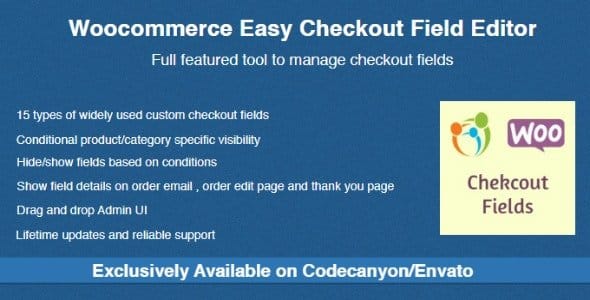
Overview of Woocommerce Easy Checkout Field Editor
The Woocommerce Easy Checkout Field Editor is an indispensable plugin for any online store owner looking to optimize their customer’s checkout experience. This powerful tool empowers you to effortlessly customize, add, edit, or remove fields on your WooCommerce checkout page, making it perfectly tailored to your business needs and enhancing user satisfaction.
Key Features of Woocommerce Easy Checkout Field Editor
- Drag-and-Drop Field Management: Easily reorder fields on your checkout page with an intuitive drag-and-drop interface, providing complete control over the layout and flow.
- Add Custom Field Types: Extend your checkout form with a variety of new field types, including text, textarea, password, select, radio, checkbox, multi-select, and more, to capture all necessary customer information.
- Edit Default WooCommerce Fields: Modify or remove existing default WooCommerce fields like billing, shipping, and additional fields, ensuring only relevant information is requested.
- Conditional Fields Logic: Implement advanced conditional logic to show or hide checkout fields based on specific conditions, such as product in cart, cart total, or user roles, streamlining the process for different customer segments.
- Field Validation Options: Set custom validation rules for your fields to ensure accurate data entry, reducing errors and improving data quality for order processing.
- Display Fields on Order Details: Choose whether custom fields appear on the order detail page, email notifications, or both, providing comprehensive information to both customers and administrators.
- User Role Based Fields: Define specific fields to be visible or required only for certain user roles, allowing for personalized checkout experiences for wholesale customers, members, or guests.
- Export Custom Field Data: Easily export all custom field data along with your standard order information, simplifying data analysis and integration with other business tools.
Why Choose Woocommerce Easy Checkout Field Editor?
Choosing the Woocommerce Easy Checkout Field Editor means investing in a smoother, more efficient, and highly personalized checkout process for your customers. In today’s competitive e-commerce landscape, minimizing friction during checkout is paramount to reducing cart abandonment rates and boosting conversions. This plugin provides the flexibility to create a checkout form that perfectly aligns with your brand’s unique requirements, allowing you to gather the specific data you need without overwhelming your customers with irrelevant fields.
The intuitive interface of the Woocommerce Easy Checkout Field Editor makes it accessible even for users without deep technical knowledge. You gain complete control over every aspect of your checkout page, from rearranging existing fields to introducing complex conditional logic. This level of customization ensures that your customers encounter a seamless, logical flow, which translates into a more positive shopping experience and fosters greater trust in your brand. By optimizing your checkout process with the Woocommerce Easy Checkout Field Editor, you’re not just editing fields; you’re actively enhancing customer satisfaction and driving sales.
Who Should Use Woocommerce Easy Checkout Field Editor?
The Woocommerce Easy Checkout Field Editor is ideal for any WooCommerce store owner who wants to tailor their checkout experience. This includes businesses that require specific customer information not covered by default WooCommerce fields, stores looking to simplify their checkout by removing unnecessary fields, and those aiming to implement conditional logic for a dynamic and user-friendly experience based on products, cart totals, or user roles. E-commerce managers, developers, and small business owners alike will find the Woocommerce Easy Checkout Field Editor invaluable for optimizing conversions and improving customer data collection.
How to Install Woocommerce Easy Checkout Field Editor
- Download the plugin file (.zip) for Woocommerce Easy Checkout Field Editor from your purchase source.
- Log in to your WordPress admin dashboard.
- Navigate to ‘Plugins’ > ‘Add New’ and click the ‘Upload Plugin’ button at the top of the page.
- Click ‘Choose File’, select the downloaded .zip file for Woocommerce Easy Checkout Field Editor, and then click ‘Install Now’.
- Once the installation is complete, click ‘Activate Plugin’. You can then find the Woocommerce Easy Checkout Field Editor settings under WooCommerce or a dedicated menu item to begin customizing your checkout fields.
Frequently Asked Questions About Woocommerce Easy Checkout Field Editor
Can I add custom fields to billing and shipping sections with Woocommerce Easy Checkout Field Editor?
Yes, absolutely. The Woocommerce Easy Checkout Field Editor allows you to add custom fields to all sections of your checkout page, including the billing, shipping, and additional information sections. You have full control over where these new fields appear.
Does Woocommerce Easy Checkout Field Editor support conditional logic for fields?
Yes, conditional logic is one of the powerful features of the Woocommerce Easy Checkout Field Editor. You can set rules to show or hide fields based on various conditions, such as specific products in the cart, the total cart amount, or even the customer’s user role, creating a highly dynamic checkout form.
Will custom fields created with Woocommerce Easy Checkout Field Editor appear in order emails and the admin order page?
Yes, the Woocommerce Easy Checkout Field Editor provides options to display the custom fields you create on both the customer’s order confirmation emails and the order details page in your WordPress admin area. This ensures all relevant information is easily accessible for both customers and store managers.
Get Woocommerce Easy Checkout Field Editor Today
Elevate your WooCommerce store’s checkout experience and streamline your customer data collection with the Woocommerce Easy Checkout Field Editor. This essential plugin empowers you to create a perfectly tailored and highly efficient checkout process, leading to increased conversions and greater customer satisfaction. Explore the full potential of your online store and discover more premium WordPress Plugins and GPL WordPress Products at GPLUniverse to enhance every aspect of your website.
Related Products You May Like
Here's everything you need to know about your purchase:
- 100% original files — Every product is the genuine, virus-free file, exactly as released by the original developer.
- Instant download — Access your files immediately after purchase from your account.
- Lifetime access — Re-download your purchased files anytime. No expiry, no limits.
- Free updates — Newer version released? Just request an update from us, free for all customers.
- Dedicated support — Our team is available 24/7 for installation and file-related help.
- Easy refunds — Not satisfied? Review our Refund Policy. We offer a hassle-free 7-day guarantee.
$100.00 Original price was: $100.00.$2.00Current price is: $2.00.
Version
3.8.0
Last Updated
13/10/2024
License
GPL v2
Compatibility
WordPress 5.0+
Need latest version?
Newer version released? Request an update from us — free for all customers!
Request Update →🎁 Your Purchase Includes
Overview of Woocommerce Easy Checkout Field Editor
The Woocommerce Easy Checkout Field Editor is an indispensable plugin for any online store owner looking to optimize their customer’s checkout experience. This powerful tool empowers you to effortlessly customize, add, edit, or remove fields on your WooCommerce checkout page, making it perfectly tailored to your business needs and enhancing user satisfaction.
Key Features of Woocommerce Easy Checkout Field Editor
- Drag-and-Drop Field Management: Easily reorder fields on your checkout page with an intuitive drag-and-drop interface, providing complete control over the layout and flow.
- Add Custom Field Types: Extend your checkout form with a variety of new field types, including text, textarea, password, select, radio, checkbox, multi-select, and more, to capture all necessary customer information.
- Edit Default WooCommerce Fields: Modify or remove existing default WooCommerce fields like billing, shipping, and additional fields, ensuring only relevant information is requested.
- Conditional Fields Logic: Implement advanced conditional logic to show or hide checkout fields based on specific conditions, such as product in cart, cart total, or user roles, streamlining the process for different customer segments.
- Field Validation Options: Set custom validation rules for your fields to ensure accurate data entry, reducing errors and improving data quality for order processing.
- Display Fields on Order Details: Choose whether custom fields appear on the order detail page, email notifications, or both, providing comprehensive information to both customers and administrators.
- User Role Based Fields: Define specific fields to be visible or required only for certain user roles, allowing for personalized checkout experiences for wholesale customers, members, or guests.
- Export Custom Field Data: Easily export all custom field data along with your standard order information, simplifying data analysis and integration with other business tools.
Why Choose Woocommerce Easy Checkout Field Editor?
Choosing the Woocommerce Easy Checkout Field Editor means investing in a smoother, more efficient, and highly personalized checkout process for your customers. In today’s competitive e-commerce landscape, minimizing friction during checkout is paramount to reducing cart abandonment rates and boosting conversions. This plugin provides the flexibility to create a checkout form that perfectly aligns with your brand’s unique requirements, allowing you to gather the specific data you need without overwhelming your customers with irrelevant fields.
The intuitive interface of the Woocommerce Easy Checkout Field Editor makes it accessible even for users without deep technical knowledge. You gain complete control over every aspect of your checkout page, from rearranging existing fields to introducing complex conditional logic. This level of customization ensures that your customers encounter a seamless, logical flow, which translates into a more positive shopping experience and fosters greater trust in your brand. By optimizing your checkout process with the Woocommerce Easy Checkout Field Editor, you’re not just editing fields; you’re actively enhancing customer satisfaction and driving sales.
Who Should Use Woocommerce Easy Checkout Field Editor?
The Woocommerce Easy Checkout Field Editor is ideal for any WooCommerce store owner who wants to tailor their checkout experience. This includes businesses that require specific customer information not covered by default WooCommerce fields, stores looking to simplify their checkout by removing unnecessary fields, and those aiming to implement conditional logic for a dynamic and user-friendly experience based on products, cart totals, or user roles. E-commerce managers, developers, and small business owners alike will find the Woocommerce Easy Checkout Field Editor invaluable for optimizing conversions and improving customer data collection.
How to Install Woocommerce Easy Checkout Field Editor
- Download the plugin file (.zip) for Woocommerce Easy Checkout Field Editor from your purchase source.
- Log in to your WordPress admin dashboard.
- Navigate to ‘Plugins’ > ‘Add New’ and click the ‘Upload Plugin’ button at the top of the page.
- Click ‘Choose File’, select the downloaded .zip file for Woocommerce Easy Checkout Field Editor, and then click ‘Install Now’.
- Once the installation is complete, click ‘Activate Plugin’. You can then find the Woocommerce Easy Checkout Field Editor settings under WooCommerce or a dedicated menu item to begin customizing your checkout fields.
Frequently Asked Questions About Woocommerce Easy Checkout Field Editor
Can I add custom fields to billing and shipping sections with Woocommerce Easy Checkout Field Editor?
Yes, absolutely. The Woocommerce Easy Checkout Field Editor allows you to add custom fields to all sections of your checkout page, including the billing, shipping, and additional information sections. You have full control over where these new fields appear.
Does Woocommerce Easy Checkout Field Editor support conditional logic for fields?
Yes, conditional logic is one of the powerful features of the Woocommerce Easy Checkout Field Editor. You can set rules to show or hide fields based on various conditions, such as specific products in the cart, the total cart amount, or even the customer’s user role, creating a highly dynamic checkout form.
Will custom fields created with Woocommerce Easy Checkout Field Editor appear in order emails and the admin order page?
Yes, the Woocommerce Easy Checkout Field Editor provides options to display the custom fields you create on both the customer’s order confirmation emails and the order details page in your WordPress admin area. This ensures all relevant information is easily accessible for both customers and store managers.
Get Woocommerce Easy Checkout Field Editor Today
Elevate your WooCommerce store’s checkout experience and streamline your customer data collection with the Woocommerce Easy Checkout Field Editor. This essential plugin empowers you to create a perfectly tailored and highly efficient checkout process, leading to increased conversions and greater customer satisfaction. Explore the full potential of your online store and discover more premium WordPress Plugins and GPL WordPress Products at GPLUniverse to enhance every aspect of your website.
Related Products You May Like
Reviews
There are no reviews yet.
Here's everything you need to know about your purchase:
- 100% original files — Every product is the genuine, virus-free file, exactly as released by the original developer.
- Instant download — Access your files immediately after purchase from your account.
- Lifetime access — Re-download your purchased files anytime. No expiry, no limits.
- Free updates — Newer version released? Just request an update from us, free for all customers.
- Dedicated support — Our team is available 24/7 for installation and file-related help.
- Easy refunds — Not satisfied? Review our Refund Policy. We offer a hassle-free 7-day guarantee.
Reviews
There are no reviews yet.