

WooCommerce Order Limit 5.1.5
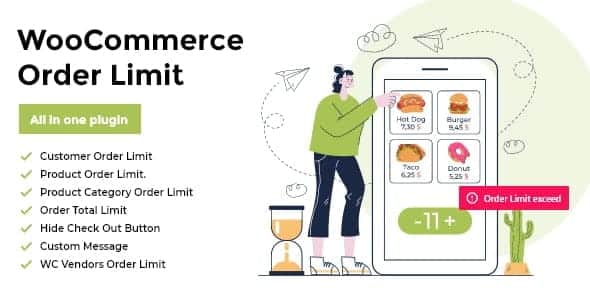
Overview of WooCommerce Order Limit
The WooCommerce Order Limit plugin is an essential tool for any WooCommerce store owner looking to gain precise control over customer purchases. This powerful solution allows you to set comprehensive minimum and maximum quantity or value limits for orders, products, categories, and even user roles. Whether you’re managing inventory, ensuring profitability, or streamlining your sales process, WooCommerce Order Limit empowers you to define the exact purchasing parameters your business requires, making it ideal for wholesale suppliers, B2B platforms, or any store needing fine-tuned order management.
Key Features of WooCommerce Order Limit
- Global Order Limits: Easily set minimum and maximum total order quantities or values that apply across your entire WooCommerce store. This ensures every transaction meets your predefined criteria.
- Product-Specific Restrictions: Define precise minimum and maximum purchase quantities for individual products. This is perfect for managing popular items, preventing stockouts, or encouraging bulk buys.
- Category-Based Limitations: Apply quantity or value limits to entire product categories. This feature of WooCommerce Order Limit is incredibly useful for managing specific product lines or promotional groupings.
- User Role-Based Rules: Tailor order limits based on customer user roles. Offer different purchasing thresholds for wholesale customers, retail buyers, or specific membership tiers, enhancing flexibility and control.
- Exclude Specific Products/Categories: Gain granular control by exempting certain products or categories from global or category-specific limits, allowing for special promotions or unique product handling.
- Customizable Error Messages: Provide clear and helpful feedback to customers when their order doesn’t meet the set limits. Customize error messages to guide them toward a successful purchase.
- Flexible Limit Combinations: Combine various limit types (e.g., minimum quantity per product AND maximum total order value) to create complex rules that perfectly match your business logic.
- Works Seamlessly with WooCommerce: Designed to integrate flawlessly with your existing WooCommerce setup, ensuring a smooth and intuitive experience for both store owners and customers.
Why Choose WooCommerce Order Limit?
Choosing WooCommerce Order Limit means investing in unparalleled control and efficiency for your online store. This plugin is not just about setting numbers; it’s about optimizing your sales strategy, protecting your inventory, and ensuring every transaction contributes positively to your bottom line. By preventing excessively small, unprofitable orders or unmanageably large purchases that could strain your logistics, you create a more stable and predictable business environment. It’s an indispensable tool for maintaining a healthy inventory flow and reducing administrative overhead associated with problematic orders.
Furthermore, the flexibility offered by WooCommerce Order Limit allows you to cater to diverse business models. Whether you operate a wholesale business where minimum order quantities are crucial, or a retail store looking to manage stock levels for high-demand items, this plugin adapts to your needs. The ability to set limits by user role, for instance, empowers you to create distinct purchasing experiences for different customer segments, fostering loyalty and driving targeted sales strategies. It’s about empowering you to define the rules of engagement, ensuring a smoother operation and a better experience for both you and your customers.
Ultimately, implementing WooCommerce Order Limit translates into tangible benefits: increased profitability by avoiding costly small orders, improved inventory management by preventing single large purchases from depleting stock, and enhanced customer satisfaction through clear purchasing guidelines. It streamlines the checkout process by guiding customers towards valid orders, reducing frustration and abandoned carts. For any WooCommerce store seeking to professionalize its order management and optimize its sales funnel, this plugin is a strategic imperative.
Who Should Use WooCommerce Order Limit?
WooCommerce Order Limit is ideal for a wide range of online businesses. This includes wholesale suppliers and B2B platforms that require minimum order quantities or values to ensure profitability. Stores dealing with limited or high-value inventory will benefit from setting maximum purchase limits to prevent stockouts and allow more customers access. Businesses that want to prevent “micro-orders” that are not cost-effective to process, or those offering tiered pricing based on purchase volume, will find this plugin invaluable. Essentially, any WooCommerce store owner seeking greater control over their sales process and order fulfillment will significantly benefit from this powerful tool.
How to Install WooCommerce Order Limit
- Download the Plugin: After purchasing, download the plugin zip file from your account on GPLUniverse.com.
- Upload to WordPress: Log in to your WordPress admin dashboard. Navigate to ‘Plugins’ > ‘Add New’ and then click the ‘Upload Plugin’ button at the top.
- Choose File and Install: Click ‘Choose File’, select the downloaded zip file for WooCommerce Order Limit, and then click ‘Install Now’.
- Activate the Plugin: Once the installation is complete, click ‘Activate Plugin’ to enable its functionality on your site.
- Configure Settings: Go to ‘WooCommerce’ > ‘Settings’ and locate the new tab or section for WooCommerce Order Limit. Configure your desired global, product, category, and user role-based limits.
Frequently Asked Questions About WooCommerce Order Limit
Is WooCommerce Order Limit compatible with other plugins?
Yes, WooCommerce Order Limit is developed to adhere to WordPress and WooCommerce best practices, ensuring broad compatibility with most well-coded themes and plugins. We always recommend testing new plugins in a staging environment first to ensure seamless integration with your specific setup.
Can I set different limits for different customer groups?
Absolutely! One of the key features of WooCommerce Order Limit is the ability to set user role-based limits. This means you can define unique minimum and maximum order quantities or values specifically for wholesale customers, retail buyers, or any custom user role you have on your site.
What happens if a customer’s cart doesn’t meet the set limits?
If a customer’s cart does not meet the criteria set by WooCommerce Order Limit, they will be prevented from proceeding to checkout. A customizable error message will be displayed, informing them of the specific requirements they need to meet to complete their purchase. This ensures clarity and guides them towards a valid order.
Get WooCommerce Order Limit Today
Take charge of your WooCommerce store’s order management and optimize your sales strategy with the robust capabilities of WooCommerce Order Limit. This essential plugin empowers you to define precise purchasing rules, ensuring profitability, efficient inventory handling, and a streamlined customer experience. Enhance your control and elevate your business operations. Explore this and many other premium WordPress Plugins available. Visit our store to discover a vast array of GPL WordPress Products designed to boost your online presence and functionality.
Related Products You May Like
Here's everything you need to know about your purchase:
- 100% original files — Every product is the genuine, virus-free file, exactly as released by the original developer.
- Instant download — Access your files immediately after purchase from your account.
- Lifetime access — Re-download your purchased files anytime. No expiry, no limits.
- Free updates — Newer version released? Just request an update from us, free for all customers.
- Dedicated support — Our team is available 24/7 for installation and file-related help.
- Easy refunds — Not satisfied? Review our Refund Policy. We offer a hassle-free 7-day guarantee.
$100.00 Original price was: $100.00.$2.00Current price is: $2.00.
Version
5.1.5
Last Updated
28/04/2023
License
GPL v2
Compatibility
WordPress 5.0+
Need latest version?
Newer version released? Request an update from us — free for all customers!
Request Update →🎁 Your Purchase Includes
Overview of WooCommerce Order Limit
The WooCommerce Order Limit plugin is an essential tool for any WooCommerce store owner looking to gain precise control over customer purchases. This powerful solution allows you to set comprehensive minimum and maximum quantity or value limits for orders, products, categories, and even user roles. Whether you’re managing inventory, ensuring profitability, or streamlining your sales process, WooCommerce Order Limit empowers you to define the exact purchasing parameters your business requires, making it ideal for wholesale suppliers, B2B platforms, or any store needing fine-tuned order management.
Key Features of WooCommerce Order Limit
- Global Order Limits: Easily set minimum and maximum total order quantities or values that apply across your entire WooCommerce store. This ensures every transaction meets your predefined criteria.
- Product-Specific Restrictions: Define precise minimum and maximum purchase quantities for individual products. This is perfect for managing popular items, preventing stockouts, or encouraging bulk buys.
- Category-Based Limitations: Apply quantity or value limits to entire product categories. This feature of WooCommerce Order Limit is incredibly useful for managing specific product lines or promotional groupings.
- User Role-Based Rules: Tailor order limits based on customer user roles. Offer different purchasing thresholds for wholesale customers, retail buyers, or specific membership tiers, enhancing flexibility and control.
- Exclude Specific Products/Categories: Gain granular control by exempting certain products or categories from global or category-specific limits, allowing for special promotions or unique product handling.
- Customizable Error Messages: Provide clear and helpful feedback to customers when their order doesn’t meet the set limits. Customize error messages to guide them toward a successful purchase.
- Flexible Limit Combinations: Combine various limit types (e.g., minimum quantity per product AND maximum total order value) to create complex rules that perfectly match your business logic.
- Works Seamlessly with WooCommerce: Designed to integrate flawlessly with your existing WooCommerce setup, ensuring a smooth and intuitive experience for both store owners and customers.
Why Choose WooCommerce Order Limit?
Choosing WooCommerce Order Limit means investing in unparalleled control and efficiency for your online store. This plugin is not just about setting numbers; it’s about optimizing your sales strategy, protecting your inventory, and ensuring every transaction contributes positively to your bottom line. By preventing excessively small, unprofitable orders or unmanageably large purchases that could strain your logistics, you create a more stable and predictable business environment. It’s an indispensable tool for maintaining a healthy inventory flow and reducing administrative overhead associated with problematic orders.
Furthermore, the flexibility offered by WooCommerce Order Limit allows you to cater to diverse business models. Whether you operate a wholesale business where minimum order quantities are crucial, or a retail store looking to manage stock levels for high-demand items, this plugin adapts to your needs. The ability to set limits by user role, for instance, empowers you to create distinct purchasing experiences for different customer segments, fostering loyalty and driving targeted sales strategies. It’s about empowering you to define the rules of engagement, ensuring a smoother operation and a better experience for both you and your customers.
Ultimately, implementing WooCommerce Order Limit translates into tangible benefits: increased profitability by avoiding costly small orders, improved inventory management by preventing single large purchases from depleting stock, and enhanced customer satisfaction through clear purchasing guidelines. It streamlines the checkout process by guiding customers towards valid orders, reducing frustration and abandoned carts. For any WooCommerce store seeking to professionalize its order management and optimize its sales funnel, this plugin is a strategic imperative.
Who Should Use WooCommerce Order Limit?
WooCommerce Order Limit is ideal for a wide range of online businesses. This includes wholesale suppliers and B2B platforms that require minimum order quantities or values to ensure profitability. Stores dealing with limited or high-value inventory will benefit from setting maximum purchase limits to prevent stockouts and allow more customers access. Businesses that want to prevent “micro-orders” that are not cost-effective to process, or those offering tiered pricing based on purchase volume, will find this plugin invaluable. Essentially, any WooCommerce store owner seeking greater control over their sales process and order fulfillment will significantly benefit from this powerful tool.
How to Install WooCommerce Order Limit
- Download the Plugin: After purchasing, download the plugin zip file from your account on GPLUniverse.com.
- Upload to WordPress: Log in to your WordPress admin dashboard. Navigate to ‘Plugins’ > ‘Add New’ and then click the ‘Upload Plugin’ button at the top.
- Choose File and Install: Click ‘Choose File’, select the downloaded zip file for WooCommerce Order Limit, and then click ‘Install Now’.
- Activate the Plugin: Once the installation is complete, click ‘Activate Plugin’ to enable its functionality on your site.
- Configure Settings: Go to ‘WooCommerce’ > ‘Settings’ and locate the new tab or section for WooCommerce Order Limit. Configure your desired global, product, category, and user role-based limits.
Frequently Asked Questions About WooCommerce Order Limit
Is WooCommerce Order Limit compatible with other plugins?
Yes, WooCommerce Order Limit is developed to adhere to WordPress and WooCommerce best practices, ensuring broad compatibility with most well-coded themes and plugins. We always recommend testing new plugins in a staging environment first to ensure seamless integration with your specific setup.
Can I set different limits for different customer groups?
Absolutely! One of the key features of WooCommerce Order Limit is the ability to set user role-based limits. This means you can define unique minimum and maximum order quantities or values specifically for wholesale customers, retail buyers, or any custom user role you have on your site.
What happens if a customer’s cart doesn’t meet the set limits?
If a customer’s cart does not meet the criteria set by WooCommerce Order Limit, they will be prevented from proceeding to checkout. A customizable error message will be displayed, informing them of the specific requirements they need to meet to complete their purchase. This ensures clarity and guides them towards a valid order.
Get WooCommerce Order Limit Today
Take charge of your WooCommerce store’s order management and optimize your sales strategy with the robust capabilities of WooCommerce Order Limit. This essential plugin empowers you to define precise purchasing rules, ensuring profitability, efficient inventory handling, and a streamlined customer experience. Enhance your control and elevate your business operations. Explore this and many other premium WordPress Plugins available. Visit our store to discover a vast array of GPL WordPress Products designed to boost your online presence and functionality.
Related Products You May Like
Reviews
There are no reviews yet.
Here's everything you need to know about your purchase:
- 100% original files — Every product is the genuine, virus-free file, exactly as released by the original developer.
- Instant download — Access your files immediately after purchase from your account.
- Lifetime access — Re-download your purchased files anytime. No expiry, no limits.
- Free updates — Newer version released? Just request an update from us, free for all customers.
- Dedicated support — Our team is available 24/7 for installation and file-related help.
- Easy refunds — Not satisfied? Review our Refund Policy. We offer a hassle-free 7-day guarantee.
Reviews
There are no reviews yet.