

YITH Frontend Manager for Woocommerce Premium 1.50.2
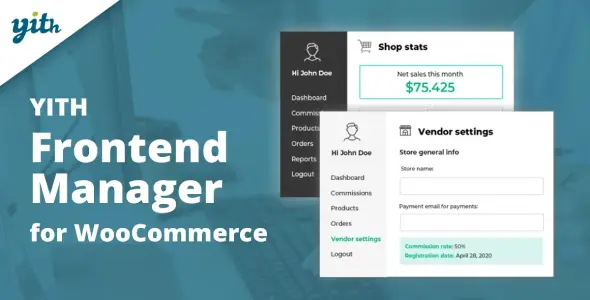
Overview of YITH Frontend Manager for Woocommerce
YITH Frontend Manager for Woocommerce is an essential plugin designed to empower store owners and vendors by moving product and order management directly to the frontend of your WooCommerce store. This powerful tool eliminates the need for vendors or specific staff members to access the WordPress backend, streamlining operations and enhancing the user experience. Whether you run a multi-vendor marketplace or simply want to delegate product management without granting full administrative access, YITH Frontend Manager for Woocommerce provides a robust and intuitive solution.
Key Features of YITH Frontend Manager for Woocommerce
- Frontend Product Management: Vendors and authorized users can effortlessly create, edit, update, and delete products directly from the frontend dashboard. This includes managing product data, variations, images, categories, and tags without ever touching the WordPress admin area.
- Comprehensive Order Management: Authorized users can view, filter, and manage orders placed on their products from the frontend. This includes updating order statuses, viewing customer details, and ensuring smooth fulfillment processes.
- Dedicated Vendor Dashboard: Provides a customizable, intuitive dashboard for each vendor, offering a clear overview of their sales, products, and orders, all accessible from the public-facing side of your website.
- Customizable User Capabilities: As the administrator, you maintain full control over what actions vendors or specific user roles can perform. Define which fields are editable, which sections are visible, and what permissions each user has within YITH Frontend Manager for Woocommerce.
- Sales and Earnings Reports: Offers vendors access to their sales performance and earnings reports directly from their frontend dashboard, providing valuable insights into their business without complex backend navigation.
- Withdrawal Request Management: For multi-vendor setups, this feature allows vendors to request withdrawals of their earnings, simplifying the payout process and making financial management transparent.
- Profile Management: Vendors can manage their public profile information, store details, and contact information directly from the frontend, ensuring their store presence is always up-to-date.
- Compatibility and Integration: Designed to integrate seamlessly with WooCommerce and other YITH plugins, ensuring a cohesive and powerful e-commerce environment for your store.
Why Choose YITH Frontend Manager for Woocommerce?
Choosing YITH Frontend Manager for Woocommerce significantly enhances the operational efficiency and security of your online store. For store administrators, it means less time spent managing individual vendor permissions in the backend and a reduced risk of unauthorized access to sensitive administrative areas. You can confidently delegate product and order management tasks, knowing that your team or vendors are working within a controlled and intuitive environment, freeing you up to focus on growth and strategy.
For vendors or product managers, YITH Frontend Manager for Woocommerce offers an unparalleled user experience. The convenience of managing all aspects of their products and orders from a familiar frontend interface dramatically improves productivity and satisfaction. They don’t need to learn the complexities of the WordPress backend, making it easier for new vendors to get started and existing ones to operate more efficiently. This ease of use translates into a better overall experience for everyone involved in your e-commerce ecosystem.
Ultimately, YITH Frontend Manager for Woocommerce is an investment in a more streamlined, secure, and user-friendly e-commerce platform. It empowers your team, simplifies vendor operations, and helps scale your business by providing a robust framework for delegated management. Its comprehensive feature set and focus on usability make it an indispensable tool for any serious WooCommerce store looking to optimize its workflow and maintain a professional frontend experience.
Who Should Use YITH Frontend Manager for Woocommerce?
YITH Frontend Manager for Woocommerce is ideal for a wide range of WooCommerce store owners and operators. It’s perfect for multi-vendor marketplaces that need to provide a dedicated, secure, and easy-to-use dashboard for their vendors. Stores with multiple product managers or content creators will benefit from granting specific users the ability to manage products without full backend access. Businesses looking to simplify their product update processes, reduce administrative overhead, or enhance the user experience for their contributing members will find YITH Frontend Manager for Woocommerce invaluable.
How to Install YITH Frontend Manager for Woocommerce
- Download the Plugin: After acquiring YITH Frontend Manager for Woocommerce, you will receive a .zip file containing the plugin. Ensure you have the correct version.
- Access WordPress Admin: Log in to your WordPress dashboard using your administrator credentials.
- Upload the Plugin: Navigate to ‘Plugins’ > ‘Add New’. Click the ‘Upload Plugin’ button at the top of the page.
- Choose File and Install: Click ‘Choose File’, select the .zip file for YITH Frontend Manager for Woocommerce from your computer, and then click ‘Install Now’.
- Activate the Plugin: Once the installation is complete, click ‘Activate Plugin’. After activation, you can configure the settings for YITH Frontend Manager for Woocommerce via the ‘YITH’ menu in your WordPress dashboard.
Frequently Asked Questions About YITH Frontend Manager for Woocommerce
What exactly can vendors manage with YITH Frontend Manager for Woocommerce?
With YITH Frontend Manager for Woocommerce, vendors gain the ability to manage nearly all aspects of their products and orders from the frontend. This includes creating new products, editing existing product details (such as title, description, images, price, stock, and variations), and deleting products. They can also view and update the status of orders related to their products, manage shipping information, and respond to customer inquiries. Furthermore, vendors can update their public profile and store information, ensuring a complete and professional presence.
Is YITH Frontend Manager for Woocommerce compatible with other YITH plugins?
Yes, YITH Frontend Manager for Woocommerce is designed with compatibility in mind, especially with other popular YITH plugins. YITH is known for creating an ecosystem of plugins that work well together, enhancing the functionality of your WooCommerce store. While specific compatibility may depend on the versions of individual plugins, YITH generally strives for seamless integration across its product line, allowing you to build a comprehensive solution with confidence.
Does YITH Frontend Manager for Woocommerce support all WooCommerce product types?
YITH Frontend Manager for Woocommerce typically supports standard WooCommerce product types, including simple products, variable products, grouped products, and external/affiliate products. This comprehensive support ensures that most vendors can manage their diverse product catalogs directly from the frontend. However, for highly specialized or custom product types introduced by other third-party plugins, it’s always recommended to check specific documentation or test thoroughly to ensure full compatibility and functionality.
Get YITH Frontend Manager for Woocommerce Today
Elevate your WooCommerce store’s efficiency and empower your team or vendors with the intuitive frontend management capabilities of YITH Frontend Manager for Woocommerce. Streamline your operations, enhance security, and provide a superior user experience for everyone involved. Explore this and other powerful solutions for your e-commerce platform. Browse our extensive collection of YITH WooCommerce Plugins and discover a world of premium GPL WordPress Products to take your website to the next level.
Related Products You May Like
Here's everything you need to know about your purchase:
- 100% original files — Every product is the genuine, virus-free file, exactly as released by the original developer.
- Instant download — Access your files immediately after purchase from your account.
- Lifetime access — Re-download your purchased files anytime. No expiry, no limits.
- Free updates — Newer version released? Just request an update from us, free for all customers.
- Dedicated support — Our team is available 24/7 for installation and file-related help.
- Easy refunds — Not satisfied? Review our Refund Policy. We offer a hassle-free 7-day guarantee.
$100.00 Original price was: $100.00.$10.00Current price is: $10.00.
Version
1.50.2
Last Updated
01/01/2026
License
GPL v2
Compatibility
WordPress 5.0+
Need latest version?
Newer version released? Request an update from us — free for all customers!
Request Update →🎁 Your Purchase Includes
Overview of YITH Frontend Manager for Woocommerce
YITH Frontend Manager for Woocommerce is an essential plugin designed to empower store owners and vendors by moving product and order management directly to the frontend of your WooCommerce store. This powerful tool eliminates the need for vendors or specific staff members to access the WordPress backend, streamlining operations and enhancing the user experience. Whether you run a multi-vendor marketplace or simply want to delegate product management without granting full administrative access, YITH Frontend Manager for Woocommerce provides a robust and intuitive solution.
Key Features of YITH Frontend Manager for Woocommerce
- Frontend Product Management: Vendors and authorized users can effortlessly create, edit, update, and delete products directly from the frontend dashboard. This includes managing product data, variations, images, categories, and tags without ever touching the WordPress admin area.
- Comprehensive Order Management: Authorized users can view, filter, and manage orders placed on their products from the frontend. This includes updating order statuses, viewing customer details, and ensuring smooth fulfillment processes.
- Dedicated Vendor Dashboard: Provides a customizable, intuitive dashboard for each vendor, offering a clear overview of their sales, products, and orders, all accessible from the public-facing side of your website.
- Customizable User Capabilities: As the administrator, you maintain full control over what actions vendors or specific user roles can perform. Define which fields are editable, which sections are visible, and what permissions each user has within YITH Frontend Manager for Woocommerce.
- Sales and Earnings Reports: Offers vendors access to their sales performance and earnings reports directly from their frontend dashboard, providing valuable insights into their business without complex backend navigation.
- Withdrawal Request Management: For multi-vendor setups, this feature allows vendors to request withdrawals of their earnings, simplifying the payout process and making financial management transparent.
- Profile Management: Vendors can manage their public profile information, store details, and contact information directly from the frontend, ensuring their store presence is always up-to-date.
- Compatibility and Integration: Designed to integrate seamlessly with WooCommerce and other YITH plugins, ensuring a cohesive and powerful e-commerce environment for your store.
Why Choose YITH Frontend Manager for Woocommerce?
Choosing YITH Frontend Manager for Woocommerce significantly enhances the operational efficiency and security of your online store. For store administrators, it means less time spent managing individual vendor permissions in the backend and a reduced risk of unauthorized access to sensitive administrative areas. You can confidently delegate product and order management tasks, knowing that your team or vendors are working within a controlled and intuitive environment, freeing you up to focus on growth and strategy.
For vendors or product managers, YITH Frontend Manager for Woocommerce offers an unparalleled user experience. The convenience of managing all aspects of their products and orders from a familiar frontend interface dramatically improves productivity and satisfaction. They don’t need to learn the complexities of the WordPress backend, making it easier for new vendors to get started and existing ones to operate more efficiently. This ease of use translates into a better overall experience for everyone involved in your e-commerce ecosystem.
Ultimately, YITH Frontend Manager for Woocommerce is an investment in a more streamlined, secure, and user-friendly e-commerce platform. It empowers your team, simplifies vendor operations, and helps scale your business by providing a robust framework for delegated management. Its comprehensive feature set and focus on usability make it an indispensable tool for any serious WooCommerce store looking to optimize its workflow and maintain a professional frontend experience.
Who Should Use YITH Frontend Manager for Woocommerce?
YITH Frontend Manager for Woocommerce is ideal for a wide range of WooCommerce store owners and operators. It’s perfect for multi-vendor marketplaces that need to provide a dedicated, secure, and easy-to-use dashboard for their vendors. Stores with multiple product managers or content creators will benefit from granting specific users the ability to manage products without full backend access. Businesses looking to simplify their product update processes, reduce administrative overhead, or enhance the user experience for their contributing members will find YITH Frontend Manager for Woocommerce invaluable.
How to Install YITH Frontend Manager for Woocommerce
- Download the Plugin: After acquiring YITH Frontend Manager for Woocommerce, you will receive a .zip file containing the plugin. Ensure you have the correct version.
- Access WordPress Admin: Log in to your WordPress dashboard using your administrator credentials.
- Upload the Plugin: Navigate to ‘Plugins’ > ‘Add New’. Click the ‘Upload Plugin’ button at the top of the page.
- Choose File and Install: Click ‘Choose File’, select the .zip file for YITH Frontend Manager for Woocommerce from your computer, and then click ‘Install Now’.
- Activate the Plugin: Once the installation is complete, click ‘Activate Plugin’. After activation, you can configure the settings for YITH Frontend Manager for Woocommerce via the ‘YITH’ menu in your WordPress dashboard.
Frequently Asked Questions About YITH Frontend Manager for Woocommerce
What exactly can vendors manage with YITH Frontend Manager for Woocommerce?
With YITH Frontend Manager for Woocommerce, vendors gain the ability to manage nearly all aspects of their products and orders from the frontend. This includes creating new products, editing existing product details (such as title, description, images, price, stock, and variations), and deleting products. They can also view and update the status of orders related to their products, manage shipping information, and respond to customer inquiries. Furthermore, vendors can update their public profile and store information, ensuring a complete and professional presence.
Is YITH Frontend Manager for Woocommerce compatible with other YITH plugins?
Yes, YITH Frontend Manager for Woocommerce is designed with compatibility in mind, especially with other popular YITH plugins. YITH is known for creating an ecosystem of plugins that work well together, enhancing the functionality of your WooCommerce store. While specific compatibility may depend on the versions of individual plugins, YITH generally strives for seamless integration across its product line, allowing you to build a comprehensive solution with confidence.
Does YITH Frontend Manager for Woocommerce support all WooCommerce product types?
YITH Frontend Manager for Woocommerce typically supports standard WooCommerce product types, including simple products, variable products, grouped products, and external/affiliate products. This comprehensive support ensures that most vendors can manage their diverse product catalogs directly from the frontend. However, for highly specialized or custom product types introduced by other third-party plugins, it’s always recommended to check specific documentation or test thoroughly to ensure full compatibility and functionality.
Get YITH Frontend Manager for Woocommerce Today
Elevate your WooCommerce store’s efficiency and empower your team or vendors with the intuitive frontend management capabilities of YITH Frontend Manager for Woocommerce. Streamline your operations, enhance security, and provide a superior user experience for everyone involved. Explore this and other powerful solutions for your e-commerce platform. Browse our extensive collection of YITH WooCommerce Plugins and discover a world of premium GPL WordPress Products to take your website to the next level.
Related Products You May Like
Reviews
There are no reviews yet.
Here's everything you need to know about your purchase:
- 100% original files — Every product is the genuine, virus-free file, exactly as released by the original developer.
- Instant download — Access your files immediately after purchase from your account.
- Lifetime access — Re-download your purchased files anytime. No expiry, no limits.
- Free updates — Newer version released? Just request an update from us, free for all customers.
- Dedicated support — Our team is available 24/7 for installation and file-related help.
- Easy refunds — Not satisfied? Review our Refund Policy. We offer a hassle-free 7-day guarantee.
Reviews
There are no reviews yet.