

Gravity Forms integration for wpDataTables 1.8.1
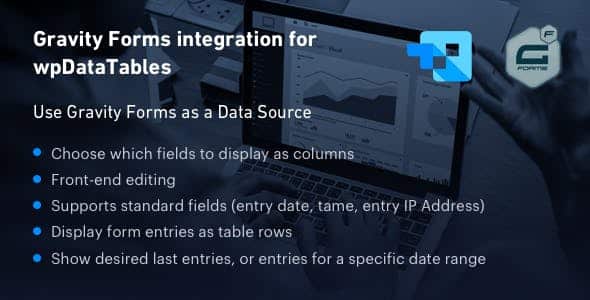
Overview of Gravity Forms integration for wpDataTables
Unlock the full potential of your WordPress data management with the Gravity Forms integration for wpDataTables. This powerful add-on seamlessly connects your Gravity Forms submissions directly into dynamic, interactive wpDataTables, making it effortless to display, filter, and analyze user-submitted data on your website. It’s an indispensable tool for businesses, educators, and anyone needing to present structured form data with professional clarity, transforming raw form entries into actionable insights.
Key Features of Gravity Forms integration for wpDataTables
- Seamless Data Synchronization: The Gravity Forms integration for wpDataTables automatically syncs new Gravity Forms entries to your chosen wpDataTable. This ensures your displayed data is always current and reflective of the latest submissions without manual intervention.
- Effortless Table Creation: Quickly and easily generate wpDataTables directly from your Gravity Forms submissions. This feature of the Gravity Forms integration for wpDataTables dramatically reduces the time and effort traditionally required to set up data displays.
- Customizable Data Display: Take full control over which form fields are displayed in your table. The Gravity Forms integration for wpDataTables allows you to present only the most relevant information, tailoring the user experience and data presentation precisely to your needs.
- Advanced Filtering and Sorting: Empower your website visitors with robust filtering, sorting, and search capabilities directly within the wpDataTable. This enhances user interaction and allows them to quickly find the specific data points they are interested in, all thanks to the Gravity Forms integration for wpDataTables.
- Interactive Data Visualization: Leverage wpDataTables’ powerful features to create compelling charts and graphs from your Gravity Forms data. This aspect of the Gravity Forms integration for wpDataTables offers deeper insights and a more engaging way to interpret complex information.
- Flexible Field Mapping: Easily map your Gravity Forms fields to wpDataTables columns with drag-and-drop simplicity. This provides complete control over data organization and ensures your data is presented exactly as you envision it when using the Gravity Forms integration for wpDataTables.
- Shortcode Integration: Embed your dynamic tables anywhere on your WordPress site using simple shortcodes. The Gravity Forms integration for wpDataTables makes it incredibly easy to integrate sophisticated data displays into posts, pages, or custom post types.
- Real-time Updates: Any changes or new submissions in Gravity Forms are reflected in your wpDataTables in real-time. This ensures data integrity and provides an immediate, up-to-date view of your form entries through the Gravity Forms integration for wpDataTables.
Why Choose Gravity Forms integration for wpDataTables?
Choosing the Gravity Forms integration for wpDataTables means investing in a solution that brings unparalleled efficiency and professionalism to your WordPress site. This integration eliminates the tedious process of manually exporting and importing form data into spreadsheets or other display tools. Instead, it provides a direct, automated pipeline from your Gravity Forms entries to beautifully rendered, interactive tables. Imagine instantly showcasing survey results, membership directories, event registrations, or product catalogs, all powered by your existing Gravity Forms data and presented with the advanced capabilities of wpDataTables. This powerful combination not only saves you countless hours but also significantly enhances the user experience on your website.
Furthermore, the Gravity Forms integration for wpDataTables is designed with flexibility and scalability in mind. Whether you’re managing a small personal blog or a large enterprise website with thousands of form submissions, this add-on can handle your data display needs. Its intuitive interface ensures that even users without extensive technical knowledge can set up and manage complex data tables with ease. By centralizing your data management and presentation, you gain a clearer overview of your information, enabling better decision-making and more effective communication with your audience. Elevate your data presentation from static lists to dynamic, interactive displays that truly engage and inform.
Who Should Use Gravity Forms integration for wpDataTables?
The Gravity Forms integration for wpDataTables is ideal for a wide range of WordPress users and businesses. It’s perfect for marketers who want to display lead generation data, survey results, or competition entries dynamically. Educators can use it to publish student rosters, assignment submissions, or course schedules. Event organizers will find it invaluable for managing and displaying attendee lists or workshop registrations. E-commerce sites can leverage it for product comparisons or user reviews. Essentially, anyone who uses Gravity Forms to collect data and needs a powerful, flexible, and visually appealing way to display that data on their WordPress site will greatly benefit from the Gravity Forms integration for wpDataTables.
How to Install Gravity Forms integration for wpDataTables
- Download the Plugin: After acquiring the Gravity Forms integration for wpDataTables, download the plugin zip file from your GPLUniverse account.
- Upload to WordPress: Log in to your WordPress admin dashboard. Navigate to ‘Plugins’ > ‘Add New’ and click the ‘Upload Plugin’ button. Choose the zip file you downloaded for the Gravity Forms integration for wpDataTables and click ‘Install Now’.
- Activate the Plugin: Once the plugin is successfully installed, click the ‘Activate Plugin’ button to enable the Gravity Forms integration for wpDataTables on your site.
- Configure Settings: After activation, navigate to the wpDataTables settings or the Gravity Forms integration for wpDataTables specific settings within your WordPress admin. Here, you can begin connecting your Gravity Forms to new or existing wpDataTables.
- Create Your First Table: Follow the intuitive interface to select a Gravity Form and define how its entries will be displayed in your new wpDataTable, harnessing the full power of the Gravity Forms integration for wpDataTables.
Frequently Asked Questions About Gravity Forms integration for wpDataTables
Does the Gravity Forms integration for wpDataTables require both Gravity Forms and wpDataTables to be installed?
Yes, the Gravity Forms integration for wpDataTables functions as an add-on. Therefore, you must have both the Gravity Forms plugin and the wpDataTables plugin already installed and activated on your WordPress website for this integration to work correctly and provide its full range of features.
Can I choose which fields from my Gravity Form are displayed in the wpDataTable?
Absolutely! The Gravity Forms integration for wpDataTables provides flexible options for field mapping. You have complete control to select precisely which fields from your Gravity Form submissions you want to display as columns in your wpDataTable, allowing for highly customized data presentations.
Is it possible to filter and sort data directly within the tables created by Gravity Forms integration for wpDataTables?
Yes, one of the key benefits of using the Gravity Forms integration for wpDataTables is the ability to leverage wpDataTables’ robust filtering, sorting, and searching capabilities. Your users can interact directly with the tables to find and organize data according to their specific needs, enhancing the overall user experience.
Get Gravity Forms integration for wpDataTables Today
Ready to transform how you display Gravity Forms data on your WordPress site? The Gravity Forms integration for wpDataTables is your ultimate solution for creating dynamic, interactive, and visually appealing tables from your form submissions. Don’t let valuable data remain hidden or presented poorly. Enhance your website’s functionality and user engagement by integrating this powerful add-on. Explore this and many other essential WordPress Plugins, and discover the full range of premium GPL WordPress Products available to elevate your online presence.
Related Products You May Like
Here's everything you need to know about your purchase:
- 100% original files — Every product is the genuine, virus-free file, exactly as released by the original developer.
- Instant download — Access your files immediately after purchase from your account.
- Lifetime access — Re-download your purchased files anytime. No expiry, no limits.
- Free updates — Newer version released? Just request an update from us, free for all customers.
- Dedicated support — Our team is available 24/7 for installation and file-related help.
- Easy refunds — Not satisfied? Review our Refund Policy. We offer a hassle-free 7-day guarantee.
$59.00 Original price was: $59.00.$2.00Current price is: $2.00.
Version
1.8.1
Last Updated
24/6/2025
License
GPL v2
Compatibility
WordPress 5.0+
Need latest version?
Newer version released? Request an update from us — free for all customers!
Request Update →🎁 Your Purchase Includes
Overview of Gravity Forms integration for wpDataTables
Unlock the full potential of your WordPress data management with the Gravity Forms integration for wpDataTables. This powerful add-on seamlessly connects your Gravity Forms submissions directly into dynamic, interactive wpDataTables, making it effortless to display, filter, and analyze user-submitted data on your website. It’s an indispensable tool for businesses, educators, and anyone needing to present structured form data with professional clarity, transforming raw form entries into actionable insights.
Key Features of Gravity Forms integration for wpDataTables
- Seamless Data Synchronization: The Gravity Forms integration for wpDataTables automatically syncs new Gravity Forms entries to your chosen wpDataTable. This ensures your displayed data is always current and reflective of the latest submissions without manual intervention.
- Effortless Table Creation: Quickly and easily generate wpDataTables directly from your Gravity Forms submissions. This feature of the Gravity Forms integration for wpDataTables dramatically reduces the time and effort traditionally required to set up data displays.
- Customizable Data Display: Take full control over which form fields are displayed in your table. The Gravity Forms integration for wpDataTables allows you to present only the most relevant information, tailoring the user experience and data presentation precisely to your needs.
- Advanced Filtering and Sorting: Empower your website visitors with robust filtering, sorting, and search capabilities directly within the wpDataTable. This enhances user interaction and allows them to quickly find the specific data points they are interested in, all thanks to the Gravity Forms integration for wpDataTables.
- Interactive Data Visualization: Leverage wpDataTables’ powerful features to create compelling charts and graphs from your Gravity Forms data. This aspect of the Gravity Forms integration for wpDataTables offers deeper insights and a more engaging way to interpret complex information.
- Flexible Field Mapping: Easily map your Gravity Forms fields to wpDataTables columns with drag-and-drop simplicity. This provides complete control over data organization and ensures your data is presented exactly as you envision it when using the Gravity Forms integration for wpDataTables.
- Shortcode Integration: Embed your dynamic tables anywhere on your WordPress site using simple shortcodes. The Gravity Forms integration for wpDataTables makes it incredibly easy to integrate sophisticated data displays into posts, pages, or custom post types.
- Real-time Updates: Any changes or new submissions in Gravity Forms are reflected in your wpDataTables in real-time. This ensures data integrity and provides an immediate, up-to-date view of your form entries through the Gravity Forms integration for wpDataTables.
Why Choose Gravity Forms integration for wpDataTables?
Choosing the Gravity Forms integration for wpDataTables means investing in a solution that brings unparalleled efficiency and professionalism to your WordPress site. This integration eliminates the tedious process of manually exporting and importing form data into spreadsheets or other display tools. Instead, it provides a direct, automated pipeline from your Gravity Forms entries to beautifully rendered, interactive tables. Imagine instantly showcasing survey results, membership directories, event registrations, or product catalogs, all powered by your existing Gravity Forms data and presented with the advanced capabilities of wpDataTables. This powerful combination not only saves you countless hours but also significantly enhances the user experience on your website.
Furthermore, the Gravity Forms integration for wpDataTables is designed with flexibility and scalability in mind. Whether you’re managing a small personal blog or a large enterprise website with thousands of form submissions, this add-on can handle your data display needs. Its intuitive interface ensures that even users without extensive technical knowledge can set up and manage complex data tables with ease. By centralizing your data management and presentation, you gain a clearer overview of your information, enabling better decision-making and more effective communication with your audience. Elevate your data presentation from static lists to dynamic, interactive displays that truly engage and inform.
Who Should Use Gravity Forms integration for wpDataTables?
The Gravity Forms integration for wpDataTables is ideal for a wide range of WordPress users and businesses. It’s perfect for marketers who want to display lead generation data, survey results, or competition entries dynamically. Educators can use it to publish student rosters, assignment submissions, or course schedules. Event organizers will find it invaluable for managing and displaying attendee lists or workshop registrations. E-commerce sites can leverage it for product comparisons or user reviews. Essentially, anyone who uses Gravity Forms to collect data and needs a powerful, flexible, and visually appealing way to display that data on their WordPress site will greatly benefit from the Gravity Forms integration for wpDataTables.
How to Install Gravity Forms integration for wpDataTables
- Download the Plugin: After acquiring the Gravity Forms integration for wpDataTables, download the plugin zip file from your GPLUniverse account.
- Upload to WordPress: Log in to your WordPress admin dashboard. Navigate to ‘Plugins’ > ‘Add New’ and click the ‘Upload Plugin’ button. Choose the zip file you downloaded for the Gravity Forms integration for wpDataTables and click ‘Install Now’.
- Activate the Plugin: Once the plugin is successfully installed, click the ‘Activate Plugin’ button to enable the Gravity Forms integration for wpDataTables on your site.
- Configure Settings: After activation, navigate to the wpDataTables settings or the Gravity Forms integration for wpDataTables specific settings within your WordPress admin. Here, you can begin connecting your Gravity Forms to new or existing wpDataTables.
- Create Your First Table: Follow the intuitive interface to select a Gravity Form and define how its entries will be displayed in your new wpDataTable, harnessing the full power of the Gravity Forms integration for wpDataTables.
Frequently Asked Questions About Gravity Forms integration for wpDataTables
Does the Gravity Forms integration for wpDataTables require both Gravity Forms and wpDataTables to be installed?
Yes, the Gravity Forms integration for wpDataTables functions as an add-on. Therefore, you must have both the Gravity Forms plugin and the wpDataTables plugin already installed and activated on your WordPress website for this integration to work correctly and provide its full range of features.
Can I choose which fields from my Gravity Form are displayed in the wpDataTable?
Absolutely! The Gravity Forms integration for wpDataTables provides flexible options for field mapping. You have complete control to select precisely which fields from your Gravity Form submissions you want to display as columns in your wpDataTable, allowing for highly customized data presentations.
Is it possible to filter and sort data directly within the tables created by Gravity Forms integration for wpDataTables?
Yes, one of the key benefits of using the Gravity Forms integration for wpDataTables is the ability to leverage wpDataTables’ robust filtering, sorting, and searching capabilities. Your users can interact directly with the tables to find and organize data according to their specific needs, enhancing the overall user experience.
Get Gravity Forms integration for wpDataTables Today
Ready to transform how you display Gravity Forms data on your WordPress site? The Gravity Forms integration for wpDataTables is your ultimate solution for creating dynamic, interactive, and visually appealing tables from your form submissions. Don’t let valuable data remain hidden or presented poorly. Enhance your website’s functionality and user engagement by integrating this powerful add-on. Explore this and many other essential WordPress Plugins, and discover the full range of premium GPL WordPress Products available to elevate your online presence.
Related Products You May Like
Reviews
There are no reviews yet.
Here's everything you need to know about your purchase:
- 100% original files — Every product is the genuine, virus-free file, exactly as released by the original developer.
- Instant download — Access your files immediately after purchase from your account.
- Lifetime access — Re-download your purchased files anytime. No expiry, no limits.
- Free updates — Newer version released? Just request an update from us, free for all customers.
- Dedicated support — Our team is available 24/7 for installation and file-related help.
- Easy refunds — Not satisfied? Review our Refund Policy. We offer a hassle-free 7-day guarantee.
Reviews
There are no reviews yet.