

WooCommerce Zapier 2.19.0
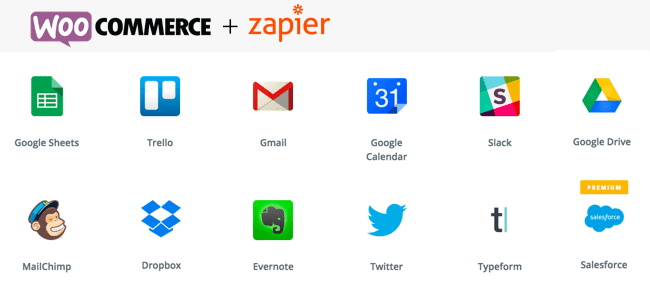
Overview of WooCommerce Zapier
Unlock unparalleled automation for your online store with WooCommerce Zapier. This powerful integration bridges the gap between your WooCommerce shop and thousands of other web applications, allowing you to automate crucial tasks, streamline workflows, and save countless hours. Whether you’re a small business owner looking to automate order fulfillment or a growing enterprise aiming to connect your CRM, email marketing, and accounting systems, WooCommerce Zapier is the essential tool for efficiency and scalability.
Key Features of WooCommerce Zapier
- Effortless Integration: Seamlessly connect your WooCommerce store with over 5,000 applications via Zapier, including popular tools like Google Sheets, Mailchimp, Salesforce, Slack, and many more. WooCommerce Zapier makes complex integrations simple.
- Automated Workflows: Create “Zaps” to automate actions based on events in your WooCommerce store. For instance, automatically add new customers to your mailing list, update a spreadsheet when an order is placed, or send a Slack notification for high-value purchases with WooCommerce Zapier.
- Comprehensive Event Triggers: Utilize a wide array of WooCommerce events as triggers for your Zaps. This includes new orders, updated orders, new customers, subscription status changes, product updates, and more, giving you granular control over your automation with WooCommerce Zapier.
- Customizable Data Mapping: Precisely map data fields from WooCommerce to your connected apps. This ensures that the right information, such as customer details, order items, and shipping addresses, is transferred accurately and efficiently by WooCommerce Zapier.
- Support for Subscriptions: For stores using WooCommerce Subscriptions, WooCommerce Zapier offers dedicated triggers and actions to automate tasks related to subscription sign-ups, renewals, cancellations, and more, providing a robust solution for recurring revenue models.
- Guest Checkout & User Data: Capture and utilize data from both registered customers and guest checkouts, ensuring no valuable information is missed when automating with WooCommerce Zapier.
- Developer-Friendly: While designed for ease of use, WooCommerce Zapier also provides hooks and filters for developers who wish to extend its functionality or integrate with custom solutions, offering ultimate flexibility.
- Reliable Performance: Built with performance and stability in mind, WooCommerce Zapier ensures that your automated tasks run smoothly and consistently, providing peace of mind and allowing you to focus on growing your business.
Why Choose WooCommerce Zapier?
Choosing WooCommerce Zapier means choosing efficiency, accuracy, and growth for your online business. In today’s fast-paced e-commerce environment, manual data entry and repetitive tasks can quickly become bottlenecks, consuming valuable time and resources that could be better spent on strategy and customer engagement. WooCommerce Zapier eliminates these inefficiencies by providing a robust, flexible, and reliable bridge between your store and the tools you use every day.
With WooCommerce Zapier, you can transform the way your business operates. Imagine automatically syncing new customer data to your CRM, sending personalized follow-up emails based on purchase history, or instantly updating inventory across multiple platforms—all without lifting a finger. This level of automation not only saves time but also reduces the potential for human error, ensuring data consistency and improving the overall customer experience. It empowers you to scale your operations without proportionally increasing your workload, making WooCommerce Zapier an indispensable asset for any serious online retailer.
Beyond saving time and reducing errors, WooCommerce Zapier also opens up new possibilities for business intelligence and marketing. By connecting your store to analytical tools or ad platforms, you can gain deeper insights into customer behavior and optimize your marketing spend. It’s an investment that pays dividends by freeing you to innovate, strategize, and build stronger relationships with your customers, ultimately driving more sales and sustained success.
Who Should Use WooCommerce Zapier?
WooCommerce Zapier is ideal for any WooCommerce store owner, marketer, or developer looking to automate repetitive tasks and integrate their store with other essential business applications. It’s perfect for those who want to streamline order fulfillment, enhance customer communication, manage inventory more efficiently, connect with accounting software, or simply reduce manual workload. If you’re using multiple web services and want them to “talk” to your WooCommerce store, then WooCommerce Zapier is for you.
How to Install WooCommerce Zapier
- Download the Plugin: After acquiring WooCommerce Zapier, download the plugin file (usually a .zip file) to your computer.
- Upload to WordPress: Log in to your WordPress admin dashboard. Navigate to “Plugins” > “Add New” > “Upload Plugin” and select the .zip file you downloaded.
- Activate the Plugin: Once the upload is complete, click “Install Now” and then “Activate Plugin.” WooCommerce Zapier will now be active on your site.
- Connect to Zapier: Go to “WooCommerce” > “Settings” > “Integrations” and locate the “Zapier” tab. Follow the instructions there to connect your WooCommerce store to your Zapier account using the provided API key.
- Create Your First Zap: Head over to your Zapier account, click “Make a Zap,” and select WooCommerce as your trigger app. Choose your desired trigger event (e.g., “New Order”) and follow the steps to connect it to an action in another app.
Frequently Asked Questions About WooCommerce Zapier
Does WooCommerce Zapier support custom fields?
Yes, WooCommerce Zapier is designed to be highly flexible. While it provides robust support for standard WooCommerce fields, it also allows for the inclusion of custom fields, either directly through its settings or by using filters and hooks for more advanced integrations. This ensures that all relevant data from your store can be utilized in your Zaps.
Can I use WooCommerce Zapier with WooCommerce Subscriptions?
Absolutely! WooCommerce Zapier offers dedicated triggers and actions specifically designed for WooCommerce Subscriptions. This means you can automate workflows around new subscriptions, renewals, cancellations, and status changes, making it an incredibly powerful tool for managing recurring revenue models and customer lifecycles.
Is it difficult to set up Zaps with WooCommerce Zapier?
Not at all. While the possibilities are vast, setting up Zaps with WooCommerce Zapier is designed to be intuitive. The Zapier platform provides a user-friendly interface with step-by-step guidance, allowing you to easily select your WooCommerce triggers, choose your action apps, and map data fields without requiring any coding knowledge. Many users find they can create their first automation within minutes.
Get WooCommerce Zapier Today
Revolutionize your WooCommerce store’s efficiency and unlock its full potential with WooCommerce Zapier. Stop wasting time on manual tasks and start automating your business workflows today. This essential integration will empower you to connect your store with thousands of apps, streamline operations, and focus on what truly matters: growing your business. Explore our range of WordPress Themes and other premium GPL WordPress Products to further enhance your online presence and discover more tools that elevate your e-commerce experience.
Related Products You May Like
Here's everything you need to know about your purchase:
- 100% original files — Every product is the genuine, virus-free file, exactly as released by the original developer.
- Instant download — Access your files immediately after purchase from your account.
- Lifetime access — Re-download your purchased files anytime. No expiry, no limits.
- Free updates — Newer version released? Just request an update from us, free for all customers.
- Dedicated support — Our team is available 24/7 for installation and file-related help.
- Easy refunds — Not satisfied? Review our Refund Policy. We offer a hassle-free 7-day guarantee.
$59.00 Original price was: $59.00.$2.00Current price is: $2.00.
Version
2.19.0
Last Updated
03/04/2026
License
GPL v2
Compatibility
WordPress 5.0+
Need latest version?
Newer version released? Request an update from us — free for all customers!
Request Update →🎁 Your Purchase Includes
Overview of WooCommerce Zapier
Unlock unparalleled automation for your online store with WooCommerce Zapier. This powerful integration bridges the gap between your WooCommerce shop and thousands of other web applications, allowing you to automate crucial tasks, streamline workflows, and save countless hours. Whether you’re a small business owner looking to automate order fulfillment or a growing enterprise aiming to connect your CRM, email marketing, and accounting systems, WooCommerce Zapier is the essential tool for efficiency and scalability.
Key Features of WooCommerce Zapier
- Effortless Integration: Seamlessly connect your WooCommerce store with over 5,000 applications via Zapier, including popular tools like Google Sheets, Mailchimp, Salesforce, Slack, and many more. WooCommerce Zapier makes complex integrations simple.
- Automated Workflows: Create “Zaps” to automate actions based on events in your WooCommerce store. For instance, automatically add new customers to your mailing list, update a spreadsheet when an order is placed, or send a Slack notification for high-value purchases with WooCommerce Zapier.
- Comprehensive Event Triggers: Utilize a wide array of WooCommerce events as triggers for your Zaps. This includes new orders, updated orders, new customers, subscription status changes, product updates, and more, giving you granular control over your automation with WooCommerce Zapier.
- Customizable Data Mapping: Precisely map data fields from WooCommerce to your connected apps. This ensures that the right information, such as customer details, order items, and shipping addresses, is transferred accurately and efficiently by WooCommerce Zapier.
- Support for Subscriptions: For stores using WooCommerce Subscriptions, WooCommerce Zapier offers dedicated triggers and actions to automate tasks related to subscription sign-ups, renewals, cancellations, and more, providing a robust solution for recurring revenue models.
- Guest Checkout & User Data: Capture and utilize data from both registered customers and guest checkouts, ensuring no valuable information is missed when automating with WooCommerce Zapier.
- Developer-Friendly: While designed for ease of use, WooCommerce Zapier also provides hooks and filters for developers who wish to extend its functionality or integrate with custom solutions, offering ultimate flexibility.
- Reliable Performance: Built with performance and stability in mind, WooCommerce Zapier ensures that your automated tasks run smoothly and consistently, providing peace of mind and allowing you to focus on growing your business.
Why Choose WooCommerce Zapier?
Choosing WooCommerce Zapier means choosing efficiency, accuracy, and growth for your online business. In today’s fast-paced e-commerce environment, manual data entry and repetitive tasks can quickly become bottlenecks, consuming valuable time and resources that could be better spent on strategy and customer engagement. WooCommerce Zapier eliminates these inefficiencies by providing a robust, flexible, and reliable bridge between your store and the tools you use every day.
With WooCommerce Zapier, you can transform the way your business operates. Imagine automatically syncing new customer data to your CRM, sending personalized follow-up emails based on purchase history, or instantly updating inventory across multiple platforms—all without lifting a finger. This level of automation not only saves time but also reduces the potential for human error, ensuring data consistency and improving the overall customer experience. It empowers you to scale your operations without proportionally increasing your workload, making WooCommerce Zapier an indispensable asset for any serious online retailer.
Beyond saving time and reducing errors, WooCommerce Zapier also opens up new possibilities for business intelligence and marketing. By connecting your store to analytical tools or ad platforms, you can gain deeper insights into customer behavior and optimize your marketing spend. It’s an investment that pays dividends by freeing you to innovate, strategize, and build stronger relationships with your customers, ultimately driving more sales and sustained success.
Who Should Use WooCommerce Zapier?
WooCommerce Zapier is ideal for any WooCommerce store owner, marketer, or developer looking to automate repetitive tasks and integrate their store with other essential business applications. It’s perfect for those who want to streamline order fulfillment, enhance customer communication, manage inventory more efficiently, connect with accounting software, or simply reduce manual workload. If you’re using multiple web services and want them to “talk” to your WooCommerce store, then WooCommerce Zapier is for you.
How to Install WooCommerce Zapier
- Download the Plugin: After acquiring WooCommerce Zapier, download the plugin file (usually a .zip file) to your computer.
- Upload to WordPress: Log in to your WordPress admin dashboard. Navigate to “Plugins” > “Add New” > “Upload Plugin” and select the .zip file you downloaded.
- Activate the Plugin: Once the upload is complete, click “Install Now” and then “Activate Plugin.” WooCommerce Zapier will now be active on your site.
- Connect to Zapier: Go to “WooCommerce” > “Settings” > “Integrations” and locate the “Zapier” tab. Follow the instructions there to connect your WooCommerce store to your Zapier account using the provided API key.
- Create Your First Zap: Head over to your Zapier account, click “Make a Zap,” and select WooCommerce as your trigger app. Choose your desired trigger event (e.g., “New Order”) and follow the steps to connect it to an action in another app.
Frequently Asked Questions About WooCommerce Zapier
Does WooCommerce Zapier support custom fields?
Yes, WooCommerce Zapier is designed to be highly flexible. While it provides robust support for standard WooCommerce fields, it also allows for the inclusion of custom fields, either directly through its settings or by using filters and hooks for more advanced integrations. This ensures that all relevant data from your store can be utilized in your Zaps.
Can I use WooCommerce Zapier with WooCommerce Subscriptions?
Absolutely! WooCommerce Zapier offers dedicated triggers and actions specifically designed for WooCommerce Subscriptions. This means you can automate workflows around new subscriptions, renewals, cancellations, and status changes, making it an incredibly powerful tool for managing recurring revenue models and customer lifecycles.
Is it difficult to set up Zaps with WooCommerce Zapier?
Not at all. While the possibilities are vast, setting up Zaps with WooCommerce Zapier is designed to be intuitive. The Zapier platform provides a user-friendly interface with step-by-step guidance, allowing you to easily select your WooCommerce triggers, choose your action apps, and map data fields without requiring any coding knowledge. Many users find they can create their first automation within minutes.
Get WooCommerce Zapier Today
Revolutionize your WooCommerce store’s efficiency and unlock its full potential with WooCommerce Zapier. Stop wasting time on manual tasks and start automating your business workflows today. This essential integration will empower you to connect your store with thousands of apps, streamline operations, and focus on what truly matters: growing your business. Explore our range of WordPress Themes and other premium GPL WordPress Products to further enhance your online presence and discover more tools that elevate your e-commerce experience.
Related Products You May Like
Reviews
There are no reviews yet.
Here's everything you need to know about your purchase:
- 100% original files — Every product is the genuine, virus-free file, exactly as released by the original developer.
- Instant download — Access your files immediately after purchase from your account.
- Lifetime access — Re-download your purchased files anytime. No expiry, no limits.
- Free updates — Newer version released? Just request an update from us, free for all customers.
- Dedicated support — Our team is available 24/7 for installation and file-related help.
- Easy refunds — Not satisfied? Review our Refund Policy. We offer a hassle-free 7-day guarantee.
Reviews
There are no reviews yet.