

WooCommerce File Approval 10.4
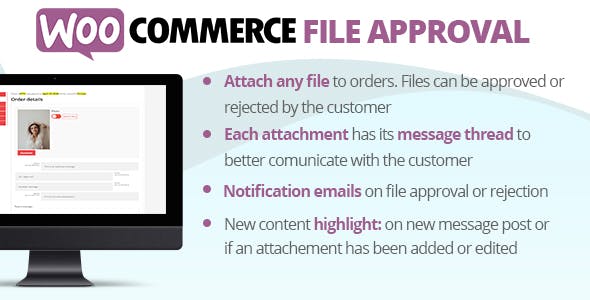
Overview of WooCommerce File Approval
WooCommerce File Approval is an essential plugin designed to streamline and professionalize the process of managing file approvals directly within your WooCommerce store. This powerful tool empowers businesses that deal with custom orders, design proofs, or any service requiring client feedback and approval on submitted files. With WooCommerce File Approval, you can effortlessly manage the back-and-forth of revisions, approvals, and rejections, ensuring every project moves forward smoothly and transparently.
Key Features of WooCommerce File Approval
- Flexible Approval Workflows: Define custom approval stages and processes tailored to your specific business needs. WooCommerce File Approval allows you to set up multi-step approvals or simple one-click options, providing ultimate control over your workflow.
- Seamless Order Integration: Directly link file approvals to specific WooCommerce orders, keeping all project-related communications and files organized in one central location. This deep integration makes managing complex orders incredibly efficient.
- Customer & Admin Notifications: Keep everyone in the loop with automated email notifications for file uploads, status changes, and approval requests. Both customers and administrators receive timely updates, reducing communication delays.
- File Upload & Versioning: Customers can easily upload files directly from their order page, and administrators can upload revised versions. WooCommerce File Approval maintains a clear history of all file versions, preventing confusion and ensuring accountability.
- Customizable Statuses: Create and customize approval statuses (e.g., “Pending Review,” “Approved,” “Rejected,” “Revision Required”) to perfectly match your internal terminology and workflow. This flexibility makes WooCommerce File Approval adaptable to any industry.
- Detailed Audit Trails: Every action related to file approval — uploads, status changes, comments — is logged, providing a comprehensive audit trail for each order. This ensures transparency and helps resolve any disputes quickly.
- Secure File Handling: Rest assured that your files are handled securely. WooCommerce File Approval provides a robust system for managing and storing client and project files within your WooCommerce environment.
- Intuitive User Interface: Both customers and administrators benefit from a clean, easy-to-navigate interface that simplifies the entire file approval process, making it less daunting and more efficient for everyone involved.
Why Choose WooCommerce File Approval?
Choosing WooCommerce File Approval means investing in efficiency, professionalism, and enhanced customer satisfaction for your online store. This plugin eliminates the fragmented communication often associated with custom orders, where files are exchanged via email, leading to lost attachments and confusion. By centralizing the approval process directly within WooCommerce, you streamline operations, reduce administrative overhead, and free up valuable time that can be better spent on creative work or serving more clients. WooCommerce File Approval ensures that every project progresses with clarity and precision, minimizing errors and improving overall project turnaround times.
The value of WooCommerce File Approval extends beyond mere convenience; it significantly elevates your brand’s professional image. Presenting clients with a structured, easy-to-use system for approving their custom work instills confidence and demonstrates your commitment to quality service. It transforms what can often be a cumbersome process into a seamless, collaborative experience. For businesses relying on client feedback for product customization or service delivery, WooCommerce File Approval is not just a tool; it’s a strategic asset that fosters better relationships and drives repeat business by making the client journey smoother and more reliable.
Furthermore, the detailed audit trails and versioning capabilities of WooCommerce File Approval provide peace of mind. You’ll always have a clear record of who approved what and when, safeguarding your business from potential disputes and ensuring accountability. This robust functionality, combined with customizable workflows and notifications, makes WooCommerce File Approval an indispensable solution for any WooCommerce store dealing with client-specific deliverables.
Who Should Use WooCommerce File Approval?
WooCommerce File Approval is ideal for a wide range of businesses and service providers operating on the WooCommerce platform. This includes graphic designers, web developers, photographers, print shops, custom apparel manufacturers, sign makers, architects, interior designers, marketing agencies, and anyone selling custom products or services that require client approval on designs, proofs, or documents. If your business workflow involves clients uploading files or needing to approve files you provide before an order can proceed, then WooCommerce File Approval is designed specifically for you.
How to Install WooCommerce File Approval
- Download the Plugin: After acquiring WooCommerce File Approval from our collection of WordPress Plugins, you will receive a .zip file containing the plugin.
- Upload to WordPress: Log in to your WordPress admin dashboard. Navigate to ‘Plugins’ > ‘Add New’ and click the ‘Upload Plugin’ button at the top of the page.
- Choose File & Install: Click ‘Choose File’, select the WooCommerce File Approval .zip file you downloaded, and then click ‘Install Now’.
- Activate the Plugin: Once the installation is complete, click the ‘Activate Plugin’ button.
- Configure Settings: Go to the WooCommerce settings and locate the new ‘File Approval’ tab or section. Here, you can configure your approval workflows, statuses, notifications, and other specific settings for WooCommerce File Approval to match your business needs.
Frequently Asked Questions About WooCommerce File Approval
What types of files can be managed with WooCommerce File Approval?
WooCommerce File Approval is designed to handle a wide variety of file types, including images (JPG, PNG, GIF), documents (PDF, DOCX, XLSX), design files (AI, PSD, EPS), and more. The system is flexible enough to accommodate virtually any file format relevant to your approval process, making WooCommerce File Approval a versatile tool for diverse businesses.
Does WooCommerce File Approval integrate with existing WooCommerce orders?
Yes, absolutely. WooCommerce File Approval is built to integrate seamlessly with your existing WooCommerce orders. All file uploads, approvals, rejections, and comments are directly linked to specific order IDs, ensuring that all project-related information is centralized and easily accessible within the order details page.
Can I customize the approval statuses and email notifications?
Yes, customization is a core feature of WooCommerce File Approval. You have full control to create and manage custom approval statuses to perfectly align with your workflow. Additionally, you can customize the content of email notifications sent to both customers and administrators for various approval events, ensuring clear and branded communication.
Get WooCommerce File Approval Today
Transform your WooCommerce store’s custom order and file management process with the unparalleled efficiency of WooCommerce File Approval. Say goodbye to manual tracking and communication silos, and embrace a streamlined, professional workflow that saves time and enhances client satisfaction. Explore this and other premium WordPress Plugins and GPL WordPress Products at GPLUniverse.com to elevate your online business. Get WooCommerce File Approval now and take control of your project approvals.
Related Products You May Like
Here's everything you need to know about your purchase:
- 100% original files — Every product is the genuine, virus-free file, exactly as released by the original developer.
- Instant download — Access your files immediately after purchase from your account.
- Lifetime access — Re-download your purchased files anytime. No expiry, no limits.
- Free updates — Newer version released? Just request an update from us, free for all customers.
- Dedicated support — Our team is available 24/7 for installation and file-related help.
- Easy refunds — Not satisfied? Review our Refund Policy. We offer a hassle-free 7-day guarantee.
$100.00 Original price was: $100.00.$2.00Current price is: $2.00.
Version
10.4
Last Updated
19/07/2025
License
GPL v2
Compatibility
WordPress 5.0+
Need latest version?
Newer version released? Request an update from us — free for all customers!
Request Update →🎁 Your Purchase Includes
Overview of WooCommerce File Approval
WooCommerce File Approval is an essential plugin designed to streamline and professionalize the process of managing file approvals directly within your WooCommerce store. This powerful tool empowers businesses that deal with custom orders, design proofs, or any service requiring client feedback and approval on submitted files. With WooCommerce File Approval, you can effortlessly manage the back-and-forth of revisions, approvals, and rejections, ensuring every project moves forward smoothly and transparently.
Key Features of WooCommerce File Approval
- Flexible Approval Workflows: Define custom approval stages and processes tailored to your specific business needs. WooCommerce File Approval allows you to set up multi-step approvals or simple one-click options, providing ultimate control over your workflow.
- Seamless Order Integration: Directly link file approvals to specific WooCommerce orders, keeping all project-related communications and files organized in one central location. This deep integration makes managing complex orders incredibly efficient.
- Customer & Admin Notifications: Keep everyone in the loop with automated email notifications for file uploads, status changes, and approval requests. Both customers and administrators receive timely updates, reducing communication delays.
- File Upload & Versioning: Customers can easily upload files directly from their order page, and administrators can upload revised versions. WooCommerce File Approval maintains a clear history of all file versions, preventing confusion and ensuring accountability.
- Customizable Statuses: Create and customize approval statuses (e.g., “Pending Review,” “Approved,” “Rejected,” “Revision Required”) to perfectly match your internal terminology and workflow. This flexibility makes WooCommerce File Approval adaptable to any industry.
- Detailed Audit Trails: Every action related to file approval — uploads, status changes, comments — is logged, providing a comprehensive audit trail for each order. This ensures transparency and helps resolve any disputes quickly.
- Secure File Handling: Rest assured that your files are handled securely. WooCommerce File Approval provides a robust system for managing and storing client and project files within your WooCommerce environment.
- Intuitive User Interface: Both customers and administrators benefit from a clean, easy-to-navigate interface that simplifies the entire file approval process, making it less daunting and more efficient for everyone involved.
Why Choose WooCommerce File Approval?
Choosing WooCommerce File Approval means investing in efficiency, professionalism, and enhanced customer satisfaction for your online store. This plugin eliminates the fragmented communication often associated with custom orders, where files are exchanged via email, leading to lost attachments and confusion. By centralizing the approval process directly within WooCommerce, you streamline operations, reduce administrative overhead, and free up valuable time that can be better spent on creative work or serving more clients. WooCommerce File Approval ensures that every project progresses with clarity and precision, minimizing errors and improving overall project turnaround times.
The value of WooCommerce File Approval extends beyond mere convenience; it significantly elevates your brand’s professional image. Presenting clients with a structured, easy-to-use system for approving their custom work instills confidence and demonstrates your commitment to quality service. It transforms what can often be a cumbersome process into a seamless, collaborative experience. For businesses relying on client feedback for product customization or service delivery, WooCommerce File Approval is not just a tool; it’s a strategic asset that fosters better relationships and drives repeat business by making the client journey smoother and more reliable.
Furthermore, the detailed audit trails and versioning capabilities of WooCommerce File Approval provide peace of mind. You’ll always have a clear record of who approved what and when, safeguarding your business from potential disputes and ensuring accountability. This robust functionality, combined with customizable workflows and notifications, makes WooCommerce File Approval an indispensable solution for any WooCommerce store dealing with client-specific deliverables.
Who Should Use WooCommerce File Approval?
WooCommerce File Approval is ideal for a wide range of businesses and service providers operating on the WooCommerce platform. This includes graphic designers, web developers, photographers, print shops, custom apparel manufacturers, sign makers, architects, interior designers, marketing agencies, and anyone selling custom products or services that require client approval on designs, proofs, or documents. If your business workflow involves clients uploading files or needing to approve files you provide before an order can proceed, then WooCommerce File Approval is designed specifically for you.
How to Install WooCommerce File Approval
- Download the Plugin: After acquiring WooCommerce File Approval from our collection of WordPress Plugins, you will receive a .zip file containing the plugin.
- Upload to WordPress: Log in to your WordPress admin dashboard. Navigate to ‘Plugins’ > ‘Add New’ and click the ‘Upload Plugin’ button at the top of the page.
- Choose File & Install: Click ‘Choose File’, select the WooCommerce File Approval .zip file you downloaded, and then click ‘Install Now’.
- Activate the Plugin: Once the installation is complete, click the ‘Activate Plugin’ button.
- Configure Settings: Go to the WooCommerce settings and locate the new ‘File Approval’ tab or section. Here, you can configure your approval workflows, statuses, notifications, and other specific settings for WooCommerce File Approval to match your business needs.
Frequently Asked Questions About WooCommerce File Approval
What types of files can be managed with WooCommerce File Approval?
WooCommerce File Approval is designed to handle a wide variety of file types, including images (JPG, PNG, GIF), documents (PDF, DOCX, XLSX), design files (AI, PSD, EPS), and more. The system is flexible enough to accommodate virtually any file format relevant to your approval process, making WooCommerce File Approval a versatile tool for diverse businesses.
Does WooCommerce File Approval integrate with existing WooCommerce orders?
Yes, absolutely. WooCommerce File Approval is built to integrate seamlessly with your existing WooCommerce orders. All file uploads, approvals, rejections, and comments are directly linked to specific order IDs, ensuring that all project-related information is centralized and easily accessible within the order details page.
Can I customize the approval statuses and email notifications?
Yes, customization is a core feature of WooCommerce File Approval. You have full control to create and manage custom approval statuses to perfectly align with your workflow. Additionally, you can customize the content of email notifications sent to both customers and administrators for various approval events, ensuring clear and branded communication.
Get WooCommerce File Approval Today
Transform your WooCommerce store’s custom order and file management process with the unparalleled efficiency of WooCommerce File Approval. Say goodbye to manual tracking and communication silos, and embrace a streamlined, professional workflow that saves time and enhances client satisfaction. Explore this and other premium WordPress Plugins and GPL WordPress Products at GPLUniverse.com to elevate your online business. Get WooCommerce File Approval now and take control of your project approvals.
Related Products You May Like
Reviews
There are no reviews yet.
Here's everything you need to know about your purchase:
- 100% original files — Every product is the genuine, virus-free file, exactly as released by the original developer.
- Instant download — Access your files immediately after purchase from your account.
- Lifetime access — Re-download your purchased files anytime. No expiry, no limits.
- Free updates — Newer version released? Just request an update from us, free for all customers.
- Dedicated support — Our team is available 24/7 for installation and file-related help.
- Easy refunds — Not satisfied? Review our Refund Policy. We offer a hassle-free 7-day guarantee.
Reviews
There are no reviews yet.