

WooCommerce Upload Files 88.3
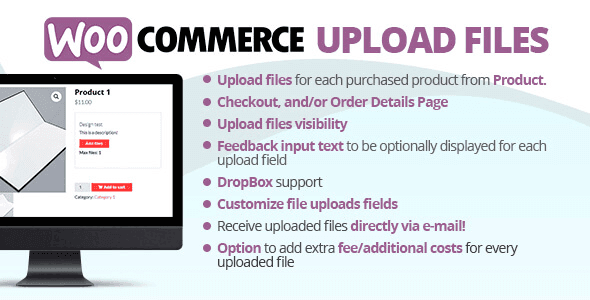
Overview of WooCommerce Upload Files
The **WooCommerce Upload Files** plugin empowers your customers to easily upload files directly to your product pages, order details, or checkout. This essential tool is perfect for businesses offering personalized products, custom services, or any scenario where customers need to submit designs, images, documents, or other relevant files alongside their orders. It streamlines the ordering process, making it incredibly convenient for both you and your customers.
Key Features of WooCommerce Upload Files
- Flexible Upload Locations: Allow customers to upload files on product pages, during the checkout process, or even after an order has been placed directly from their order details page.
- Multiple File Types & Sizes: Configure allowed file types (e.g., JPG, PNG, PDF, DOCX) and set maximum file sizes to ensure compatibility and manage server resources effectively.
- Conditional Uploads: Set rules for when the upload field appears, based on specific products, product categories, user roles, or even cart totals, providing tailored experiences.
- Drag & Drop Functionality: Offer an intuitive drag-and-drop interface for file uploads, enhancing user experience and making the process quick and effortless.
- Image Previews: Provide instant visual feedback with image previews for uploaded files, allowing customers to confirm their selections before submission.
- Admin File Management: Easily view, download, and manage all customer-uploaded files directly from the WooCommerce order administration panel, keeping everything organized.
- Email Notifications: Configure email notifications for both customers and administrators upon successful file uploads, ensuring everyone stays informed.
- Required Uploads: Mark upload fields as mandatory for certain products or conditions, ensuring you receive all necessary information for custom orders.
Why Choose WooCommerce Upload Files?
Choosing **WooCommerce Upload Files** transforms your online store into a more interactive and efficient platform. For businesses dealing with custom orders—think personalized t-shirts, engraved jewelry, custom prints, or design services—this plugin is indispensable. It eliminates the need for customers to send files via email, reducing confusion, errors, and the back-and-forth communication that often delays order fulfillment. By integrating file uploads directly into the WooCommerce workflow, you provide a seamless experience that encourages customer satisfaction and repeat business.
Beyond convenience, **WooCommerce Upload Files** significantly improves your operational efficiency. All necessary files are attached directly to the relevant orders, making it easy for your team to access them instantly. This centralizes information, reduces the risk of misplaced files, and speeds up your production or service delivery times. The robust configuration options mean you can tailor the upload experience precisely to your business needs, whether it’s setting specific file types for different products or making uploads mandatory for critical items.
Investing in **WooCommerce Upload Files** means investing in a smoother, more professional customer journey. It enhances the perceived value of your custom offerings by making the submission process effortless and reliable. This plugin is not just about adding a feature; it’s about optimizing your entire custom product workflow, ensuring that every order comes with all the required specifications, leading to fewer disputes and happier customers. Enhance your store’s capabilities and streamline custom orders with this powerful solution.
Who Should Use WooCommerce Upload Files?
The **WooCommerce Upload Files** plugin is ideal for any WooCommerce store that sells custom or personalized products and services. This includes print shops, apparel designers, jewelers, graphic design agencies, photographers, event planners, and businesses offering bespoke items. If your customers frequently need to provide images, documents, audio, or any other digital files to complete their purchase, this plugin is an absolute necessity for improving user experience and operational efficiency.
How to Install WooCommerce Upload Files
- Download the Plugin: After purchasing **WooCommerce Upload Files** from GPLUniverse, download the plugin .zip file to your computer. Do not unzip the file.
- Upload via WordPress Admin: Log in to your WordPress dashboard. Navigate to ‘Plugins’ > ‘Add New’. Click on the ‘Upload Plugin’ button at the top of the page.
- Choose File and Install: Click ‘Choose File’, select the downloaded .zip file for **WooCommerce Upload Files**, and then click ‘Install Now’.
- Activate the Plugin: Once the installation is complete, click the ‘Activate Plugin’ button.
- Configure Settings: Go to the WooCommerce settings or the dedicated plugin menu (usually under ‘WooCommerce’ or ‘Settings’) to configure your desired upload fields, rules, and settings for **WooCommerce Upload Files**.
Frequently Asked Questions About WooCommerce Upload Files
Can I restrict file uploads to specific product pages?
Yes, **WooCommerce Upload Files** allows you to set conditional rules. You can easily configure upload fields to appear only on specific product pages, categories, or even based on other cart conditions, giving you precise control over where and when customers can upload files.
What types of files can customers upload using WooCommerce Upload Files?
You have full control over the allowed file types. The **WooCommerce Upload Files** plugin lets you specify which file extensions are acceptable, such as images (JPG, PNG, GIF), documents (PDF, DOCX), audio, video, and more, ensuring only relevant files are submitted.
How do I access the files uploaded by customers?
All files uploaded through **WooCommerce Upload Files** are conveniently attached directly to the corresponding order in your WooCommerce admin panel. Simply navigate to the specific order, and you will find the uploaded files available for viewing and download, streamlining your order management.
Get WooCommerce Upload Files Today
Elevate your WooCommerce store’s capabilities and provide an unparalleled custom ordering experience with **WooCommerce Upload Files**. This powerful plugin is a game-changer for businesses that thrive on personalization and bespoke products. Don’t let complicated file submissions hinder your sales; empower your customers and streamline your operations. Explore this and other essential WordPress Plugins to enhance your site, or browse our full range of premium GPL WordPress Products to discover more solutions for your online business.
Related Products You May Like
Here's everything you need to know about your purchase:
- 100% original files — Every product is the genuine, virus-free file, exactly as released by the original developer.
- Instant download — Access your files immediately after purchase from your account.
- Lifetime access — Re-download your purchased files anytime. No expiry, no limits.
- Free updates — Newer version released? Just request an update from us, free for all customers.
- Dedicated support — Our team is available 24/7 for installation and file-related help.
- Easy refunds — Not satisfied? Review our Refund Policy. We offer a hassle-free 7-day guarantee.
$100.00 Original price was: $100.00.$2.00Current price is: $2.00.
Version
88.3
Last Updated
03/04/2026
License
GPL v2
Compatibility
WordPress 5.0+
Need latest version?
Newer version released? Request an update from us — free for all customers!
Request Update →🎁 Your Purchase Includes
Overview of WooCommerce Upload Files
The **WooCommerce Upload Files** plugin empowers your customers to easily upload files directly to your product pages, order details, or checkout. This essential tool is perfect for businesses offering personalized products, custom services, or any scenario where customers need to submit designs, images, documents, or other relevant files alongside their orders. It streamlines the ordering process, making it incredibly convenient for both you and your customers.
Key Features of WooCommerce Upload Files
- Flexible Upload Locations: Allow customers to upload files on product pages, during the checkout process, or even after an order has been placed directly from their order details page.
- Multiple File Types & Sizes: Configure allowed file types (e.g., JPG, PNG, PDF, DOCX) and set maximum file sizes to ensure compatibility and manage server resources effectively.
- Conditional Uploads: Set rules for when the upload field appears, based on specific products, product categories, user roles, or even cart totals, providing tailored experiences.
- Drag & Drop Functionality: Offer an intuitive drag-and-drop interface for file uploads, enhancing user experience and making the process quick and effortless.
- Image Previews: Provide instant visual feedback with image previews for uploaded files, allowing customers to confirm their selections before submission.
- Admin File Management: Easily view, download, and manage all customer-uploaded files directly from the WooCommerce order administration panel, keeping everything organized.
- Email Notifications: Configure email notifications for both customers and administrators upon successful file uploads, ensuring everyone stays informed.
- Required Uploads: Mark upload fields as mandatory for certain products or conditions, ensuring you receive all necessary information for custom orders.
Why Choose WooCommerce Upload Files?
Choosing **WooCommerce Upload Files** transforms your online store into a more interactive and efficient platform. For businesses dealing with custom orders—think personalized t-shirts, engraved jewelry, custom prints, or design services—this plugin is indispensable. It eliminates the need for customers to send files via email, reducing confusion, errors, and the back-and-forth communication that often delays order fulfillment. By integrating file uploads directly into the WooCommerce workflow, you provide a seamless experience that encourages customer satisfaction and repeat business.
Beyond convenience, **WooCommerce Upload Files** significantly improves your operational efficiency. All necessary files are attached directly to the relevant orders, making it easy for your team to access them instantly. This centralizes information, reduces the risk of misplaced files, and speeds up your production or service delivery times. The robust configuration options mean you can tailor the upload experience precisely to your business needs, whether it’s setting specific file types for different products or making uploads mandatory for critical items.
Investing in **WooCommerce Upload Files** means investing in a smoother, more professional customer journey. It enhances the perceived value of your custom offerings by making the submission process effortless and reliable. This plugin is not just about adding a feature; it’s about optimizing your entire custom product workflow, ensuring that every order comes with all the required specifications, leading to fewer disputes and happier customers. Enhance your store’s capabilities and streamline custom orders with this powerful solution.
Who Should Use WooCommerce Upload Files?
The **WooCommerce Upload Files** plugin is ideal for any WooCommerce store that sells custom or personalized products and services. This includes print shops, apparel designers, jewelers, graphic design agencies, photographers, event planners, and businesses offering bespoke items. If your customers frequently need to provide images, documents, audio, or any other digital files to complete their purchase, this plugin is an absolute necessity for improving user experience and operational efficiency.
How to Install WooCommerce Upload Files
- Download the Plugin: After purchasing **WooCommerce Upload Files** from GPLUniverse, download the plugin .zip file to your computer. Do not unzip the file.
- Upload via WordPress Admin: Log in to your WordPress dashboard. Navigate to ‘Plugins’ > ‘Add New’. Click on the ‘Upload Plugin’ button at the top of the page.
- Choose File and Install: Click ‘Choose File’, select the downloaded .zip file for **WooCommerce Upload Files**, and then click ‘Install Now’.
- Activate the Plugin: Once the installation is complete, click the ‘Activate Plugin’ button.
- Configure Settings: Go to the WooCommerce settings or the dedicated plugin menu (usually under ‘WooCommerce’ or ‘Settings’) to configure your desired upload fields, rules, and settings for **WooCommerce Upload Files**.
Frequently Asked Questions About WooCommerce Upload Files
Can I restrict file uploads to specific product pages?
Yes, **WooCommerce Upload Files** allows you to set conditional rules. You can easily configure upload fields to appear only on specific product pages, categories, or even based on other cart conditions, giving you precise control over where and when customers can upload files.
What types of files can customers upload using WooCommerce Upload Files?
You have full control over the allowed file types. The **WooCommerce Upload Files** plugin lets you specify which file extensions are acceptable, such as images (JPG, PNG, GIF), documents (PDF, DOCX), audio, video, and more, ensuring only relevant files are submitted.
How do I access the files uploaded by customers?
All files uploaded through **WooCommerce Upload Files** are conveniently attached directly to the corresponding order in your WooCommerce admin panel. Simply navigate to the specific order, and you will find the uploaded files available for viewing and download, streamlining your order management.
Get WooCommerce Upload Files Today
Elevate your WooCommerce store’s capabilities and provide an unparalleled custom ordering experience with **WooCommerce Upload Files**. This powerful plugin is a game-changer for businesses that thrive on personalization and bespoke products. Don’t let complicated file submissions hinder your sales; empower your customers and streamline your operations. Explore this and other essential WordPress Plugins to enhance your site, or browse our full range of premium GPL WordPress Products to discover more solutions for your online business.
Related Products You May Like
Reviews
There are no reviews yet.
Here's everything you need to know about your purchase:
- 100% original files — Every product is the genuine, virus-free file, exactly as released by the original developer.
- Instant download — Access your files immediately after purchase from your account.
- Lifetime access — Re-download your purchased files anytime. No expiry, no limits.
- Free updates — Newer version released? Just request an update from us, free for all customers.
- Dedicated support — Our team is available 24/7 for installation and file-related help.
- Easy refunds — Not satisfied? Review our Refund Policy. We offer a hassle-free 7-day guarantee.
Reviews
There are no reviews yet.