

WooSwatches 7.0.0 – Woocommerce Color or Image Variation Swatches
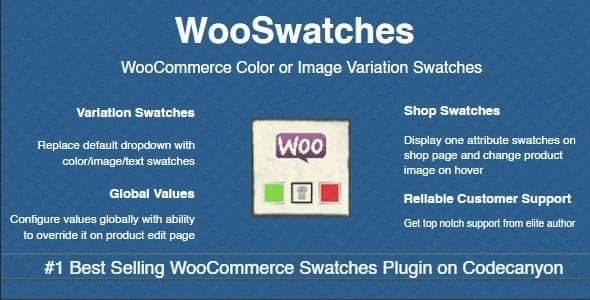
Overview of WooSwatches
Transform your WooCommerce product pages with WooSwatches, the ultimate solution for showcasing product variations in a visually appealing and user-friendly manner. This powerful plugin replaces standard dropdown selectors with elegant color, image, or text swatches, making it easier and more engaging for customers to choose their desired product options. WooSwatches is designed for any online store owner looking to enhance the shopping experience, reduce cart abandonment, and boost sales by presenting variations clearly and attractively.
Key Features of WooSwatches
- Color Swatches: Display product variations like apparel colors, material finishes, or other color-dependent options using vibrant, clickable color swatches. WooSwatches allows for precise color selection, making product exploration intuitive.
- Image Swatches: Elevate your product presentation by using custom images for variations. Perfect for showing different patterns, textures, or even distinct product angles for each option, WooSwatches ensures your products look their best.
- Text Swatches: For variations that don’t fit into colors or images, such as sizes (S, M, L) or specific types, WooSwatches provides clean and customizable text swatches. This maintains a consistent and professional look across all your product attributes.
- Global Attribute Management: Easily manage and apply swatches across all your products by setting them up for global attributes. This saves time and ensures uniformity throughout your WooCommerce store with WooSwatches.
- Customizable Swatch Sizes & Shapes: Tailor the appearance of your swatches to match your brand’s aesthetic. WooSwatches offers options for adjusting swatch size, shape (square or circle), and border styles, giving you full control over the visual design.
- Tooltip Support: Enhance usability with informative tooltips that appear on hover, providing customers with additional details about each variation. This subtle yet effective feature of WooSwatches improves clarity.
- Out-of-Stock Indication: Clearly communicate when a specific variation is out of stock directly on the swatch itself. WooSwatches can visually disable or cross out unavailable options, preventing customer frustration.
- Seamless Integration: Designed to work flawlessly with WooCommerce, WooSwatches integrates effortlessly into your existing product pages without requiring complex coding or extensive setup.
Why Choose WooSwatches?
Choosing WooSwatches means investing in a superior user experience for your online store. Traditional dropdowns can be clunky and uninspiring, often leading to confusion or a lack of engagement. By replacing these with dynamic and visually rich swatches, WooSwatches makes product selection an enjoyable and intuitive process. Customers can instantly see and click on their preferred color, size, or style, significantly reducing the friction in their purchasing journey. This streamlined interaction not only boosts customer satisfaction but also encourages them to explore more variations, potentially increasing average order value.
WooSwatches is not just about aesthetics; it’s a powerful tool for improving your store’s conversion rates. When products are presented clearly and attractively, customers are more likely to make a purchase. The visual cues provided by color and image swatches help customers quickly grasp the available options, minimizing the chances of them leaving your site due to indecision or frustration. Furthermore, the ability to customize swatches ensures that your product pages maintain a professional and branded look, reinforcing trust and credibility with your audience. This attention to detail provided by WooSwatches sets your store apart from the competition.
Beyond the immediate benefits to your customers, WooSwatches simplifies product management for store owners. With features like global attribute settings, you can define your swatch styles once and apply them across numerous products, saving valuable time and effort. The plugin is designed to be lightweight and efficient, ensuring it doesn’t slow down your website, which is crucial for SEO and user retention. For any serious WooCommerce store aiming to optimize its product presentation and drive more sales, WooSwatches is an indispensable addition to your toolkit.
Who Should Use WooSwatches?
WooSwatches is ideal for any WooCommerce store selling products with multiple variations. This includes fashion retailers offering clothing in various colors and sizes, jewelry stores showcasing different metal types or gemstones, furniture shops displaying fabric options, electronics vendors with different models or finishes, and even craft stores selling materials in diverse patterns. Essentially, if your products have attributes that can be better represented visually than by text dropdowns, WooSwatches is built for you.
How to Install WooSwatches
- Download the Plugin: After purchasing WooSwatches, download the plugin file (usually a .zip archive) from your account.
- Upload to WordPress: Log in to your WordPress admin dashboard. Navigate to ‘Plugins’ > ‘Add New’ > ‘Upload Plugin’. Click ‘Choose File’, select the WooSwatches .zip file, and then click ‘Install Now’.
- Activate the Plugin: Once the plugin is uploaded and installed, click the ‘Activate Plugin’ button.
- Configure Settings: Go to the new WooSwatches settings panel that appears in your WordPress dashboard (usually under ‘WooCommerce’ or a dedicated menu item). Here, you can customize global swatch settings, styles, and behaviors.
- Apply to Products: For individual products, edit your variable products and navigate to the ‘Attributes’ tab. For each attribute, you can select the swatch type (color, image, or text) and assign specific values. Save your changes, and your product pages will now display the beautiful WooSwatches.
Frequently Asked Questions About WooSwatches
Is WooSwatches compatible with my existing WooCommerce theme?
Yes, WooSwatches is designed with broad compatibility in mind and works seamlessly with most well-coded WooCommerce themes. It integrates directly with WooCommerce’s variable product system, ensuring smooth operation. In the rare event of a conflict, minor CSS adjustments can typically resolve any display issues, but for the vast majority of users, WooSwatches will work right out of the box.
Can I use different swatch types for different attributes on the same product?
Absolutely! WooSwatches offers the flexibility to assign different swatch types (color, image, or text) to various attributes on a single product. For example, you could use color swatches for product colors, image swatches for different patterns, and text swatches for sizes, all on the same product page, enhancing the clarity of your offerings with WooSwatches.
Does WooSwatches support global attributes?
Yes, WooSwatches fully supports global attributes. You can define your swatch settings (e.g., specific colors, images, or text styles) for global attributes once, and then easily apply these settings to any product that uses those attributes. This significantly streamlines the setup process and ensures consistency across your entire product catalog when using WooSwatches.
Get WooSwatches Today
Elevate your WooCommerce store’s product presentation and provide an unparalleled shopping experience with WooSwatches. Say goodbye to dull dropdowns and hello to vibrant, interactive product variations that captivate your customers and drive conversions. Enhance your store’s aesthetics and functionality today by adding this essential plugin to your toolkit. Explore WordPress Plugins to discover more tools that can transform your site, and check out our full range of GPL WordPress Products to find everything you need to build and grow your online business. Secure your copy of WooSwatches and start seeing the difference.
Related Products You May Like
Here's everything you need to know about your purchase:
- 100% original files — Every product is the genuine, virus-free file, exactly as released by the original developer.
- Instant download — Access your files immediately after purchase from your account.
- Lifetime access — Re-download your purchased files anytime. No expiry, no limits.
- Free updates — Newer version released? Just request an update from us, free for all customers.
- Dedicated support — Our team is available 24/7 for installation and file-related help.
- Easy refunds — Not satisfied? Review our Refund Policy. We offer a hassle-free 7-day guarantee.
$100.00 Original price was: $100.00.$2.00Current price is: $2.00.
Version
7.0.0
Last Updated
21/03/2026
License
GPL v2
Compatibility
WordPress 5.0+
Need latest version?
Newer version released? Request an update from us — free for all customers!
Request Update →🎁 Your Purchase Includes
Overview of WooSwatches
Transform your WooCommerce product pages with WooSwatches, the ultimate solution for showcasing product variations in a visually appealing and user-friendly manner. This powerful plugin replaces standard dropdown selectors with elegant color, image, or text swatches, making it easier and more engaging for customers to choose their desired product options. WooSwatches is designed for any online store owner looking to enhance the shopping experience, reduce cart abandonment, and boost sales by presenting variations clearly and attractively.
Key Features of WooSwatches
- Color Swatches: Display product variations like apparel colors, material finishes, or other color-dependent options using vibrant, clickable color swatches. WooSwatches allows for precise color selection, making product exploration intuitive.
- Image Swatches: Elevate your product presentation by using custom images for variations. Perfect for showing different patterns, textures, or even distinct product angles for each option, WooSwatches ensures your products look their best.
- Text Swatches: For variations that don’t fit into colors or images, such as sizes (S, M, L) or specific types, WooSwatches provides clean and customizable text swatches. This maintains a consistent and professional look across all your product attributes.
- Global Attribute Management: Easily manage and apply swatches across all your products by setting them up for global attributes. This saves time and ensures uniformity throughout your WooCommerce store with WooSwatches.
- Customizable Swatch Sizes & Shapes: Tailor the appearance of your swatches to match your brand’s aesthetic. WooSwatches offers options for adjusting swatch size, shape (square or circle), and border styles, giving you full control over the visual design.
- Tooltip Support: Enhance usability with informative tooltips that appear on hover, providing customers with additional details about each variation. This subtle yet effective feature of WooSwatches improves clarity.
- Out-of-Stock Indication: Clearly communicate when a specific variation is out of stock directly on the swatch itself. WooSwatches can visually disable or cross out unavailable options, preventing customer frustration.
- Seamless Integration: Designed to work flawlessly with WooCommerce, WooSwatches integrates effortlessly into your existing product pages without requiring complex coding or extensive setup.
Why Choose WooSwatches?
Choosing WooSwatches means investing in a superior user experience for your online store. Traditional dropdowns can be clunky and uninspiring, often leading to confusion or a lack of engagement. By replacing these with dynamic and visually rich swatches, WooSwatches makes product selection an enjoyable and intuitive process. Customers can instantly see and click on their preferred color, size, or style, significantly reducing the friction in their purchasing journey. This streamlined interaction not only boosts customer satisfaction but also encourages them to explore more variations, potentially increasing average order value.
WooSwatches is not just about aesthetics; it’s a powerful tool for improving your store’s conversion rates. When products are presented clearly and attractively, customers are more likely to make a purchase. The visual cues provided by color and image swatches help customers quickly grasp the available options, minimizing the chances of them leaving your site due to indecision or frustration. Furthermore, the ability to customize swatches ensures that your product pages maintain a professional and branded look, reinforcing trust and credibility with your audience. This attention to detail provided by WooSwatches sets your store apart from the competition.
Beyond the immediate benefits to your customers, WooSwatches simplifies product management for store owners. With features like global attribute settings, you can define your swatch styles once and apply them across numerous products, saving valuable time and effort. The plugin is designed to be lightweight and efficient, ensuring it doesn’t slow down your website, which is crucial for SEO and user retention. For any serious WooCommerce store aiming to optimize its product presentation and drive more sales, WooSwatches is an indispensable addition to your toolkit.
Who Should Use WooSwatches?
WooSwatches is ideal for any WooCommerce store selling products with multiple variations. This includes fashion retailers offering clothing in various colors and sizes, jewelry stores showcasing different metal types or gemstones, furniture shops displaying fabric options, electronics vendors with different models or finishes, and even craft stores selling materials in diverse patterns. Essentially, if your products have attributes that can be better represented visually than by text dropdowns, WooSwatches is built for you.
How to Install WooSwatches
- Download the Plugin: After purchasing WooSwatches, download the plugin file (usually a .zip archive) from your account.
- Upload to WordPress: Log in to your WordPress admin dashboard. Navigate to ‘Plugins’ > ‘Add New’ > ‘Upload Plugin’. Click ‘Choose File’, select the WooSwatches .zip file, and then click ‘Install Now’.
- Activate the Plugin: Once the plugin is uploaded and installed, click the ‘Activate Plugin’ button.
- Configure Settings: Go to the new WooSwatches settings panel that appears in your WordPress dashboard (usually under ‘WooCommerce’ or a dedicated menu item). Here, you can customize global swatch settings, styles, and behaviors.
- Apply to Products: For individual products, edit your variable products and navigate to the ‘Attributes’ tab. For each attribute, you can select the swatch type (color, image, or text) and assign specific values. Save your changes, and your product pages will now display the beautiful WooSwatches.
Frequently Asked Questions About WooSwatches
Is WooSwatches compatible with my existing WooCommerce theme?
Yes, WooSwatches is designed with broad compatibility in mind and works seamlessly with most well-coded WooCommerce themes. It integrates directly with WooCommerce’s variable product system, ensuring smooth operation. In the rare event of a conflict, minor CSS adjustments can typically resolve any display issues, but for the vast majority of users, WooSwatches will work right out of the box.
Can I use different swatch types for different attributes on the same product?
Absolutely! WooSwatches offers the flexibility to assign different swatch types (color, image, or text) to various attributes on a single product. For example, you could use color swatches for product colors, image swatches for different patterns, and text swatches for sizes, all on the same product page, enhancing the clarity of your offerings with WooSwatches.
Does WooSwatches support global attributes?
Yes, WooSwatches fully supports global attributes. You can define your swatch settings (e.g., specific colors, images, or text styles) for global attributes once, and then easily apply these settings to any product that uses those attributes. This significantly streamlines the setup process and ensures consistency across your entire product catalog when using WooSwatches.
Get WooSwatches Today
Elevate your WooCommerce store’s product presentation and provide an unparalleled shopping experience with WooSwatches. Say goodbye to dull dropdowns and hello to vibrant, interactive product variations that captivate your customers and drive conversions. Enhance your store’s aesthetics and functionality today by adding this essential plugin to your toolkit. Explore WordPress Plugins to discover more tools that can transform your site, and check out our full range of GPL WordPress Products to find everything you need to build and grow your online business. Secure your copy of WooSwatches and start seeing the difference.
Related Products You May Like
Reviews
There are no reviews yet.
Here's everything you need to know about your purchase:
- 100% original files — Every product is the genuine, virus-free file, exactly as released by the original developer.
- Instant download — Access your files immediately after purchase from your account.
- Lifetime access — Re-download your purchased files anytime. No expiry, no limits.
- Free updates — Newer version released? Just request an update from us, free for all customers.
- Dedicated support — Our team is available 24/7 for installation and file-related help.
- Easy refunds — Not satisfied? Review our Refund Policy. We offer a hassle-free 7-day guarantee.
Reviews
There are no reviews yet.