

WooCommerce TrackingMore 4.3
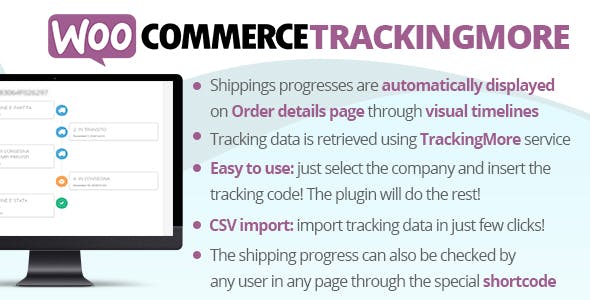
Overview of WooCommerce TrackingMore
Elevate your customer’s post-purchase experience with WooCommerce TrackingMore, the essential plugin designed to provide robust shipment tracking capabilities directly within your WooCommerce store. This powerful tool is perfect for any e-commerce business looking to offer unparalleled transparency and peace of mind to their customers, reducing “where is my order?” inquiries and building lasting trust.
Key Features of WooCommerce TrackingMore
- Real-time Shipment Tracking: Provide customers with up-to-the-minute updates on their order’s journey from dispatch to delivery, ensuring they are always informed.
- Branded Tracking Page: Create a custom tracking page on your own domain, consistent with your brand’s look and feel, enhancing customer experience and reinforcing brand identity.
- Automated Shipping Notifications: Set up intelligent, automated email or SMS notifications for various shipping statuses (e.g., in transit, out for delivery, delivered), keeping customers engaged.
- Multi-Carrier Integration: Seamlessly integrate with over 1,100 global carriers, allowing you to track shipments from virtually any logistics provider, all through a single interface.
- Order Lookup Widget: Empower customers to easily look up their order status directly on your website using their order number or tracking ID, reducing reliance on customer support.
- Tracking Data Synchronization: Automatically sync tracking information from your carriers to your WooCommerce orders, ensuring all data is current and accessible to both you and your customers.
- Analytics and Performance Insights: Gain valuable insights into your shipping performance, delivery times, and customer engagement with tracking information, helping you optimize your logistics.
- Customizable Tracking Information Display: Control what tracking details are visible to your customers, allowing you to tailor the experience to your specific business needs.
Why Choose WooCommerce TrackingMore?
Choosing WooCommerce TrackingMore means investing in a superior customer experience and streamlined operational efficiency for your online store. In today’s competitive e-commerce landscape, customers expect transparency and instant gratification. By providing them with accurate, real-time tracking information, you significantly enhance their satisfaction, reduce anxiety, and foster a sense of reliability. This proactive approach to communication not only delights your customers but also minimizes the volume of support requests related to shipping, freeing up your team to focus on other critical tasks.
Furthermore, WooCommerce TrackingMore transforms a potential pain point into a powerful branding opportunity. With a custom-branded tracking page hosted on your domain, every touchpoint reinforces your brand identity, building customer loyalty and encouraging repeat purchases. This dedicated tracking hub acts as an extension of your store, keeping customers engaged with your brand even after they’ve completed their purchase. It’s a strategic tool that elevates your professionalism and sets you apart from competitors who only offer generic carrier tracking links.
The extensive multi-carrier support offered by WooCommerce TrackingMore is another compelling reason for its adoption. Whether you ship locally, internationally, or use multiple carriers for different product types, this plugin consolidates all tracking data into one intuitive dashboard. This unified view simplifies order management for you and provides a consistent tracking experience for your customers, regardless of the shipping provider. It’s a robust, scalable solution designed to grow with your business, ensuring your post-purchase process is always smooth and efficient.
Who Should Use WooCommerce TrackingMore?
WooCommerce TrackingMore is an indispensable tool for any WooCommerce store owner who wants to improve their customer service, reduce support queries, and enhance their brand’s credibility. It’s particularly beneficial for e-commerce businesses with moderate to high order volumes, dropshippers managing multiple suppliers, and stores that ship internationally. If you aim to provide a transparent, professional, and stress-free post-purchase experience for your customers, then integrating WooCommerce TrackingMore is a strategic move for your business.
How to Install WooCommerce TrackingMore
- Download the Plugin: After acquiring WooCommerce TrackingMore, download the plugin file (usually a .zip file) to your computer.
- Upload to WordPress: Log in to your WordPress admin dashboard. Navigate to ‘Plugins’ > ‘Add New’ > ‘Upload Plugin’. Click ‘Choose File’ and select the downloaded .zip file.
- Install and Activate: Click ‘Install Now’. Once the installation is complete, click ‘Activate Plugin’.
- Configure Settings: After activation, a new menu item for WooCommerce TrackingMore will typically appear under ‘WooCommerce’ or directly in your WordPress sidebar. Click on it to access the settings.
- Connect to TrackingMore API: Follow the on-screen instructions to connect your store to your TrackingMore account (you may need to create one if you haven’t already). This usually involves entering an API key to enable data synchronization and tracking functionalities.
Frequently Asked Questions About WooCommerce TrackingMore
Does WooCommerce TrackingMore support all shipping carriers?
WooCommerce TrackingMore boasts integration with over 1,100 global shipping carriers, covering the vast majority of international and regional logistics providers. This extensive network ensures that you can track shipments from almost any carrier your business uses.
Can I customize the tracking page design with WooCommerce TrackingMore?
Yes, one of the key benefits of WooCommerce TrackingMore is the ability to create a custom-branded tracking page. You can align its design with your store’s theme, including your logo, colors, and specific messaging, providing a seamless brand experience for your customers.
Are automated email notifications included with WooCommerce TrackingMore?
Absolutely. WooCommerce TrackingMore includes robust functionality for sending automated shipping notifications. You can configure these notifications to be sent to customers at various stages of the delivery process, such as when the order is in transit, out for delivery, or successfully delivered.
Get WooCommerce TrackingMore Today
Ready to revolutionize your customer’s post-purchase journey and streamline your store’s operations? Get WooCommerce TrackingMore today and provide your customers with the transparency and peace of mind they deserve. Explore this and many other premium WordPress Plugins available. Enhance your e-commerce platform with the best GPL WordPress Products and build a loyal customer base that trusts your brand with every order.
Related Products You May Like
Here's everything you need to know about your purchase:
- 100% original files — Every product is the genuine, virus-free file, exactly as released by the original developer.
- Instant download — Access your files immediately after purchase from your account.
- Lifetime access — Re-download your purchased files anytime. No expiry, no limits.
- Free updates — Newer version released? Just request an update from us, free for all customers.
- Dedicated support — Our team is available 24/7 for installation and file-related help.
- Easy refunds — Not satisfied? Review our Refund Policy. We offer a hassle-free 7-day guarantee.
$59.00 Original price was: $59.00.$2.00Current price is: $2.00.
Version
4.3
Last Updated
11/02/2024
License
GPL v2
Compatibility
WordPress 5.0+
Need latest version?
Newer version released? Request an update from us — free for all customers!
Request Update →🎁 Your Purchase Includes
Overview of WooCommerce TrackingMore
Elevate your customer’s post-purchase experience with WooCommerce TrackingMore, the essential plugin designed to provide robust shipment tracking capabilities directly within your WooCommerce store. This powerful tool is perfect for any e-commerce business looking to offer unparalleled transparency and peace of mind to their customers, reducing “where is my order?” inquiries and building lasting trust.
Key Features of WooCommerce TrackingMore
- Real-time Shipment Tracking: Provide customers with up-to-the-minute updates on their order’s journey from dispatch to delivery, ensuring they are always informed.
- Branded Tracking Page: Create a custom tracking page on your own domain, consistent with your brand’s look and feel, enhancing customer experience and reinforcing brand identity.
- Automated Shipping Notifications: Set up intelligent, automated email or SMS notifications for various shipping statuses (e.g., in transit, out for delivery, delivered), keeping customers engaged.
- Multi-Carrier Integration: Seamlessly integrate with over 1,100 global carriers, allowing you to track shipments from virtually any logistics provider, all through a single interface.
- Order Lookup Widget: Empower customers to easily look up their order status directly on your website using their order number or tracking ID, reducing reliance on customer support.
- Tracking Data Synchronization: Automatically sync tracking information from your carriers to your WooCommerce orders, ensuring all data is current and accessible to both you and your customers.
- Analytics and Performance Insights: Gain valuable insights into your shipping performance, delivery times, and customer engagement with tracking information, helping you optimize your logistics.
- Customizable Tracking Information Display: Control what tracking details are visible to your customers, allowing you to tailor the experience to your specific business needs.
Why Choose WooCommerce TrackingMore?
Choosing WooCommerce TrackingMore means investing in a superior customer experience and streamlined operational efficiency for your online store. In today’s competitive e-commerce landscape, customers expect transparency and instant gratification. By providing them with accurate, real-time tracking information, you significantly enhance their satisfaction, reduce anxiety, and foster a sense of reliability. This proactive approach to communication not only delights your customers but also minimizes the volume of support requests related to shipping, freeing up your team to focus on other critical tasks.
Furthermore, WooCommerce TrackingMore transforms a potential pain point into a powerful branding opportunity. With a custom-branded tracking page hosted on your domain, every touchpoint reinforces your brand identity, building customer loyalty and encouraging repeat purchases. This dedicated tracking hub acts as an extension of your store, keeping customers engaged with your brand even after they’ve completed their purchase. It’s a strategic tool that elevates your professionalism and sets you apart from competitors who only offer generic carrier tracking links.
The extensive multi-carrier support offered by WooCommerce TrackingMore is another compelling reason for its adoption. Whether you ship locally, internationally, or use multiple carriers for different product types, this plugin consolidates all tracking data into one intuitive dashboard. This unified view simplifies order management for you and provides a consistent tracking experience for your customers, regardless of the shipping provider. It’s a robust, scalable solution designed to grow with your business, ensuring your post-purchase process is always smooth and efficient.
Who Should Use WooCommerce TrackingMore?
WooCommerce TrackingMore is an indispensable tool for any WooCommerce store owner who wants to improve their customer service, reduce support queries, and enhance their brand’s credibility. It’s particularly beneficial for e-commerce businesses with moderate to high order volumes, dropshippers managing multiple suppliers, and stores that ship internationally. If you aim to provide a transparent, professional, and stress-free post-purchase experience for your customers, then integrating WooCommerce TrackingMore is a strategic move for your business.
How to Install WooCommerce TrackingMore
- Download the Plugin: After acquiring WooCommerce TrackingMore, download the plugin file (usually a .zip file) to your computer.
- Upload to WordPress: Log in to your WordPress admin dashboard. Navigate to ‘Plugins’ > ‘Add New’ > ‘Upload Plugin’. Click ‘Choose File’ and select the downloaded .zip file.
- Install and Activate: Click ‘Install Now’. Once the installation is complete, click ‘Activate Plugin’.
- Configure Settings: After activation, a new menu item for WooCommerce TrackingMore will typically appear under ‘WooCommerce’ or directly in your WordPress sidebar. Click on it to access the settings.
- Connect to TrackingMore API: Follow the on-screen instructions to connect your store to your TrackingMore account (you may need to create one if you haven’t already). This usually involves entering an API key to enable data synchronization and tracking functionalities.
Frequently Asked Questions About WooCommerce TrackingMore
Does WooCommerce TrackingMore support all shipping carriers?
WooCommerce TrackingMore boasts integration with over 1,100 global shipping carriers, covering the vast majority of international and regional logistics providers. This extensive network ensures that you can track shipments from almost any carrier your business uses.
Can I customize the tracking page design with WooCommerce TrackingMore?
Yes, one of the key benefits of WooCommerce TrackingMore is the ability to create a custom-branded tracking page. You can align its design with your store’s theme, including your logo, colors, and specific messaging, providing a seamless brand experience for your customers.
Are automated email notifications included with WooCommerce TrackingMore?
Absolutely. WooCommerce TrackingMore includes robust functionality for sending automated shipping notifications. You can configure these notifications to be sent to customers at various stages of the delivery process, such as when the order is in transit, out for delivery, or successfully delivered.
Get WooCommerce TrackingMore Today
Ready to revolutionize your customer’s post-purchase journey and streamline your store’s operations? Get WooCommerce TrackingMore today and provide your customers with the transparency and peace of mind they deserve. Explore this and many other premium WordPress Plugins available. Enhance your e-commerce platform with the best GPL WordPress Products and build a loyal customer base that trusts your brand with every order.
Related Products You May Like
Reviews
There are no reviews yet.
Here's everything you need to know about your purchase:
- 100% original files — Every product is the genuine, virus-free file, exactly as released by the original developer.
- Instant download — Access your files immediately after purchase from your account.
- Lifetime access — Re-download your purchased files anytime. No expiry, no limits.
- Free updates — Newer version released? Just request an update from us, free for all customers.
- Dedicated support — Our team is available 24/7 for installation and file-related help.
- Easy refunds — Not satisfied? Review our Refund Policy. We offer a hassle-free 7-day guarantee.
Reviews
There are no reviews yet.