

WooCommerce Product Badge Manager 4.1.5
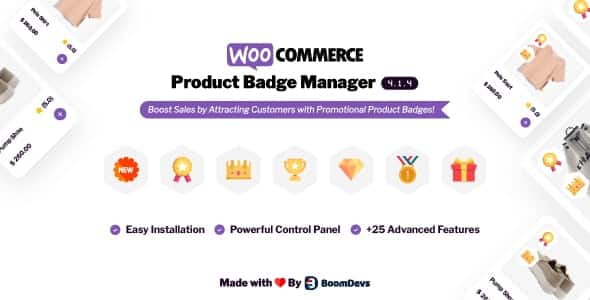
Overview of WooCommerce Product Badge Manager
Elevate your WooCommerce store’s visual appeal and boost conversions with the powerful WooCommerce Product Badge Manager. This essential plugin empowers store owners to effortlessly create, assign, and manage eye-catching product badges that highlight key information, promotions, or urgency directly on your product listings. Whether you’re aiming to showcase new arrivals, special offers, low stock alerts, or best-sellers, the WooCommerce Product Badge Manager is the ultimate tool for drawing customer attention and driving sales.
Key Features of WooCommerce Product Badge Manager
- Dynamic Badge Creation: Craft unlimited custom badges with ease, choosing from a variety of styles, colors, and text to perfectly match your brand aesthetics. The WooCommerce Product Badge Manager offers extensive customization options.
- Conditional Display Logic: Set smart conditions for when badges appear, such as “on sale,” “out of stock,” “new product,” “free shipping,” or even based on specific product categories or tags. This intelligent display makes the WooCommerce Product Badge Manager incredibly versatile.
- Image and Text Badges: Utilize both engaging image badges for a visual impact or clear, concise text badges to convey specific messages. Mix and match to create the perfect look for your store with WooCommerce Product Badge Manager.
- Flexible Positioning: Precisely control where your badges appear on product images, ensuring they complement your design and capture attention without obscuring vital product details. The WooCommerce Product Badge Manager gives you full spatial control.
- Drag-and-Drop Interface: Enjoy an intuitive, user-friendly drag-and-drop interface for badge creation and assignment, making the process quick and efficient, even for beginners. Managing badges has never been simpler thanks to the WooCommerce Product Badge Manager.
- Schedule Badges: Plan your promotions ahead by scheduling badges to appear and disappear automatically on specific dates or times, perfect for flash sales, seasonal offers, or holiday campaigns. The WooCommerce Product Badge Manager handles your timing needs.
- Multiple Badge Support: Assign multiple badges to a single product, allowing you to highlight various attributes or promotions simultaneously without clutter. This multi-badge capability sets the WooCommerce Product Badge Manager apart.
- Responsive Design: All badges created with the WooCommerce Product Badge Manager are fully responsive, ensuring they look stunning and function flawlessly across all devices, from desktops to mobile phones.
Why Choose WooCommerce Product Badge Manager?
Choosing the WooCommerce Product Badge Manager means investing in a powerful solution that directly impacts your store’s performance. In today’s competitive e-commerce landscape, grabbing a customer’s attention quickly is paramount. This plugin provides an immediate visual cue that can highlight promotions, create urgency, or simply inform customers about a product’s key features, directly at the point of decision-making. By making your special offers and unique selling propositions unmissable, the WooCommerce Product Badge Manager effectively guides customers towards desired actions, whether it’s exploring a new collection or taking advantage of a limited-time sale.
Beyond its immediate impact on conversions, the WooCommerce Product Badge Manager significantly enhances the overall shopping experience. A well-placed “Bestseller” or “Low Stock” badge can build trust and encourage quicker purchases, while “New Arrival” or “Exclusive” badges can foster excitement and a sense of discovery. The plugin’s robust customization options ensure that these badges seamlessly integrate with your store’s design, maintaining a professional and cohesive brand image. It’s an indispensable tool for any WooCommerce store looking to increase product visibility, reduce bounce rates, and ultimately, drive more sales without requiring complex coding or design expertise.
Who Should Use WooCommerce Product Badge Manager?
The WooCommerce Product Badge Manager is ideal for any WooCommerce store owner, marketer, or e-commerce professional looking to enhance product visibility, improve conversion rates, and create a more dynamic shopping experience. Whether you run a small boutique, a large retail store, or a niche dropshipping business, if you sell products online and want to highlight promotions, special features, or important statuses effectively, then the WooCommerce Product Badge Manager is designed for you. It’s particularly beneficial for those who frequently run sales, introduce new products, or need to manage inventory alerts visually.
How to Install WooCommerce Product Badge Manager
- Download the Plugin: After acquiring the WooCommerce Product Badge Manager, download the plugin zip file to your computer.
- Upload to WordPress: Log in to your WordPress admin dashboard. Navigate to ‘Plugins’ > ‘Add New’ and then click the ‘Upload Plugin’ button at the top of the page.
- Choose File and Install: Click ‘Choose File’, select the WooCommerce Product Badge Manager zip file you downloaded, and then click ‘Install Now’.
- Activate the Plugin: Once the installation is complete, click the ‘Activate Plugin’ button.
- Configure Settings: After activation, you’ll find a new menu item for WooCommerce Product Badge Manager in your WordPress dashboard. Navigate to its settings to start creating and assigning your first product badges.
Frequently Asked Questions About WooCommerce Product Badge Manager
Is WooCommerce Product Badge Manager compatible with all WooCommerce themes?
Yes, the WooCommerce Product Badge Manager is developed to be highly compatible with standard WooCommerce themes. It integrates seamlessly by leveraging WooCommerce’s native hooks and filters. In rare cases of highly customized themes, minor CSS adjustments might be needed, but generally, it works out of the box.
Can I create custom image badges with WooCommerce Product Badge Manager?
Absolutely! The WooCommerce Product Badge Manager allows you to upload your own custom image files to use as badges, giving you complete creative control over their appearance. This means you can design badges that perfectly align with your brand’s visual identity.
Does WooCommerce Product Badge Manager affect website performance?
The WooCommerce Product Badge Manager is optimized for performance. It uses efficient code and only loads necessary assets, ensuring that your website’s speed and user experience remain excellent. Badges are rendered efficiently without causing significant load times.
Get WooCommerce Product Badge Manager Today
Transform your product pages into dynamic sales powerhouses. The WooCommerce Product Badge Manager is an indispensable tool for any serious e-commerce store owner looking to captivate customers, highlight key information, and ultimately drive higher conversions. Don’t let your best deals and most exciting products go unnoticed. Enhance your store’s visual appeal and marketing effectiveness with this powerful plugin. Explore our extensive collection of WordPress Plugins and other premium GPL WordPress Products to further optimize your online presence.
Related Products You May Like
Here's everything you need to know about your purchase:
- 100% original files — Every product is the genuine, virus-free file, exactly as released by the original developer.
- Instant download — Access your files immediately after purchase from your account.
- Lifetime access — Re-download your purchased files anytime. No expiry, no limits.
- Free updates — Newer version released? Just request an update from us, free for all customers.
- Dedicated support — Our team is available 24/7 for installation and file-related help.
- Easy refunds — Not satisfied? Review our Refund Policy. We offer a hassle-free 7-day guarantee.
$100.00 Original price was: $100.00.$2.00Current price is: $2.00.
Version
4.1.5
Last Updated
07/11/2023
License
GPL v2
Compatibility
WordPress 5.0+
Need latest version?
Newer version released? Request an update from us — free for all customers!
Request Update →🎁 Your Purchase Includes
Overview of WooCommerce Product Badge Manager
Elevate your WooCommerce store’s visual appeal and boost conversions with the powerful WooCommerce Product Badge Manager. This essential plugin empowers store owners to effortlessly create, assign, and manage eye-catching product badges that highlight key information, promotions, or urgency directly on your product listings. Whether you’re aiming to showcase new arrivals, special offers, low stock alerts, or best-sellers, the WooCommerce Product Badge Manager is the ultimate tool for drawing customer attention and driving sales.
Key Features of WooCommerce Product Badge Manager
- Dynamic Badge Creation: Craft unlimited custom badges with ease, choosing from a variety of styles, colors, and text to perfectly match your brand aesthetics. The WooCommerce Product Badge Manager offers extensive customization options.
- Conditional Display Logic: Set smart conditions for when badges appear, such as “on sale,” “out of stock,” “new product,” “free shipping,” or even based on specific product categories or tags. This intelligent display makes the WooCommerce Product Badge Manager incredibly versatile.
- Image and Text Badges: Utilize both engaging image badges for a visual impact or clear, concise text badges to convey specific messages. Mix and match to create the perfect look for your store with WooCommerce Product Badge Manager.
- Flexible Positioning: Precisely control where your badges appear on product images, ensuring they complement your design and capture attention without obscuring vital product details. The WooCommerce Product Badge Manager gives you full spatial control.
- Drag-and-Drop Interface: Enjoy an intuitive, user-friendly drag-and-drop interface for badge creation and assignment, making the process quick and efficient, even for beginners. Managing badges has never been simpler thanks to the WooCommerce Product Badge Manager.
- Schedule Badges: Plan your promotions ahead by scheduling badges to appear and disappear automatically on specific dates or times, perfect for flash sales, seasonal offers, or holiday campaigns. The WooCommerce Product Badge Manager handles your timing needs.
- Multiple Badge Support: Assign multiple badges to a single product, allowing you to highlight various attributes or promotions simultaneously without clutter. This multi-badge capability sets the WooCommerce Product Badge Manager apart.
- Responsive Design: All badges created with the WooCommerce Product Badge Manager are fully responsive, ensuring they look stunning and function flawlessly across all devices, from desktops to mobile phones.
Why Choose WooCommerce Product Badge Manager?
Choosing the WooCommerce Product Badge Manager means investing in a powerful solution that directly impacts your store’s performance. In today’s competitive e-commerce landscape, grabbing a customer’s attention quickly is paramount. This plugin provides an immediate visual cue that can highlight promotions, create urgency, or simply inform customers about a product’s key features, directly at the point of decision-making. By making your special offers and unique selling propositions unmissable, the WooCommerce Product Badge Manager effectively guides customers towards desired actions, whether it’s exploring a new collection or taking advantage of a limited-time sale.
Beyond its immediate impact on conversions, the WooCommerce Product Badge Manager significantly enhances the overall shopping experience. A well-placed “Bestseller” or “Low Stock” badge can build trust and encourage quicker purchases, while “New Arrival” or “Exclusive” badges can foster excitement and a sense of discovery. The plugin’s robust customization options ensure that these badges seamlessly integrate with your store’s design, maintaining a professional and cohesive brand image. It’s an indispensable tool for any WooCommerce store looking to increase product visibility, reduce bounce rates, and ultimately, drive more sales without requiring complex coding or design expertise.
Who Should Use WooCommerce Product Badge Manager?
The WooCommerce Product Badge Manager is ideal for any WooCommerce store owner, marketer, or e-commerce professional looking to enhance product visibility, improve conversion rates, and create a more dynamic shopping experience. Whether you run a small boutique, a large retail store, or a niche dropshipping business, if you sell products online and want to highlight promotions, special features, or important statuses effectively, then the WooCommerce Product Badge Manager is designed for you. It’s particularly beneficial for those who frequently run sales, introduce new products, or need to manage inventory alerts visually.
How to Install WooCommerce Product Badge Manager
- Download the Plugin: After acquiring the WooCommerce Product Badge Manager, download the plugin zip file to your computer.
- Upload to WordPress: Log in to your WordPress admin dashboard. Navigate to ‘Plugins’ > ‘Add New’ and then click the ‘Upload Plugin’ button at the top of the page.
- Choose File and Install: Click ‘Choose File’, select the WooCommerce Product Badge Manager zip file you downloaded, and then click ‘Install Now’.
- Activate the Plugin: Once the installation is complete, click the ‘Activate Plugin’ button.
- Configure Settings: After activation, you’ll find a new menu item for WooCommerce Product Badge Manager in your WordPress dashboard. Navigate to its settings to start creating and assigning your first product badges.
Frequently Asked Questions About WooCommerce Product Badge Manager
Is WooCommerce Product Badge Manager compatible with all WooCommerce themes?
Yes, the WooCommerce Product Badge Manager is developed to be highly compatible with standard WooCommerce themes. It integrates seamlessly by leveraging WooCommerce’s native hooks and filters. In rare cases of highly customized themes, minor CSS adjustments might be needed, but generally, it works out of the box.
Can I create custom image badges with WooCommerce Product Badge Manager?
Absolutely! The WooCommerce Product Badge Manager allows you to upload your own custom image files to use as badges, giving you complete creative control over their appearance. This means you can design badges that perfectly align with your brand’s visual identity.
Does WooCommerce Product Badge Manager affect website performance?
The WooCommerce Product Badge Manager is optimized for performance. It uses efficient code and only loads necessary assets, ensuring that your website’s speed and user experience remain excellent. Badges are rendered efficiently without causing significant load times.
Get WooCommerce Product Badge Manager Today
Transform your product pages into dynamic sales powerhouses. The WooCommerce Product Badge Manager is an indispensable tool for any serious e-commerce store owner looking to captivate customers, highlight key information, and ultimately drive higher conversions. Don’t let your best deals and most exciting products go unnoticed. Enhance your store’s visual appeal and marketing effectiveness with this powerful plugin. Explore our extensive collection of WordPress Plugins and other premium GPL WordPress Products to further optimize your online presence.
Related Products You May Like
Reviews
There are no reviews yet.
Here's everything you need to know about your purchase:
- 100% original files — Every product is the genuine, virus-free file, exactly as released by the original developer.
- Instant download — Access your files immediately after purchase from your account.
- Lifetime access — Re-download your purchased files anytime. No expiry, no limits.
- Free updates — Newer version released? Just request an update from us, free for all customers.
- Dedicated support — Our team is available 24/7 for installation and file-related help.
- Easy refunds — Not satisfied? Review our Refund Policy. We offer a hassle-free 7-day guarantee.
Reviews
There are no reviews yet.