

WooCommerce Multiple Customer Addresses 25.5
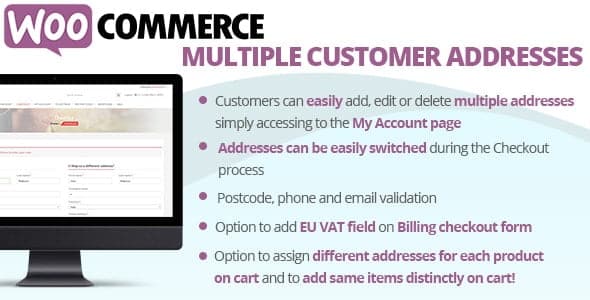
Overview of WooCommerce Multiple Customer Addresses
Elevate your WooCommerce store’s user experience with WooCommerce Multiple Customer Addresses. This essential plugin empowers your customers to effortlessly save and manage multiple shipping addresses within their accounts. It’s the perfect solution for any online store looking to streamline the checkout process and enhance convenience for repeat buyers, gift-givers, or businesses with diverse delivery needs.
Key Features of WooCommerce Multiple Customer Addresses
- Comprehensive Address Management: Allows customers to add, edit, and delete multiple shipping addresses directly from their “My Account” page, providing full control over their delivery options.
- Seamless Checkout Integration: During checkout, customers can easily select from their saved addresses or add a new one, significantly speeding up the purchasing process and reducing cart abandonment.
- Intuitive Address Book Interface: Provides a user-friendly interface for customers to view and organize all their saved addresses, making it simple to differentiate between home, work, or gift recipient addresses.
- Set Default Addresses: Customers can designate a primary default shipping address, ensuring quicker selections for their most frequent delivery location while still having other options readily available.
- Admin Control and Oversight: Store administrators gain the ability to view and manage customer addresses from the backend, offering support and ensuring data accuracy when needed.
- Unlimited Address Storage: There’s no limit to the number of addresses a customer can save, providing ultimate flexibility for individuals or businesses with extensive delivery requirements.
- Guest Checkout Address Saving: Optionally allows guests to save their address during checkout, which can then be associated with their account if they register later, enhancing future shopping experiences.
- Full WooCommerce Compatibility: Designed to integrate flawlessly with your existing WooCommerce setup, ensuring smooth operation and a consistent user experience without conflicts.
Why Choose WooCommerce Multiple Customer Addresses?
Choosing WooCommerce Multiple Customer Addresses means investing in a superior customer experience and operational efficiency for your online store. In today’s fast-paced e-commerce landscape, convenience is king, and this plugin delivers just that. By allowing customers to save multiple shipping destinations, you eliminate repetitive data entry, drastically reducing friction at the checkout. This not only makes shopping quicker and more enjoyable for your customers but also plays a crucial role in lowering cart abandonment rates, directly boosting your conversions and revenue.
Beyond individual consumers, WooCommerce Multiple Customer Addresses is particularly invaluable for businesses catering to gift buyers or B2B clients who frequently ship to different locations. Imagine a customer needing to send gifts to various family members or a corporate client ordering supplies for multiple office branches – this plugin transforms a potentially cumbersome process into a smooth, efficient one. It positions your store as user-centric and professional, fostering loyalty and encouraging repeat purchases by providing a level of convenience that stands out.
Furthermore, from an administrative perspective, managing customer addresses becomes more organized and less prone to errors. The plugin’s seamless integration with WooCommerce ensures that your backend operations remain streamlined, allowing you to focus on growing your business rather than troubleshooting address-related issues. Equip your store with WooCommerce Multiple Customer Addresses and provide an elevated shopping journey that keeps customers coming back.
Who Should Use WooCommerce Multiple Customer Addresses?
WooCommerce Multiple Customer Addresses is ideal for a diverse range of online stores. E-commerce businesses that sell gifts, personalized items, or products frequently shipped to different recipients will find it indispensable. B2B stores, wholesalers, or suppliers who deliver to various company locations will benefit immensely from its efficiency. Any WooCommerce store aiming to provide a premium, hassle-free shopping experience for repeat customers, reduce checkout friction, and enhance overall customer satisfaction should integrate WooCommerce Multiple Customer Addresses into their toolkit.
How to Install WooCommerce Multiple Customer Addresses
- Download the Plugin File: After acquiring WooCommerce Multiple Customer Addresses, download the plugin zip file to your computer.
- Upload via WordPress Dashboard: Log in to your WordPress admin area. Navigate to ‘Plugins’ > ‘Add New’ > ‘Upload Plugin’. Click ‘Choose File’, select the downloaded zip file, and then click ‘Install Now’.
- Activate the Plugin: Once the installation is complete, click the ‘Activate Plugin’ button. The WooCommerce Multiple Customer Addresses functionality will now be live on your site.
- Configure Settings (Optional): Go to ‘WooCommerce’ > ‘Settings’ and look for a tab or section related to ‘Multiple Customer Addresses’ to fine-tune any specific options or preferences.
- Test Functionality: As a customer, log in to your account, or create a new one, and navigate to ‘My Account’ to verify that the ‘Addresses’ section now allows for adding and managing multiple shipping addresses.
Frequently Asked Questions About WooCommerce Multiple Customer Addresses
Does WooCommerce Multiple Customer Addresses support guest users?
Yes, WooCommerce Multiple Customer Addresses can be configured to allow guest users to save their shipping address during checkout. If they later decide to register an account, this address can be associated with their new customer profile, ensuring a seamless experience for future purchases.
Can customers edit their saved addresses with WooCommerce Multiple Customer Addresses?
Absolutely. One of the core features of WooCommerce Multiple Customer Addresses is empowering customers to have full control over their address book. They can easily edit, update, or remove any saved shipping address directly from their “My Account” page at any time.
Is WooCommerce Multiple Customer Addresses compatible with all WooCommerce themes?
WooCommerce Multiple Customer Addresses is developed to be highly compatible with standard WooCommerce installations and themes. While it works seamlessly with most themes, slight styling adjustments might be needed for highly customized themes to ensure a perfect visual match. It integrates with WooCommerce’s core address management system, ensuring broad compatibility.
Get WooCommerce Multiple Customer Addresses Today
Enhance your online store’s capabilities and provide your customers with the flexibility they deserve. Integrate WooCommerce Multiple Customer Addresses and transform your checkout experience into a streamlined, user-friendly process. Explore this and many other premium WordPress Plugins available at GPL Universe to elevate your e-commerce platform. Discover a world of powerful GPL WordPress Products designed to help your business thrive.
Related Products You May Like
Here's everything you need to know about your purchase:
- 100% original files — Every product is the genuine, virus-free file, exactly as released by the original developer.
- Instant download — Access your files immediately after purchase from your account.
- Lifetime access — Re-download your purchased files anytime. No expiry, no limits.
- Free updates — Newer version released? Just request an update from us, free for all customers.
- Dedicated support — Our team is available 24/7 for installation and file-related help.
- Easy refunds — Not satisfied? Review our Refund Policy. We offer a hassle-free 7-day guarantee.
$100.00 Original price was: $100.00.$2.00Current price is: $2.00.
Version
25.5
Last Updated
11/06/2026
License
GPL v2
Compatibility
WordPress 5.0+
Need latest version?
Newer version released? Request an update from us — free for all customers!
Request Update →🎁 Your Purchase Includes
Overview of WooCommerce Multiple Customer Addresses
Elevate your WooCommerce store’s user experience with WooCommerce Multiple Customer Addresses. This essential plugin empowers your customers to effortlessly save and manage multiple shipping addresses within their accounts. It’s the perfect solution for any online store looking to streamline the checkout process and enhance convenience for repeat buyers, gift-givers, or businesses with diverse delivery needs.
Key Features of WooCommerce Multiple Customer Addresses
- Comprehensive Address Management: Allows customers to add, edit, and delete multiple shipping addresses directly from their “My Account” page, providing full control over their delivery options.
- Seamless Checkout Integration: During checkout, customers can easily select from their saved addresses or add a new one, significantly speeding up the purchasing process and reducing cart abandonment.
- Intuitive Address Book Interface: Provides a user-friendly interface for customers to view and organize all their saved addresses, making it simple to differentiate between home, work, or gift recipient addresses.
- Set Default Addresses: Customers can designate a primary default shipping address, ensuring quicker selections for their most frequent delivery location while still having other options readily available.
- Admin Control and Oversight: Store administrators gain the ability to view and manage customer addresses from the backend, offering support and ensuring data accuracy when needed.
- Unlimited Address Storage: There’s no limit to the number of addresses a customer can save, providing ultimate flexibility for individuals or businesses with extensive delivery requirements.
- Guest Checkout Address Saving: Optionally allows guests to save their address during checkout, which can then be associated with their account if they register later, enhancing future shopping experiences.
- Full WooCommerce Compatibility: Designed to integrate flawlessly with your existing WooCommerce setup, ensuring smooth operation and a consistent user experience without conflicts.
Why Choose WooCommerce Multiple Customer Addresses?
Choosing WooCommerce Multiple Customer Addresses means investing in a superior customer experience and operational efficiency for your online store. In today’s fast-paced e-commerce landscape, convenience is king, and this plugin delivers just that. By allowing customers to save multiple shipping destinations, you eliminate repetitive data entry, drastically reducing friction at the checkout. This not only makes shopping quicker and more enjoyable for your customers but also plays a crucial role in lowering cart abandonment rates, directly boosting your conversions and revenue.
Beyond individual consumers, WooCommerce Multiple Customer Addresses is particularly invaluable for businesses catering to gift buyers or B2B clients who frequently ship to different locations. Imagine a customer needing to send gifts to various family members or a corporate client ordering supplies for multiple office branches – this plugin transforms a potentially cumbersome process into a smooth, efficient one. It positions your store as user-centric and professional, fostering loyalty and encouraging repeat purchases by providing a level of convenience that stands out.
Furthermore, from an administrative perspective, managing customer addresses becomes more organized and less prone to errors. The plugin’s seamless integration with WooCommerce ensures that your backend operations remain streamlined, allowing you to focus on growing your business rather than troubleshooting address-related issues. Equip your store with WooCommerce Multiple Customer Addresses and provide an elevated shopping journey that keeps customers coming back.
Who Should Use WooCommerce Multiple Customer Addresses?
WooCommerce Multiple Customer Addresses is ideal for a diverse range of online stores. E-commerce businesses that sell gifts, personalized items, or products frequently shipped to different recipients will find it indispensable. B2B stores, wholesalers, or suppliers who deliver to various company locations will benefit immensely from its efficiency. Any WooCommerce store aiming to provide a premium, hassle-free shopping experience for repeat customers, reduce checkout friction, and enhance overall customer satisfaction should integrate WooCommerce Multiple Customer Addresses into their toolkit.
How to Install WooCommerce Multiple Customer Addresses
- Download the Plugin File: After acquiring WooCommerce Multiple Customer Addresses, download the plugin zip file to your computer.
- Upload via WordPress Dashboard: Log in to your WordPress admin area. Navigate to ‘Plugins’ > ‘Add New’ > ‘Upload Plugin’. Click ‘Choose File’, select the downloaded zip file, and then click ‘Install Now’.
- Activate the Plugin: Once the installation is complete, click the ‘Activate Plugin’ button. The WooCommerce Multiple Customer Addresses functionality will now be live on your site.
- Configure Settings (Optional): Go to ‘WooCommerce’ > ‘Settings’ and look for a tab or section related to ‘Multiple Customer Addresses’ to fine-tune any specific options or preferences.
- Test Functionality: As a customer, log in to your account, or create a new one, and navigate to ‘My Account’ to verify that the ‘Addresses’ section now allows for adding and managing multiple shipping addresses.
Frequently Asked Questions About WooCommerce Multiple Customer Addresses
Does WooCommerce Multiple Customer Addresses support guest users?
Yes, WooCommerce Multiple Customer Addresses can be configured to allow guest users to save their shipping address during checkout. If they later decide to register an account, this address can be associated with their new customer profile, ensuring a seamless experience for future purchases.
Can customers edit their saved addresses with WooCommerce Multiple Customer Addresses?
Absolutely. One of the core features of WooCommerce Multiple Customer Addresses is empowering customers to have full control over their address book. They can easily edit, update, or remove any saved shipping address directly from their “My Account” page at any time.
Is WooCommerce Multiple Customer Addresses compatible with all WooCommerce themes?
WooCommerce Multiple Customer Addresses is developed to be highly compatible with standard WooCommerce installations and themes. While it works seamlessly with most themes, slight styling adjustments might be needed for highly customized themes to ensure a perfect visual match. It integrates with WooCommerce’s core address management system, ensuring broad compatibility.
Get WooCommerce Multiple Customer Addresses Today
Enhance your online store’s capabilities and provide your customers with the flexibility they deserve. Integrate WooCommerce Multiple Customer Addresses and transform your checkout experience into a streamlined, user-friendly process. Explore this and many other premium WordPress Plugins available at GPL Universe to elevate your e-commerce platform. Discover a world of powerful GPL WordPress Products designed to help your business thrive.
Related Products You May Like
Reviews
There are no reviews yet.
Here's everything you need to know about your purchase:
- 100% original files — Every product is the genuine, virus-free file, exactly as released by the original developer.
- Instant download — Access your files immediately after purchase from your account.
- Lifetime access — Re-download your purchased files anytime. No expiry, no limits.
- Free updates — Newer version released? Just request an update from us, free for all customers.
- Dedicated support — Our team is available 24/7 for installation and file-related help.
- Easy refunds — Not satisfied? Review our Refund Policy. We offer a hassle-free 7-day guarantee.
Reviews
There are no reviews yet.