

WooCommerce Linked Variations – Iconic 1.12.0
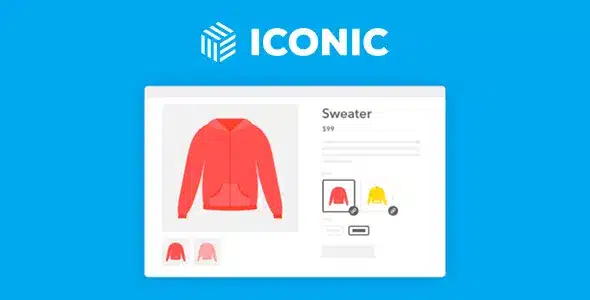
Overview of WooCommerce Linked Variations – Iconic
Transform your WooCommerce store with WooCommerce Linked Variations – Iconic, the essential plugin for managing complex product relationships. This powerful tool allows you to seamlessly link variations across multiple products, ensuring that when a customer selects a variation on one product, it automatically updates or synchronizes on all related items. It’s perfect for businesses selling product bundles, customizable kits, or items where consistency across different listings is paramount, providing an intuitive and error-free shopping experience.
Key Features of WooCommerce Linked Variations – Iconic
- Effortless Variation Linking: Easily connect variations between different products, creating a unified selection experience for your customers.
- Automatic Synchronization: When a customer chooses a variation (like color or size) on one product, WooCommerce Linked Variations – Iconic automatically updates the selection across all linked products in their cart or on the product page.
- Enhanced Product Bundling: Ideal for creating dynamic product bundles where components share common attributes, simplifying the configuration process for both you and your customers.
- Improved User Experience: Reduces confusion and potential errors by ensuring consistency across related products, leading to higher customer satisfaction and fewer abandoned carts.
- Flexible Configuration Options: Set up various linking scenarios to match your specific product offerings, whether it’s for cross-sells, upsells, or complex product configurations.
- Seamless WooCommerce Integration: Designed to work flawlessly within your existing WooCommerce setup, leveraging its core functionalities without requiring extensive technical knowledge.
- Intuitive Admin Interface: Manage your linked variations with ease through a user-friendly interface in your WordPress backend, saving you time and effort in product management.
- Boost Sales and Conversions: By simplifying the purchase process for complex products, WooCommerce Linked Variations – Iconic helps drive sales and improve conversion rates on your online store.
Why Choose WooCommerce Linked Variations – Iconic?
Choosing WooCommerce Linked Variations – Iconic means investing in a smoother, more efficient, and ultimately more profitable e-commerce experience. This plugin addresses a critical pain point for stores dealing with products that have interdependent variations. Imagine selling a customizable desk where the chosen tabletop finish needs to match the drawer unit finish – with WooCommerce Linked Variations – Iconic, this synchronization happens automatically, preventing customers from inadvertently selecting mismatched items. This not only streamlines the customer journey but also significantly reduces the likelihood of returns due to incorrect orders, saving you valuable time and resources.
Beyond convenience, WooCommerce Linked Variations – Iconic adds a layer of professionalism and sophistication to your product offerings. It empowers you to present complex products in an incredibly user-friendly manner, making them more appealing and easier to understand. This leads to increased confidence in your store and a better perception of your brand. By eliminating manual checks and potential customer errors, you free up your team to focus on growth and strategy, knowing that your product configurations are handled with precision by WooCommerce Linked Variations – Iconic. It’s an indispensable tool for any WooCommerce store looking to elevate its product presentation and operational efficiency.
Furthermore, the value of WooCommerce Linked Variations – Iconic extends to its ability to unlock new selling opportunities. You can creatively bundle products or offer more intricate customizable options without overwhelming your customers or complicating your backend. This flexibility allows for innovative product strategies, such as creating curated packages where variations are inherently linked, encouraging higher average order values. It’s a strategic asset for any store aiming to optimize its product catalog and deliver an outstanding shopping experience.
Who Should Use WooCommerce Linked Variations – Iconic?
WooCommerce Linked Variations – Iconic is ideally suited for WooCommerce store owners who sell products with interdependent variations, complex bundles, or customizable items. This includes furniture stores, fashion retailers offering coordinated outfits, electronics shops with component upgrades, or any business that benefits from linking attributes across multiple products. If you aim to enhance customer experience, reduce order errors, and streamline product management for sophisticated offerings, then WooCommerce Linked Variations – Iconic is the perfect solution for your online store.
How to Install WooCommerce Linked Variations – Iconic
- Download the Plugin: After purchasing WooCommerce Linked Variations – Iconic, download the plugin .zip file from your account on GPLUniverse.
- Upload to WordPress: Log in to your WordPress admin dashboard. Navigate to ‘Plugins’ > ‘Add New’ and then click the ‘Upload Plugin’ button at the top of the page.
- Choose File and Install: Click ‘Choose File’, select the downloaded .zip file for WooCommerce Linked Variations – Iconic, and then click ‘Install Now’.
- Activate the Plugin: Once the installation is complete, click ‘Activate Plugin’. WooCommerce Linked Variations – Iconic will now be active on your site.
- Configure Settings: Go to the WooCommerce or plugin-specific settings within your WordPress admin to configure and utilize the powerful features of WooCommerce Linked Variations – Iconic for your products.
Frequently Asked Questions About WooCommerce Linked Variations – Iconic
Can WooCommerce Linked Variations – Iconic link variations between products that are not part of a bundle?
Yes, absolutely! While WooCommerce Linked Variations – Iconic is excellent for bundles, its core functionality allows you to link variations across any two or more individual variable products in your store. This means you can create dependencies even if the products are sold separately, ensuring consistency wherever needed.
What happens if a linked variation goes out of stock?
WooCommerce Linked Variations – Iconic respects your existing WooCommerce inventory management. If a linked variation becomes out of stock, the plugin will typically reflect this by making that specific variation unavailable for selection on all linked products, preventing customers from ordering items that cannot be fulfilled.
Is WooCommerce Linked Variations – Iconic compatible with other WooCommerce extensions?
WooCommerce Linked Variations – Iconic is built with standard WooCommerce practices in mind, aiming for broad compatibility. While it generally works well with most themes and plugins, specific interactions can vary. We always recommend testing in a staging environment if you have a highly customized setup or many active extensions.
Get WooCommerce Linked Variations – Iconic Today
Elevate your WooCommerce store’s functionality and provide an unparalleled shopping experience for your customers. With WooCommerce Linked Variations – Iconic, you gain the power to manage complex product variations with ease, reduce errors, and boost customer satisfaction. Don’t let complicated product configurations hold your store back. Explore this and other essential WordPress Plugins, and enhance your e-commerce platform today. Visit our full range of GPL WordPress Products and unlock the full potential of your online business.
Related Products You May Like
Here's everything you need to know about your purchase:
- 100% original files — Every product is the genuine, virus-free file, exactly as released by the original developer.
- Instant download — Access your files immediately after purchase from your account.
- Lifetime access — Re-download your purchased files anytime. No expiry, no limits.
- Free updates — Newer version released? Just request an update from us, free for all customers.
- Dedicated support — Our team is available 24/7 for installation and file-related help.
- Easy refunds — Not satisfied? Review our Refund Policy. We offer a hassle-free 7-day guarantee.
$59.00 Original price was: $59.00.$2.00Current price is: $2.00.
Version
1.12.0
Last Updated
08/07/2025
License
GPL v2
Compatibility
WordPress 5.0+
Need latest version?
Newer version released? Request an update from us — free for all customers!
Request Update →🎁 Your Purchase Includes
Overview of WooCommerce Linked Variations – Iconic
Transform your WooCommerce store with WooCommerce Linked Variations – Iconic, the essential plugin for managing complex product relationships. This powerful tool allows you to seamlessly link variations across multiple products, ensuring that when a customer selects a variation on one product, it automatically updates or synchronizes on all related items. It’s perfect for businesses selling product bundles, customizable kits, or items where consistency across different listings is paramount, providing an intuitive and error-free shopping experience.
Key Features of WooCommerce Linked Variations – Iconic
- Effortless Variation Linking: Easily connect variations between different products, creating a unified selection experience for your customers.
- Automatic Synchronization: When a customer chooses a variation (like color or size) on one product, WooCommerce Linked Variations – Iconic automatically updates the selection across all linked products in their cart or on the product page.
- Enhanced Product Bundling: Ideal for creating dynamic product bundles where components share common attributes, simplifying the configuration process for both you and your customers.
- Improved User Experience: Reduces confusion and potential errors by ensuring consistency across related products, leading to higher customer satisfaction and fewer abandoned carts.
- Flexible Configuration Options: Set up various linking scenarios to match your specific product offerings, whether it’s for cross-sells, upsells, or complex product configurations.
- Seamless WooCommerce Integration: Designed to work flawlessly within your existing WooCommerce setup, leveraging its core functionalities without requiring extensive technical knowledge.
- Intuitive Admin Interface: Manage your linked variations with ease through a user-friendly interface in your WordPress backend, saving you time and effort in product management.
- Boost Sales and Conversions: By simplifying the purchase process for complex products, WooCommerce Linked Variations – Iconic helps drive sales and improve conversion rates on your online store.
Why Choose WooCommerce Linked Variations – Iconic?
Choosing WooCommerce Linked Variations – Iconic means investing in a smoother, more efficient, and ultimately more profitable e-commerce experience. This plugin addresses a critical pain point for stores dealing with products that have interdependent variations. Imagine selling a customizable desk where the chosen tabletop finish needs to match the drawer unit finish – with WooCommerce Linked Variations – Iconic, this synchronization happens automatically, preventing customers from inadvertently selecting mismatched items. This not only streamlines the customer journey but also significantly reduces the likelihood of returns due to incorrect orders, saving you valuable time and resources.
Beyond convenience, WooCommerce Linked Variations – Iconic adds a layer of professionalism and sophistication to your product offerings. It empowers you to present complex products in an incredibly user-friendly manner, making them more appealing and easier to understand. This leads to increased confidence in your store and a better perception of your brand. By eliminating manual checks and potential customer errors, you free up your team to focus on growth and strategy, knowing that your product configurations are handled with precision by WooCommerce Linked Variations – Iconic. It’s an indispensable tool for any WooCommerce store looking to elevate its product presentation and operational efficiency.
Furthermore, the value of WooCommerce Linked Variations – Iconic extends to its ability to unlock new selling opportunities. You can creatively bundle products or offer more intricate customizable options without overwhelming your customers or complicating your backend. This flexibility allows for innovative product strategies, such as creating curated packages where variations are inherently linked, encouraging higher average order values. It’s a strategic asset for any store aiming to optimize its product catalog and deliver an outstanding shopping experience.
Who Should Use WooCommerce Linked Variations – Iconic?
WooCommerce Linked Variations – Iconic is ideally suited for WooCommerce store owners who sell products with interdependent variations, complex bundles, or customizable items. This includes furniture stores, fashion retailers offering coordinated outfits, electronics shops with component upgrades, or any business that benefits from linking attributes across multiple products. If you aim to enhance customer experience, reduce order errors, and streamline product management for sophisticated offerings, then WooCommerce Linked Variations – Iconic is the perfect solution for your online store.
How to Install WooCommerce Linked Variations – Iconic
- Download the Plugin: After purchasing WooCommerce Linked Variations – Iconic, download the plugin .zip file from your account on GPLUniverse.
- Upload to WordPress: Log in to your WordPress admin dashboard. Navigate to ‘Plugins’ > ‘Add New’ and then click the ‘Upload Plugin’ button at the top of the page.
- Choose File and Install: Click ‘Choose File’, select the downloaded .zip file for WooCommerce Linked Variations – Iconic, and then click ‘Install Now’.
- Activate the Plugin: Once the installation is complete, click ‘Activate Plugin’. WooCommerce Linked Variations – Iconic will now be active on your site.
- Configure Settings: Go to the WooCommerce or plugin-specific settings within your WordPress admin to configure and utilize the powerful features of WooCommerce Linked Variations – Iconic for your products.
Frequently Asked Questions About WooCommerce Linked Variations – Iconic
Can WooCommerce Linked Variations – Iconic link variations between products that are not part of a bundle?
Yes, absolutely! While WooCommerce Linked Variations – Iconic is excellent for bundles, its core functionality allows you to link variations across any two or more individual variable products in your store. This means you can create dependencies even if the products are sold separately, ensuring consistency wherever needed.
What happens if a linked variation goes out of stock?
WooCommerce Linked Variations – Iconic respects your existing WooCommerce inventory management. If a linked variation becomes out of stock, the plugin will typically reflect this by making that specific variation unavailable for selection on all linked products, preventing customers from ordering items that cannot be fulfilled.
Is WooCommerce Linked Variations – Iconic compatible with other WooCommerce extensions?
WooCommerce Linked Variations – Iconic is built with standard WooCommerce practices in mind, aiming for broad compatibility. While it generally works well with most themes and plugins, specific interactions can vary. We always recommend testing in a staging environment if you have a highly customized setup or many active extensions.
Get WooCommerce Linked Variations – Iconic Today
Elevate your WooCommerce store’s functionality and provide an unparalleled shopping experience for your customers. With WooCommerce Linked Variations – Iconic, you gain the power to manage complex product variations with ease, reduce errors, and boost customer satisfaction. Don’t let complicated product configurations hold your store back. Explore this and other essential WordPress Plugins, and enhance your e-commerce platform today. Visit our full range of GPL WordPress Products and unlock the full potential of your online business.
Related Products You May Like
Reviews
There are no reviews yet.
Here's everything you need to know about your purchase:
- 100% original files — Every product is the genuine, virus-free file, exactly as released by the original developer.
- Instant download — Access your files immediately after purchase from your account.
- Lifetime access — Re-download your purchased files anytime. No expiry, no limits.
- Free updates — Newer version released? Just request an update from us, free for all customers.
- Dedicated support — Our team is available 24/7 for installation and file-related help.
- Easy refunds — Not satisfied? Review our Refund Policy. We offer a hassle-free 7-day guarantee.
Reviews
There are no reviews yet.