

WhatsApp Chat WordPress 3.8.1
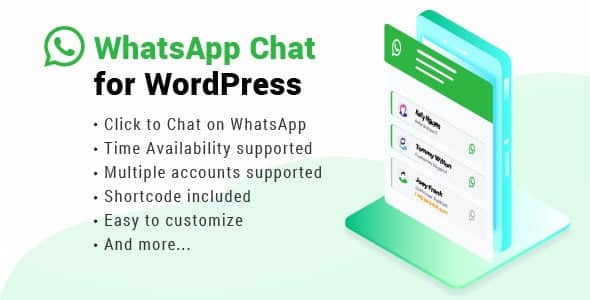
Overview of WhatsApp Chat WordPress
Elevate your customer communication and support directly within your WordPress website with WhatsApp Chat WordPress. This essential plugin allows your visitors to connect with you instantly via WhatsApp, providing a seamless and familiar channel for inquiries, support, and sales. Designed for businesses of all sizes, WhatsApp Chat WordPress streamlines interaction, making it easier for your audience to reach out and get the answers they need, boosting engagement and satisfaction.
Key Features of WhatsApp Chat WordPress
- Direct WhatsApp Connection: Enable instant, one-click access for your website visitors to chat with you or your support team directly through WhatsApp. This immediate connection provided by WhatsApp Chat WordPress removes friction from the communication process.
- Multiple Agents/Departments: Configure multiple support agents or departments, allowing users to choose who they want to chat with. This intelligent routing makes WhatsApp Chat WordPress incredibly versatile for larger teams.
- Customizable Chat Button: Personalize the appearance of your WhatsApp chat button, including its position, color, and icon, to perfectly match your brand’s aesthetic.
- Pre-filled Messages: Set up predefined messages that automatically appear when a user initiates a chat, guiding their inquiry and saving them time. This feature of WhatsApp Chat WordPress enhances user experience.
- Scheduling & Availability: Control when your chat button appears based on your business hours. You can schedule availability, ensuring your team is only contacted when they are ready to respond.
- Mobile-First Design: Enjoy a fully responsive and optimized chat experience that looks great and functions flawlessly on any device, from desktops to smartphones.
- Page-Specific Display: Choose exactly which pages or posts your WhatsApp Chat WordPress button should appear on, giving you granular control over its visibility.
- Analytics Integration: Easily track chat initiations and engagement to understand user behavior and optimize your communication strategy, making WhatsApp Chat WordPress a powerful tool for insights.
Why Choose WhatsApp Chat WordPress?
In today’s fast-paced digital landscape, immediate communication is no longer a luxury but a necessity. Choosing WhatsApp Chat WordPress means equipping your website with a direct, personal, and highly effective communication channel that your customers already use and trust. It bridges the gap between your website and your audience, offering real-time support, sales assistance, and general inquiries without requiring visitors to navigate away or fill out lengthy forms. This leads to higher conversion rates, improved customer loyalty, and a significant reduction in bounce rates as users find the support they need instantly.
The value of WhatsApp Chat WordPress extends beyond just convenience. It humanizes your brand, allowing you to build stronger relationships with your customers through personalized interactions. Unlike traditional email or contact forms, WhatsApp offers a more conversational and less formal environment, making customers feel more comfortable reaching out. With its robust customization options and intelligent routing for multiple agents, WhatsApp Chat WordPress scales with your business, ensuring that whether you’re a solopreneur or a large enterprise, your customer service is always top-notch and efficient. It’s an investment in superior customer experience and operational efficiency.
Who Should Use WhatsApp Chat WordPress?
WhatsApp Chat WordPress is ideal for any WordPress website owner looking to enhance direct customer communication and support. This includes e-commerce stores wanting to provide instant product inquiries or order support, service-based businesses offering quick consultations or booking assistance, bloggers and content creators building a community, and agencies providing client support. Essentially, if your business relies on effective customer interaction to thrive, WhatsApp Chat WordPress is an indispensable tool.
How to Install WhatsApp Chat WordPress
- Download the Plugin: After purchasing, download the WhatsApp Chat WordPress plugin file (a .zip file) from your account dashboard.
- Upload to WordPress: Log in to your WordPress admin panel. Navigate to ‘Plugins’ > ‘Add New’ > ‘Upload Plugin’. Choose the downloaded .zip file and click ‘Install Now’.
- Activate the Plugin: Once installed, click the ‘Activate Plugin’ button. You’ll now see ‘WhatsApp Chat’ or similar option in your WordPress dashboard menu.
- Configure Settings: Go to the new WhatsApp Chat WordPress menu item. Here, you can configure your chat agents, availability, button appearance, and other essential settings.
- Test Your Setup: Visit your website to ensure the WhatsApp Chat WordPress button appears correctly and functions as expected, allowing users to initiate chats.
Frequently Asked Questions About WhatsApp Chat WordPress
Does WhatsApp Chat WordPress support multiple agents or departments?
Yes, WhatsApp Chat WordPress is designed to support multiple agents or departments. You can easily add and manage several team members, allowing your website visitors to select the specific person or department they wish to chat with, ensuring their queries are directed efficiently.
Can I customize the appearance of the chat button with WhatsApp Chat WordPress?
Absolutely! WhatsApp Chat WordPress offers extensive customization options for the chat button. You can change its position on the screen, adjust colors to match your brand, select different icons, and even add custom text to the button. This ensures seamless integration with your website’s design.
Is WhatsApp Chat WordPress mobile-friendly?
Yes, responsiveness is a core feature of WhatsApp Chat WordPress. The plugin is built with a mobile-first approach, ensuring that the chat button and interface look and function perfectly across all devices, from desktops and laptops to tablets and smartphones, providing an optimal user experience for everyone.
Get WhatsApp Chat WordPress Today
Don’t let valuable customer inquiries slip away. Integrate the power of direct, real-time communication into your WordPress site with WhatsApp Chat WordPress. Enhance your customer service, boost engagement, and drive conversions by providing an accessible and familiar chat channel. Explore this powerful solution and many other premium WordPress Plugins to elevate your website’s functionality. Visit GPL WordPress Products today and transform your customer interactions.
Related Products You May Like
Here's everything you need to know about your purchase:
- 100% original files — Every product is the genuine, virus-free file, exactly as released by the original developer.
- Instant download — Access your files immediately after purchase from your account.
- Lifetime access — Re-download your purchased files anytime. No expiry, no limits.
- Free updates — Newer version released? Just request an update from us, free for all customers.
- Dedicated support — Our team is available 24/7 for installation and file-related help.
- Easy refunds — Not satisfied? Review our Refund Policy. We offer a hassle-free 7-day guarantee.
$100.00 Original price was: $100.00.$2.00Current price is: $2.00.
Version
3.8.1
Last Updated
30/04/2026
License
GPL v2
Compatibility
WordPress 5.0+
Need latest version?
Newer version released? Request an update from us — free for all customers!
Request Update →🎁 Your Purchase Includes
Overview of WhatsApp Chat WordPress
Elevate your customer communication and support directly within your WordPress website with WhatsApp Chat WordPress. This essential plugin allows your visitors to connect with you instantly via WhatsApp, providing a seamless and familiar channel for inquiries, support, and sales. Designed for businesses of all sizes, WhatsApp Chat WordPress streamlines interaction, making it easier for your audience to reach out and get the answers they need, boosting engagement and satisfaction.
Key Features of WhatsApp Chat WordPress
- Direct WhatsApp Connection: Enable instant, one-click access for your website visitors to chat with you or your support team directly through WhatsApp. This immediate connection provided by WhatsApp Chat WordPress removes friction from the communication process.
- Multiple Agents/Departments: Configure multiple support agents or departments, allowing users to choose who they want to chat with. This intelligent routing makes WhatsApp Chat WordPress incredibly versatile for larger teams.
- Customizable Chat Button: Personalize the appearance of your WhatsApp chat button, including its position, color, and icon, to perfectly match your brand’s aesthetic.
- Pre-filled Messages: Set up predefined messages that automatically appear when a user initiates a chat, guiding their inquiry and saving them time. This feature of WhatsApp Chat WordPress enhances user experience.
- Scheduling & Availability: Control when your chat button appears based on your business hours. You can schedule availability, ensuring your team is only contacted when they are ready to respond.
- Mobile-First Design: Enjoy a fully responsive and optimized chat experience that looks great and functions flawlessly on any device, from desktops to smartphones.
- Page-Specific Display: Choose exactly which pages or posts your WhatsApp Chat WordPress button should appear on, giving you granular control over its visibility.
- Analytics Integration: Easily track chat initiations and engagement to understand user behavior and optimize your communication strategy, making WhatsApp Chat WordPress a powerful tool for insights.
Why Choose WhatsApp Chat WordPress?
In today’s fast-paced digital landscape, immediate communication is no longer a luxury but a necessity. Choosing WhatsApp Chat WordPress means equipping your website with a direct, personal, and highly effective communication channel that your customers already use and trust. It bridges the gap between your website and your audience, offering real-time support, sales assistance, and general inquiries without requiring visitors to navigate away or fill out lengthy forms. This leads to higher conversion rates, improved customer loyalty, and a significant reduction in bounce rates as users find the support they need instantly.
The value of WhatsApp Chat WordPress extends beyond just convenience. It humanizes your brand, allowing you to build stronger relationships with your customers through personalized interactions. Unlike traditional email or contact forms, WhatsApp offers a more conversational and less formal environment, making customers feel more comfortable reaching out. With its robust customization options and intelligent routing for multiple agents, WhatsApp Chat WordPress scales with your business, ensuring that whether you’re a solopreneur or a large enterprise, your customer service is always top-notch and efficient. It’s an investment in superior customer experience and operational efficiency.
Who Should Use WhatsApp Chat WordPress?
WhatsApp Chat WordPress is ideal for any WordPress website owner looking to enhance direct customer communication and support. This includes e-commerce stores wanting to provide instant product inquiries or order support, service-based businesses offering quick consultations or booking assistance, bloggers and content creators building a community, and agencies providing client support. Essentially, if your business relies on effective customer interaction to thrive, WhatsApp Chat WordPress is an indispensable tool.
How to Install WhatsApp Chat WordPress
- Download the Plugin: After purchasing, download the WhatsApp Chat WordPress plugin file (a .zip file) from your account dashboard.
- Upload to WordPress: Log in to your WordPress admin panel. Navigate to ‘Plugins’ > ‘Add New’ > ‘Upload Plugin’. Choose the downloaded .zip file and click ‘Install Now’.
- Activate the Plugin: Once installed, click the ‘Activate Plugin’ button. You’ll now see ‘WhatsApp Chat’ or similar option in your WordPress dashboard menu.
- Configure Settings: Go to the new WhatsApp Chat WordPress menu item. Here, you can configure your chat agents, availability, button appearance, and other essential settings.
- Test Your Setup: Visit your website to ensure the WhatsApp Chat WordPress button appears correctly and functions as expected, allowing users to initiate chats.
Frequently Asked Questions About WhatsApp Chat WordPress
Does WhatsApp Chat WordPress support multiple agents or departments?
Yes, WhatsApp Chat WordPress is designed to support multiple agents or departments. You can easily add and manage several team members, allowing your website visitors to select the specific person or department they wish to chat with, ensuring their queries are directed efficiently.
Can I customize the appearance of the chat button with WhatsApp Chat WordPress?
Absolutely! WhatsApp Chat WordPress offers extensive customization options for the chat button. You can change its position on the screen, adjust colors to match your brand, select different icons, and even add custom text to the button. This ensures seamless integration with your website’s design.
Is WhatsApp Chat WordPress mobile-friendly?
Yes, responsiveness is a core feature of WhatsApp Chat WordPress. The plugin is built with a mobile-first approach, ensuring that the chat button and interface look and function perfectly across all devices, from desktops and laptops to tablets and smartphones, providing an optimal user experience for everyone.
Get WhatsApp Chat WordPress Today
Don’t let valuable customer inquiries slip away. Integrate the power of direct, real-time communication into your WordPress site with WhatsApp Chat WordPress. Enhance your customer service, boost engagement, and drive conversions by providing an accessible and familiar chat channel. Explore this powerful solution and many other premium WordPress Plugins to elevate your website’s functionality. Visit GPL WordPress Products today and transform your customer interactions.
Related Products You May Like
Reviews
There are no reviews yet.
Here's everything you need to know about your purchase:
- 100% original files — Every product is the genuine, virus-free file, exactly as released by the original developer.
- Instant download — Access your files immediately after purchase from your account.
- Lifetime access — Re-download your purchased files anytime. No expiry, no limits.
- Free updates — Newer version released? Just request an update from us, free for all customers.
- Dedicated support — Our team is available 24/7 for installation and file-related help.
- Easy refunds — Not satisfied? Review our Refund Policy. We offer a hassle-free 7-day guarantee.
Reviews
There are no reviews yet.