

Divi Form Builder 4.1.9
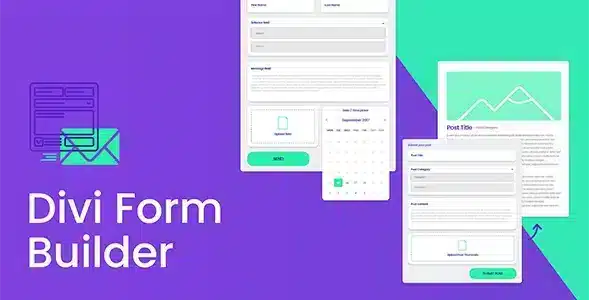
Overview of Divi Form Builder
The Divi Form Builder is the ultimate solution for creating sophisticated and highly functional forms directly within your Divi website. Designed for Divi users of all skill levels, this powerful plugin empowers you to build everything from simple contact forms to complex multi-step applications, lead generation forms, surveys, and more, all without writing a single line of code. Elevate your website’s interactivity and data collection capabilities with the intuitive and robust Divi Form Builder.
Key Features of Divi Form Builder
- Drag-and-Drop Interface: Easily design your forms using Divi’s familiar visual builder, allowing for seamless integration and a smooth user experience.
- Conditional Logic: Create dynamic forms that adapt to user input, showing or hiding fields based on previous selections for a highly personalized experience.
- Spam Protection: Safeguard your forms with built-in reCAPTCHA, honeypot, and other anti-spam measures to ensure you receive legitimate submissions.
- Email Integrations: Connect your forms to popular email marketing services or simply receive notifications directly to your inbox upon submission.
- Custom Styling Options: Leverage Divi’s design options to perfectly match your form’s aesthetics with your website’s branding and overall design.
- Multi-Step Forms: Break down long forms into manageable steps, improving user experience and reducing form abandonment rates.
- File Upload Fields: Allow users to upload documents, images, and other files directly through your forms, perfect for applications or support requests.
- Calculation Fields: Implement dynamic calculations within your forms for quotes, estimates, or order summaries, providing instant feedback to users.
Why Choose Divi Form Builder?
Choosing the Divi Form Builder means unlocking unparalleled flexibility and power for your Divi website’s data collection needs. This plugin is meticulously crafted to integrate flawlessly with the Divi ecosystem, ensuring that every form you create looks professional and functions perfectly across all devices. Forget about clunky third-party solutions or expensive custom development; the Divi Form Builder provides a comprehensive toolkit that empowers you to design, deploy, and manage any type of form with ease, directly from your WordPress dashboard.
The value proposition of the Divi Form Builder extends beyond just functionality. It’s about enhancing user engagement, streamlining your workflows, and ultimately, boosting your website’s conversion rates. With features like conditional logic, multi-step forms, and robust spam protection, you can create forms that are not only beautiful but also intelligent and secure. This leads to a better user experience, higher completion rates, and more accurate data for your business. Invest in the Divi Form Builder and transform how you interact with your audience and gather vital information.
Who Should Use Divi Form Builder?
The Divi Form Builder is an essential tool for a wide range of users. Small business owners will find it invaluable for generating leads, collecting customer feedback, and managing registrations. Freelancers and web design agencies building Divi sites for clients can offer advanced form functionalities without custom coding. Bloggers and content creators can use it for surveys, contact forms, or subscription sign-ups. E-commerce stores can enhance their product inquiry forms or build custom order forms. Essentially, anyone looking to create dynamic, responsive, and powerful forms on their Divi-powered WordPress website will benefit immensely from the Divi Form Builder.
How to Install Divi Form Builder
- Download the Plugin: After acquiring the Divi Form Builder, download the plugin .zip file to your computer.
- Upload to WordPress: Log in to your WordPress dashboard. Navigate to “Plugins” > “Add New” and click the “Upload Plugin” button at the top.
- Choose File: Click “Choose File,” locate the Divi Form Builder .zip file you downloaded, and then click “Install Now.”
- Activate Plugin: Once the installation is complete, click the “Activate Plugin” link.
- Start Building: The Divi Form Builder is now active and ready to use. You can access its features within the Divi Builder when editing pages or posts to start creating your custom forms.
Frequently Asked Questions About Divi Form Builder
Is Divi Form Builder compatible with all Divi versions?
Yes, the Divi Form Builder is designed to be fully compatible with the latest versions of the Divi Theme, ensuring seamless integration and optimal performance on your Divi-powered website. We always provide the most up-to-date versions of plugins.
Can I customize the appearance of forms created with Divi Form Builder?
Absolutely! The Divi Form Builder leverages Divi’s native styling options, allowing you to customize every aspect of your forms, from colors and fonts to spacing and borders, to perfectly match your website’s design. You can also use custom CSS for even more granular control.
Does Divi Form Builder support integrations with other services?
Yes, the Divi Form Builder offers various integration capabilities, including email notifications and connections to popular email marketing platforms. This allows you to automatically send form submissions to your preferred services, streamlining your workflow and data management.
Get Divi Form Builder Today
Empower your Divi website with advanced form capabilities. The Divi Form Builder offers a comprehensive, intuitive, and powerful solution for all your data collection needs. Enhance user experience, streamline operations, and boost engagement with forms that are both beautiful and intelligent. Explore this and many other premium WordPress Plugins available. Dive into our extensive collection of GPL WordPress Products and elevate your website to the next level today.
Related Products You May Like
Here's everything you need to know about your purchase:
- 100% original files — Every product is the genuine, virus-free file, exactly as released by the original developer.
- Instant download — Access your files immediately after purchase from your account.
- Lifetime access — Re-download your purchased files anytime. No expiry, no limits.
- Free updates — Newer version released? Just request an update from us, free for all customers.
- Dedicated support — Our team is available 24/7 for installation and file-related help.
- Easy refunds — Not satisfied? Review our Refund Policy. We offer a hassle-free 7-day guarantee.
$100.00 Original price was: $100.00.$2.00Current price is: $2.00.
Version
4.1.9
Last Updated
29/3/2026
License
GPL v2
Compatibility
WordPress 5.0+
Need latest version?
Newer version released? Request an update from us — free for all customers!
Request Update →🎁 Your Purchase Includes
Overview of Divi Form Builder
The Divi Form Builder is the ultimate solution for creating sophisticated and highly functional forms directly within your Divi website. Designed for Divi users of all skill levels, this powerful plugin empowers you to build everything from simple contact forms to complex multi-step applications, lead generation forms, surveys, and more, all without writing a single line of code. Elevate your website’s interactivity and data collection capabilities with the intuitive and robust Divi Form Builder.
Key Features of Divi Form Builder
- Drag-and-Drop Interface: Easily design your forms using Divi’s familiar visual builder, allowing for seamless integration and a smooth user experience.
- Conditional Logic: Create dynamic forms that adapt to user input, showing or hiding fields based on previous selections for a highly personalized experience.
- Spam Protection: Safeguard your forms with built-in reCAPTCHA, honeypot, and other anti-spam measures to ensure you receive legitimate submissions.
- Email Integrations: Connect your forms to popular email marketing services or simply receive notifications directly to your inbox upon submission.
- Custom Styling Options: Leverage Divi’s design options to perfectly match your form’s aesthetics with your website’s branding and overall design.
- Multi-Step Forms: Break down long forms into manageable steps, improving user experience and reducing form abandonment rates.
- File Upload Fields: Allow users to upload documents, images, and other files directly through your forms, perfect for applications or support requests.
- Calculation Fields: Implement dynamic calculations within your forms for quotes, estimates, or order summaries, providing instant feedback to users.
Why Choose Divi Form Builder?
Choosing the Divi Form Builder means unlocking unparalleled flexibility and power for your Divi website’s data collection needs. This plugin is meticulously crafted to integrate flawlessly with the Divi ecosystem, ensuring that every form you create looks professional and functions perfectly across all devices. Forget about clunky third-party solutions or expensive custom development; the Divi Form Builder provides a comprehensive toolkit that empowers you to design, deploy, and manage any type of form with ease, directly from your WordPress dashboard.
The value proposition of the Divi Form Builder extends beyond just functionality. It’s about enhancing user engagement, streamlining your workflows, and ultimately, boosting your website’s conversion rates. With features like conditional logic, multi-step forms, and robust spam protection, you can create forms that are not only beautiful but also intelligent and secure. This leads to a better user experience, higher completion rates, and more accurate data for your business. Invest in the Divi Form Builder and transform how you interact with your audience and gather vital information.
Who Should Use Divi Form Builder?
The Divi Form Builder is an essential tool for a wide range of users. Small business owners will find it invaluable for generating leads, collecting customer feedback, and managing registrations. Freelancers and web design agencies building Divi sites for clients can offer advanced form functionalities without custom coding. Bloggers and content creators can use it for surveys, contact forms, or subscription sign-ups. E-commerce stores can enhance their product inquiry forms or build custom order forms. Essentially, anyone looking to create dynamic, responsive, and powerful forms on their Divi-powered WordPress website will benefit immensely from the Divi Form Builder.
How to Install Divi Form Builder
- Download the Plugin: After acquiring the Divi Form Builder, download the plugin .zip file to your computer.
- Upload to WordPress: Log in to your WordPress dashboard. Navigate to “Plugins” > “Add New” and click the “Upload Plugin” button at the top.
- Choose File: Click “Choose File,” locate the Divi Form Builder .zip file you downloaded, and then click “Install Now.”
- Activate Plugin: Once the installation is complete, click the “Activate Plugin” link.
- Start Building: The Divi Form Builder is now active and ready to use. You can access its features within the Divi Builder when editing pages or posts to start creating your custom forms.
Frequently Asked Questions About Divi Form Builder
Is Divi Form Builder compatible with all Divi versions?
Yes, the Divi Form Builder is designed to be fully compatible with the latest versions of the Divi Theme, ensuring seamless integration and optimal performance on your Divi-powered website. We always provide the most up-to-date versions of plugins.
Can I customize the appearance of forms created with Divi Form Builder?
Absolutely! The Divi Form Builder leverages Divi’s native styling options, allowing you to customize every aspect of your forms, from colors and fonts to spacing and borders, to perfectly match your website’s design. You can also use custom CSS for even more granular control.
Does Divi Form Builder support integrations with other services?
Yes, the Divi Form Builder offers various integration capabilities, including email notifications and connections to popular email marketing platforms. This allows you to automatically send form submissions to your preferred services, streamlining your workflow and data management.
Get Divi Form Builder Today
Empower your Divi website with advanced form capabilities. The Divi Form Builder offers a comprehensive, intuitive, and powerful solution for all your data collection needs. Enhance user experience, streamline operations, and boost engagement with forms that are both beautiful and intelligent. Explore this and many other premium WordPress Plugins available. Dive into our extensive collection of GPL WordPress Products and elevate your website to the next level today.
Related Products You May Like
Reviews
There are no reviews yet.
Here's everything you need to know about your purchase:
- 100% original files — Every product is the genuine, virus-free file, exactly as released by the original developer.
- Instant download — Access your files immediately after purchase from your account.
- Lifetime access — Re-download your purchased files anytime. No expiry, no limits.
- Free updates — Newer version released? Just request an update from us, free for all customers.
- Dedicated support — Our team is available 24/7 for installation and file-related help.
- Easy refunds — Not satisfied? Review our Refund Policy. We offer a hassle-free 7-day guarantee.
Reviews
There are no reviews yet.