

reCaptcha for WooCommerce 2.73
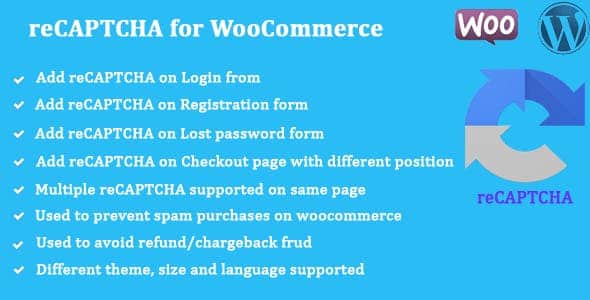
Overview of reCaptcha for WooCommerce
In today’s digital landscape, protecting your WooCommerce store from spam and malicious bot activity is paramount. reCaptcha for WooCommerce is the essential plugin designed to fortify your online shop, ensuring a smoother, more secure experience for genuine customers while effectively deterring automated threats. This powerful tool seamlessly integrates Google’s reCAPTCHA v2 and v3 verification methods into critical areas of your WooCommerce site, safeguarding everything from customer registrations to checkout processes and review submissions. It’s an indispensable solution for any store owner looking to maintain integrity and trust on their e-commerce platform.
Key Features of reCaptcha for WooCommerce
- Comprehensive Spam Protection: Deploy Google reCAPTCHA v2 (checkbox or invisible) or v3 across various WooCommerce forms, including login, registration, password reset, checkout, and product reviews, to block bots effectively.
- Flexible reCAPTCHA Versions: Choose between reCAPTCHA v2, which requires users to click a checkbox or solve a challenge, or the completely invisible reCAPTCHA v3, which monitors user behavior in the background without user interaction.
- Customizable Placement: Gain precise control over where reCaptcha for WooCommerce appears, allowing you to enable or disable protection on specific forms or pages to optimize user experience and security balance.
- Invisible reCAPTCHA v3 Integration: Leverage the power of reCAPTCHA v3 for a frictionless user experience, automatically detecting and blocking bots based on interaction scores without interrupting legitimate customers.
- Easy Configuration: Set up reCaptcha for WooCommerce quickly with straightforward options for entering your Google site and secret keys directly within the WordPress admin panel.
- Enhanced Checkout Security: Protect your checkout page from fraudulent activities and automated form submissions, ensuring a secure transaction process for your customers.
- Comment and Review Spam Prevention: Keep your product pages clean and credible by preventing spam comments and fake reviews, maintaining the authenticity of user-generated content.
- Lightweight and Performance-Optimized: Designed to be efficient, reCaptcha for WooCommerce adds robust security without significantly impacting your website’s loading speed or overall performance.
Why Choose reCaptcha for WooCommerce?
Choosing reCaptcha for WooCommerce means investing in the long-term security and credibility of your online store. In an era where automated bots constitute a significant portion of internet traffic, protecting your site from spam registrations, fake orders, and malicious login attempts is not just a recommendation—it’s a necessity. This plugin provides a robust defense mechanism that works silently in the background or with minimal user interaction, ensuring that only genuine human visitors can engage with your critical forms and processes. This translates into cleaner data, reduced administrative overhead from dealing with spam, and a more trustworthy environment for your customers.
Beyond just blocking spam, reCaptcha for WooCommerce significantly enhances the user experience by preventing frustrating captcha challenges for legitimate users, especially with its seamless reCAPTCHA v3 integration. By accurately distinguishing between human users and bots, it allows your customers to proceed through their shopping journey without unnecessary hurdles, fostering a positive perception of your brand. This focus on both security and usability makes reCaptcha for WooCommerce an invaluable asset for any serious WooCommerce store owner looking to optimize their operations and secure their digital storefront.
Furthermore, implementing reCaptcha for WooCommerce safeguards your valuable resources. Spam registrations can fill your database with junk, fake orders can tie up inventory and lead to chargebacks, and malicious login attempts can compromise user accounts. By mitigating these threats, reCaptcha for WooCommerce helps you maintain data integrity, protect your reputation, and focus on growing your business rather than fighting off digital pests. It’s a proactive step towards building a resilient and customer-friendly e-commerce platform.
Who Should Use reCaptcha for WooCommerce?
reCaptcha for WooCommerce is an essential tool for any WooCommerce store owner or administrator who wants to protect their site from spam, bot attacks, and fraudulent activities. It’s particularly beneficial for stores experiencing high volumes of fake registrations, spam comments, or suspicious checkout attempts. E-commerce businesses of all sizes, from small startups to large enterprises, will find immense value in the enhanced security and improved data integrity that reCaptcha for WooCommerce provides.
How to Install reCaptcha for WooCommerce
- First, download the reCaptcha for WooCommerce plugin file from your purchase source.
- Log in to your WordPress admin dashboard, navigate to ‘Plugins’ > ‘Add New’, and then click ‘Upload Plugin’.
- Choose the downloaded plugin .zip file and click ‘Install Now’. Once installed, click ‘Activate Plugin’.
- Go to the reCaptcha for WooCommerce settings page (usually found under WooCommerce or a dedicated settings menu).
- Enter your Google reCAPTCHA v2 or v3 site key and secret key, which you can obtain from the Google reCAPTCHA admin console. Configure your desired settings for where reCaptcha for WooCommerce should be enabled.
- Save your changes and test the forms on your WooCommerce store to ensure reCaptcha for WooCommerce is functioning correctly.
Frequently Asked Questions About reCaptcha for WooCommerce
What versions of reCAPTCHA does reCaptcha for WooCommerce support?
reCaptcha for WooCommerce supports both Google reCAPTCHA v2 (checkbox and invisible variants) and the latest reCAPTCHA v3. This flexibility allows you to choose the best protection method that suits your store’s specific needs and desired user experience.
Can I choose where reCaptcha for WooCommerce is displayed on my site?
Absolutely. reCaptcha for WooCommerce provides granular control over its placement. You can easily enable or disable reCAPTCHA protection on various WooCommerce forms, including login, registration, password reset, checkout, and product review forms, directly from the plugin’s settings.
Does reCaptcha for WooCommerce affect website performance?
reCaptcha for WooCommerce is designed to be lightweight and efficient. While any plugin adds a minor load, the integration is optimized to have minimal impact on your website’s loading speed and overall performance, ensuring robust security without compromising user experience.
Get reCaptcha for WooCommerce Today
Secure your WooCommerce store and protect your valuable assets from the ever-present threat of spam and bots. With its comprehensive features and easy integration, reCaptcha for WooCommerce is the ultimate solution for maintaining a clean, secure, and user-friendly e-commerce environment. Don’t let automated attacks compromise your business or customer trust. Enhance your store’s defenses today and experience the peace of mind that comes with robust security. Explore this and many other essential WordPress Plugins, and discover a wide range of premium GPL WordPress Products to empower your online presence.
Related Products You May Like
Here's everything you need to know about your purchase:
- 100% original files — Every product is the genuine, virus-free file, exactly as released by the original developer.
- Instant download — Access your files immediately after purchase from your account.
- Lifetime access — Re-download your purchased files anytime. No expiry, no limits.
- Free updates — Newer version released? Just request an update from us, free for all customers.
- Dedicated support — Our team is available 24/7 for installation and file-related help.
- Easy refunds — Not satisfied? Review our Refund Policy. We offer a hassle-free 7-day guarantee.
$100.00 Original price was: $100.00.$2.00Current price is: $2.00.
Version
2.73
Last Updated
07/04/2026
License
GPL v2
Compatibility
WordPress 5.0+
Need latest version?
Newer version released? Request an update from us — free for all customers!
Request Update →🎁 Your Purchase Includes
Overview of reCaptcha for WooCommerce
In today’s digital landscape, protecting your WooCommerce store from spam and malicious bot activity is paramount. reCaptcha for WooCommerce is the essential plugin designed to fortify your online shop, ensuring a smoother, more secure experience for genuine customers while effectively deterring automated threats. This powerful tool seamlessly integrates Google’s reCAPTCHA v2 and v3 verification methods into critical areas of your WooCommerce site, safeguarding everything from customer registrations to checkout processes and review submissions. It’s an indispensable solution for any store owner looking to maintain integrity and trust on their e-commerce platform.
Key Features of reCaptcha for WooCommerce
- Comprehensive Spam Protection: Deploy Google reCAPTCHA v2 (checkbox or invisible) or v3 across various WooCommerce forms, including login, registration, password reset, checkout, and product reviews, to block bots effectively.
- Flexible reCAPTCHA Versions: Choose between reCAPTCHA v2, which requires users to click a checkbox or solve a challenge, or the completely invisible reCAPTCHA v3, which monitors user behavior in the background without user interaction.
- Customizable Placement: Gain precise control over where reCaptcha for WooCommerce appears, allowing you to enable or disable protection on specific forms or pages to optimize user experience and security balance.
- Invisible reCAPTCHA v3 Integration: Leverage the power of reCAPTCHA v3 for a frictionless user experience, automatically detecting and blocking bots based on interaction scores without interrupting legitimate customers.
- Easy Configuration: Set up reCaptcha for WooCommerce quickly with straightforward options for entering your Google site and secret keys directly within the WordPress admin panel.
- Enhanced Checkout Security: Protect your checkout page from fraudulent activities and automated form submissions, ensuring a secure transaction process for your customers.
- Comment and Review Spam Prevention: Keep your product pages clean and credible by preventing spam comments and fake reviews, maintaining the authenticity of user-generated content.
- Lightweight and Performance-Optimized: Designed to be efficient, reCaptcha for WooCommerce adds robust security without significantly impacting your website’s loading speed or overall performance.
Why Choose reCaptcha for WooCommerce?
Choosing reCaptcha for WooCommerce means investing in the long-term security and credibility of your online store. In an era where automated bots constitute a significant portion of internet traffic, protecting your site from spam registrations, fake orders, and malicious login attempts is not just a recommendation—it’s a necessity. This plugin provides a robust defense mechanism that works silently in the background or with minimal user interaction, ensuring that only genuine human visitors can engage with your critical forms and processes. This translates into cleaner data, reduced administrative overhead from dealing with spam, and a more trustworthy environment for your customers.
Beyond just blocking spam, reCaptcha for WooCommerce significantly enhances the user experience by preventing frustrating captcha challenges for legitimate users, especially with its seamless reCAPTCHA v3 integration. By accurately distinguishing between human users and bots, it allows your customers to proceed through their shopping journey without unnecessary hurdles, fostering a positive perception of your brand. This focus on both security and usability makes reCaptcha for WooCommerce an invaluable asset for any serious WooCommerce store owner looking to optimize their operations and secure their digital storefront.
Furthermore, implementing reCaptcha for WooCommerce safeguards your valuable resources. Spam registrations can fill your database with junk, fake orders can tie up inventory and lead to chargebacks, and malicious login attempts can compromise user accounts. By mitigating these threats, reCaptcha for WooCommerce helps you maintain data integrity, protect your reputation, and focus on growing your business rather than fighting off digital pests. It’s a proactive step towards building a resilient and customer-friendly e-commerce platform.
Who Should Use reCaptcha for WooCommerce?
reCaptcha for WooCommerce is an essential tool for any WooCommerce store owner or administrator who wants to protect their site from spam, bot attacks, and fraudulent activities. It’s particularly beneficial for stores experiencing high volumes of fake registrations, spam comments, or suspicious checkout attempts. E-commerce businesses of all sizes, from small startups to large enterprises, will find immense value in the enhanced security and improved data integrity that reCaptcha for WooCommerce provides.
How to Install reCaptcha for WooCommerce
- First, download the reCaptcha for WooCommerce plugin file from your purchase source.
- Log in to your WordPress admin dashboard, navigate to ‘Plugins’ > ‘Add New’, and then click ‘Upload Plugin’.
- Choose the downloaded plugin .zip file and click ‘Install Now’. Once installed, click ‘Activate Plugin’.
- Go to the reCaptcha for WooCommerce settings page (usually found under WooCommerce or a dedicated settings menu).
- Enter your Google reCAPTCHA v2 or v3 site key and secret key, which you can obtain from the Google reCAPTCHA admin console. Configure your desired settings for where reCaptcha for WooCommerce should be enabled.
- Save your changes and test the forms on your WooCommerce store to ensure reCaptcha for WooCommerce is functioning correctly.
Frequently Asked Questions About reCaptcha for WooCommerce
What versions of reCAPTCHA does reCaptcha for WooCommerce support?
reCaptcha for WooCommerce supports both Google reCAPTCHA v2 (checkbox and invisible variants) and the latest reCAPTCHA v3. This flexibility allows you to choose the best protection method that suits your store’s specific needs and desired user experience.
Can I choose where reCaptcha for WooCommerce is displayed on my site?
Absolutely. reCaptcha for WooCommerce provides granular control over its placement. You can easily enable or disable reCAPTCHA protection on various WooCommerce forms, including login, registration, password reset, checkout, and product review forms, directly from the plugin’s settings.
Does reCaptcha for WooCommerce affect website performance?
reCaptcha for WooCommerce is designed to be lightweight and efficient. While any plugin adds a minor load, the integration is optimized to have minimal impact on your website’s loading speed and overall performance, ensuring robust security without compromising user experience.
Get reCaptcha for WooCommerce Today
Secure your WooCommerce store and protect your valuable assets from the ever-present threat of spam and bots. With its comprehensive features and easy integration, reCaptcha for WooCommerce is the ultimate solution for maintaining a clean, secure, and user-friendly e-commerce environment. Don’t let automated attacks compromise your business or customer trust. Enhance your store’s defenses today and experience the peace of mind that comes with robust security. Explore this and many other essential WordPress Plugins, and discover a wide range of premium GPL WordPress Products to empower your online presence.
Related Products You May Like
Reviews
There are no reviews yet.
Here's everything you need to know about your purchase:
- 100% original files — Every product is the genuine, virus-free file, exactly as released by the original developer.
- Instant download — Access your files immediately after purchase from your account.
- Lifetime access — Re-download your purchased files anytime. No expiry, no limits.
- Free updates — Newer version released? Just request an update from us, free for all customers.
- Dedicated support — Our team is available 24/7 for installation and file-related help.
- Easy refunds — Not satisfied? Review our Refund Policy. We offer a hassle-free 7-day guarantee.
Reviews
There are no reviews yet.