

WooCommerce Conditional Product Fields at Checkout 6.6
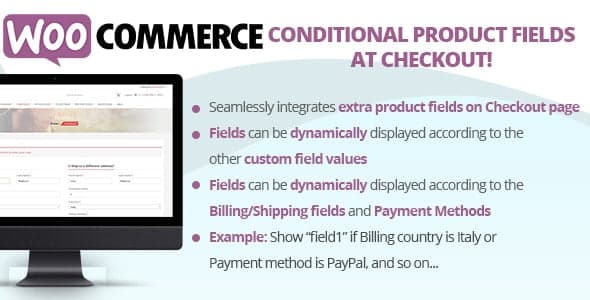
Overview of WooCommerce Conditional Product Fields at Checkout
The WooCommerce Conditional Product Fields at Checkout plugin is an essential tool for any online store looking to streamline its checkout process and gather precise customer information. This powerful extension allows you to dynamically show or hide custom product fields on your checkout page based on specific conditions, ensuring customers only see relevant options. It’s perfect for merchants who need to collect additional details, offer personalized choices, or adapt their checkout experience to various products or user selections, making the entire process smarter and more efficient.
Key Features of WooCommerce Conditional Product Fields at Checkout
- Dynamic Field Visibility: Easily set conditions to show or hide product fields based on what’s in the customer’s cart, specific product selections, or other user inputs. This ensures a clean and relevant checkout form.
- Custom Field Creation: Create an unlimited number of custom fields using various input types, including text fields, text areas, dropdowns, checkboxes, radio buttons, file uploads, and more, all managed directly from your WooCommerce backend.
- Conditional Logic Builder: A user-friendly interface allows you to define complex conditional rules without any coding. Link fields to products, categories, or other field selections to build a truly interactive checkout.
- Support for Product Variations: Apply conditional logic not just to entire products but also to specific product variations, offering unparalleled flexibility for stores with diverse inventory.
- Data Validation & Required Fields: Implement validation rules for your custom fields and mark fields as required to ensure you collect all necessary information before an order can be placed.
- Order Management Integration: All data collected through the custom conditional fields is seamlessly integrated into the WooCommerce order details, making it easy to review and process orders.
- Intuitive User Experience: Enhance the customer journey by presenting a simplified and personalized checkout form, reducing friction and improving conversion rates.
- Global & Product-Specific Rules: Set up global rules that apply across your store or create product-specific conditions, giving you granular control over your checkout fields.
Why Choose WooCommerce Conditional Product Fields at Checkout?
Choosing WooCommerce Conditional Product Fields at Checkout means investing in a smarter, more customer-centric online store. This plugin eliminates the clutter of irrelevant fields, presenting only the information necessary for a particular purchase. Imagine a customer buying a personalized item; instead of seeing a generic checkout, they’re prompted with specific options like engraving text or gift wrapping choices, dynamically appearing only when that product is in their cart. This targeted approach not only enhances the user experience but also significantly reduces cart abandonment by making the checkout process intuitive and less overwhelming.
Furthermore, WooCommerce Conditional Product Fields at Checkout empowers store owners to gather crucial data efficiently. Whether you need to ask for a custom message for a gift, collect specific delivery instructions, or inquire about dietary preferences for a food product, this plugin ensures you get exactly the information you need, exactly when you need it. The robust conditional logic capabilities mean you can tailor your checkout forms to an infinite number of scenarios, adapting to your product catalog and business requirements with ease. It’s a powerful tool for improving data accuracy, streamlining order fulfillment, and ultimately boosting your store’s professionalism and profitability.
Who Should Use WooCommerce Conditional Product Fields at Checkout?
WooCommerce Conditional Product Fields at Checkout is ideal for any WooCommerce store owner who needs to collect specific, dynamic information from customers during the checkout process. This includes businesses selling personalized products (e.g., custom apparel, engraved items), services requiring detailed bookings (e.g., event tickets, consultations), food delivery services needing dietary notes, or any store that benefits from offering conditional upsells, cross-sells, or custom options based on product selections. If your current checkout fields are too generic or you find yourself manually contacting customers for missing information, this plugin is for you.
How to Install WooCommerce Conditional Product Fields at Checkout
- Download the Plugin: After purchase, download the plugin zip file from your account on GPLUniverse.
- Upload to WordPress: Log in to your WordPress admin dashboard. Navigate to ‘Plugins’ > ‘Add New’ and click the ‘Upload Plugin’ button.
- Choose File & Install: Click ‘Choose File’, select the downloaded plugin zip file, and then click ‘Install Now’.
- Activate the Plugin: Once the installation is complete, click ‘Activate Plugin’.
- Configure Settings: Go to the WooCommerce settings or the new menu item created by the plugin to start configuring your conditional product fields and rules.
Frequently Asked Questions About WooCommerce Conditional Product Fields at Checkout
Can I create different types of fields with WooCommerce Conditional Product Fields at Checkout?
Yes, WooCommerce Conditional Product Fields at Checkout supports a wide array of field types, including text input, text areas, dropdown menus, multi-select checkboxes, radio buttons, date pickers, time pickers, number fields, and even file upload fields. This versatility allows you to collect virtually any type of information you need from your customers.
Is it difficult to set up conditional logic using WooCommerce Conditional Product Fields at Checkout?
Not at all! WooCommerce Conditional Product Fields at Checkout is designed with a user-friendly interface that makes setting up conditional logic intuitive. You can easily define rules based on products, categories, or selections made in other fields, all without needing to write any code. The visual builder simplifies the process significantly.
Will the collected data show up in my WooCommerce orders?
Absolutely. All information collected through the custom fields created by WooCommerce Conditional Product Fields at Checkout is seamlessly integrated and displayed within the order details in your WooCommerce admin panel. This ensures that all relevant customer data is readily accessible when processing orders.
Get WooCommerce Conditional Product Fields at Checkout Today
Revolutionize your WooCommerce checkout experience and gather precise customer information with ease. WooCommerce Conditional Product Fields at Checkout is the ultimate solution for dynamic, intelligent forms that adapt to your customers’ needs. Enhance user experience, reduce cart abandonment, and streamline your order management by adding this powerful plugin to your store. Explore this and many other premium GPL WordPress Products to elevate your online business.
Related Products You May Like
Here's everything you need to know about your purchase:
- 100% original files — Every product is the genuine, virus-free file, exactly as released by the original developer.
- Instant download — Access your files immediately after purchase from your account.
- Lifetime access — Re-download your purchased files anytime. No expiry, no limits.
- Free updates — Newer version released? Just request an update from us, free for all customers.
- Dedicated support — Our team is available 24/7 for installation and file-related help.
- Easy refunds — Not satisfied? Review our Refund Policy. We offer a hassle-free 7-day guarantee.
$100.00 Original price was: $100.00.$2.00Current price is: $2.00.
Version
6.6
Last Updated
27/02/2025
License
GPL v2
Compatibility
WordPress 5.0+
Need latest version?
Newer version released? Request an update from us — free for all customers!
Request Update →🎁 Your Purchase Includes
Overview of WooCommerce Conditional Product Fields at Checkout
The WooCommerce Conditional Product Fields at Checkout plugin is an essential tool for any online store looking to streamline its checkout process and gather precise customer information. This powerful extension allows you to dynamically show or hide custom product fields on your checkout page based on specific conditions, ensuring customers only see relevant options. It’s perfect for merchants who need to collect additional details, offer personalized choices, or adapt their checkout experience to various products or user selections, making the entire process smarter and more efficient.
Key Features of WooCommerce Conditional Product Fields at Checkout
- Dynamic Field Visibility: Easily set conditions to show or hide product fields based on what’s in the customer’s cart, specific product selections, or other user inputs. This ensures a clean and relevant checkout form.
- Custom Field Creation: Create an unlimited number of custom fields using various input types, including text fields, text areas, dropdowns, checkboxes, radio buttons, file uploads, and more, all managed directly from your WooCommerce backend.
- Conditional Logic Builder: A user-friendly interface allows you to define complex conditional rules without any coding. Link fields to products, categories, or other field selections to build a truly interactive checkout.
- Support for Product Variations: Apply conditional logic not just to entire products but also to specific product variations, offering unparalleled flexibility for stores with diverse inventory.
- Data Validation & Required Fields: Implement validation rules for your custom fields and mark fields as required to ensure you collect all necessary information before an order can be placed.
- Order Management Integration: All data collected through the custom conditional fields is seamlessly integrated into the WooCommerce order details, making it easy to review and process orders.
- Intuitive User Experience: Enhance the customer journey by presenting a simplified and personalized checkout form, reducing friction and improving conversion rates.
- Global & Product-Specific Rules: Set up global rules that apply across your store or create product-specific conditions, giving you granular control over your checkout fields.
Why Choose WooCommerce Conditional Product Fields at Checkout?
Choosing WooCommerce Conditional Product Fields at Checkout means investing in a smarter, more customer-centric online store. This plugin eliminates the clutter of irrelevant fields, presenting only the information necessary for a particular purchase. Imagine a customer buying a personalized item; instead of seeing a generic checkout, they’re prompted with specific options like engraving text or gift wrapping choices, dynamically appearing only when that product is in their cart. This targeted approach not only enhances the user experience but also significantly reduces cart abandonment by making the checkout process intuitive and less overwhelming.
Furthermore, WooCommerce Conditional Product Fields at Checkout empowers store owners to gather crucial data efficiently. Whether you need to ask for a custom message for a gift, collect specific delivery instructions, or inquire about dietary preferences for a food product, this plugin ensures you get exactly the information you need, exactly when you need it. The robust conditional logic capabilities mean you can tailor your checkout forms to an infinite number of scenarios, adapting to your product catalog and business requirements with ease. It’s a powerful tool for improving data accuracy, streamlining order fulfillment, and ultimately boosting your store’s professionalism and profitability.
Who Should Use WooCommerce Conditional Product Fields at Checkout?
WooCommerce Conditional Product Fields at Checkout is ideal for any WooCommerce store owner who needs to collect specific, dynamic information from customers during the checkout process. This includes businesses selling personalized products (e.g., custom apparel, engraved items), services requiring detailed bookings (e.g., event tickets, consultations), food delivery services needing dietary notes, or any store that benefits from offering conditional upsells, cross-sells, or custom options based on product selections. If your current checkout fields are too generic or you find yourself manually contacting customers for missing information, this plugin is for you.
How to Install WooCommerce Conditional Product Fields at Checkout
- Download the Plugin: After purchase, download the plugin zip file from your account on GPLUniverse.
- Upload to WordPress: Log in to your WordPress admin dashboard. Navigate to ‘Plugins’ > ‘Add New’ and click the ‘Upload Plugin’ button.
- Choose File & Install: Click ‘Choose File’, select the downloaded plugin zip file, and then click ‘Install Now’.
- Activate the Plugin: Once the installation is complete, click ‘Activate Plugin’.
- Configure Settings: Go to the WooCommerce settings or the new menu item created by the plugin to start configuring your conditional product fields and rules.
Frequently Asked Questions About WooCommerce Conditional Product Fields at Checkout
Can I create different types of fields with WooCommerce Conditional Product Fields at Checkout?
Yes, WooCommerce Conditional Product Fields at Checkout supports a wide array of field types, including text input, text areas, dropdown menus, multi-select checkboxes, radio buttons, date pickers, time pickers, number fields, and even file upload fields. This versatility allows you to collect virtually any type of information you need from your customers.
Is it difficult to set up conditional logic using WooCommerce Conditional Product Fields at Checkout?
Not at all! WooCommerce Conditional Product Fields at Checkout is designed with a user-friendly interface that makes setting up conditional logic intuitive. You can easily define rules based on products, categories, or selections made in other fields, all without needing to write any code. The visual builder simplifies the process significantly.
Will the collected data show up in my WooCommerce orders?
Absolutely. All information collected through the custom fields created by WooCommerce Conditional Product Fields at Checkout is seamlessly integrated and displayed within the order details in your WooCommerce admin panel. This ensures that all relevant customer data is readily accessible when processing orders.
Get WooCommerce Conditional Product Fields at Checkout Today
Revolutionize your WooCommerce checkout experience and gather precise customer information with ease. WooCommerce Conditional Product Fields at Checkout is the ultimate solution for dynamic, intelligent forms that adapt to your customers’ needs. Enhance user experience, reduce cart abandonment, and streamline your order management by adding this powerful plugin to your store. Explore this and many other premium GPL WordPress Products to elevate your online business.
Related Products You May Like
Reviews
There are no reviews yet.
Here's everything you need to know about your purchase:
- 100% original files — Every product is the genuine, virus-free file, exactly as released by the original developer.
- Instant download — Access your files immediately after purchase from your account.
- Lifetime access — Re-download your purchased files anytime. No expiry, no limits.
- Free updates — Newer version released? Just request an update from us, free for all customers.
- Dedicated support — Our team is available 24/7 for installation and file-related help.
- Easy refunds — Not satisfied? Review our Refund Policy. We offer a hassle-free 7-day guarantee.
Reviews
There are no reviews yet.