

Powerful Filters for wpDataTables 1.4.6 – Cascade Filter for WordPress Tables
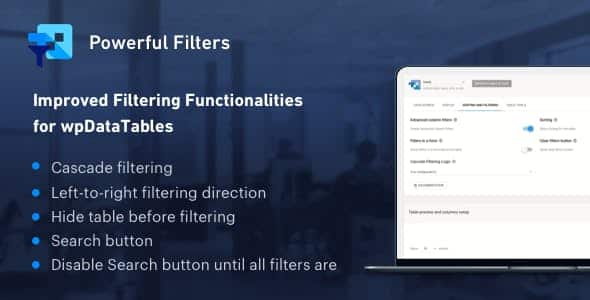
Overview of Powerful Filters for wpDataTables
Transform how users interact with your large datasets in WordPress with Powerful Filters for wpDataTables. This essential plugin extension introduces sophisticated cascade filtering capabilities, allowing your audience to intuitively narrow down vast amounts of information with ease. Designed for anyone managing complex tables with wpDataTables, it provides a seamless and highly efficient way to navigate data, making your website more user-friendly and your data more accessible.
Key Features of Powerful Filters for wpDataTables
- Advanced Cascade Filtering: Implement dynamic filters where the selection in one filter automatically refines the options available in subsequent filters, ensuring logical data exploration.
- Enhanced User Experience: Drastically improve data searchability and navigation, reducing user frustration and saving time when sifting through extensive tables.
- Seamless wpDataTables Integration: Built specifically as an extension for wpDataTables, Powerful Filters for wpDataTables integrates flawlessly, extending its core functionality without compatibility issues.
- Flexible Filter Customization: Configure various filter types and display options to perfectly match your table’s data structure and your website’s design aesthetic.
- Optimized Performance: Engineered for efficiency, ensuring that even large tables with numerous filters load quickly and respond smoothly, providing a fluid user experience.
- Support for Multiple Data Sources: Whether your wpDataTables are linked to MySQL, Google Sheets, or generated manually, Powerful Filters for wpDataTables works universally.
- Improved Data Accuracy: By guiding users through relevant filter options, the plugin helps prevent incorrect selections, leading to more precise data insights.
- Responsive Design: Filters and tables are fully responsive, ensuring optimal viewing and interaction across all devices, from desktops to smartphones.
Why Choose Powerful Filters for wpDataTables?
In today’s data-rich digital landscape, presenting information clearly and allowing users to find what they need quickly is paramount. Choosing Powerful Filters for wpDataTables means investing in a superior user experience. Imagine having a product catalog with thousands of items; without effective filtering, your customers might leave out of frustration. This plugin empowers your visitors to slice and dice data effortlessly, turning overwhelming tables into highly manageable and interactive tools. It’s not just about filtering; it’s about intelligent data discovery.
The value of Powerful Filters for wpDataTables extends beyond mere convenience. For website administrators and content creators, it significantly reduces the effort required to present complex data in an engaging manner. You can build sophisticated data portals, directories, or statistical reports that users will genuinely appreciate and utilize. By providing an intuitive filtering mechanism, you enhance the professionalism of your site and ensure that your valuable data is not just displayed, but actively explored and understood.
Furthermore, the robust integration with wpDataTables means you’re building on a solid foundation. You’re not adding a clunky, standalone solution but enhancing an already powerful data management system. This synergy ensures stability, reliability, and continued compatibility as both wpDataTables and Powerful Filters for wpDataTables evolve. Make the smart choice for dynamic data presentation and an unparalleled user journey.
Who Should Use Powerful Filters for wpDataTables?
Powerful Filters for wpDataTables is an indispensable tool for a wide range of WordPress users and businesses:
- E-commerce Stores: For product catalogs, stock lists, or order tracking tables.
- Business Directories: To help users quickly find businesses based on various criteria.
- Real Estate Websites: Filtering property listings by location, price, features, etc.
- Educational Institutions: For course catalogs, student directories, or research data.
- Data Journalists & Researchers: Presenting complex statistical data in an explorable format.
- Website Administrators: Anyone managing large amounts of data in wpDataTables who wants to provide a superior user experience.
- Event Organizers: For filtering event schedules, speaker lists, or attendee information.
How to Install Powerful Filters for wpDataTables
- Purchase and Download: After acquiring Powerful Filters for wpDataTables from our store, download the plugin zip file to your computer.
- Upload to WordPress: Log in to your WordPress dashboard, navigate to ‘Plugins’ > ‘Add New’, then click ‘Upload Plugin’. Choose the downloaded zip file and click ‘Install Now’.
- Activate the Plugin: Once the installation is complete, click the ‘Activate Plugin’ button. Ensure that wpDataTables is already installed and active on your site.
- Configure Filters: Go to your wpDataTables settings or individual table editing screen. You will find new options to enable and configure the cascade filters provided by Powerful Filters for wpDataTables.
- Test and Publish: After configuring your filters, save your changes, and test the table on your frontend to ensure the cascade filtering works as expected.
Frequently Asked Questions About Powerful Filters for wpDataTables
What is cascade filtering and how does Powerful Filters for wpDataTables implement it?
Cascade filtering is a method where selecting an option in one filter dynamically updates the available options in subsequent filters. For example, if you filter by “Category: Electronics,” the next filter for “Product Type” will only show options like “Laptops,” “Smartphones,” etc., not “Clothing.” Powerful Filters for wpDataTables implements this by establishing dependencies between your chosen filter columns, ensuring a logical and guided data exploration path for your users.
Is Powerful Filters for wpDataTables compatible with all wpDataTables versions and features?
Powerful Filters for wpDataTables is designed to integrate seamlessly with the latest stable versions of wpDataTables. While it enhances core filtering capabilities, it generally works well with other wpDataTables features. We always recommend checking the specific compatibility details on the product page or testing it in a staging environment if you have a highly customized wpDataTables setup.
How does Powerful Filters for wpDataTables improve user experience on my website?
It significantly improves user experience by transforming overwhelming tables into interactive, easy-to-navigate data tools. Users no longer have to manually scroll through endless rows or guess filter options. With Powerful Filters for wpDataTables, they are guided through a logical filtering process, quickly finding the precise information they need, which leads to higher engagement, reduced bounce rates, and overall satisfaction.
Get Powerful Filters for wpDataTables Today
Ready to revolutionize your data presentation and empower your users with intuitive filtering capabilities? Enhance your WordPress website with Powerful Filters for wpDataTables and provide an unparalleled user experience for navigating complex information. Browse our extensive collection of WordPress Plugins and other premium GPL WordPress Products to find everything you need to build a powerful, dynamic, and user-friendly website.
Related Products You May Like
Here's everything you need to know about your purchase:
- 100% original files — Every product is the genuine, virus-free file, exactly as released by the original developer.
- Instant download — Access your files immediately after purchase from your account.
- Lifetime access — Re-download your purchased files anytime. No expiry, no limits.
- Free updates — Newer version released? Just request an update from us, free for all customers.
- Dedicated support — Our team is available 24/7 for installation and file-related help.
- Easy refunds — Not satisfied? Review our Refund Policy. We offer a hassle-free 7-day guarantee.
$100.00 Original price was: $100.00.$2.00Current price is: $2.00.
Version
1.4.6
Last Updated
04/04/2026
License
GPL v2
Compatibility
WordPress 5.0+
Need latest version?
Newer version released? Request an update from us — free for all customers!
Request Update →🎁 Your Purchase Includes
Overview of Powerful Filters for wpDataTables
Transform how users interact with your large datasets in WordPress with Powerful Filters for wpDataTables. This essential plugin extension introduces sophisticated cascade filtering capabilities, allowing your audience to intuitively narrow down vast amounts of information with ease. Designed for anyone managing complex tables with wpDataTables, it provides a seamless and highly efficient way to navigate data, making your website more user-friendly and your data more accessible.
Key Features of Powerful Filters for wpDataTables
- Advanced Cascade Filtering: Implement dynamic filters where the selection in one filter automatically refines the options available in subsequent filters, ensuring logical data exploration.
- Enhanced User Experience: Drastically improve data searchability and navigation, reducing user frustration and saving time when sifting through extensive tables.
- Seamless wpDataTables Integration: Built specifically as an extension for wpDataTables, Powerful Filters for wpDataTables integrates flawlessly, extending its core functionality without compatibility issues.
- Flexible Filter Customization: Configure various filter types and display options to perfectly match your table’s data structure and your website’s design aesthetic.
- Optimized Performance: Engineered for efficiency, ensuring that even large tables with numerous filters load quickly and respond smoothly, providing a fluid user experience.
- Support for Multiple Data Sources: Whether your wpDataTables are linked to MySQL, Google Sheets, or generated manually, Powerful Filters for wpDataTables works universally.
- Improved Data Accuracy: By guiding users through relevant filter options, the plugin helps prevent incorrect selections, leading to more precise data insights.
- Responsive Design: Filters and tables are fully responsive, ensuring optimal viewing and interaction across all devices, from desktops to smartphones.
Why Choose Powerful Filters for wpDataTables?
In today’s data-rich digital landscape, presenting information clearly and allowing users to find what they need quickly is paramount. Choosing Powerful Filters for wpDataTables means investing in a superior user experience. Imagine having a product catalog with thousands of items; without effective filtering, your customers might leave out of frustration. This plugin empowers your visitors to slice and dice data effortlessly, turning overwhelming tables into highly manageable and interactive tools. It’s not just about filtering; it’s about intelligent data discovery.
The value of Powerful Filters for wpDataTables extends beyond mere convenience. For website administrators and content creators, it significantly reduces the effort required to present complex data in an engaging manner. You can build sophisticated data portals, directories, or statistical reports that users will genuinely appreciate and utilize. By providing an intuitive filtering mechanism, you enhance the professionalism of your site and ensure that your valuable data is not just displayed, but actively explored and understood.
Furthermore, the robust integration with wpDataTables means you’re building on a solid foundation. You’re not adding a clunky, standalone solution but enhancing an already powerful data management system. This synergy ensures stability, reliability, and continued compatibility as both wpDataTables and Powerful Filters for wpDataTables evolve. Make the smart choice for dynamic data presentation and an unparalleled user journey.
Who Should Use Powerful Filters for wpDataTables?
Powerful Filters for wpDataTables is an indispensable tool for a wide range of WordPress users and businesses:
- E-commerce Stores: For product catalogs, stock lists, or order tracking tables.
- Business Directories: To help users quickly find businesses based on various criteria.
- Real Estate Websites: Filtering property listings by location, price, features, etc.
- Educational Institutions: For course catalogs, student directories, or research data.
- Data Journalists & Researchers: Presenting complex statistical data in an explorable format.
- Website Administrators: Anyone managing large amounts of data in wpDataTables who wants to provide a superior user experience.
- Event Organizers: For filtering event schedules, speaker lists, or attendee information.
How to Install Powerful Filters for wpDataTables
- Purchase and Download: After acquiring Powerful Filters for wpDataTables from our store, download the plugin zip file to your computer.
- Upload to WordPress: Log in to your WordPress dashboard, navigate to ‘Plugins’ > ‘Add New’, then click ‘Upload Plugin’. Choose the downloaded zip file and click ‘Install Now’.
- Activate the Plugin: Once the installation is complete, click the ‘Activate Plugin’ button. Ensure that wpDataTables is already installed and active on your site.
- Configure Filters: Go to your wpDataTables settings or individual table editing screen. You will find new options to enable and configure the cascade filters provided by Powerful Filters for wpDataTables.
- Test and Publish: After configuring your filters, save your changes, and test the table on your frontend to ensure the cascade filtering works as expected.
Frequently Asked Questions About Powerful Filters for wpDataTables
What is cascade filtering and how does Powerful Filters for wpDataTables implement it?
Cascade filtering is a method where selecting an option in one filter dynamically updates the available options in subsequent filters. For example, if you filter by “Category: Electronics,” the next filter for “Product Type” will only show options like “Laptops,” “Smartphones,” etc., not “Clothing.” Powerful Filters for wpDataTables implements this by establishing dependencies between your chosen filter columns, ensuring a logical and guided data exploration path for your users.
Is Powerful Filters for wpDataTables compatible with all wpDataTables versions and features?
Powerful Filters for wpDataTables is designed to integrate seamlessly with the latest stable versions of wpDataTables. While it enhances core filtering capabilities, it generally works well with other wpDataTables features. We always recommend checking the specific compatibility details on the product page or testing it in a staging environment if you have a highly customized wpDataTables setup.
How does Powerful Filters for wpDataTables improve user experience on my website?
It significantly improves user experience by transforming overwhelming tables into interactive, easy-to-navigate data tools. Users no longer have to manually scroll through endless rows or guess filter options. With Powerful Filters for wpDataTables, they are guided through a logical filtering process, quickly finding the precise information they need, which leads to higher engagement, reduced bounce rates, and overall satisfaction.
Get Powerful Filters for wpDataTables Today
Ready to revolutionize your data presentation and empower your users with intuitive filtering capabilities? Enhance your WordPress website with Powerful Filters for wpDataTables and provide an unparalleled user experience for navigating complex information. Browse our extensive collection of WordPress Plugins and other premium GPL WordPress Products to find everything you need to build a powerful, dynamic, and user-friendly website.
Related Products You May Like
Reviews
There are no reviews yet.
Here's everything you need to know about your purchase:
- 100% original files — Every product is the genuine, virus-free file, exactly as released by the original developer.
- Instant download — Access your files immediately after purchase from your account.
- Lifetime access — Re-download your purchased files anytime. No expiry, no limits.
- Free updates — Newer version released? Just request an update from us, free for all customers.
- Dedicated support — Our team is available 24/7 for installation and file-related help.
- Easy refunds — Not satisfied? Review our Refund Policy. We offer a hassle-free 7-day guarantee.
Reviews
There are no reviews yet.