

Iconic Image Swap for WooCommerce 2.13.0
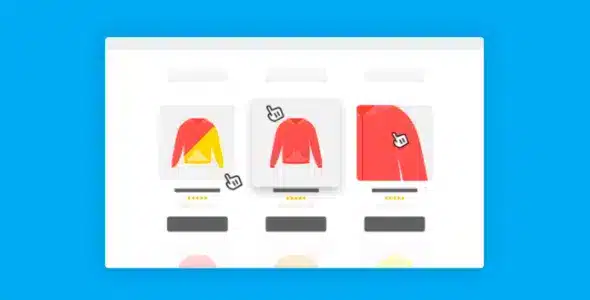
Overview of Iconic Image Swap for WooCommerce
Iconic Image Swap for WooCommerce is an essential plugin designed to significantly enhance the visual appeal and user experience of your online store. This powerful tool allows you to transform static product images into dynamic, interactive elements, making your product pages more engaging and informative for potential customers. It’s perfect for any WooCommerce store owner looking to improve conversion rates by providing a richer product browsing experience with Iconic Image Swap for WooCommerce.
Key Features of Iconic Image Swap for WooCommerce
- Instant Image Swapping on Hover: Display a different product image instantly when a customer hovers over a product thumbnail on shop or category pages. This immediate visual feedback is a core benefit of Iconic Image Swap for WooCommerce.
- Multiple Swap Styles: Choose from various elegant animation styles for the image swap, ensuring a smooth and professional transition that complements your store’s design.
- Works on Archive Pages: Elevate the browsing experience directly from your main shop and category pages, not just individual product pages, making product discovery more efficient.
- Customizable Settings: Fine-tune swap speed, delay, and other parameters to perfectly match your store’s aesthetic and branding, giving you full control over the visual effect.
- Lightweight & Optimized: Designed for performance, Iconic Image Swap for WooCommerce ensures your site remains fast and responsive, preventing any slowdowns that could deter customers.
- Easy Integration: Seamlessly integrates with your existing WooCommerce setup and most themes without requiring any coding knowledge, making it accessible for all users.
- Responsive Design: Flawlessly adapts to all devices, providing an excellent user experience whether your customers are browsing on desktop, tablet, or mobile.
- Enhance Product Discovery: Help customers quickly preview product variations, different angles, or lifestyle shots without clicking into each product page, streamlining their shopping journey.
Why Choose Iconic Image Swap for WooCommerce?
In today’s competitive e-commerce landscape, captivating your audience from the first glance is crucial. Iconic Image Swap for WooCommerce provides a simple yet highly effective way to do just that. By adding an interactive element to your product listings, you’re not just showing products; you’re inviting engagement. This subtle enhancement can significantly reduce bounce rates on category pages, as customers can gain more information about a product without committing to a full page load. It’s about delivering a richer, more intuitive browsing experience that encourages exploration and ultimately, conversion.
Choosing Iconic Image Swap for WooCommerce means investing in a tool that directly contributes to a better customer journey. Shoppers are increasingly visual, and the ability to quickly see different facets of a product, such as various colors, angles, or even how it looks in use, can be the deciding factor in a purchase. This plugin empowers your store to communicate more effectively, showcasing the depth and breadth of your product range in an engaging and accessible format. It’s a key component for any store aiming to stand out and provide a premium shopping experience.
Who Should Use Iconic Image Swap for WooCommerce?
Iconic Image Swap for WooCommerce is ideal for any WooCommerce store owner who wants to improve their product presentation and user engagement. This includes fashion retailers showcasing clothing from different angles, electronics stores highlighting product features, home goods shops displaying items in various settings, or any business with products that benefit from multiple visual representations. If you’re looking to make your product archive pages more dynamic, reduce clicks to product pages, and provide a more intuitive shopping experience, then Iconic Image Swap for WooCommerce is designed for you.
How to Install Iconic Image Swap for WooCommerce
- Download the Plugin: After acquiring Iconic Image Swap for WooCommerce, download the plugin .zip file to your computer.
- Upload to WordPress: Log in to your WordPress admin dashboard. Navigate to ‘Plugins’ > ‘Add New’ and click the ‘Upload Plugin’ button at the top of the page.
- Choose File & Install: Click ‘Choose File’, select the Iconic Image Swap for WooCommerce .zip file you downloaded, and then click ‘Install Now’.
- Activate the Plugin: Once the installation is complete, click ‘Activate Plugin’.
- Configure Settings: Go to the new ‘Iconic Image Swap’ menu item in your WordPress dashboard to configure the settings and customize the image swap behavior according to your preferences for Iconic Image Swap for WooCommerce.
Frequently Asked Questions About Iconic Image Swap for WooCommerce
Does Iconic Image Swap for WooCommerce work with all WooCommerce themes?
Iconic Image Swap for WooCommerce is designed to integrate seamlessly with most standard WooCommerce themes. While it works out of the box with many, some highly customized themes might require minor adjustments. We recommend testing it on a staging site first if you have a heavily customized theme to ensure full compatibility.
Can I customize the swap animation and speed with Iconic Image Swap for WooCommerce?
Yes, absolutely! Iconic Image Swap for WooCommerce comes with a range of customizable settings. You can choose from different animation styles, adjust the swap speed, and set delays to perfectly match your store’s aesthetic and provide the best user experience.
Will Iconic Image Swap for WooCommerce affect my website’s loading speed?
No, Iconic Image Swap for WooCommerce is developed with performance in mind. It is lightweight and optimized to ensure it enhances your product displays without negatively impacting your website’s loading speed or overall performance.
Get Iconic Image Swap for WooCommerce Today
Elevate your WooCommerce store’s visual appeal and user engagement with Iconic Image Swap for WooCommerce. Provide your customers with a dynamic and intuitive browsing experience that encourages exploration and drives conversions. Don’t let static images hold your products back; unlock their full potential with this powerful plugin. Explore this and many other premium WordPress Plugins to enhance your site, or browse our full selection of GPL WordPress Products today and transform your online store.
Related Products You May Like
Here's everything you need to know about your purchase:
- 100% original files — Every product is the genuine, virus-free file, exactly as released by the original developer.
- Instant download — Access your files immediately after purchase from your account.
- Lifetime access — Re-download your purchased files anytime. No expiry, no limits.
- Free updates — Newer version released? Just request an update from us, free for all customers.
- Dedicated support — Our team is available 24/7 for installation and file-related help.
- Easy refunds — Not satisfied? Review our Refund Policy. We offer a hassle-free 7-day guarantee.
$59.00 Original price was: $59.00.$2.00Current price is: $2.00.
Version
2.13.0
Last Updated
08/06/2026
License
GPL v2
Compatibility
WordPress 5.0+
Need latest version?
Newer version released? Request an update from us — free for all customers!
Request Update →🎁 Your Purchase Includes
Overview of Iconic Image Swap for WooCommerce
Iconic Image Swap for WooCommerce is an essential plugin designed to significantly enhance the visual appeal and user experience of your online store. This powerful tool allows you to transform static product images into dynamic, interactive elements, making your product pages more engaging and informative for potential customers. It’s perfect for any WooCommerce store owner looking to improve conversion rates by providing a richer product browsing experience with Iconic Image Swap for WooCommerce.
Key Features of Iconic Image Swap for WooCommerce
- Instant Image Swapping on Hover: Display a different product image instantly when a customer hovers over a product thumbnail on shop or category pages. This immediate visual feedback is a core benefit of Iconic Image Swap for WooCommerce.
- Multiple Swap Styles: Choose from various elegant animation styles for the image swap, ensuring a smooth and professional transition that complements your store’s design.
- Works on Archive Pages: Elevate the browsing experience directly from your main shop and category pages, not just individual product pages, making product discovery more efficient.
- Customizable Settings: Fine-tune swap speed, delay, and other parameters to perfectly match your store’s aesthetic and branding, giving you full control over the visual effect.
- Lightweight & Optimized: Designed for performance, Iconic Image Swap for WooCommerce ensures your site remains fast and responsive, preventing any slowdowns that could deter customers.
- Easy Integration: Seamlessly integrates with your existing WooCommerce setup and most themes without requiring any coding knowledge, making it accessible for all users.
- Responsive Design: Flawlessly adapts to all devices, providing an excellent user experience whether your customers are browsing on desktop, tablet, or mobile.
- Enhance Product Discovery: Help customers quickly preview product variations, different angles, or lifestyle shots without clicking into each product page, streamlining their shopping journey.
Why Choose Iconic Image Swap for WooCommerce?
In today’s competitive e-commerce landscape, captivating your audience from the first glance is crucial. Iconic Image Swap for WooCommerce provides a simple yet highly effective way to do just that. By adding an interactive element to your product listings, you’re not just showing products; you’re inviting engagement. This subtle enhancement can significantly reduce bounce rates on category pages, as customers can gain more information about a product without committing to a full page load. It’s about delivering a richer, more intuitive browsing experience that encourages exploration and ultimately, conversion.
Choosing Iconic Image Swap for WooCommerce means investing in a tool that directly contributes to a better customer journey. Shoppers are increasingly visual, and the ability to quickly see different facets of a product, such as various colors, angles, or even how it looks in use, can be the deciding factor in a purchase. This plugin empowers your store to communicate more effectively, showcasing the depth and breadth of your product range in an engaging and accessible format. It’s a key component for any store aiming to stand out and provide a premium shopping experience.
Who Should Use Iconic Image Swap for WooCommerce?
Iconic Image Swap for WooCommerce is ideal for any WooCommerce store owner who wants to improve their product presentation and user engagement. This includes fashion retailers showcasing clothing from different angles, electronics stores highlighting product features, home goods shops displaying items in various settings, or any business with products that benefit from multiple visual representations. If you’re looking to make your product archive pages more dynamic, reduce clicks to product pages, and provide a more intuitive shopping experience, then Iconic Image Swap for WooCommerce is designed for you.
How to Install Iconic Image Swap for WooCommerce
- Download the Plugin: After acquiring Iconic Image Swap for WooCommerce, download the plugin .zip file to your computer.
- Upload to WordPress: Log in to your WordPress admin dashboard. Navigate to ‘Plugins’ > ‘Add New’ and click the ‘Upload Plugin’ button at the top of the page.
- Choose File & Install: Click ‘Choose File’, select the Iconic Image Swap for WooCommerce .zip file you downloaded, and then click ‘Install Now’.
- Activate the Plugin: Once the installation is complete, click ‘Activate Plugin’.
- Configure Settings: Go to the new ‘Iconic Image Swap’ menu item in your WordPress dashboard to configure the settings and customize the image swap behavior according to your preferences for Iconic Image Swap for WooCommerce.
Frequently Asked Questions About Iconic Image Swap for WooCommerce
Does Iconic Image Swap for WooCommerce work with all WooCommerce themes?
Iconic Image Swap for WooCommerce is designed to integrate seamlessly with most standard WooCommerce themes. While it works out of the box with many, some highly customized themes might require minor adjustments. We recommend testing it on a staging site first if you have a heavily customized theme to ensure full compatibility.
Can I customize the swap animation and speed with Iconic Image Swap for WooCommerce?
Yes, absolutely! Iconic Image Swap for WooCommerce comes with a range of customizable settings. You can choose from different animation styles, adjust the swap speed, and set delays to perfectly match your store’s aesthetic and provide the best user experience.
Will Iconic Image Swap for WooCommerce affect my website’s loading speed?
No, Iconic Image Swap for WooCommerce is developed with performance in mind. It is lightweight and optimized to ensure it enhances your product displays without negatively impacting your website’s loading speed or overall performance.
Get Iconic Image Swap for WooCommerce Today
Elevate your WooCommerce store’s visual appeal and user engagement with Iconic Image Swap for WooCommerce. Provide your customers with a dynamic and intuitive browsing experience that encourages exploration and drives conversions. Don’t let static images hold your products back; unlock their full potential with this powerful plugin. Explore this and many other premium WordPress Plugins to enhance your site, or browse our full selection of GPL WordPress Products today and transform your online store.
Related Products You May Like
Reviews
There are no reviews yet.
Here's everything you need to know about your purchase:
- 100% original files — Every product is the genuine, virus-free file, exactly as released by the original developer.
- Instant download — Access your files immediately after purchase from your account.
- Lifetime access — Re-download your purchased files anytime. No expiry, no limits.
- Free updates — Newer version released? Just request an update from us, free for all customers.
- Dedicated support — Our team is available 24/7 for installation and file-related help.
- Easy refunds — Not satisfied? Review our Refund Policy. We offer a hassle-free 7-day guarantee.
Reviews
There are no reviews yet.