

Hide My WP 6.2.12 – Amazing Security Plugin for WordPress!
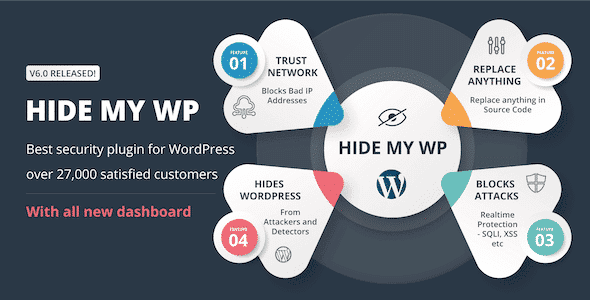
Overview of Hide My WP
Elevate your WordPress security to an unprecedented level with Hide My WP, the ultimate solution for safeguarding your website against common vulnerabilities and targeted attacks. This powerful plugin is designed to conceal the tell-tale footprints of your WordPress installation, making it significantly harder for malicious actors to identify your site as a WordPress platform and exploit its weaknesses. Whether you’re a small business owner, a thriving e-commerce store, a dedicated blogger, or a web developer managing multiple client sites, Hide My WP provides a crucial layer of defense, giving you peace of mind and protecting your valuable digital assets.
Key Features of Hide My WP
- Conceal WordPress Footprints: Hide My WP intelligently renames and obfuscates common WordPress paths, files, and directories, making it difficult for automated scanners and attackers to detect your site’s underlying technology. This includes wp-admin, wp-login.php, wp-content, and more.
- Custom Login URL: Easily change your default wp-login.php URL to a custom, unique one, preventing brute-force attacks on the standard login page. Hide My WP ensures that any attempts to access the old URL are redirected or blocked.
- Rename Themes and Plugins: Protect your site by renaming your theme and plugin directories and files. This feature of Hide My WP adds an extra layer of obscurity, preventing attackers from knowing which themes or plugins you’re using.
- Block Direct Access: Prevent direct access to PHP files, XML-RPC, and other sensitive files that are often targeted by hackers. Hide My WP enforces strict access rules to fortify your site’s defenses.
- Smart Intrusion Detection: Hide My WP includes a sophisticated intrusion detection system that identifies and blocks common malicious queries, SQL injection attempts, and cross-site scripting (XSS) attacks in real-time.
- IP Blocking and Blacklisting: Automatically or manually block suspicious IP addresses that show signs of malicious activity, further enhancing your site’s security posture with Hide My WP.
- Change Default Permalinks: Modify the structure of your permalinks to further obscure your WordPress setup, making it less obvious that your site is built on WordPress.
- Clean HTML Output: Hide My WP cleans up WordPress-specific meta tags and comments from your site’s HTML source code, removing valuable information that attackers could use to profile your site.
Why Choose Hide My WP?
In today’s digital landscape, security is not just an option; it’s a necessity. Choosing Hide My WP means opting for a proactive and intelligent security strategy that goes beyond basic firewalls. By obscuring your WordPress identity, Hide My WP significantly reduces your site’s attack surface, making it less appealing and harder to exploit for opportunistic hackers who often target known WordPress vulnerabilities. This isn’t just about hiding; it’s about making your site a needle in a haystack for those looking for easy targets.
Beyond its robust concealment capabilities, Hide My WP is designed with user-friendliness in mind. You don’t need to be a security expert to configure and benefit from its features. The intuitive interface allows you to implement advanced security measures with just a few clicks, ensuring that your site remains secure without complex coding or extensive technical knowledge. Furthermore, Hide My WP is regularly updated to adapt to new threats and maintain compatibility with the latest WordPress versions, providing continuous protection for your investment. This dedication to ongoing improvement ensures that Hide My WP remains a leading choice for WordPress security.
Investing in Hide My WP is investing in peace of mind. Knowing that your website is protected by a powerful, intelligent security plugin allows you to focus on what matters most: growing your content, engaging your audience, and expanding your business. Don’t leave your WordPress site vulnerable to the ever-evolving landscape of cyber threats. Choose Hide My WP and give your website the robust, invisible shield it deserves, keeping your data safe and your operations smooth.
Who Should Use Hide My WP?
Hide My WP is an essential tool for anyone running a WordPress website who is serious about security. This includes:
- Small Business Owners: Protect your online presence and customer data from potential breaches.
- E-commerce Stores: Safeguard sensitive transaction information and maintain customer trust.
- Bloggers and Content Creators: Secure your valuable content and personal brand.
- Web Developers and Agencies: Offer enhanced security as a premium service to your clients.
- Anyone Concerned About WordPress Security: If you want to proactively reduce your site’s vulnerability, Hide My WP is for you.
How to Install Hide My WP
Installing Hide My WP is a straightforward process, allowing you to quickly enhance your WordPress site’s security:
- Download the Plugin: After purchasing, download the Hide My WP plugin file (a .zip archive) from your account.
- Upload via WordPress Dashboard: Log in to your WordPress admin area. Navigate to ‘Plugins’ > ‘Add New’ and then click the ‘Upload Plugin’ button at the top.
- Choose and Install: Click ‘Choose File’, select the Hide My WP .zip file you downloaded, and then click ‘Install Now’.
- Activate the Plugin: Once the installation is complete, click the ‘Activate Plugin’ button. Hide My WP will now be active on your site.
- Configure Settings: Go to the newly added ‘Hide My WP’ menu item in your WordPress dashboard. Follow the setup wizard or navigate through the settings to customize your security preferences, such as changing your login URL, renaming paths, and enabling intrusion detection.
Frequently Asked Questions About Hide My WP
What exactly does Hide My WP hide?
Hide My WP is designed to obscure various WordPress footprints. This includes changing default URLs like wp-admin and wp-login.php, renaming core directories such as wp-content and wp-includes, modifying permalink structures, and even renaming themes and plugins. It also cleans up WordPress-specific meta tags from your site’s HTML source, making it much harder for automated tools and attackers to identify your site as a WordPress installation.
Will Hide My WP affect my site’s performance?
Hide My WP is developed with performance in mind. While any plugin adds a small overhead, the developers have optimized the code to ensure minimal impact on your site’s loading speed and overall performance. The benefits of enhanced security far outweigh any negligible performance considerations, ensuring that your site remains fast and secure. Regular updates also help maintain optimal performance.
Is Hide My WP compatible with other plugins and themes?
Hide My WP is built to be highly compatible with most well-coded WordPress themes and plugins. It employs intelligent methods to hide paths without breaking core functionalities. However, due to the vast number of themes and plugins available, occasional conflicts can arise. In such rare cases, the plugin offers settings to exclude specific files or paths, or you can reach out for support. Always ensure your Hide My WP plugin is updated to the latest version for the best compatibility.
Get Hide My WP Today
Don’t leave your WordPress website exposed to the ever-growing threats of the internet. Secure your digital assets with the intelligent, proactive protection of Hide My WP. By choosing this powerful plugin, you’re not just installing a security tool; you’re adopting a strategy that makes your site a much harder target for malicious actors. Enhance your website’s resilience and ensure its longevity by integrating Hide My WP into your security stack today. Explore this and other essential WordPress Plugins, and discover the full range of GPL WordPress Products available to empower your online ventures.
Related Products You May Like
Here's everything you need to know about your purchase:
- 100% original files — Every product is the genuine, virus-free file, exactly as released by the original developer.
- Instant download — Access your files immediately after purchase from your account.
- Lifetime access — Re-download your purchased files anytime. No expiry, no limits.
- Free updates — Newer version released? Just request an update from us, free for all customers.
- Dedicated support — Our team is available 24/7 for installation and file-related help.
- Easy refunds — Not satisfied? Review our Refund Policy. We offer a hassle-free 7-day guarantee.
$59.00 Original price was: $59.00.$2.00Current price is: $2.00.
Version
6.2.12
Last Updated
25/2/2026
License
GPL v2
Compatibility
WordPress 5.0+
Need latest version?
Newer version released? Request an update from us — free for all customers!
Request Update →🎁 Your Purchase Includes
Overview of Hide My WP
Elevate your WordPress security to an unprecedented level with Hide My WP, the ultimate solution for safeguarding your website against common vulnerabilities and targeted attacks. This powerful plugin is designed to conceal the tell-tale footprints of your WordPress installation, making it significantly harder for malicious actors to identify your site as a WordPress platform and exploit its weaknesses. Whether you’re a small business owner, a thriving e-commerce store, a dedicated blogger, or a web developer managing multiple client sites, Hide My WP provides a crucial layer of defense, giving you peace of mind and protecting your valuable digital assets.
Key Features of Hide My WP
- Conceal WordPress Footprints: Hide My WP intelligently renames and obfuscates common WordPress paths, files, and directories, making it difficult for automated scanners and attackers to detect your site’s underlying technology. This includes wp-admin, wp-login.php, wp-content, and more.
- Custom Login URL: Easily change your default wp-login.php URL to a custom, unique one, preventing brute-force attacks on the standard login page. Hide My WP ensures that any attempts to access the old URL are redirected or blocked.
- Rename Themes and Plugins: Protect your site by renaming your theme and plugin directories and files. This feature of Hide My WP adds an extra layer of obscurity, preventing attackers from knowing which themes or plugins you’re using.
- Block Direct Access: Prevent direct access to PHP files, XML-RPC, and other sensitive files that are often targeted by hackers. Hide My WP enforces strict access rules to fortify your site’s defenses.
- Smart Intrusion Detection: Hide My WP includes a sophisticated intrusion detection system that identifies and blocks common malicious queries, SQL injection attempts, and cross-site scripting (XSS) attacks in real-time.
- IP Blocking and Blacklisting: Automatically or manually block suspicious IP addresses that show signs of malicious activity, further enhancing your site’s security posture with Hide My WP.
- Change Default Permalinks: Modify the structure of your permalinks to further obscure your WordPress setup, making it less obvious that your site is built on WordPress.
- Clean HTML Output: Hide My WP cleans up WordPress-specific meta tags and comments from your site’s HTML source code, removing valuable information that attackers could use to profile your site.
Why Choose Hide My WP?
In today’s digital landscape, security is not just an option; it’s a necessity. Choosing Hide My WP means opting for a proactive and intelligent security strategy that goes beyond basic firewalls. By obscuring your WordPress identity, Hide My WP significantly reduces your site’s attack surface, making it less appealing and harder to exploit for opportunistic hackers who often target known WordPress vulnerabilities. This isn’t just about hiding; it’s about making your site a needle in a haystack for those looking for easy targets.
Beyond its robust concealment capabilities, Hide My WP is designed with user-friendliness in mind. You don’t need to be a security expert to configure and benefit from its features. The intuitive interface allows you to implement advanced security measures with just a few clicks, ensuring that your site remains secure without complex coding or extensive technical knowledge. Furthermore, Hide My WP is regularly updated to adapt to new threats and maintain compatibility with the latest WordPress versions, providing continuous protection for your investment. This dedication to ongoing improvement ensures that Hide My WP remains a leading choice for WordPress security.
Investing in Hide My WP is investing in peace of mind. Knowing that your website is protected by a powerful, intelligent security plugin allows you to focus on what matters most: growing your content, engaging your audience, and expanding your business. Don’t leave your WordPress site vulnerable to the ever-evolving landscape of cyber threats. Choose Hide My WP and give your website the robust, invisible shield it deserves, keeping your data safe and your operations smooth.
Who Should Use Hide My WP?
Hide My WP is an essential tool for anyone running a WordPress website who is serious about security. This includes:
- Small Business Owners: Protect your online presence and customer data from potential breaches.
- E-commerce Stores: Safeguard sensitive transaction information and maintain customer trust.
- Bloggers and Content Creators: Secure your valuable content and personal brand.
- Web Developers and Agencies: Offer enhanced security as a premium service to your clients.
- Anyone Concerned About WordPress Security: If you want to proactively reduce your site’s vulnerability, Hide My WP is for you.
How to Install Hide My WP
Installing Hide My WP is a straightforward process, allowing you to quickly enhance your WordPress site’s security:
- Download the Plugin: After purchasing, download the Hide My WP plugin file (a .zip archive) from your account.
- Upload via WordPress Dashboard: Log in to your WordPress admin area. Navigate to ‘Plugins’ > ‘Add New’ and then click the ‘Upload Plugin’ button at the top.
- Choose and Install: Click ‘Choose File’, select the Hide My WP .zip file you downloaded, and then click ‘Install Now’.
- Activate the Plugin: Once the installation is complete, click the ‘Activate Plugin’ button. Hide My WP will now be active on your site.
- Configure Settings: Go to the newly added ‘Hide My WP’ menu item in your WordPress dashboard. Follow the setup wizard or navigate through the settings to customize your security preferences, such as changing your login URL, renaming paths, and enabling intrusion detection.
Frequently Asked Questions About Hide My WP
What exactly does Hide My WP hide?
Hide My WP is designed to obscure various WordPress footprints. This includes changing default URLs like wp-admin and wp-login.php, renaming core directories such as wp-content and wp-includes, modifying permalink structures, and even renaming themes and plugins. It also cleans up WordPress-specific meta tags from your site’s HTML source, making it much harder for automated tools and attackers to identify your site as a WordPress installation.
Will Hide My WP affect my site’s performance?
Hide My WP is developed with performance in mind. While any plugin adds a small overhead, the developers have optimized the code to ensure minimal impact on your site’s loading speed and overall performance. The benefits of enhanced security far outweigh any negligible performance considerations, ensuring that your site remains fast and secure. Regular updates also help maintain optimal performance.
Is Hide My WP compatible with other plugins and themes?
Hide My WP is built to be highly compatible with most well-coded WordPress themes and plugins. It employs intelligent methods to hide paths without breaking core functionalities. However, due to the vast number of themes and plugins available, occasional conflicts can arise. In such rare cases, the plugin offers settings to exclude specific files or paths, or you can reach out for support. Always ensure your Hide My WP plugin is updated to the latest version for the best compatibility.
Get Hide My WP Today
Don’t leave your WordPress website exposed to the ever-growing threats of the internet. Secure your digital assets with the intelligent, proactive protection of Hide My WP. By choosing this powerful plugin, you’re not just installing a security tool; you’re adopting a strategy that makes your site a much harder target for malicious actors. Enhance your website’s resilience and ensure its longevity by integrating Hide My WP into your security stack today. Explore this and other essential WordPress Plugins, and discover the full range of GPL WordPress Products available to empower your online ventures.
Related Products You May Like
Reviews
There are no reviews yet.
Here's everything you need to know about your purchase:
- 100% original files — Every product is the genuine, virus-free file, exactly as released by the original developer.
- Instant download — Access your files immediately after purchase from your account.
- Lifetime access — Re-download your purchased files anytime. No expiry, no limits.
- Free updates — Newer version released? Just request an update from us, free for all customers.
- Dedicated support — Our team is available 24/7 for installation and file-related help.
- Easy refunds — Not satisfied? Review our Refund Policy. We offer a hassle-free 7-day guarantee.
Reviews
There are no reviews yet.