

Oxygen 6.1.0-beta.1 – The Visual Website Builder
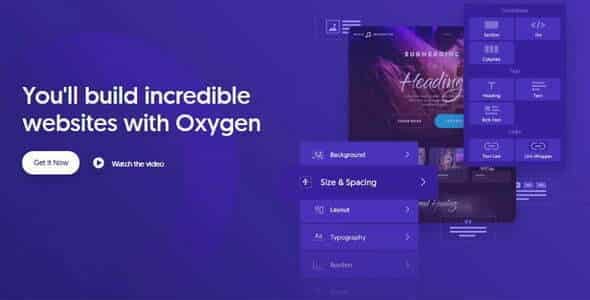
Overview of Oxygen
Oxygen is a groundbreaking visual website builder for WordPress, empowering users to create stunning, high-performance websites without writing a single line of code. It’s designed for web designers, developers, and agencies who demand ultimate control over their site’s design and functionality, offering unparalleled flexibility and a truly visual editing experience. With Oxygen, you can craft pixel-perfect layouts, dynamic templates, and bespoke designs that stand out from the crowd.
Key Features of Oxygen
- Drag-and-Drop Visual Editor: Experience a fluid, real-time editing environment where you can see changes instantly. Oxygen’s intuitive interface makes designing complex layouts simple and efficient.
- Unmatched Performance: Oxygen builds extremely lightweight and fast-loading websites, as it doesn’t rely on traditional WordPress themes. This results in superior Core Web Vitals scores and a better user experience.
- Dynamic Data Integration: Effortlessly display dynamic content from custom fields, post types, and taxonomies. Oxygen integrates seamlessly with popular tools like ACF, allowing you to build powerful data-driven sites.
- Complete Design Control: From global styles to individual element properties, Oxygen provides granular control over every aspect of your design, including typography, spacing, colors, and responsive breakpoints.
- Reusable Components & Templates: Save time and maintain consistency by creating and reusing custom components and templates across your site or even on multiple projects. Oxygen makes templating intuitive.
- WooCommerce Integration: Build custom shop pages, product layouts, and checkout experiences with Oxygen’s dedicated WooCommerce elements, giving you full control over your e-commerce store’s design.
- Developer-Friendly Options: For those who love to code, Oxygen offers hooks, filters, and the ability to insert custom CSS, JavaScript, and PHP, extending its capabilities even further.
- Responsive Design Tools: Design for every device with ease using Oxygen’s comprehensive responsive controls, allowing you to adjust layouts and styling for desktops, tablets, and mobile phones.
Why Choose Oxygen?
Choosing Oxygen means opting for a future-proof website building solution that prioritizes performance, flexibility, and creative freedom. Unlike traditional page builders that layer on top of a theme, Oxygen replaces the theme entirely, resulting in incredibly clean code and lightning-fast loading speeds. This fundamental difference is why websites built with Oxygen consistently outperform those built with other tools, leading to better SEO rankings and a more engaging user experience. The level of control Oxygen offers is truly exceptional, allowing you to craft designs that precisely match your vision without being constrained by pre-built themes or rigid structures.
Furthermore, Oxygen empowers you to build fully custom WordPress websites with an efficiency that was once reserved for expert coders. Its visual editor simplifies complex tasks, enabling you to design intricate layouts, set up dynamic content, and implement advanced functionalities with remarkable ease. Whether you’re creating a simple brochure site, a complex membership platform, or a high-volume e-commerce store, Oxygen provides the robust toolkit you need. The active community and comprehensive documentation also ensure that support and resources are always at hand, helping you leverage the full power of Oxygen for all your web projects.
Investing in Oxygen is an investment in efficiency, performance, and design excellence. It reduces development time, optimizes site speed, and gives you the creative freedom to build truly unique digital experiences. For anyone serious about professional WordPress development and design, Oxygen stands out as the ultimate visual builder.
Who Should Use Oxygen?
Oxygen is ideal for professional web designers, developers, agencies, and advanced WordPress users who demand complete control over their website’s design and performance. If you’re tired of theme limitations, seeking cleaner code, faster loading times, and a genuinely visual way to build custom WordPress sites from the ground up, then Oxygen is for you. It’s perfect for those building client sites, custom applications, or high-performance e-commerce platforms.
How to Install Oxygen
Installing Oxygen on your WordPress site is a straightforward process. Follow these steps to get started:
- Download Oxygen: After acquiring Oxygen from GPLUniverse, you will receive a zip file containing the plugin. Do not unzip this file.
- Access Your WordPress Admin: Log in to your WordPress dashboard. Navigate to “Plugins” > “Add New.”
- Upload the Plugin: Click the “Upload Plugin” button at the top of the “Add Plugins” page. Choose the Oxygen zip file you downloaded from your computer.
- Install and Activate: Click “Install Now” and then, once the installation is complete, click “Activate Plugin.”
- Begin Building with Oxygen: After activation, you’ll find Oxygen integrated into your WordPress admin. You can now start creating pages and templates using the visual builder.
Frequently Asked Questions About Oxygen
Does Oxygen require a separate theme?
No, Oxygen replaces your WordPress theme entirely. It’s designed to build your entire website, including headers, footers, post templates, and archives, without the need for a traditional theme. This is one of the key reasons why Oxygen sites are so lightweight and performant.
Is Oxygen compatible with other WordPress plugins?
Yes, Oxygen is generally compatible with most well-coded WordPress plugins. It integrates well with popular plugins for SEO, security, forms, and e-commerce like WooCommerce. If you encounter any specific compatibility issues, the Oxygen community and documentation are great resources for solutions.
Can I use Oxygen to build a responsive website?
Absolutely! Oxygen provides robust tools and controls for responsive design. You can easily adjust layouts, element sizes, typography, and visibility for different screen sizes (desktops, tablets, and mobiles) directly within the visual editor, ensuring your site looks perfect on any device. Oxygen makes responsive design intuitive.
Get Oxygen Today
Elevate your WordPress development with Oxygen, the ultimate visual website builder. Unlock unparalleled design freedom, build incredibly fast websites, and streamline your workflow with this powerful tool. Stop compromising on performance and design – choose Oxygen for your next project. Explore this and many other essential WordPress Plugins and premium GPL WordPress Products available at GPLUniverse to enhance your web development toolkit.
Related Products You May Like
Here's everything you need to know about your purchase:
- 100% original files — Every product is the genuine, virus-free file, exactly as released by the original developer.
- Instant download — Access your files immediately after purchase from your account.
- Lifetime access — Re-download your purchased files anytime. No expiry, no limits.
- Free updates — Newer version released? Just request an update from us, free for all customers.
- Dedicated support — Our team is available 24/7 for installation and file-related help.
- Easy refunds — Not satisfied? Review our Refund Policy. We offer a hassle-free 7-day guarantee.
$100.00 Original price was: $100.00.$2.00Current price is: $2.00.
Version
6.1.0-beta.1
Last Updated
05/05/2026
License
GPL v2
Compatibility
WordPress 5.0+
Need latest version?
Newer version released? Request an update from us — free for all customers!
Request Update →🎁 Your Purchase Includes
Overview of Oxygen
Oxygen is a groundbreaking visual website builder for WordPress, empowering users to create stunning, high-performance websites without writing a single line of code. It’s designed for web designers, developers, and agencies who demand ultimate control over their site’s design and functionality, offering unparalleled flexibility and a truly visual editing experience. With Oxygen, you can craft pixel-perfect layouts, dynamic templates, and bespoke designs that stand out from the crowd.
Key Features of Oxygen
- Drag-and-Drop Visual Editor: Experience a fluid, real-time editing environment where you can see changes instantly. Oxygen’s intuitive interface makes designing complex layouts simple and efficient.
- Unmatched Performance: Oxygen builds extremely lightweight and fast-loading websites, as it doesn’t rely on traditional WordPress themes. This results in superior Core Web Vitals scores and a better user experience.
- Dynamic Data Integration: Effortlessly display dynamic content from custom fields, post types, and taxonomies. Oxygen integrates seamlessly with popular tools like ACF, allowing you to build powerful data-driven sites.
- Complete Design Control: From global styles to individual element properties, Oxygen provides granular control over every aspect of your design, including typography, spacing, colors, and responsive breakpoints.
- Reusable Components & Templates: Save time and maintain consistency by creating and reusing custom components and templates across your site or even on multiple projects. Oxygen makes templating intuitive.
- WooCommerce Integration: Build custom shop pages, product layouts, and checkout experiences with Oxygen’s dedicated WooCommerce elements, giving you full control over your e-commerce store’s design.
- Developer-Friendly Options: For those who love to code, Oxygen offers hooks, filters, and the ability to insert custom CSS, JavaScript, and PHP, extending its capabilities even further.
- Responsive Design Tools: Design for every device with ease using Oxygen’s comprehensive responsive controls, allowing you to adjust layouts and styling for desktops, tablets, and mobile phones.
Why Choose Oxygen?
Choosing Oxygen means opting for a future-proof website building solution that prioritizes performance, flexibility, and creative freedom. Unlike traditional page builders that layer on top of a theme, Oxygen replaces the theme entirely, resulting in incredibly clean code and lightning-fast loading speeds. This fundamental difference is why websites built with Oxygen consistently outperform those built with other tools, leading to better SEO rankings and a more engaging user experience. The level of control Oxygen offers is truly exceptional, allowing you to craft designs that precisely match your vision without being constrained by pre-built themes or rigid structures.
Furthermore, Oxygen empowers you to build fully custom WordPress websites with an efficiency that was once reserved for expert coders. Its visual editor simplifies complex tasks, enabling you to design intricate layouts, set up dynamic content, and implement advanced functionalities with remarkable ease. Whether you’re creating a simple brochure site, a complex membership platform, or a high-volume e-commerce store, Oxygen provides the robust toolkit you need. The active community and comprehensive documentation also ensure that support and resources are always at hand, helping you leverage the full power of Oxygen for all your web projects.
Investing in Oxygen is an investment in efficiency, performance, and design excellence. It reduces development time, optimizes site speed, and gives you the creative freedom to build truly unique digital experiences. For anyone serious about professional WordPress development and design, Oxygen stands out as the ultimate visual builder.
Who Should Use Oxygen?
Oxygen is ideal for professional web designers, developers, agencies, and advanced WordPress users who demand complete control over their website’s design and performance. If you’re tired of theme limitations, seeking cleaner code, faster loading times, and a genuinely visual way to build custom WordPress sites from the ground up, then Oxygen is for you. It’s perfect for those building client sites, custom applications, or high-performance e-commerce platforms.
How to Install Oxygen
Installing Oxygen on your WordPress site is a straightforward process. Follow these steps to get started:
- Download Oxygen: After acquiring Oxygen from GPLUniverse, you will receive a zip file containing the plugin. Do not unzip this file.
- Access Your WordPress Admin: Log in to your WordPress dashboard. Navigate to “Plugins” > “Add New.”
- Upload the Plugin: Click the “Upload Plugin” button at the top of the “Add Plugins” page. Choose the Oxygen zip file you downloaded from your computer.
- Install and Activate: Click “Install Now” and then, once the installation is complete, click “Activate Plugin.”
- Begin Building with Oxygen: After activation, you’ll find Oxygen integrated into your WordPress admin. You can now start creating pages and templates using the visual builder.
Frequently Asked Questions About Oxygen
Does Oxygen require a separate theme?
No, Oxygen replaces your WordPress theme entirely. It’s designed to build your entire website, including headers, footers, post templates, and archives, without the need for a traditional theme. This is one of the key reasons why Oxygen sites are so lightweight and performant.
Is Oxygen compatible with other WordPress plugins?
Yes, Oxygen is generally compatible with most well-coded WordPress plugins. It integrates well with popular plugins for SEO, security, forms, and e-commerce like WooCommerce. If you encounter any specific compatibility issues, the Oxygen community and documentation are great resources for solutions.
Can I use Oxygen to build a responsive website?
Absolutely! Oxygen provides robust tools and controls for responsive design. You can easily adjust layouts, element sizes, typography, and visibility for different screen sizes (desktops, tablets, and mobiles) directly within the visual editor, ensuring your site looks perfect on any device. Oxygen makes responsive design intuitive.
Get Oxygen Today
Elevate your WordPress development with Oxygen, the ultimate visual website builder. Unlock unparalleled design freedom, build incredibly fast websites, and streamline your workflow with this powerful tool. Stop compromising on performance and design – choose Oxygen for your next project. Explore this and many other essential WordPress Plugins and premium GPL WordPress Products available at GPLUniverse to enhance your web development toolkit.
Related Products You May Like
Reviews
There are no reviews yet.
Here's everything you need to know about your purchase:
- 100% original files — Every product is the genuine, virus-free file, exactly as released by the original developer.
- Instant download — Access your files immediately after purchase from your account.
- Lifetime access — Re-download your purchased files anytime. No expiry, no limits.
- Free updates — Newer version released? Just request an update from us, free for all customers.
- Dedicated support — Our team is available 24/7 for installation and file-related help.
- Easy refunds — Not satisfied? Review our Refund Policy. We offer a hassle-free 7-day guarantee.
Reviews
There are no reviews yet.