

Happy Files Pro 1.9.1
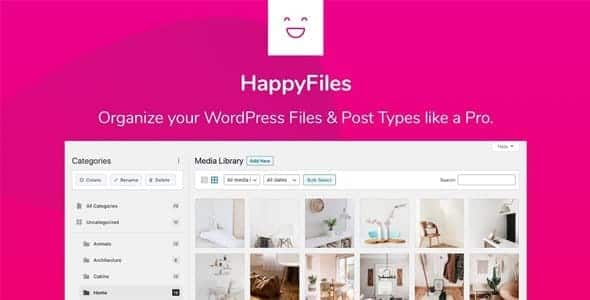
Overview of Happy Files Pro
Happy Files Pro is an indispensable WordPress plugin designed to revolutionize the way you organize your media library and posts. It empowers users to create a clean, structured, and easily navigable environment within their WordPress dashboard, making it perfect for anyone who deals with a large volume of files, pages, or custom post types. With Happy Files Pro, say goodbye to endless scrolling and hello to efficient content management.
Key Features of Happy Files Pro
- Effortless Media Organization: Happy Files Pro allows you to create unlimited folders and subfolders for all your media files. Drag-and-drop functionality makes sorting images, videos, and documents intuitive and incredibly fast, transforming a chaotic media library into a perfectly categorized archive.
- Post & Page Management: Extend the power of organization beyond just media. Categorize your WordPress posts, pages, and any custom post types into folders. This feature is a game-changer for content-rich websites, agencies managing multiple client sites, or anyone needing to quickly locate specific content.
- SVG Support with Optimization: Upload SVG files directly to your media library without security concerns. Happy Files Pro includes built-in SVG sanitization, ensuring your vector graphics are safe and performant, ideal for crisp logos and icons.
- Customizable Interface: Tailor the Happy Files Pro interface to your liking. Choose between different folder display modes, adjust sizes, and personalize the look and feel to create a workflow that perfectly suits your preferences and enhances productivity.
- Advanced Search & Filtering: Quickly find any file or post with powerful search capabilities and filters. No matter how deep your folder structure goes, Happy Files Pro ensures you can locate what you need in seconds, saving valuable time.
- Folder Access Control: For multi-user environments, Happy Files Pro offers robust access control. Restrict folder visibility and management capabilities based on user roles, ensuring sensitive content remains secure and workflows are streamlined.
- Seamless Integration: Happy Files Pro integrates flawlessly with popular page builders like Elementor, Bricks Builder, Divi, and others, as well as the classic editor and Gutenberg. This ensures a consistent and organized experience across your entire WordPress site.
- Performance Optimized: Built with performance in mind, Happy Files Pro adds negligible overhead to your WordPress site. It’s engineered to enhance your administrative experience without slowing down your website or backend operations.
Why Choose Happy Files Pro?
Choosing Happy Files Pro means investing in unparalleled organization and efficiency for your WordPress projects. In today’s fast-paced digital world, time is a precious commodity, and Happy Files Pro is engineered to save you significant hours previously lost to searching, scrolling, and struggling with a disorganized media library or content archive. Its intuitive drag-and-drop interface transforms a cumbersome task into a smooth, enjoyable process, allowing you to focus more on creation and less on administration.
Beyond just saving time, Happy Files Pro dramatically improves workflow for individuals and teams alike. Imagine a scenario where every image, document, page, or post is exactly where it should be, easily accessible with just a few clicks. This level of organization not only boosts productivity but also reduces mental clutter and stress. For agencies managing numerous client sites or large-scale projects, the ability to categorize content and media across different post types is invaluable, ensuring consistency and quick retrieval of assets.
Furthermore, Happy Files Pro is a robust solution that grows with your website. Whether you’re a budding blogger with a few hundred images or a large e-commerce store with thousands of product photos and pages, Happy Files Pro scales to meet your needs. Its commitment to performance, security (especially with SVG handling), and broad compatibility with other WordPress tools makes it a foundational plugin for any serious WordPress user looking to maintain a clean, efficient, and professional backend.
Who Should Use Happy Files Pro?
Happy Files Pro is an essential tool for a wide range of WordPress users. Web designers and developers will find it invaluable for managing client assets and project files. Digital agencies can streamline their content workflows across multiple sites. Bloggers, content creators, and publishers will appreciate the ability to organize their vast collection of images and articles. E-commerce store owners can efficiently categorize product images and descriptions. Essentially, anyone who finds their WordPress media library or post section becoming unwieldy and time-consuming will greatly benefit from the organizational power of Happy Files Pro.
How to Install Happy Files Pro
- Download the Plugin: After acquiring Happy Files Pro, download the plugin’s zip file to your computer. Ensure it is the correct version and remains in a compressed format.
- Navigate to WordPress Dashboard: Log in to your WordPress administrative area. From the main dashboard, go to “Plugins” > “Add New.”
- Upload the Plugin: Click on the “Upload Plugin” button at the top of the “Add Plugins” page. Then, click “Choose File,” locate the Happy Files Pro zip file on your computer, and select it.
- Install and Activate: Click the “Install Now” button. Once the installation is complete, WordPress will prompt you to activate the plugin. Click “Activate Plugin.”
- Configure Settings: After activation, a new menu item for Happy Files Pro will typically appear in your WordPress sidebar or under “Settings.” Navigate to its settings to configure your preferences and begin organizing your media and posts immediately.
Frequently Asked Questions About Happy Files Pro
Does Happy Files Pro work with all WordPress themes and page builders?
Yes, Happy Files Pro is designed for broad compatibility. It integrates seamlessly with popular page builders such as Elementor, Bricks Builder, Divi, Beaver Builder, and more. It also works flawlessly with the classic WordPress editor and Gutenberg, ensuring that your organization efforts are reflected consistently across your chosen editing environment and theme.
Can I organize my posts and pages, not just media files, with Happy Files Pro?
Absolutely! One of the standout features of Happy Files Pro is its ability to extend organization beyond the media library. You can create folders and subfolders for your WordPress posts, pages, and even custom post types, providing a comprehensive content management solution for your entire website.
Is Happy Files Pro performance-friendly?
Yes, performance is a key consideration in the development of Happy Files Pro. The plugin is lightweight and optimized to ensure it enhances your administrative workflow without adding any noticeable overhead to your website’s frontend or backend performance. It’s built for efficiency and speed.
Get Happy Files Pro Today
Ready to transform your WordPress workflow and bring unparalleled organization to your media and content? Embrace the power of Happy Files Pro and experience a more efficient, less cluttered WordPress experience. Start categorizing, managing, and finding your files and posts with ease. Explore Happy Files Pro and many other essential WordPress Plugins, alongside a vast array of premium GPL WordPress Products, available now to elevate your website management.
Related Products You May Like
Here's everything you need to know about your purchase:
- 100% original files — Every product is the genuine, virus-free file, exactly as released by the original developer.
- Instant download — Access your files immediately after purchase from your account.
- Lifetime access — Re-download your purchased files anytime. No expiry, no limits.
- Free updates — Newer version released? Just request an update from us, free for all customers.
- Dedicated support — Our team is available 24/7 for installation and file-related help.
- Easy refunds — Not satisfied? Review our Refund Policy. We offer a hassle-free 7-day guarantee.
$100.00 Original price was: $100.00.$2.00Current price is: $2.00.
Version
1.9.1
Last Updated
03/06/2026
License
GPL v2
Compatibility
WordPress 5.0+
Need latest version?
Newer version released? Request an update from us — free for all customers!
Request Update →🎁 Your Purchase Includes
Overview of Happy Files Pro
Happy Files Pro is an indispensable WordPress plugin designed to revolutionize the way you organize your media library and posts. It empowers users to create a clean, structured, and easily navigable environment within their WordPress dashboard, making it perfect for anyone who deals with a large volume of files, pages, or custom post types. With Happy Files Pro, say goodbye to endless scrolling and hello to efficient content management.
Key Features of Happy Files Pro
- Effortless Media Organization: Happy Files Pro allows you to create unlimited folders and subfolders for all your media files. Drag-and-drop functionality makes sorting images, videos, and documents intuitive and incredibly fast, transforming a chaotic media library into a perfectly categorized archive.
- Post & Page Management: Extend the power of organization beyond just media. Categorize your WordPress posts, pages, and any custom post types into folders. This feature is a game-changer for content-rich websites, agencies managing multiple client sites, or anyone needing to quickly locate specific content.
- SVG Support with Optimization: Upload SVG files directly to your media library without security concerns. Happy Files Pro includes built-in SVG sanitization, ensuring your vector graphics are safe and performant, ideal for crisp logos and icons.
- Customizable Interface: Tailor the Happy Files Pro interface to your liking. Choose between different folder display modes, adjust sizes, and personalize the look and feel to create a workflow that perfectly suits your preferences and enhances productivity.
- Advanced Search & Filtering: Quickly find any file or post with powerful search capabilities and filters. No matter how deep your folder structure goes, Happy Files Pro ensures you can locate what you need in seconds, saving valuable time.
- Folder Access Control: For multi-user environments, Happy Files Pro offers robust access control. Restrict folder visibility and management capabilities based on user roles, ensuring sensitive content remains secure and workflows are streamlined.
- Seamless Integration: Happy Files Pro integrates flawlessly with popular page builders like Elementor, Bricks Builder, Divi, and others, as well as the classic editor and Gutenberg. This ensures a consistent and organized experience across your entire WordPress site.
- Performance Optimized: Built with performance in mind, Happy Files Pro adds negligible overhead to your WordPress site. It’s engineered to enhance your administrative experience without slowing down your website or backend operations.
Why Choose Happy Files Pro?
Choosing Happy Files Pro means investing in unparalleled organization and efficiency for your WordPress projects. In today’s fast-paced digital world, time is a precious commodity, and Happy Files Pro is engineered to save you significant hours previously lost to searching, scrolling, and struggling with a disorganized media library or content archive. Its intuitive drag-and-drop interface transforms a cumbersome task into a smooth, enjoyable process, allowing you to focus more on creation and less on administration.
Beyond just saving time, Happy Files Pro dramatically improves workflow for individuals and teams alike. Imagine a scenario where every image, document, page, or post is exactly where it should be, easily accessible with just a few clicks. This level of organization not only boosts productivity but also reduces mental clutter and stress. For agencies managing numerous client sites or large-scale projects, the ability to categorize content and media across different post types is invaluable, ensuring consistency and quick retrieval of assets.
Furthermore, Happy Files Pro is a robust solution that grows with your website. Whether you’re a budding blogger with a few hundred images or a large e-commerce store with thousands of product photos and pages, Happy Files Pro scales to meet your needs. Its commitment to performance, security (especially with SVG handling), and broad compatibility with other WordPress tools makes it a foundational plugin for any serious WordPress user looking to maintain a clean, efficient, and professional backend.
Who Should Use Happy Files Pro?
Happy Files Pro is an essential tool for a wide range of WordPress users. Web designers and developers will find it invaluable for managing client assets and project files. Digital agencies can streamline their content workflows across multiple sites. Bloggers, content creators, and publishers will appreciate the ability to organize their vast collection of images and articles. E-commerce store owners can efficiently categorize product images and descriptions. Essentially, anyone who finds their WordPress media library or post section becoming unwieldy and time-consuming will greatly benefit from the organizational power of Happy Files Pro.
How to Install Happy Files Pro
- Download the Plugin: After acquiring Happy Files Pro, download the plugin’s zip file to your computer. Ensure it is the correct version and remains in a compressed format.
- Navigate to WordPress Dashboard: Log in to your WordPress administrative area. From the main dashboard, go to “Plugins” > “Add New.”
- Upload the Plugin: Click on the “Upload Plugin” button at the top of the “Add Plugins” page. Then, click “Choose File,” locate the Happy Files Pro zip file on your computer, and select it.
- Install and Activate: Click the “Install Now” button. Once the installation is complete, WordPress will prompt you to activate the plugin. Click “Activate Plugin.”
- Configure Settings: After activation, a new menu item for Happy Files Pro will typically appear in your WordPress sidebar or under “Settings.” Navigate to its settings to configure your preferences and begin organizing your media and posts immediately.
Frequently Asked Questions About Happy Files Pro
Does Happy Files Pro work with all WordPress themes and page builders?
Yes, Happy Files Pro is designed for broad compatibility. It integrates seamlessly with popular page builders such as Elementor, Bricks Builder, Divi, Beaver Builder, and more. It also works flawlessly with the classic WordPress editor and Gutenberg, ensuring that your organization efforts are reflected consistently across your chosen editing environment and theme.
Can I organize my posts and pages, not just media files, with Happy Files Pro?
Absolutely! One of the standout features of Happy Files Pro is its ability to extend organization beyond the media library. You can create folders and subfolders for your WordPress posts, pages, and even custom post types, providing a comprehensive content management solution for your entire website.
Is Happy Files Pro performance-friendly?
Yes, performance is a key consideration in the development of Happy Files Pro. The plugin is lightweight and optimized to ensure it enhances your administrative workflow without adding any noticeable overhead to your website’s frontend or backend performance. It’s built for efficiency and speed.
Get Happy Files Pro Today
Ready to transform your WordPress workflow and bring unparalleled organization to your media and content? Embrace the power of Happy Files Pro and experience a more efficient, less cluttered WordPress experience. Start categorizing, managing, and finding your files and posts with ease. Explore Happy Files Pro and many other essential WordPress Plugins, alongside a vast array of premium GPL WordPress Products, available now to elevate your website management.
Related Products You May Like
Reviews
There are no reviews yet.
Here's everything you need to know about your purchase:
- 100% original files — Every product is the genuine, virus-free file, exactly as released by the original developer.
- Instant download — Access your files immediately after purchase from your account.
- Lifetime access — Re-download your purchased files anytime. No expiry, no limits.
- Free updates — Newer version released? Just request an update from us, free for all customers.
- Dedicated support — Our team is available 24/7 for installation and file-related help.
- Easy refunds — Not satisfied? Review our Refund Policy. We offer a hassle-free 7-day guarantee.
Reviews
There are no reviews yet.