

WordPress Real Media Library 4.22.72
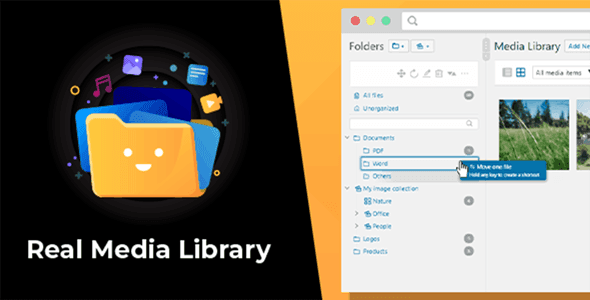
Overview of WordPress Real Media Library
The WordPress Real Media Library is an essential tool designed to bring order and efficiency to your WordPress media library. If you find yourself struggling to locate specific images, videos, or documents amidst a growing collection of files, this plugin provides a robust solution. It’s perfect for bloggers, photographers, e-commerce store owners, and anyone managing a content-rich website who needs to organize their media files into folders, collections, and galleries, just like on your desktop.
Key Features of WordPress Real Media Library
- Intuitive Folder Management: Create, rename, delete, and rearrange folders with a simple drag-and-drop interface. The WordPress Real Media Library allows you to build a structured hierarchy for all your media files, making navigation effortless.
- File and Folder Shortcuts: Save time and effort by creating shortcuts to files or folders in multiple locations without duplicating the actual files. This ensures your media is accessible from various relevant categories without consuming extra server space.
- Advanced Filtering and Sorting: Easily find what you’re looking for with powerful filtering options by file type, date, and custom criteria. The WordPress Real Media Library also supports various sorting methods to keep your media organized exactly how you need it.
- Bulk Organize and Move: Move multiple files and even entire folders with just a few clicks. This feature is a massive time-saver for websites with extensive media libraries, allowing for quick restructuring and organization.
- Custom Order for Media: Arrange your media files within folders in a custom order, which is incredibly useful for creating image galleries or showcasing portfolios exactly as you envision them.
- Seamless Integration with Page Builders: Works harmoniously with popular page builders like Elementor, Divi, and Beaver Builder, ensuring that your organized media library translates directly into your content creation workflow.
- Uploader Enhancements: The WordPress Real Media Library integrates directly into the standard WordPress media uploader, allowing you to upload files directly into specific folders, streamlining your content creation process from the start.
- Gutenberg and Classic Editor Compatibility: Whether you prefer the modern block editor or the traditional classic editor, this plugin functions flawlessly, providing a consistent and organized media experience across both interfaces.
Why Choose WordPress Real Media Library?
Choosing the WordPress Real Media Library transforms a chaotic media library into a highly efficient, navigable system. Imagine never again scrolling endlessly to find that one specific image you uploaded months ago. This plugin empowers you to manage your digital assets with the same precision and ease you’d expect from your desktop operating system, significantly reducing the time spent on administrative tasks and allowing you to focus more on creating engaging content. It’s an investment in your website’s long-term organization and your personal productivity.
The value of the WordPress Real Media Library extends beyond mere tidiness; it enhances your overall website management experience. For growing websites, a well-organized media library is crucial for maintaining performance and user experience. By making your media files easily accessible, you speed up content creation, improve collaboration if you work with a team, and ensure consistency across your site. This robust plugin is built to handle extensive media collections, offering a scalable solution that grows with your website, making it an indispensable tool for any serious WordPress user. The WordPress Real Media Library truly redefines media management.
Who Should Use WordPress Real Media Library?
The WordPress Real Media Library is ideal for anyone who regularly uploads and manages a significant number of media files on their WordPress website. This includes professional bloggers, photographers showcasing their portfolios, e-commerce businesses with extensive product image galleries, web designers and agencies managing client sites, and content creators who frequently use diverse media types. Essentially, if your media library feels overwhelming or unmanageable, the WordPress Real Media Library is for you.
How to Install WordPress Real Media Library
- Download the Plugin: After acquiring the WordPress Real Media Library, download the plugin file (a .zip archive) to your computer.
- Upload via WordPress Dashboard: Log in to your WordPress admin area. Navigate to ‘Plugins’ > ‘Add New’ and then click the ‘Upload Plugin’ button at the top of the page.
- Choose and Install: Click ‘Choose File’, select the downloaded .zip file for WordPress Real Media Library from your computer, and then click ‘Install Now’.
- Activate the Plugin: Once the installation is complete, click ‘Activate Plugin’. You will then see the WordPress Real Media Library options appear in your media library interface.
- Configure Settings: Explore the new media library interface and plugin settings to tailor the organization features to your specific needs.
Frequently Asked Questions About WordPress Real Media Library
How does WordPress Real Media Library improve media management?
The WordPress Real Media Library transforms the default flat WordPress media library into a hierarchical folder structure, similar to a desktop file system. This allows you to categorize, sort, and search for media files much more efficiently, significantly reducing the time and effort required to manage your digital assets. It brings order and intuitive navigation to even the largest media collections.
Is WordPress Real Media Library compatible with other plugins and themes?
Yes, the WordPress Real Media Library is designed for broad compatibility. It integrates seamlessly with popular page builders like Elementor, Divi, and Beaver Builder, as well as the Gutenberg editor and classic editor. It also works well with most well-coded WordPress themes and other media-related plugins, ensuring a smooth experience without conflicts.
Does WordPress Real Media Library affect website performance with a large number of files?
The WordPress Real Media Library is optimized for performance, even with extensive media libraries. It’s built to handle thousands of files efficiently without significantly impacting your website’s loading speed or server resources. The plugin focuses on improving the backend management experience without compromising frontend performance.
Get WordPress Real Media Library Today
Take control of your digital assets and elevate your WordPress experience with the WordPress Real Media Library. Say goodbye to endless scrolling and hello to a perfectly organized media library that enhances your workflow and saves you valuable time. Unlock the full potential of your website’s media management. Explore this and many other premium WordPress Plugins, along with a wide range of other high-quality GPL WordPress Products, to build and optimize your dream website today.
Related Products You May Like
Here's everything you need to know about your purchase:
- 100% original files — Every product is the genuine, virus-free file, exactly as released by the original developer.
- Instant download — Access your files immediately after purchase from your account.
- Lifetime access — Re-download your purchased files anytime. No expiry, no limits.
- Free updates — Newer version released? Just request an update from us, free for all customers.
- Dedicated support — Our team is available 24/7 for installation and file-related help.
- Easy refunds — Not satisfied? Review our Refund Policy. We offer a hassle-free 7-day guarantee.
$100.00 Original price was: $100.00.$2.00Current price is: $2.00.
Version
4.22.72
Last Updated
29/04/2026
License
GPL v2
Compatibility
WordPress 5.0+
Need latest version?
Newer version released? Request an update from us — free for all customers!
Request Update →🎁 Your Purchase Includes
Overview of WordPress Real Media Library
The WordPress Real Media Library is an essential tool designed to bring order and efficiency to your WordPress media library. If you find yourself struggling to locate specific images, videos, or documents amidst a growing collection of files, this plugin provides a robust solution. It’s perfect for bloggers, photographers, e-commerce store owners, and anyone managing a content-rich website who needs to organize their media files into folders, collections, and galleries, just like on your desktop.
Key Features of WordPress Real Media Library
- Intuitive Folder Management: Create, rename, delete, and rearrange folders with a simple drag-and-drop interface. The WordPress Real Media Library allows you to build a structured hierarchy for all your media files, making navigation effortless.
- File and Folder Shortcuts: Save time and effort by creating shortcuts to files or folders in multiple locations without duplicating the actual files. This ensures your media is accessible from various relevant categories without consuming extra server space.
- Advanced Filtering and Sorting: Easily find what you’re looking for with powerful filtering options by file type, date, and custom criteria. The WordPress Real Media Library also supports various sorting methods to keep your media organized exactly how you need it.
- Bulk Organize and Move: Move multiple files and even entire folders with just a few clicks. This feature is a massive time-saver for websites with extensive media libraries, allowing for quick restructuring and organization.
- Custom Order for Media: Arrange your media files within folders in a custom order, which is incredibly useful for creating image galleries or showcasing portfolios exactly as you envision them.
- Seamless Integration with Page Builders: Works harmoniously with popular page builders like Elementor, Divi, and Beaver Builder, ensuring that your organized media library translates directly into your content creation workflow.
- Uploader Enhancements: The WordPress Real Media Library integrates directly into the standard WordPress media uploader, allowing you to upload files directly into specific folders, streamlining your content creation process from the start.
- Gutenberg and Classic Editor Compatibility: Whether you prefer the modern block editor or the traditional classic editor, this plugin functions flawlessly, providing a consistent and organized media experience across both interfaces.
Why Choose WordPress Real Media Library?
Choosing the WordPress Real Media Library transforms a chaotic media library into a highly efficient, navigable system. Imagine never again scrolling endlessly to find that one specific image you uploaded months ago. This plugin empowers you to manage your digital assets with the same precision and ease you’d expect from your desktop operating system, significantly reducing the time spent on administrative tasks and allowing you to focus more on creating engaging content. It’s an investment in your website’s long-term organization and your personal productivity.
The value of the WordPress Real Media Library extends beyond mere tidiness; it enhances your overall website management experience. For growing websites, a well-organized media library is crucial for maintaining performance and user experience. By making your media files easily accessible, you speed up content creation, improve collaboration if you work with a team, and ensure consistency across your site. This robust plugin is built to handle extensive media collections, offering a scalable solution that grows with your website, making it an indispensable tool for any serious WordPress user. The WordPress Real Media Library truly redefines media management.
Who Should Use WordPress Real Media Library?
The WordPress Real Media Library is ideal for anyone who regularly uploads and manages a significant number of media files on their WordPress website. This includes professional bloggers, photographers showcasing their portfolios, e-commerce businesses with extensive product image galleries, web designers and agencies managing client sites, and content creators who frequently use diverse media types. Essentially, if your media library feels overwhelming or unmanageable, the WordPress Real Media Library is for you.
How to Install WordPress Real Media Library
- Download the Plugin: After acquiring the WordPress Real Media Library, download the plugin file (a .zip archive) to your computer.
- Upload via WordPress Dashboard: Log in to your WordPress admin area. Navigate to ‘Plugins’ > ‘Add New’ and then click the ‘Upload Plugin’ button at the top of the page.
- Choose and Install: Click ‘Choose File’, select the downloaded .zip file for WordPress Real Media Library from your computer, and then click ‘Install Now’.
- Activate the Plugin: Once the installation is complete, click ‘Activate Plugin’. You will then see the WordPress Real Media Library options appear in your media library interface.
- Configure Settings: Explore the new media library interface and plugin settings to tailor the organization features to your specific needs.
Frequently Asked Questions About WordPress Real Media Library
How does WordPress Real Media Library improve media management?
The WordPress Real Media Library transforms the default flat WordPress media library into a hierarchical folder structure, similar to a desktop file system. This allows you to categorize, sort, and search for media files much more efficiently, significantly reducing the time and effort required to manage your digital assets. It brings order and intuitive navigation to even the largest media collections.
Is WordPress Real Media Library compatible with other plugins and themes?
Yes, the WordPress Real Media Library is designed for broad compatibility. It integrates seamlessly with popular page builders like Elementor, Divi, and Beaver Builder, as well as the Gutenberg editor and classic editor. It also works well with most well-coded WordPress themes and other media-related plugins, ensuring a smooth experience without conflicts.
Does WordPress Real Media Library affect website performance with a large number of files?
The WordPress Real Media Library is optimized for performance, even with extensive media libraries. It’s built to handle thousands of files efficiently without significantly impacting your website’s loading speed or server resources. The plugin focuses on improving the backend management experience without compromising frontend performance.
Get WordPress Real Media Library Today
Take control of your digital assets and elevate your WordPress experience with the WordPress Real Media Library. Say goodbye to endless scrolling and hello to a perfectly organized media library that enhances your workflow and saves you valuable time. Unlock the full potential of your website’s media management. Explore this and many other premium WordPress Plugins, along with a wide range of other high-quality GPL WordPress Products, to build and optimize your dream website today.
Related Products You May Like
Reviews
There are no reviews yet.
Here's everything you need to know about your purchase:
- 100% original files — Every product is the genuine, virus-free file, exactly as released by the original developer.
- Instant download — Access your files immediately after purchase from your account.
- Lifetime access — Re-download your purchased files anytime. No expiry, no limits.
- Free updates — Newer version released? Just request an update from us, free for all customers.
- Dedicated support — Our team is available 24/7 for installation and file-related help.
- Easy refunds — Not satisfied? Review our Refund Policy. We offer a hassle-free 7-day guarantee.
Reviews
There are no reviews yet.