

SmashBallon Custom YouTube Feeds Pro 2.6.3
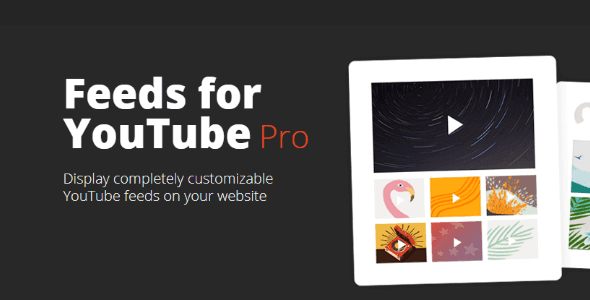
Overview of SmashBallon Custom YouTube Feeds
Transform your WordPress website into a dynamic hub of video content with SmashBallon Custom YouTube Feeds. This powerful plugin allows you to effortlessly display customizable YouTube feeds from any channel, playlist, or even a specific set of videos directly on your site. Designed for content creators, businesses, and bloggers alike, SmashBallon Custom YouTube Feeds is the ultimate solution for showcasing your video presence and keeping your audience engaged without ever leaving your website.
Key Features of SmashBallon Custom YouTube Feeds
- Effortless Setup & Integration: Get your YouTube feeds up and running in minutes with a user-friendly interface and intuitive setup wizard. SmashBallon Custom YouTube Feeds simplifies the process from connection to display.
- Highly Customizable Layouts: Choose from various stunning layouts including grid, gallery, list, and carousel to perfectly match your website’s aesthetic. Every aspect of your SmashBallon Custom YouTube Feeds display is fully controllable.
- Multiple Feed Types: Display videos from any YouTube channel, specific playlists, a collection of video IDs, or even live streams. With SmashBallon Custom YouTube Feeds, your content options are limitless.
- Responsive & Mobile-Ready: Ensure your video content looks fantastic on any device, from desktops to smartphones. SmashBallon Custom YouTube Feeds is built with responsiveness in mind, guaranteeing a seamless user experience.
- Smart Caching for Performance: Optimize your site’s loading speed with intelligent caching, preventing slow page loads while keeping your video feeds fresh. SmashBallon Custom YouTube Feeds prioritizes both performance and up-to-date content.
- Advanced Filtering & Moderation: Take full control over the content displayed by filtering videos by keyword, excluding specific videos, or moderating content before it goes live. Maintain brand consistency with SmashBallon Custom YouTube Feeds.
- SEO-Friendly Design: Boost your website’s visibility with feeds that are optimized for search engines, helping your video content and website rank higher. SmashBallon Custom YouTube Feeds contributes to your overall SEO strategy.
- Customizable Playback Options: Decide how videos play, whether inline, in a lightbox, or directly on YouTube. You can also customize player controls and autoplay settings for an optimal user experience with SmashBallon Custom YouTube Feeds.
Why Choose SmashBallon Custom YouTube Feeds?
Choosing SmashBallon Custom YouTube Feeds means investing in a robust, reliable, and incredibly flexible solution for integrating YouTube content into your WordPress site. It eliminates the need for manual embedding, saving you countless hours while ensuring your video content is always fresh and engaging. This plugin is not just about displaying videos; it’s about creating an immersive video experience that keeps visitors on your site longer, exploring more of your content, and ultimately converting them into loyal followers or customers.
The value proposition of SmashBallon Custom YouTube Feeds extends beyond mere functionality. It empowers you to leverage the immense power of video marketing directly on your platform, enhancing user engagement and improving your site’s overall appeal. With its comprehensive customization options, you can maintain a consistent brand image across all your digital touchpoints. Furthermore, its performance-focused design ensures that integrating rich video content doesn’t come at the cost of your website’s speed or user experience, making SmashBallon Custom YouTube Feeds a smart choice for any serious WordPress user.
Who Should Use SmashBallon Custom YouTube Feeds?
SmashBallon Custom YouTube Feeds is ideal for a wide range of users. Content creators and vloggers can easily showcase their latest uploads, driving traffic to their videos while keeping audiences on their own website. Businesses and e-commerce stores can utilize it to display product reviews, tutorials, or brand stories, building trust and informing potential customers. Bloggers and online publishers can enrich their articles with relevant video content, increasing engagement and time spent on page. Essentially, anyone looking to seamlessly integrate and beautifully display YouTube videos on their WordPress site will find SmashBallon Custom YouTube Feeds an indispensable tool.
How to Install SmashBallon Custom YouTube Feeds
- Download the Plugin: After your purchase, download the SmashBallon Custom YouTube Feeds plugin file from your account.
- Upload to WordPress: Log in to your WordPress admin dashboard. Navigate to ‘Plugins’ > ‘Add New’ and then click the ‘Upload Plugin’ button at the top. Choose the downloaded .zip file and click ‘Install Now’.
- Activate the Plugin: Once the installation is complete, click the ‘Activate Plugin’ link. SmashBallon Custom YouTube Feeds will now be active on your site.
- Connect Your YouTube Account: Go to the new ‘YouTube Feeds’ menu item in your WordPress dashboard. Follow the prompts to connect your YouTube account or obtain an API key, which allows SmashBallon Custom YouTube Feeds to fetch your videos.
- Create Your First Feed: Start customizing your feed by selecting your desired channel, playlist, or video IDs. Configure layout, styling, and other options, then embed the generated shortcode on any page or post using SmashBallon Custom YouTube Feeds.
Frequently Asked Questions About SmashBallon Custom YouTube Feeds
Is SmashBallon Custom YouTube Feeds mobile-responsive?
Yes, absolutely! SmashBallon Custom YouTube Feeds is built with a mobile-first approach, ensuring that all your video feeds display beautifully and function perfectly across all devices, including desktops, tablets, and smartphones. Your audience will have an optimal viewing experience regardless of how they access your site.
Can I customize the appearance of my YouTube feeds?
Certainly! SmashBallon Custom YouTube Feeds offers extensive customization options. You can control layouts (grid, gallery, list, carousel), colors, fonts, button styles, and much more to perfectly match your website’s branding and design. Every aspect of your feed’s appearance is at your fingertips.
Does SmashBallon Custom YouTube Feeds affect my website’s loading speed?
No, quite the opposite. SmashBallon Custom YouTube Feeds is designed with performance in mind. It utilizes smart caching to store feed data, reducing the number of requests to YouTube’s API and ensuring your pages load quickly. This intelligent caching mechanism helps maintain your site’s speed while keeping your video content fresh.
Get SmashBallon Custom YouTube Feeds Today
Ready to elevate your WordPress website with stunning, dynamic YouTube content? Don’t miss out on the opportunity to engage your audience like never before. Enhance your site’s content strategy and user experience by adding SmashBallon Custom YouTube Feeds to your toolkit. Explore this and many other premium WordPress Plugins available. Dive into our extensive collection of GPL WordPress Products and discover the tools you need to build and grow your online presence effectively.
Related Products You May Like
Here's everything you need to know about your purchase:
- 100% original files — Every product is the genuine, virus-free file, exactly as released by the original developer.
- Instant download — Access your files immediately after purchase from your account.
- Lifetime access — Re-download your purchased files anytime. No expiry, no limits.
- Free updates — Newer version released? Just request an update from us, free for all customers.
- Dedicated support — Our team is available 24/7 for installation and file-related help.
- Easy refunds — Not satisfied? Review our Refund Policy. We offer a hassle-free 7-day guarantee.
$100.00 Original price was: $100.00.$2.00Current price is: $2.00.
Version
2.6.3
Last Updated
01/01/2026
License
GPL v2
Compatibility
WordPress 5.0+
Need latest version?
Newer version released? Request an update from us — free for all customers!
Request Update →🎁 Your Purchase Includes
Overview of SmashBallon Custom YouTube Feeds
Transform your WordPress website into a dynamic hub of video content with SmashBallon Custom YouTube Feeds. This powerful plugin allows you to effortlessly display customizable YouTube feeds from any channel, playlist, or even a specific set of videos directly on your site. Designed for content creators, businesses, and bloggers alike, SmashBallon Custom YouTube Feeds is the ultimate solution for showcasing your video presence and keeping your audience engaged without ever leaving your website.
Key Features of SmashBallon Custom YouTube Feeds
- Effortless Setup & Integration: Get your YouTube feeds up and running in minutes with a user-friendly interface and intuitive setup wizard. SmashBallon Custom YouTube Feeds simplifies the process from connection to display.
- Highly Customizable Layouts: Choose from various stunning layouts including grid, gallery, list, and carousel to perfectly match your website’s aesthetic. Every aspect of your SmashBallon Custom YouTube Feeds display is fully controllable.
- Multiple Feed Types: Display videos from any YouTube channel, specific playlists, a collection of video IDs, or even live streams. With SmashBallon Custom YouTube Feeds, your content options are limitless.
- Responsive & Mobile-Ready: Ensure your video content looks fantastic on any device, from desktops to smartphones. SmashBallon Custom YouTube Feeds is built with responsiveness in mind, guaranteeing a seamless user experience.
- Smart Caching for Performance: Optimize your site’s loading speed with intelligent caching, preventing slow page loads while keeping your video feeds fresh. SmashBallon Custom YouTube Feeds prioritizes both performance and up-to-date content.
- Advanced Filtering & Moderation: Take full control over the content displayed by filtering videos by keyword, excluding specific videos, or moderating content before it goes live. Maintain brand consistency with SmashBallon Custom YouTube Feeds.
- SEO-Friendly Design: Boost your website’s visibility with feeds that are optimized for search engines, helping your video content and website rank higher. SmashBallon Custom YouTube Feeds contributes to your overall SEO strategy.
- Customizable Playback Options: Decide how videos play, whether inline, in a lightbox, or directly on YouTube. You can also customize player controls and autoplay settings for an optimal user experience with SmashBallon Custom YouTube Feeds.
Why Choose SmashBallon Custom YouTube Feeds?
Choosing SmashBallon Custom YouTube Feeds means investing in a robust, reliable, and incredibly flexible solution for integrating YouTube content into your WordPress site. It eliminates the need for manual embedding, saving you countless hours while ensuring your video content is always fresh and engaging. This plugin is not just about displaying videos; it’s about creating an immersive video experience that keeps visitors on your site longer, exploring more of your content, and ultimately converting them into loyal followers or customers.
The value proposition of SmashBallon Custom YouTube Feeds extends beyond mere functionality. It empowers you to leverage the immense power of video marketing directly on your platform, enhancing user engagement and improving your site’s overall appeal. With its comprehensive customization options, you can maintain a consistent brand image across all your digital touchpoints. Furthermore, its performance-focused design ensures that integrating rich video content doesn’t come at the cost of your website’s speed or user experience, making SmashBallon Custom YouTube Feeds a smart choice for any serious WordPress user.
Who Should Use SmashBallon Custom YouTube Feeds?
SmashBallon Custom YouTube Feeds is ideal for a wide range of users. Content creators and vloggers can easily showcase their latest uploads, driving traffic to their videos while keeping audiences on their own website. Businesses and e-commerce stores can utilize it to display product reviews, tutorials, or brand stories, building trust and informing potential customers. Bloggers and online publishers can enrich their articles with relevant video content, increasing engagement and time spent on page. Essentially, anyone looking to seamlessly integrate and beautifully display YouTube videos on their WordPress site will find SmashBallon Custom YouTube Feeds an indispensable tool.
How to Install SmashBallon Custom YouTube Feeds
- Download the Plugin: After your purchase, download the SmashBallon Custom YouTube Feeds plugin file from your account.
- Upload to WordPress: Log in to your WordPress admin dashboard. Navigate to ‘Plugins’ > ‘Add New’ and then click the ‘Upload Plugin’ button at the top. Choose the downloaded .zip file and click ‘Install Now’.
- Activate the Plugin: Once the installation is complete, click the ‘Activate Plugin’ link. SmashBallon Custom YouTube Feeds will now be active on your site.
- Connect Your YouTube Account: Go to the new ‘YouTube Feeds’ menu item in your WordPress dashboard. Follow the prompts to connect your YouTube account or obtain an API key, which allows SmashBallon Custom YouTube Feeds to fetch your videos.
- Create Your First Feed: Start customizing your feed by selecting your desired channel, playlist, or video IDs. Configure layout, styling, and other options, then embed the generated shortcode on any page or post using SmashBallon Custom YouTube Feeds.
Frequently Asked Questions About SmashBallon Custom YouTube Feeds
Is SmashBallon Custom YouTube Feeds mobile-responsive?
Yes, absolutely! SmashBallon Custom YouTube Feeds is built with a mobile-first approach, ensuring that all your video feeds display beautifully and function perfectly across all devices, including desktops, tablets, and smartphones. Your audience will have an optimal viewing experience regardless of how they access your site.
Can I customize the appearance of my YouTube feeds?
Certainly! SmashBallon Custom YouTube Feeds offers extensive customization options. You can control layouts (grid, gallery, list, carousel), colors, fonts, button styles, and much more to perfectly match your website’s branding and design. Every aspect of your feed’s appearance is at your fingertips.
Does SmashBallon Custom YouTube Feeds affect my website’s loading speed?
No, quite the opposite. SmashBallon Custom YouTube Feeds is designed with performance in mind. It utilizes smart caching to store feed data, reducing the number of requests to YouTube’s API and ensuring your pages load quickly. This intelligent caching mechanism helps maintain your site’s speed while keeping your video content fresh.
Get SmashBallon Custom YouTube Feeds Today
Ready to elevate your WordPress website with stunning, dynamic YouTube content? Don’t miss out on the opportunity to engage your audience like never before. Enhance your site’s content strategy and user experience by adding SmashBallon Custom YouTube Feeds to your toolkit. Explore this and many other premium WordPress Plugins available. Dive into our extensive collection of GPL WordPress Products and discover the tools you need to build and grow your online presence effectively.
Related Products You May Like
Reviews
There are no reviews yet.
Here's everything you need to know about your purchase:
- 100% original files — Every product is the genuine, virus-free file, exactly as released by the original developer.
- Instant download — Access your files immediately after purchase from your account.
- Lifetime access — Re-download your purchased files anytime. No expiry, no limits.
- Free updates — Newer version released? Just request an update from us, free for all customers.
- Dedicated support — Our team is available 24/7 for installation and file-related help.
- Easy refunds — Not satisfied? Review our Refund Policy. We offer a hassle-free 7-day guarantee.
Reviews
There are no reviews yet.