

WooCommerce Order Approval 9.4
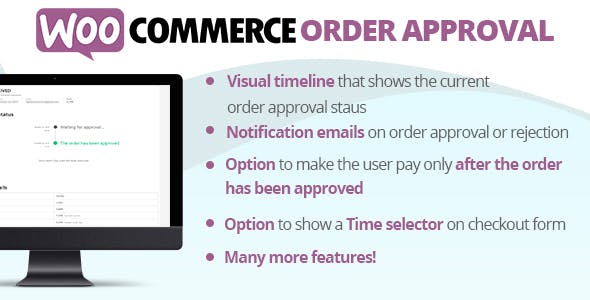
Overview of WooCommerce Order Approval
WooCommerce Order Approval is an essential plugin designed to give store owners complete control over their order fulfillment process. It empowers e-commerce businesses to review and manually approve or reject orders before they proceed to payment or shipping, ensuring every transaction meets specific criteria. This powerful tool is perfect for businesses that require an extra layer of verification, manage custom orders, or deal with B2B transactions.
Key Features of WooCommerce Order Approval
- Manual Order Approval System: Gain full control by manually approving or rejecting orders, providing a critical checkpoint before any payment is processed or goods are dispatched. This feature is central to WooCommerce Order Approval, offering unparalleled oversight.
- Customizable Statuses and Notifications: Configure unique order statuses and set up automated email notifications for customers, informing them when their order is pending approval, approved, or rejected, enhancing communication and transparency.
- Flexible Approval Rules: Define specific conditions for when an order requires approval. This could be based on product categories, user roles, total order value, or even individual products, making WooCommerce Order Approval highly adaptable to your business logic.
- Admin Approval Workflow: Streamline the approval process within the WooCommerce admin panel. Store managers can easily view pending orders, review details, and take action directly from their dashboard, improving operational efficiency.
- Customer-Facing Messaging: Display custom messages to customers on their order pages or during checkout, clearly communicating that their order requires approval, managing expectations from the outset.
- Payment Gateway Integration: Seamlessly integrates with existing WooCommerce payment gateways, allowing payments to be processed only after an order has received approval, preventing premature transactions.
- Order History and Logging: Maintain a comprehensive log of all approval actions, including who approved or rejected an order and when, providing an audit trail for better accountability and record-keeping with WooCommerce Order Approval.
- Bulk Approval/Rejection: Save time by approving or rejecting multiple pending orders simultaneously, a valuable feature for stores with high order volumes.
Why Choose WooCommerce Order Approval?
Choosing WooCommerce Order Approval means investing in a robust solution that brings unparalleled control and flexibility to your online store. For businesses operating in niche markets, handling high-value products, or managing B2B relationships, the ability to review each order before commitment is invaluable. It helps prevent fraudulent orders, ensures compliance with specific customer agreements, and allows for manual adjustments or communications before an order is finalized. This level of oversight can significantly reduce returns, chargebacks, and administrative headaches, ultimately protecting your revenue and reputation.
Beyond security and control, WooCommerce Order Approval enhances the customer experience by providing clear communication throughout the order process. Customers are kept informed about the status of their order, reducing uncertainty and improving trust. For stores that offer custom products or services requiring a quote or confirmation, this plugin facilitates a smooth workflow, allowing you to provide accurate pricing and details post-order placement but pre-payment. It’s an indispensable tool for maintaining a professional and efficient operation, ensuring every order aligns with your business standards before progressing.
Who Should Use WooCommerce Order Approval?
WooCommerce Order Approval is ideal for a diverse range of businesses looking for greater control over their sales pipeline. This includes B2B stores needing to verify client credentials or custom pricing before processing payments, wholesale businesses that require manual checks on bulk orders, and stores selling high-value or regulated products where an additional layer of verification is crucial. Furthermore, any business offering custom-made items, services requiring detailed consultation, or simply wanting to mitigate fraud risks will find WooCommerce Order Approval to be an invaluable asset. It also benefits stores that need to manually adjust shipping costs or tax implications post-order submission but pre-payment.
How to Install WooCommerce Order Approval
- Download the Plugin: After purchasing WooCommerce Order Approval from a trusted source, you will receive a downloadable .zip file containing the plugin.
- Upload to WordPress: Log in to your WordPress admin dashboard. Navigate to ‘Plugins’ > ‘Add New’ and then click the ‘Upload Plugin’ button at the top of the page.
- Choose File and Install: Click ‘Choose File’, select the WooCommerce Order Approval .zip file you downloaded, and then click ‘Install Now’.
- Activate the Plugin: Once the installation is complete, click the ‘Activate Plugin’ button.
- Configure Settings: Go to ‘WooCommerce’ > ‘Settings’ > ‘Order Approval’ (or similar menu item) to configure the plugin’s rules, notifications, and other settings according to your store’s requirements. Your WooCommerce Order Approval system is now ready to use!
Frequently Asked Questions About WooCommerce Order Approval
What happens when an order is pending approval?
When an order is pending approval, it means the customer has placed the order, but payment has not yet been processed, and the order will not proceed to fulfillment until a store administrator manually approves it. The customer will typically see a custom message indicating the order is awaiting review, and they will receive a notification once a decision is made.
Can I set specific rules for which orders require approval?
Yes, WooCommerce Order Approval offers extensive flexibility to define specific conditions under which an order will require approval. You can set rules based on various criteria such as particular products in the cart, specific product categories, the total order amount, the customer’s user role, or even individual customer accounts.
How do customers know their order status with WooCommerce Order Approval?
WooCommerce Order Approval integrates with WooCommerce’s notification system. Customers receive automated email updates when their order status changes from pending approval to either approved or rejected. They can also view the current status on their ‘My Account’ page within your store, ensuring complete transparency.
Get WooCommerce Order Approval Today
Empower your e-commerce store with the control and flexibility it deserves. Integrate WooCommerce Order Approval into your operations and streamline your order management process, enhance security, and improve customer satisfaction. Take the proactive step to manage your orders effectively and ensure every transaction meets your business standards. Explore this and other essential WordPress Plugins, and discover a world of premium GPL WordPress Products designed to elevate your online business.
Related Products You May Like
Here's everything you need to know about your purchase:
- 100% original files — Every product is the genuine, virus-free file, exactly as released by the original developer.
- Instant download — Access your files immediately after purchase from your account.
- Lifetime access — Re-download your purchased files anytime. No expiry, no limits.
- Free updates — Newer version released? Just request an update from us, free for all customers.
- Dedicated support — Our team is available 24/7 for installation and file-related help.
- Easy refunds — Not satisfied? Review our Refund Policy. We offer a hassle-free 7-day guarantee.
$100.00 Original price was: $100.00.$2.00Current price is: $2.00.
Version
9.4
Last Updated
11/12/2024
License
GPL v2
Compatibility
WordPress 5.0+
Need latest version?
Newer version released? Request an update from us — free for all customers!
Request Update →🎁 Your Purchase Includes
Overview of WooCommerce Order Approval
WooCommerce Order Approval is an essential plugin designed to give store owners complete control over their order fulfillment process. It empowers e-commerce businesses to review and manually approve or reject orders before they proceed to payment or shipping, ensuring every transaction meets specific criteria. This powerful tool is perfect for businesses that require an extra layer of verification, manage custom orders, or deal with B2B transactions.
Key Features of WooCommerce Order Approval
- Manual Order Approval System: Gain full control by manually approving or rejecting orders, providing a critical checkpoint before any payment is processed or goods are dispatched. This feature is central to WooCommerce Order Approval, offering unparalleled oversight.
- Customizable Statuses and Notifications: Configure unique order statuses and set up automated email notifications for customers, informing them when their order is pending approval, approved, or rejected, enhancing communication and transparency.
- Flexible Approval Rules: Define specific conditions for when an order requires approval. This could be based on product categories, user roles, total order value, or even individual products, making WooCommerce Order Approval highly adaptable to your business logic.
- Admin Approval Workflow: Streamline the approval process within the WooCommerce admin panel. Store managers can easily view pending orders, review details, and take action directly from their dashboard, improving operational efficiency.
- Customer-Facing Messaging: Display custom messages to customers on their order pages or during checkout, clearly communicating that their order requires approval, managing expectations from the outset.
- Payment Gateway Integration: Seamlessly integrates with existing WooCommerce payment gateways, allowing payments to be processed only after an order has received approval, preventing premature transactions.
- Order History and Logging: Maintain a comprehensive log of all approval actions, including who approved or rejected an order and when, providing an audit trail for better accountability and record-keeping with WooCommerce Order Approval.
- Bulk Approval/Rejection: Save time by approving or rejecting multiple pending orders simultaneously, a valuable feature for stores with high order volumes.
Why Choose WooCommerce Order Approval?
Choosing WooCommerce Order Approval means investing in a robust solution that brings unparalleled control and flexibility to your online store. For businesses operating in niche markets, handling high-value products, or managing B2B relationships, the ability to review each order before commitment is invaluable. It helps prevent fraudulent orders, ensures compliance with specific customer agreements, and allows for manual adjustments or communications before an order is finalized. This level of oversight can significantly reduce returns, chargebacks, and administrative headaches, ultimately protecting your revenue and reputation.
Beyond security and control, WooCommerce Order Approval enhances the customer experience by providing clear communication throughout the order process. Customers are kept informed about the status of their order, reducing uncertainty and improving trust. For stores that offer custom products or services requiring a quote or confirmation, this plugin facilitates a smooth workflow, allowing you to provide accurate pricing and details post-order placement but pre-payment. It’s an indispensable tool for maintaining a professional and efficient operation, ensuring every order aligns with your business standards before progressing.
Who Should Use WooCommerce Order Approval?
WooCommerce Order Approval is ideal for a diverse range of businesses looking for greater control over their sales pipeline. This includes B2B stores needing to verify client credentials or custom pricing before processing payments, wholesale businesses that require manual checks on bulk orders, and stores selling high-value or regulated products where an additional layer of verification is crucial. Furthermore, any business offering custom-made items, services requiring detailed consultation, or simply wanting to mitigate fraud risks will find WooCommerce Order Approval to be an invaluable asset. It also benefits stores that need to manually adjust shipping costs or tax implications post-order submission but pre-payment.
How to Install WooCommerce Order Approval
- Download the Plugin: After purchasing WooCommerce Order Approval from a trusted source, you will receive a downloadable .zip file containing the plugin.
- Upload to WordPress: Log in to your WordPress admin dashboard. Navigate to ‘Plugins’ > ‘Add New’ and then click the ‘Upload Plugin’ button at the top of the page.
- Choose File and Install: Click ‘Choose File’, select the WooCommerce Order Approval .zip file you downloaded, and then click ‘Install Now’.
- Activate the Plugin: Once the installation is complete, click the ‘Activate Plugin’ button.
- Configure Settings: Go to ‘WooCommerce’ > ‘Settings’ > ‘Order Approval’ (or similar menu item) to configure the plugin’s rules, notifications, and other settings according to your store’s requirements. Your WooCommerce Order Approval system is now ready to use!
Frequently Asked Questions About WooCommerce Order Approval
What happens when an order is pending approval?
When an order is pending approval, it means the customer has placed the order, but payment has not yet been processed, and the order will not proceed to fulfillment until a store administrator manually approves it. The customer will typically see a custom message indicating the order is awaiting review, and they will receive a notification once a decision is made.
Can I set specific rules for which orders require approval?
Yes, WooCommerce Order Approval offers extensive flexibility to define specific conditions under which an order will require approval. You can set rules based on various criteria such as particular products in the cart, specific product categories, the total order amount, the customer’s user role, or even individual customer accounts.
How do customers know their order status with WooCommerce Order Approval?
WooCommerce Order Approval integrates with WooCommerce’s notification system. Customers receive automated email updates when their order status changes from pending approval to either approved or rejected. They can also view the current status on their ‘My Account’ page within your store, ensuring complete transparency.
Get WooCommerce Order Approval Today
Empower your e-commerce store with the control and flexibility it deserves. Integrate WooCommerce Order Approval into your operations and streamline your order management process, enhance security, and improve customer satisfaction. Take the proactive step to manage your orders effectively and ensure every transaction meets your business standards. Explore this and other essential WordPress Plugins, and discover a world of premium GPL WordPress Products designed to elevate your online business.
Related Products You May Like
Reviews
There are no reviews yet.
Here's everything you need to know about your purchase:
- 100% original files — Every product is the genuine, virus-free file, exactly as released by the original developer.
- Instant download — Access your files immediately after purchase from your account.
- Lifetime access — Re-download your purchased files anytime. No expiry, no limits.
- Free updates — Newer version released? Just request an update from us, free for all customers.
- Dedicated support — Our team is available 24/7 for installation and file-related help.
- Easy refunds — Not satisfied? Review our Refund Policy. We offer a hassle-free 7-day guarantee.
Reviews
There are no reviews yet.