

EventoZilla 1.5.6.1 – Event Calendar WordPress Plugin
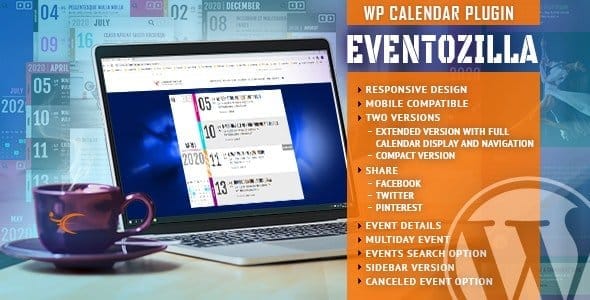
Overview of EventoZilla
EventoZilla is a powerful and intuitive Event Calendar WordPress Plugin designed to transform any WordPress website into a dynamic hub for event management. This robust solution is perfect for businesses, organizations, and individuals looking to effortlessly create, display, and manage events with unparalleled flexibility and style. With EventoZilla, you can captivate your audience and ensure they never miss an important occasion.
Key Features of EventoZilla
- Multiple Event Views: EventoZilla offers diverse display options including month, week, day, list, and poster views, allowing visitors to browse events in their preferred format. Customize how your events appear to match your site’s aesthetic.
- Recurring Events Management: Effortlessly set up complex recurring events with EventoZilla. Whether daily, weekly, monthly, or custom patterns, EventoZilla handles all variations, saving you time and ensuring accuracy for ongoing series.
- Frontend Event Submission: Empower your community or team members to submit events directly from the frontend of your website. This feature of EventoZilla streamlines event collection and reduces administrative burden, fostering greater engagement.
- Customizable Event Fields: Tailor event details to your specific needs by adding custom fields. EventoZilla allows you to collect and display unique information relevant to each event, from speaker bios to special instructions.
- Seamless Google Maps Integration: Provide clear directions and location details for your events with integrated Google Maps. EventoZilla ensures attendees can easily find their way, enhancing the overall event experience.
- Event Categories & Tags: Organize your events effectively with categories and tags, making it simple for users to filter and discover events of interest. EventoZilla helps improve navigability and user experience.
- Responsive Design: Your event calendar will look stunning and function flawlessly on any device, from desktops to smartphones. EventoZilla is built with responsiveness in mind, ensuring a perfect viewing experience for all users.
- Shortcode & Widget Support: Easily embed your event calendar or specific event lists anywhere on your site using intuitive shortcodes and widgets. EventoZilla provides maximum flexibility for showcasing your events.
Why Choose EventoZilla?
Choosing EventoZilla means opting for a comprehensive and user-friendly event management solution that brings professionalism and efficiency to your website. This plugin is not just about listing events; it’s about creating an engaging experience for your audience and simplifying your administrative tasks. With EventoZilla, you gain a powerful tool that enhances your site’s functionality, making it a go-to resource for event information.
EventoZilla stands out due to its robust feature set combined with an intuitive interface. It’s designed for both beginners and advanced users, offering deep customization options without requiring any coding knowledge. From intricate recurring schedules to beautiful frontend displays, EventoZilla handles all the complexities, allowing you to focus on promoting your events and engaging your attendees. Its reliability ensures your event calendar is always up-to-date and accessible.
Moreover, the flexibility of EventoZilla allows it to adapt to various use cases, whether you’re running a small community calendar or a large-scale conference schedule. The ability to integrate with Google Maps, offer frontend submissions, and provide multiple viewing options makes EventoZilla an indispensable asset for any website owner serious about event management. Elevate your event presence with EventoZilla and provide an exceptional experience for your visitors.
Who Should Use EventoZilla?
EventoZilla is an ideal solution for a wide range of users, including event organizers, educational institutions, non-profit organizations, businesses promoting workshops or sales, community groups, and bloggers who want to share upcoming activities. Anyone looking to display and manage events professionally on their WordPress site will find EventoZilla to be an invaluable asset.
How to Install EventoZilla
- Download the Plugin: After purchasing, download the EventoZilla plugin file (usually a .zip archive) from your account dashboard.
- Upload to WordPress: Log in to your WordPress admin panel, navigate to ‘Plugins’ > ‘Add New’, then click ‘Upload Plugin’. Choose the EventoZilla .zip file you downloaded and click ‘Install Now’.
- Activate EventoZilla: Once the plugin has been successfully installed, click the ‘Activate Plugin’ button. EventoZilla will now be active on your website.
- Configure Settings: Go to the newly appeared ‘EventoZilla’ menu item in your WordPress dashboard. Explore the settings to customize event views, submission forms, and other preferences to suit your needs.
- Start Adding Events: You can now begin creating your events by navigating to ‘EventoZilla’ > ‘Add New Event’. Fill in the details, set dates, locations, and publish your first event with EventoZilla!
Frequently Asked Questions About EventoZilla
Is EventoZilla compatible with all WordPress themes?
EventoZilla is designed to be highly compatible with most well-coded WordPress themes. It adheres to WordPress best practices, ensuring a smooth integration. In the rare event of a conflict, our resources provide guidance, but generally, EventoZilla works seamlessly across various themes.
Can I customize the look and feel of the EventoZilla calendar?
Absolutely! EventoZilla offers extensive customization options directly from the WordPress dashboard. You can modify colors, fonts, layouts, and other visual elements to perfectly match your website’s branding. CSS knowledge can further enhance customization with EventoZilla.
Does EventoZilla support different time zones for events?
Yes, EventoZilla fully supports time zone settings, allowing you to specify the time zone for each event. This ensures that attendees from different geographical locations see the correct event times, preventing confusion and enhancing the user experience with EventoZilla.
Get EventoZilla Today
Ready to revolutionize your event management? Get EventoZilla today and transform your WordPress site into a dynamic, user-friendly event hub. With its powerful features and intuitive design, EventoZilla is the ultimate solution for showcasing your events. Explore EventoZilla and other premium WordPress Plugins available. Don’t miss out on enhancing your website’s capabilities; check out all our GPL WordPress Products and elevate your digital presence.
Related Products You May Like
Here's everything you need to know about your purchase:
- 100% original files — Every product is the genuine, virus-free file, exactly as released by the original developer.
- Instant download — Access your files immediately after purchase from your account.
- Lifetime access — Re-download your purchased files anytime. No expiry, no limits.
- Free updates — Newer version released? Just request an update from us, free for all customers.
- Dedicated support — Our team is available 24/7 for installation and file-related help.
- Easy refunds — Not satisfied? Review our Refund Policy. We offer a hassle-free 7-day guarantee.
$100.00 Original price was: $100.00.$2.00Current price is: $2.00.
Version
1.5.6.1
Last Updated
12/04/2026
License
GPL v2
Compatibility
WordPress 5.0+
Need latest version?
Newer version released? Request an update from us — free for all customers!
Request Update →🎁 Your Purchase Includes
Overview of EventoZilla
EventoZilla is a powerful and intuitive Event Calendar WordPress Plugin designed to transform any WordPress website into a dynamic hub for event management. This robust solution is perfect for businesses, organizations, and individuals looking to effortlessly create, display, and manage events with unparalleled flexibility and style. With EventoZilla, you can captivate your audience and ensure they never miss an important occasion.
Key Features of EventoZilla
- Multiple Event Views: EventoZilla offers diverse display options including month, week, day, list, and poster views, allowing visitors to browse events in their preferred format. Customize how your events appear to match your site’s aesthetic.
- Recurring Events Management: Effortlessly set up complex recurring events with EventoZilla. Whether daily, weekly, monthly, or custom patterns, EventoZilla handles all variations, saving you time and ensuring accuracy for ongoing series.
- Frontend Event Submission: Empower your community or team members to submit events directly from the frontend of your website. This feature of EventoZilla streamlines event collection and reduces administrative burden, fostering greater engagement.
- Customizable Event Fields: Tailor event details to your specific needs by adding custom fields. EventoZilla allows you to collect and display unique information relevant to each event, from speaker bios to special instructions.
- Seamless Google Maps Integration: Provide clear directions and location details for your events with integrated Google Maps. EventoZilla ensures attendees can easily find their way, enhancing the overall event experience.
- Event Categories & Tags: Organize your events effectively with categories and tags, making it simple for users to filter and discover events of interest. EventoZilla helps improve navigability and user experience.
- Responsive Design: Your event calendar will look stunning and function flawlessly on any device, from desktops to smartphones. EventoZilla is built with responsiveness in mind, ensuring a perfect viewing experience for all users.
- Shortcode & Widget Support: Easily embed your event calendar or specific event lists anywhere on your site using intuitive shortcodes and widgets. EventoZilla provides maximum flexibility for showcasing your events.
Why Choose EventoZilla?
Choosing EventoZilla means opting for a comprehensive and user-friendly event management solution that brings professionalism and efficiency to your website. This plugin is not just about listing events; it’s about creating an engaging experience for your audience and simplifying your administrative tasks. With EventoZilla, you gain a powerful tool that enhances your site’s functionality, making it a go-to resource for event information.
EventoZilla stands out due to its robust feature set combined with an intuitive interface. It’s designed for both beginners and advanced users, offering deep customization options without requiring any coding knowledge. From intricate recurring schedules to beautiful frontend displays, EventoZilla handles all the complexities, allowing you to focus on promoting your events and engaging your attendees. Its reliability ensures your event calendar is always up-to-date and accessible.
Moreover, the flexibility of EventoZilla allows it to adapt to various use cases, whether you’re running a small community calendar or a large-scale conference schedule. The ability to integrate with Google Maps, offer frontend submissions, and provide multiple viewing options makes EventoZilla an indispensable asset for any website owner serious about event management. Elevate your event presence with EventoZilla and provide an exceptional experience for your visitors.
Who Should Use EventoZilla?
EventoZilla is an ideal solution for a wide range of users, including event organizers, educational institutions, non-profit organizations, businesses promoting workshops or sales, community groups, and bloggers who want to share upcoming activities. Anyone looking to display and manage events professionally on their WordPress site will find EventoZilla to be an invaluable asset.
How to Install EventoZilla
- Download the Plugin: After purchasing, download the EventoZilla plugin file (usually a .zip archive) from your account dashboard.
- Upload to WordPress: Log in to your WordPress admin panel, navigate to ‘Plugins’ > ‘Add New’, then click ‘Upload Plugin’. Choose the EventoZilla .zip file you downloaded and click ‘Install Now’.
- Activate EventoZilla: Once the plugin has been successfully installed, click the ‘Activate Plugin’ button. EventoZilla will now be active on your website.
- Configure Settings: Go to the newly appeared ‘EventoZilla’ menu item in your WordPress dashboard. Explore the settings to customize event views, submission forms, and other preferences to suit your needs.
- Start Adding Events: You can now begin creating your events by navigating to ‘EventoZilla’ > ‘Add New Event’. Fill in the details, set dates, locations, and publish your first event with EventoZilla!
Frequently Asked Questions About EventoZilla
Is EventoZilla compatible with all WordPress themes?
EventoZilla is designed to be highly compatible with most well-coded WordPress themes. It adheres to WordPress best practices, ensuring a smooth integration. In the rare event of a conflict, our resources provide guidance, but generally, EventoZilla works seamlessly across various themes.
Can I customize the look and feel of the EventoZilla calendar?
Absolutely! EventoZilla offers extensive customization options directly from the WordPress dashboard. You can modify colors, fonts, layouts, and other visual elements to perfectly match your website’s branding. CSS knowledge can further enhance customization with EventoZilla.
Does EventoZilla support different time zones for events?
Yes, EventoZilla fully supports time zone settings, allowing you to specify the time zone for each event. This ensures that attendees from different geographical locations see the correct event times, preventing confusion and enhancing the user experience with EventoZilla.
Get EventoZilla Today
Ready to revolutionize your event management? Get EventoZilla today and transform your WordPress site into a dynamic, user-friendly event hub. With its powerful features and intuitive design, EventoZilla is the ultimate solution for showcasing your events. Explore EventoZilla and other premium WordPress Plugins available. Don’t miss out on enhancing your website’s capabilities; check out all our GPL WordPress Products and elevate your digital presence.
Related Products You May Like
Reviews
There are no reviews yet.
Here's everything you need to know about your purchase:
- 100% original files — Every product is the genuine, virus-free file, exactly as released by the original developer.
- Instant download — Access your files immediately after purchase from your account.
- Lifetime access — Re-download your purchased files anytime. No expiry, no limits.
- Free updates — Newer version released? Just request an update from us, free for all customers.
- Dedicated support — Our team is available 24/7 for installation and file-related help.
- Easy refunds — Not satisfied? Review our Refund Policy. We offer a hassle-free 7-day guarantee.
Reviews
There are no reviews yet.