

Iconic WooCommerce Quickview 3.12.1
Overview of Iconic WooCommerce Quickview
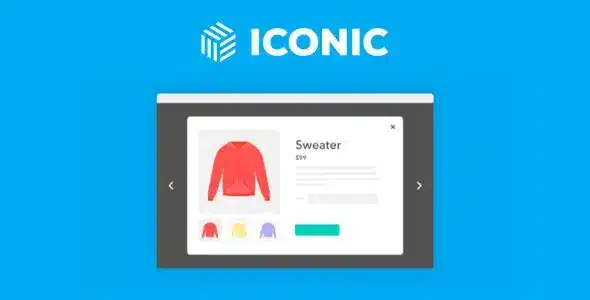
Transform your WooCommerce store’s shopping experience with Iconic WooCommerce Quickview. This powerful plugin allows your customers to instantly preview product details without navigating away from the category or shop page. Designed for speed and user convenience, Iconic WooCommerce Quickview is an essential tool for any online retailer looking to streamline the browsing experience, reduce friction, and boost conversions by making product exploration effortless and engaging.
Key Features of Iconic WooCommerce Quickview
- Instant Product Previews: Provide a lightning-fast way for customers to view essential product information, images, and add-to-cart options directly from product listings. Iconic WooCommerce Quickview minimizes clicks and maximizes browsing efficiency.
- Fully Customizable Quickview Window: Take complete control over the design and content of your quickview modal. Customize colors, fonts, button styles, and what product data is displayed to perfectly match your brand’s aesthetic.
- Ajax Add to Cart Functionality: Allow customers to add products to their cart directly from the quickview window using AJAX, ensuring a seamless and uninterrupted shopping flow. This feature of Iconic WooCommerce Quickview significantly improves the user experience.
- Support for Product Variations: Effortlessly handle variable products within the quickview. Customers can select options like size, color, or material and add the correct variation to their cart without leaving the quickview modal.
- Responsive Design: Iconic WooCommerce Quickview is built with responsiveness in mind, ensuring a flawless quickview experience across all devices, from desktops to tablets and smartphones.
- Configurable Triggers: Choose how your quickview is activated – whether it’s through a dedicated button, hovering over a product, or clicking on the product image. This flexibility makes Iconic WooCommerce Quickview adaptable to various store layouts.
- Optimized for Performance: Engineered to be lightweight and efficient, Iconic WooCommerce Quickview adds functionality without compromising your site’s loading speed or overall performance.
- Intuitive Admin Interface: Manage all settings for Iconic WooCommerce Quickview with ease through a user-friendly interface within your WordPress dashboard, making configuration straightforward for store owners.
Why Choose Iconic WooCommerce Quickview?
In today’s fast-paced online shopping environment, every second counts. Iconic WooCommerce Quickview is engineered to give your customers the efficiency they demand, allowing them to explore your product catalog with unprecedented speed and ease. By eliminating the need to load a new page for every product detail, you significantly reduce friction in the buying journey. This means fewer abandoned browsing sessions and a higher likelihood of customers finding exactly what they need, leading them closer to making a purchase. Iconic WooCommerce Quickview doesn’t just display products; it enhances the entire discovery process, making it more fluid and enjoyable.
Beyond convenience, Iconic WooCommerce Quickview offers unparalleled flexibility and design control. You’re not just adding a generic quickview; you’re integrating a fully customizable component that aligns perfectly with your brand identity. From selecting which product information is visible to styling the quickview modal itself, you have the power to create a cohesive and professional shopping experience. This attention to detail not only improves aesthetics but also reinforces brand trust and professionalism, encouraging repeat visits and customer loyalty. Iconic WooCommerce Quickview empowers you to craft a user experience that truly stands out.
Ultimately, choosing Iconic WooCommerce Quickview is an investment in your store’s conversion rate. A streamlined user experience directly translates to more sales. When customers can quickly browse, compare, and add items to their cart without interruption, they are more likely to complete their purchase. The AJAX add-to-cart functionality within the quickview further supports this by keeping customers on the current page, maintaining their focus on browsing. Iconic WooCommerce Quickview is more than just a feature; it’s a strategic tool designed to optimize your sales funnel and maximize your revenue potential.
Who Should Use Iconic WooCommerce Quickview?
Iconic WooCommerce Quickview is ideal for any WooCommerce store owner who wants to improve user experience, reduce bounce rates, and increase conversions. It’s particularly beneficial for stores with large product catalogs, fashion retailers, electronics stores, or any e-commerce business where customers frequently browse multiple items before making a decision. If you aim to provide a seamless, modern, and efficient shopping journey, then Iconic WooCommerce Quickview is an indispensable addition to your toolkit.
How to Install Iconic WooCommerce Quickview
- Download the Plugin: After acquiring Iconic WooCommerce Quickview, download the plugin zip file to your computer. Ensure you have the latest version for optimal performance.
- Upload to WordPress: Log in to your WordPress admin dashboard. Navigate to ‘Plugins’ > ‘Add New’ and then click on the ‘Upload Plugin’ button at the top of the page.
- Choose File and Install: Click ‘Choose File’, select the Iconic WooCommerce Quickview zip file you downloaded, and then click ‘Install Now’.
- Activate the Plugin: Once the installation is complete, WordPress will prompt you to activate the plugin. Click ‘Activate Plugin’ to enable Iconic WooCommerce Quickview on your site.
- Configure Settings: After activation, a new menu item or settings panel for Iconic WooCommerce Quickview will appear under ‘WooCommerce’ or ‘Plugins’. Navigate there to customize your quickview settings, design, and functionality to suit your store’s needs.
Frequently Asked Questions About Iconic WooCommerce Quickview
Does Iconic WooCommerce Quickview support variable products?
Yes, absolutely! Iconic WooCommerce Quickview is fully compatible with variable products. Your customers can effortlessly select different options like size, color, or material directly within the quickview modal, and then add the desired variation to their cart without ever leaving the quickview window. This ensures a smooth and efficient shopping experience for all product types.
Can I customize the appearance of the quickview modal?
Yes, extensive customization options are a core feature of Iconic WooCommerce Quickview. You have complete control over the styling of the quickview modal, including colors, fonts, button styles, and the information displayed. This allows you to seamlessly integrate the quickview into your existing store design, maintaining a consistent brand aesthetic and user experience.
Is Iconic WooCommerce Quickview mobile-friendly and responsive?
Absolutely. Iconic WooCommerce Quickview is built with a responsive design philosophy, meaning it adapts perfectly to any screen size or device. Whether your customers are browsing on a desktop computer, a tablet, or a smartphone, the quickview modal will display beautifully and function flawlessly, ensuring an optimal experience for everyone.
Get Iconic WooCommerce Quickview Today
Ready to revolutionize your customers’ shopping experience? Iconic WooCommerce Quickview is the ultimate solution for creating a fast, intuitive, and highly engaging product browsing journey. Enhance your store’s efficiency, reduce friction, and watch your conversions climb with this essential plugin. Explore Iconic WooCommerce Quickview and a vast array of other premium WordPress Plugins and high-quality GPL WordPress Products to elevate your online business today.
Related Products You May Like
Here's everything you need to know about your purchase:
- 100% original files — Every product is the genuine, virus-free file, exactly as released by the original developer.
- Instant download — Access your files immediately after purchase from your account.
- Lifetime access — Re-download your purchased files anytime. No expiry, no limits.
- Free updates — Newer version released? Just request an update from us, free for all customers.
- Dedicated support — Our team is available 24/7 for installation and file-related help.
- Easy refunds — Not satisfied? Review our Refund Policy. We offer a hassle-free 7-day guarantee.
$59.00 Original price was: $59.00.$2.00Current price is: $2.00.
Version
3.12.1
Last Updated
08/07/2025
License
GPL v2
Compatibility
WordPress 5.0+
Need latest version?
Newer version released? Request an update from us — free for all customers!
Request Update →🎁 Your Purchase Includes
Overview of Iconic WooCommerce Quickview
Transform your WooCommerce store’s shopping experience with Iconic WooCommerce Quickview. This powerful plugin allows your customers to instantly preview product details without navigating away from the category or shop page. Designed for speed and user convenience, Iconic WooCommerce Quickview is an essential tool for any online retailer looking to streamline the browsing experience, reduce friction, and boost conversions by making product exploration effortless and engaging.
Key Features of Iconic WooCommerce Quickview
- Instant Product Previews: Provide a lightning-fast way for customers to view essential product information, images, and add-to-cart options directly from product listings. Iconic WooCommerce Quickview minimizes clicks and maximizes browsing efficiency.
- Fully Customizable Quickview Window: Take complete control over the design and content of your quickview modal. Customize colors, fonts, button styles, and what product data is displayed to perfectly match your brand’s aesthetic.
- Ajax Add to Cart Functionality: Allow customers to add products to their cart directly from the quickview window using AJAX, ensuring a seamless and uninterrupted shopping flow. This feature of Iconic WooCommerce Quickview significantly improves the user experience.
- Support for Product Variations: Effortlessly handle variable products within the quickview. Customers can select options like size, color, or material and add the correct variation to their cart without leaving the quickview modal.
- Responsive Design: Iconic WooCommerce Quickview is built with responsiveness in mind, ensuring a flawless quickview experience across all devices, from desktops to tablets and smartphones.
- Configurable Triggers: Choose how your quickview is activated – whether it’s through a dedicated button, hovering over a product, or clicking on the product image. This flexibility makes Iconic WooCommerce Quickview adaptable to various store layouts.
- Optimized for Performance: Engineered to be lightweight and efficient, Iconic WooCommerce Quickview adds functionality without compromising your site’s loading speed or overall performance.
- Intuitive Admin Interface: Manage all settings for Iconic WooCommerce Quickview with ease through a user-friendly interface within your WordPress dashboard, making configuration straightforward for store owners.
Why Choose Iconic WooCommerce Quickview?
In today’s fast-paced online shopping environment, every second counts. Iconic WooCommerce Quickview is engineered to give your customers the efficiency they demand, allowing them to explore your product catalog with unprecedented speed and ease. By eliminating the need to load a new page for every product detail, you significantly reduce friction in the buying journey. This means fewer abandoned browsing sessions and a higher likelihood of customers finding exactly what they need, leading them closer to making a purchase. Iconic WooCommerce Quickview doesn’t just display products; it enhances the entire discovery process, making it more fluid and enjoyable.
Beyond convenience, Iconic WooCommerce Quickview offers unparalleled flexibility and design control. You’re not just adding a generic quickview; you’re integrating a fully customizable component that aligns perfectly with your brand identity. From selecting which product information is visible to styling the quickview modal itself, you have the power to create a cohesive and professional shopping experience. This attention to detail not only improves aesthetics but also reinforces brand trust and professionalism, encouraging repeat visits and customer loyalty. Iconic WooCommerce Quickview empowers you to craft a user experience that truly stands out.
Ultimately, choosing Iconic WooCommerce Quickview is an investment in your store’s conversion rate. A streamlined user experience directly translates to more sales. When customers can quickly browse, compare, and add items to their cart without interruption, they are more likely to complete their purchase. The AJAX add-to-cart functionality within the quickview further supports this by keeping customers on the current page, maintaining their focus on browsing. Iconic WooCommerce Quickview is more than just a feature; it’s a strategic tool designed to optimize your sales funnel and maximize your revenue potential.
Who Should Use Iconic WooCommerce Quickview?
Iconic WooCommerce Quickview is ideal for any WooCommerce store owner who wants to improve user experience, reduce bounce rates, and increase conversions. It’s particularly beneficial for stores with large product catalogs, fashion retailers, electronics stores, or any e-commerce business where customers frequently browse multiple items before making a decision. If you aim to provide a seamless, modern, and efficient shopping journey, then Iconic WooCommerce Quickview is an indispensable addition to your toolkit.
How to Install Iconic WooCommerce Quickview
- Download the Plugin: After acquiring Iconic WooCommerce Quickview, download the plugin zip file to your computer. Ensure you have the latest version for optimal performance.
- Upload to WordPress: Log in to your WordPress admin dashboard. Navigate to ‘Plugins’ > ‘Add New’ and then click on the ‘Upload Plugin’ button at the top of the page.
- Choose File and Install: Click ‘Choose File’, select the Iconic WooCommerce Quickview zip file you downloaded, and then click ‘Install Now’.
- Activate the Plugin: Once the installation is complete, WordPress will prompt you to activate the plugin. Click ‘Activate Plugin’ to enable Iconic WooCommerce Quickview on your site.
- Configure Settings: After activation, a new menu item or settings panel for Iconic WooCommerce Quickview will appear under ‘WooCommerce’ or ‘Plugins’. Navigate there to customize your quickview settings, design, and functionality to suit your store’s needs.
Frequently Asked Questions About Iconic WooCommerce Quickview
Does Iconic WooCommerce Quickview support variable products?
Yes, absolutely! Iconic WooCommerce Quickview is fully compatible with variable products. Your customers can effortlessly select different options like size, color, or material directly within the quickview modal, and then add the desired variation to their cart without ever leaving the quickview window. This ensures a smooth and efficient shopping experience for all product types.
Can I customize the appearance of the quickview modal?
Yes, extensive customization options are a core feature of Iconic WooCommerce Quickview. You have complete control over the styling of the quickview modal, including colors, fonts, button styles, and the information displayed. This allows you to seamlessly integrate the quickview into your existing store design, maintaining a consistent brand aesthetic and user experience.
Is Iconic WooCommerce Quickview mobile-friendly and responsive?
Absolutely. Iconic WooCommerce Quickview is built with a responsive design philosophy, meaning it adapts perfectly to any screen size or device. Whether your customers are browsing on a desktop computer, a tablet, or a smartphone, the quickview modal will display beautifully and function flawlessly, ensuring an optimal experience for everyone.
Get Iconic WooCommerce Quickview Today
Ready to revolutionize your customers’ shopping experience? Iconic WooCommerce Quickview is the ultimate solution for creating a fast, intuitive, and highly engaging product browsing journey. Enhance your store’s efficiency, reduce friction, and watch your conversions climb with this essential plugin. Explore Iconic WooCommerce Quickview and a vast array of other premium WordPress Plugins and high-quality GPL WordPress Products to elevate your online business today.
Related Products You May Like
Reviews
There are no reviews yet.
Here's everything you need to know about your purchase:
- 100% original files — Every product is the genuine, virus-free file, exactly as released by the original developer.
- Instant download — Access your files immediately after purchase from your account.
- Lifetime access — Re-download your purchased files anytime. No expiry, no limits.
- Free updates — Newer version released? Just request an update from us, free for all customers.
- Dedicated support — Our team is available 24/7 for installation and file-related help.
- Easy refunds — Not satisfied? Review our Refund Policy. We offer a hassle-free 7-day guarantee.
Reviews
There are no reviews yet.