

Epic News Elements 2.3.8 – News Magazine Blog
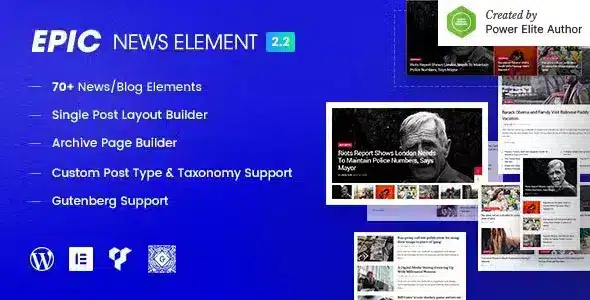
Overview of Epic News Elements
Transform your WordPress website into a dynamic news portal, engaging magazine, or captivating blog with Epic News Elements. This powerful plugin is designed for publishers, content creators, and anyone looking to enhance their site’s content presentation with flexible, professional, and eye-catching layouts. Epic News Elements provides an extensive collection of blocks and widgets specifically crafted to display your articles, posts, and categories in an organized and visually appealing manner.
Key Features of Epic News Elements
- Extensive Block Collection: Access over 25 unique and stylish blocks, including various grids, lists, carousels, and slider designs, to showcase your content exactly how you envision it. Epic News Elements ensures you have a block for every layout need.
- Drag-and-Drop Page Builder Integration: Seamlessly integrates with popular page builders like Elementor, WPBakery Page Builder, and Gutenberg, allowing for intuitive drag-and-drop content arrangement without any coding knowledge.
- Flexible Query Options: Take full control over what content is displayed. Filter posts by categories, tags, authors, popular articles, recent posts, or even specific post IDs, giving you unparalleled flexibility.
- Responsive and Retina Ready: Ensure your news and magazine layouts look stunning and perform flawlessly on any device, from desktops to tablets and smartphones, with fully responsive and retina-ready designs.
- Customizable Typography & Styling: Tailor fonts, colors, backgrounds, and spacing for each block and element to perfectly match your brand’s aesthetic. Epic News Elements offers deep customization options.
- Advanced Pagination Options: Enhance user experience with various pagination styles, including standard numeric pagination, “Load More” buttons, and infinite scroll, keeping readers engaged with your content.
- Performance Optimized: Built with clean code and optimized for speed, Epic News Elements ensures your website remains fast and responsive, contributing to better SEO and user satisfaction.
- Translation Ready: Reach a global audience with ease, as Epic News Elements is fully compatible with popular translation plugins, allowing you to translate your content into multiple languages.
Why Choose Epic News Elements?
Choosing Epic News Elements means investing in a solution that elevates your content strategy and user engagement. In today’s competitive digital landscape, presenting your articles in an organized, visually appealing, and user-friendly manner is paramount. Epic News Elements empowers you to do just that, offering an unparalleled level of flexibility and design options without requiring any advanced technical skills. Its deep integration with leading page builders makes the content creation process intuitive and enjoyable, allowing you to focus more on generating great content and less on wrestling with complex layouts.
Furthermore, Epic News Elements is not just about aesthetics; it’s also about performance and functionality. Optimized for speed and fully responsive, it ensures that your readers enjoy a seamless browsing experience, regardless of their device. The extensive query options mean you can curate content precisely, highlighting trending stories, specific categories, or your latest publications with ease. This level of control over content display is crucial for guiding user flow and maximizing engagement on your news or magazine site. With Epic News Elements, you’re not just adding a plugin; you’re upgrading your entire content presentation system.
For those who demand excellence in their online publishing, Epic News Elements stands out. It’s a comprehensive toolkit designed to meet the diverse needs of modern publishers, from small blogs to large news portals. The continuous updates and dedicated support ensure that your website remains at the cutting edge, always ready to adapt to new trends and technologies. Elevate your WordPress site and captivate your audience with the sophisticated display capabilities of Epic News Elements.
Who Should Use Epic News Elements?
Epic News Elements is ideal for anyone running a WordPress website that heavily relies on content publishing. This includes online magazines, news portals, professional bloggers, content marketers, creative agencies managing client sites, and anyone looking to transform a standard blog into a dynamic, feature-rich content hub. If you want to showcase your articles, stories, and posts with maximum impact and flexibility, Epic News Elements is designed for you.
How to Install Epic News Elements
- Download the Plugin: After acquiring Epic News Elements, download the plugin file (usually a .zip file) to your computer.
- Upload to WordPress: Log in to your WordPress admin dashboard. Navigate to “Plugins” > “Add New” and click the “Upload Plugin” button at the top.
- Choose File and Install: Click “Choose File,” select the Epic News Elements .zip file you downloaded, and then click “Install Now.”
- Activate the Plugin: Once the installation is complete, click the “Activate Plugin” button.
- Start Using Epic News Elements: You can now access the new blocks and widgets provided by Epic News Elements within your preferred page builder (Elementor, WPBakery, or Gutenberg) to start building your content layouts.
Frequently Asked Questions About Epic News Elements
Is Epic News Elements compatible with all WordPress themes?
Epic News Elements is designed to be highly compatible with most well-coded WordPress themes, especially those built with modern standards. It works seamlessly with popular page builders, ensuring flexibility. However, for optimal performance and styling, we recommend using it with themes that are also page builder friendly.
Can I use Epic News Elements with both Elementor and WPBakery Page Builder?
Yes, Epic News Elements offers deep integration and dedicated elements for both Elementor and WPBakery Page Builder. This allows users to leverage their preferred page builder for designing stunning news and magazine layouts with all the features Epic News Elements provides.
Does Epic News Elements affect website loading speed?
No, Epic News Elements is developed with performance in mind. Its code is optimized to be lightweight and efficient, minimizing any potential impact on your website’s loading speed. We continuously work to ensure Epic News Elements provides rich features without compromising performance.
Get Epic News Elements Today
Elevate your content presentation and captivate your audience with the unparalleled flexibility and design power of Epic News Elements. Whether you’re running a news site, a vibrant magazine, or a dynamic blog, this plugin provides all the tools you need to create visually stunning and highly engaging layouts. Don’t let your content get lost in a sea of mediocrity; empower it to shine. Explore our extensive collection of WordPress Plugins and discover other premium GPL WordPress Products to further enhance your website’s capabilities. Transform your digital presence with Epic News Elements now!
Related Products You May Like
Here's everything you need to know about your purchase:
- 100% original files — Every product is the genuine, virus-free file, exactly as released by the original developer.
- Instant download — Access your files immediately after purchase from your account.
- Lifetime access — Re-download your purchased files anytime. No expiry, no limits.
- Free updates — Newer version released? Just request an update from us, free for all customers.
- Dedicated support — Our team is available 24/7 for installation and file-related help.
- Easy refunds — Not satisfied? Review our Refund Policy. We offer a hassle-free 7-day guarantee.
$100.00 Original price was: $100.00.$2.00Current price is: $2.00.
Version
2.3.8
Last Updated
02/06/2025
License
GPL v2
Compatibility
WordPress 5.0+
Need latest version?
Newer version released? Request an update from us — free for all customers!
Request Update →🎁 Your Purchase Includes
Overview of Epic News Elements
Transform your WordPress website into a dynamic news portal, engaging magazine, or captivating blog with Epic News Elements. This powerful plugin is designed for publishers, content creators, and anyone looking to enhance their site’s content presentation with flexible, professional, and eye-catching layouts. Epic News Elements provides an extensive collection of blocks and widgets specifically crafted to display your articles, posts, and categories in an organized and visually appealing manner.
Key Features of Epic News Elements
- Extensive Block Collection: Access over 25 unique and stylish blocks, including various grids, lists, carousels, and slider designs, to showcase your content exactly how you envision it. Epic News Elements ensures you have a block for every layout need.
- Drag-and-Drop Page Builder Integration: Seamlessly integrates with popular page builders like Elementor, WPBakery Page Builder, and Gutenberg, allowing for intuitive drag-and-drop content arrangement without any coding knowledge.
- Flexible Query Options: Take full control over what content is displayed. Filter posts by categories, tags, authors, popular articles, recent posts, or even specific post IDs, giving you unparalleled flexibility.
- Responsive and Retina Ready: Ensure your news and magazine layouts look stunning and perform flawlessly on any device, from desktops to tablets and smartphones, with fully responsive and retina-ready designs.
- Customizable Typography & Styling: Tailor fonts, colors, backgrounds, and spacing for each block and element to perfectly match your brand’s aesthetic. Epic News Elements offers deep customization options.
- Advanced Pagination Options: Enhance user experience with various pagination styles, including standard numeric pagination, “Load More” buttons, and infinite scroll, keeping readers engaged with your content.
- Performance Optimized: Built with clean code and optimized for speed, Epic News Elements ensures your website remains fast and responsive, contributing to better SEO and user satisfaction.
- Translation Ready: Reach a global audience with ease, as Epic News Elements is fully compatible with popular translation plugins, allowing you to translate your content into multiple languages.
Why Choose Epic News Elements?
Choosing Epic News Elements means investing in a solution that elevates your content strategy and user engagement. In today’s competitive digital landscape, presenting your articles in an organized, visually appealing, and user-friendly manner is paramount. Epic News Elements empowers you to do just that, offering an unparalleled level of flexibility and design options without requiring any advanced technical skills. Its deep integration with leading page builders makes the content creation process intuitive and enjoyable, allowing you to focus more on generating great content and less on wrestling with complex layouts.
Furthermore, Epic News Elements is not just about aesthetics; it’s also about performance and functionality. Optimized for speed and fully responsive, it ensures that your readers enjoy a seamless browsing experience, regardless of their device. The extensive query options mean you can curate content precisely, highlighting trending stories, specific categories, or your latest publications with ease. This level of control over content display is crucial for guiding user flow and maximizing engagement on your news or magazine site. With Epic News Elements, you’re not just adding a plugin; you’re upgrading your entire content presentation system.
For those who demand excellence in their online publishing, Epic News Elements stands out. It’s a comprehensive toolkit designed to meet the diverse needs of modern publishers, from small blogs to large news portals. The continuous updates and dedicated support ensure that your website remains at the cutting edge, always ready to adapt to new trends and technologies. Elevate your WordPress site and captivate your audience with the sophisticated display capabilities of Epic News Elements.
Who Should Use Epic News Elements?
Epic News Elements is ideal for anyone running a WordPress website that heavily relies on content publishing. This includes online magazines, news portals, professional bloggers, content marketers, creative agencies managing client sites, and anyone looking to transform a standard blog into a dynamic, feature-rich content hub. If you want to showcase your articles, stories, and posts with maximum impact and flexibility, Epic News Elements is designed for you.
How to Install Epic News Elements
- Download the Plugin: After acquiring Epic News Elements, download the plugin file (usually a .zip file) to your computer.
- Upload to WordPress: Log in to your WordPress admin dashboard. Navigate to “Plugins” > “Add New” and click the “Upload Plugin” button at the top.
- Choose File and Install: Click “Choose File,” select the Epic News Elements .zip file you downloaded, and then click “Install Now.”
- Activate the Plugin: Once the installation is complete, click the “Activate Plugin” button.
- Start Using Epic News Elements: You can now access the new blocks and widgets provided by Epic News Elements within your preferred page builder (Elementor, WPBakery, or Gutenberg) to start building your content layouts.
Frequently Asked Questions About Epic News Elements
Is Epic News Elements compatible with all WordPress themes?
Epic News Elements is designed to be highly compatible with most well-coded WordPress themes, especially those built with modern standards. It works seamlessly with popular page builders, ensuring flexibility. However, for optimal performance and styling, we recommend using it with themes that are also page builder friendly.
Can I use Epic News Elements with both Elementor and WPBakery Page Builder?
Yes, Epic News Elements offers deep integration and dedicated elements for both Elementor and WPBakery Page Builder. This allows users to leverage their preferred page builder for designing stunning news and magazine layouts with all the features Epic News Elements provides.
Does Epic News Elements affect website loading speed?
No, Epic News Elements is developed with performance in mind. Its code is optimized to be lightweight and efficient, minimizing any potential impact on your website’s loading speed. We continuously work to ensure Epic News Elements provides rich features without compromising performance.
Get Epic News Elements Today
Elevate your content presentation and captivate your audience with the unparalleled flexibility and design power of Epic News Elements. Whether you’re running a news site, a vibrant magazine, or a dynamic blog, this plugin provides all the tools you need to create visually stunning and highly engaging layouts. Don’t let your content get lost in a sea of mediocrity; empower it to shine. Explore our extensive collection of WordPress Plugins and discover other premium GPL WordPress Products to further enhance your website’s capabilities. Transform your digital presence with Epic News Elements now!
Related Products You May Like
Reviews
There are no reviews yet.
Here's everything you need to know about your purchase:
- 100% original files — Every product is the genuine, virus-free file, exactly as released by the original developer.
- Instant download — Access your files immediately after purchase from your account.
- Lifetime access — Re-download your purchased files anytime. No expiry, no limits.
- Free updates — Newer version released? Just request an update from us, free for all customers.
- Dedicated support — Our team is available 24/7 for installation and file-related help.
- Easy refunds — Not satisfied? Review our Refund Policy. We offer a hassle-free 7-day guarantee.
Reviews
There are no reviews yet.