

Analytify Pro Email Notifications Add-on 5.5.0
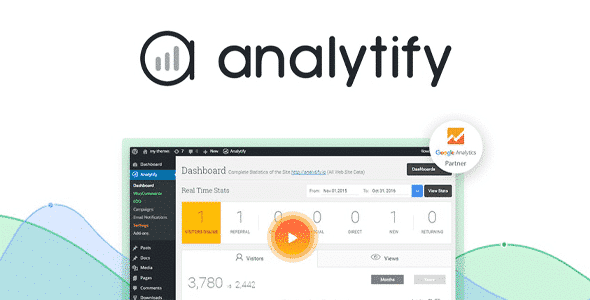
Overview of Analytify Email Notifications
The Analytify Email Notifications add-on is an essential tool for any WordPress user looking to stay on top of their website’s performance without the constant need to log into Google Analytics. This powerful extension brings crucial analytics data directly to your inbox, providing automated, customizable reports that simplify data monitoring. It’s designed for busy website owners, digital marketers, and agencies who need quick, actionable insights into their site’s traffic, engagement, and conversions, delivered conveniently and consistently.
Key Features of Analytify Email Notifications
- Automated Performance Reports: Set up daily, weekly, or monthly email notifications to automatically receive comprehensive reports on your website’s key performance indicators, ensuring you never miss critical updates.
- Customizable Email Templates: Tailor the look and feel of your email reports with easy-to-use customization options. Choose what data to include, how it’s presented, and even brand the emails to match your business or client’s identity.
- Key Metrics at a Glance: Get a clear, concise overview of vital statistics such as total sessions, page views, bounce rate, average session duration, and goal completions, all summarized for quick understanding.
- Multiple Recipient Support: Send Analytify Email Notifications to multiple team members, clients, or stakeholders simultaneously, ensuring everyone who needs to be informed stays in the loop effortlessly.
- Segmented Reporting: Configure reports to focus on specific segments of your audience or particular pages, allowing for more targeted analysis directly within your email.
- User-Friendly Interface: Manage all your email notification settings from an intuitive interface within your WordPress dashboard, making setup and modification straightforward for users of all technical levels.
- Conditional Reporting Triggers: Set up rules to send notifications only when certain conditions are met, such as a significant drop in traffic or a spike in conversions, helping you react promptly to important changes.
- Seamless Analytify Integration: Works hand-in-hand with your existing Analytify setup, extending its capabilities by automating the delivery of the insightful data you already rely on.
Why Choose Analytify Email Notifications?
Choosing Analytify Email Notifications means choosing efficiency and informed decision-making. In today’s fast-paced digital world, constantly monitoring your website’s analytics can be time-consuming. This add-on eliminates that burden by delivering the most important data directly to you. Imagine starting your week with a clear summary of last week’s performance, or getting an immediate alert if something unexpected happens on your site – all without lifting a finger to open Google Analytics itself. It empowers you to quickly identify trends, react to changes, and make data-driven decisions that propel your website forward.
Beyond convenience, Analytify Email Notifications enhances collaboration and transparency. For agencies and teams, sending consistent, branded reports to clients or internal departments ensures everyone is aligned and aware of performance metrics. The ability to customize reports means you can highlight exactly what matters most to each recipient, fostering trust and demonstrating value. It transforms raw data into easily digestible, actionable insights, making analytics accessible to everyone, regardless of their technical expertise. This tool is not just about sending emails; it’s about fostering a proactive approach to website management and growth.
Furthermore, this add-on integrates seamlessly into your WordPress workflow, leveraging the power of Analytify to provide accurate and relevant data. It’s an investment in saving time, improving communication, and ensuring that critical performance data is always at your fingertips, enabling you to optimize your strategies and achieve your online goals with greater ease and confidence. Analytify Email Notifications is a smart solution for smarter analytics management.
Who Should Use Analytify Email Notifications?
Analytify Email Notifications is ideal for a wide range of WordPress users. Bloggers and content creators will appreciate automated reports that track audience engagement. Small business owners and e-commerce stores can monitor sales performance and traffic sources without daily checks. Marketing agencies and freelancers can provide professional, branded reports to clients, enhancing their service offering. Anyone who wants to stay updated on their website’s performance without the hassle of manually pulling data from Google Analytics will find Analytify Email Notifications an indispensable tool. If you value your time and need consistent, reliable insights, this add-on is for you.
How to Install Analytify Email Notifications
Installing Analytify Email Notifications is a straightforward process, just like any other WordPress plugin or add-on. Follow these steps to get started:
- Download the Add-on: Obtain the Analytify Email Notifications add-on file from your purchase source. This will typically be a .zip file.
- Upload to WordPress: Log in to your WordPress admin dashboard. Navigate to ‘Plugins’ > ‘Add New’. Click on the ‘Upload Plugin’ button at the top of the page.
- Choose and Install File: Click ‘Choose File’, select the Analytify Email Notifications .zip file you downloaded, and then click ‘Install Now’.
- Activate the Plugin: Once the installation is complete, WordPress will prompt you to activate the plugin. Click on ‘Activate Plugin’.
- Configure Settings: After activation, go to the Analytify settings within your WordPress dashboard. You will find a new section for ‘Email Notifications’ where you can configure your reporting frequency, recipients, and content.
Frequently Asked Questions About Analytify Email Notifications
What kind of data can I include in my Analytify Email Notifications?
Analytify Email Notifications allows you to include a comprehensive range of Google Analytics data. This typically covers key metrics such as total sessions, page views, bounce rate, average session duration, new vs. returning visitors, top pages, traffic sources, and even goal completions if configured in Google Analytics. You have control over which specific metrics are displayed in your automated reports.
Can I customize the design and content of the email reports?
Yes, absolutely! Analytify Email Notifications offers robust customization options. You can tailor the email templates to match your brand’s aesthetics, choose the specific data points you want to highlight, and even add custom messages or introductions to your reports. This ensures that the emails are professional, relevant, and consistent with your brand identity.
Is Analytify Email Notifications compatible with all versions of Analytify?
Analytify Email Notifications is designed to work seamlessly with the Analytify plugin. It functions as an add-on, extending the core functionality of Analytify. For the best experience and full feature set, it is recommended to use it with the Analytify Pro version, ensuring you have access to all the necessary integrations and advanced reporting capabilities.
Get Analytify Email Notifications Today
Ready to streamline your website analytics and keep everyone informed without the manual effort? Integrate Analytify Email Notifications into your WordPress site and transform how you monitor performance. This powerful add-on simplifies data delivery, enhances reporting, and ensures you always have crucial insights at your fingertips. Explore our wide selection of WordPress Plugins and other premium GPL WordPress Products to further enhance your website’s capabilities. Don’t miss out on the convenience and efficiency that Analytify Email Notifications brings to your digital strategy.
Related Products You May Like
Here's everything you need to know about your purchase:
- 100% original files — Every product is the genuine, virus-free file, exactly as released by the original developer.
- Instant download — Access your files immediately after purchase from your account.
- Lifetime access — Re-download your purchased files anytime. No expiry, no limits.
- Free updates — Newer version released? Just request an update from us, free for all customers.
- Dedicated support — Our team is available 24/7 for installation and file-related help.
- Easy refunds — Not satisfied? Review our Refund Policy. We offer a hassle-free 7-day guarantee.
$59.00 Original price was: $59.00.$2.00Current price is: $2.00.
Version
5.5.0
Last Updated
08/07/2025
License
GPL v2
Compatibility
WordPress 5.0+
Need latest version?
Newer version released? Request an update from us — free for all customers!
Request Update →🎁 Your Purchase Includes
Overview of Analytify Email Notifications
The Analytify Email Notifications add-on is an essential tool for any WordPress user looking to stay on top of their website’s performance without the constant need to log into Google Analytics. This powerful extension brings crucial analytics data directly to your inbox, providing automated, customizable reports that simplify data monitoring. It’s designed for busy website owners, digital marketers, and agencies who need quick, actionable insights into their site’s traffic, engagement, and conversions, delivered conveniently and consistently.
Key Features of Analytify Email Notifications
- Automated Performance Reports: Set up daily, weekly, or monthly email notifications to automatically receive comprehensive reports on your website’s key performance indicators, ensuring you never miss critical updates.
- Customizable Email Templates: Tailor the look and feel of your email reports with easy-to-use customization options. Choose what data to include, how it’s presented, and even brand the emails to match your business or client’s identity.
- Key Metrics at a Glance: Get a clear, concise overview of vital statistics such as total sessions, page views, bounce rate, average session duration, and goal completions, all summarized for quick understanding.
- Multiple Recipient Support: Send Analytify Email Notifications to multiple team members, clients, or stakeholders simultaneously, ensuring everyone who needs to be informed stays in the loop effortlessly.
- Segmented Reporting: Configure reports to focus on specific segments of your audience or particular pages, allowing for more targeted analysis directly within your email.
- User-Friendly Interface: Manage all your email notification settings from an intuitive interface within your WordPress dashboard, making setup and modification straightforward for users of all technical levels.
- Conditional Reporting Triggers: Set up rules to send notifications only when certain conditions are met, such as a significant drop in traffic or a spike in conversions, helping you react promptly to important changes.
- Seamless Analytify Integration: Works hand-in-hand with your existing Analytify setup, extending its capabilities by automating the delivery of the insightful data you already rely on.
Why Choose Analytify Email Notifications?
Choosing Analytify Email Notifications means choosing efficiency and informed decision-making. In today’s fast-paced digital world, constantly monitoring your website’s analytics can be time-consuming. This add-on eliminates that burden by delivering the most important data directly to you. Imagine starting your week with a clear summary of last week’s performance, or getting an immediate alert if something unexpected happens on your site – all without lifting a finger to open Google Analytics itself. It empowers you to quickly identify trends, react to changes, and make data-driven decisions that propel your website forward.
Beyond convenience, Analytify Email Notifications enhances collaboration and transparency. For agencies and teams, sending consistent, branded reports to clients or internal departments ensures everyone is aligned and aware of performance metrics. The ability to customize reports means you can highlight exactly what matters most to each recipient, fostering trust and demonstrating value. It transforms raw data into easily digestible, actionable insights, making analytics accessible to everyone, regardless of their technical expertise. This tool is not just about sending emails; it’s about fostering a proactive approach to website management and growth.
Furthermore, this add-on integrates seamlessly into your WordPress workflow, leveraging the power of Analytify to provide accurate and relevant data. It’s an investment in saving time, improving communication, and ensuring that critical performance data is always at your fingertips, enabling you to optimize your strategies and achieve your online goals with greater ease and confidence. Analytify Email Notifications is a smart solution for smarter analytics management.
Who Should Use Analytify Email Notifications?
Analytify Email Notifications is ideal for a wide range of WordPress users. Bloggers and content creators will appreciate automated reports that track audience engagement. Small business owners and e-commerce stores can monitor sales performance and traffic sources without daily checks. Marketing agencies and freelancers can provide professional, branded reports to clients, enhancing their service offering. Anyone who wants to stay updated on their website’s performance without the hassle of manually pulling data from Google Analytics will find Analytify Email Notifications an indispensable tool. If you value your time and need consistent, reliable insights, this add-on is for you.
How to Install Analytify Email Notifications
Installing Analytify Email Notifications is a straightforward process, just like any other WordPress plugin or add-on. Follow these steps to get started:
- Download the Add-on: Obtain the Analytify Email Notifications add-on file from your purchase source. This will typically be a .zip file.
- Upload to WordPress: Log in to your WordPress admin dashboard. Navigate to ‘Plugins’ > ‘Add New’. Click on the ‘Upload Plugin’ button at the top of the page.
- Choose and Install File: Click ‘Choose File’, select the Analytify Email Notifications .zip file you downloaded, and then click ‘Install Now’.
- Activate the Plugin: Once the installation is complete, WordPress will prompt you to activate the plugin. Click on ‘Activate Plugin’.
- Configure Settings: After activation, go to the Analytify settings within your WordPress dashboard. You will find a new section for ‘Email Notifications’ where you can configure your reporting frequency, recipients, and content.
Frequently Asked Questions About Analytify Email Notifications
What kind of data can I include in my Analytify Email Notifications?
Analytify Email Notifications allows you to include a comprehensive range of Google Analytics data. This typically covers key metrics such as total sessions, page views, bounce rate, average session duration, new vs. returning visitors, top pages, traffic sources, and even goal completions if configured in Google Analytics. You have control over which specific metrics are displayed in your automated reports.
Can I customize the design and content of the email reports?
Yes, absolutely! Analytify Email Notifications offers robust customization options. You can tailor the email templates to match your brand’s aesthetics, choose the specific data points you want to highlight, and even add custom messages or introductions to your reports. This ensures that the emails are professional, relevant, and consistent with your brand identity.
Is Analytify Email Notifications compatible with all versions of Analytify?
Analytify Email Notifications is designed to work seamlessly with the Analytify plugin. It functions as an add-on, extending the core functionality of Analytify. For the best experience and full feature set, it is recommended to use it with the Analytify Pro version, ensuring you have access to all the necessary integrations and advanced reporting capabilities.
Get Analytify Email Notifications Today
Ready to streamline your website analytics and keep everyone informed without the manual effort? Integrate Analytify Email Notifications into your WordPress site and transform how you monitor performance. This powerful add-on simplifies data delivery, enhances reporting, and ensures you always have crucial insights at your fingertips. Explore our wide selection of WordPress Plugins and other premium GPL WordPress Products to further enhance your website’s capabilities. Don’t miss out on the convenience and efficiency that Analytify Email Notifications brings to your digital strategy.
Related Products You May Like
Reviews
There are no reviews yet.
Here's everything you need to know about your purchase:
- 100% original files — Every product is the genuine, virus-free file, exactly as released by the original developer.
- Instant download — Access your files immediately after purchase from your account.
- Lifetime access — Re-download your purchased files anytime. No expiry, no limits.
- Free updates — Newer version released? Just request an update from us, free for all customers.
- Dedicated support — Our team is available 24/7 for installation and file-related help.
- Easy refunds — Not satisfied? Review our Refund Policy. We offer a hassle-free 7-day guarantee.
Reviews
There are no reviews yet.