

Advanced Database Cleaner Premium 4.0.7
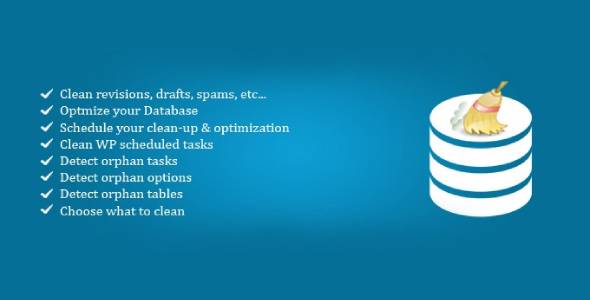
Overview of Advanced Database Cleaner
The **Advanced Database Cleaner** is an indispensable tool designed to optimize and maintain the health of your WordPress website’s database. It effectively identifies and removes unnecessary data, such as old revisions, spam comments, orphan metadata, and expired transients, which can accumulate over time and significantly slow down your site. This plugin is perfect for any WordPress user, from bloggers to e-commerce store owners, who wants to ensure their website runs at peak performance with a lean, efficient database.
Key Features of Advanced Database Cleaner
- Clean and Optimize Database: Effortlessly remove unneeded data like post revisions, auto drafts, spam comments, trackbacks, and pingbacks to reduce database size and improve performance. The Advanced Database Cleaner ensures your database remains tidy.
- Detailed Item Analysis: Provides a comprehensive overview of all database items, allowing you to selectively clean specific types of data with confidence, ensuring you only remove what’s truly unnecessary.
- Scheduled Cleaning: Set up automatic cleaning schedules to run daily, weekly, or monthly, keeping your database consistently optimized without manual intervention. This proactive approach with Advanced Database Cleaner saves you time.
- Orphaned Item Detection: Smartly identifies and helps you delete orphaned post meta, comment meta, user meta, term meta, and other orphaned data that no longer serves a purpose.
- Expired Transients Management: Efficiently clears expired transients, which are temporary cached data entries that can clutter your database and impact site speed.
- Database Table Optimization: Beyond cleaning, the plugin also optimizes your database tables, defragmenting them to further enhance query speeds and overall database efficiency.
- CLI (Command Line Interface) Support: For developers and advanced users, the Advanced Database Cleaner offers command-line interface support, enabling powerful and automated database management.
- Revision Control: Gain granular control over post, page, and custom post type revisions, allowing you to limit their number or delete them entirely to prevent database bloat.
Why Choose Advanced Database Cleaner?
Choosing the **Advanced Database Cleaner** is a strategic decision for any WordPress site owner committed to superior website performance and long-term stability. A cluttered database is a common culprit behind slow loading times, which can negatively impact user experience, SEO rankings, and ultimately, your site’s conversion rates. By regularly cleaning and optimizing your database with this powerful tool, you ensure that your website’s backend is lean, fast, and responsive, providing a solid foundation for all your online activities.
Beyond just speed, the Advanced Database Cleaner contributes significantly to the overall health and longevity of your WordPress installation. Over time, unnecessary data accumulates, consuming valuable server resources and potentially leading to database errors. This plugin acts as a preventative measure, meticulously identifying and eliminating redundant entries before they become problematic. Its intuitive interface and robust features make database maintenance accessible to everyone, regardless of technical expertise, ensuring your site remains agile and efficient.
Furthermore, investing in the Advanced Database Cleaner means investing in peace of mind. With features like scheduled cleaning and detailed item analysis, you can automate routine maintenance tasks and be confident in the data you’re removing. This proactive approach frees up your time, allowing you to focus on content creation, marketing, and growing your online presence, knowing that your website’s core database is being professionally managed and optimized by the Advanced Database Cleaner.
Who Should Use Advanced Database Cleaner?
The **Advanced Database Cleaner** is ideal for a wide range of WordPress users. Bloggers and content creators will benefit from faster loading times for their articles. E-commerce store owners can ensure their product pages and checkout processes are swift and seamless, improving sales. Web developers and agencies will find it an invaluable tool for maintaining client sites, providing a professional edge. Essentially, anyone running a WordPress website, from small personal blogs to large corporate sites, that experiences slow performance due to database bloat will find the Advanced Database Cleaner to be an essential asset.
How to Install Advanced Database Cleaner
- Download the Plugin: After purchasing, download the plugin zip file for Advanced Database Cleaner from your GPLUniverse account.
- Upload to WordPress: Log in to your WordPress admin dashboard. Navigate to ‘Plugins’ > ‘Add New’ > ‘Upload Plugin’. Click ‘Choose File’ and select the zip file you downloaded.
- Install and Activate: Click ‘Install Now’. Once the installation is complete, click ‘Activate Plugin’. The Advanced Database Cleaner will now be active on your site.
- Access Plugin Settings: You can find the settings for Advanced Database Cleaner usually under a new menu item in your WordPress dashboard, often named ‘ADB Cleaner’ or similar.
- Configure and Clean: Explore the plugin settings to configure your cleaning preferences, review database items, and initiate your first database cleanup. Remember to always back up your database before performing major cleaning operations.
Frequently Asked Questions About Advanced Database Cleaner
What kind of data does Advanced Database Cleaner remove?
The **Advanced Database Cleaner** targets a wide array of unnecessary data, including post revisions, auto drafts, deleted posts, spam comments, pending comments, trackbacks, pingbacks, orphan post meta, orphan comment meta, orphan user meta, orphan term meta, expired transients, and various other junk items that accumulate in your WordPress database over time. It helps keep your database lean and efficient.
Is it safe to use Advanced Database Cleaner on my live website?
Yes, the **Advanced Database Cleaner** is designed with safety in mind. However, as with any major database operation, we highly recommend creating a full backup of your WordPress website (both files and database) before running any cleaning process. This ensures that you can restore your site to a previous state if any unexpected issues arise, giving you complete peace of mind while using Advanced Database Cleaner.
Will Advanced Database Cleaner improve my website’s speed?
Absolutely. By removing unnecessary data and optimizing your database tables, the **Advanced Database Cleaner** significantly reduces the size of your database. A smaller, more organized database means faster query times, which directly translates to improved website loading speeds. This enhancement in performance can positively impact user experience, SEO, and overall site efficiency.
Get Advanced Database Cleaner Today
Don’t let a bloated database slow down your WordPress website any longer. Experience the benefits of a fast, efficient, and well-maintained site with the **Advanced Database Cleaner**. Optimize your performance, improve user experience, and ensure the long-term health of your WordPress installation. Explore our vast collection of WordPress Plugins and other premium GPL WordPress Products to empower your website further.
Related Products You May Like
Here's everything you need to know about your purchase:
- 100% original files — Every product is the genuine, virus-free file, exactly as released by the original developer.
- Instant download — Access your files immediately after purchase from your account.
- Lifetime access — Re-download your purchased files anytime. No expiry, no limits.
- Free updates — Newer version released? Just request an update from us, free for all customers.
- Dedicated support — Our team is available 24/7 for installation and file-related help.
- Easy refunds — Not satisfied? Review our Refund Policy. We offer a hassle-free 7-day guarantee.
$100.00 Original price was: $100.00.$2.00Current price is: $2.00.
Version
4.0.7
Last Updated
02/02/2026
License
GPL v2
Compatibility
WordPress 5.0+
Need latest version?
Newer version released? Request an update from us — free for all customers!
Request Update →🎁 Your Purchase Includes
Overview of Advanced Database Cleaner
The **Advanced Database Cleaner** is an indispensable tool designed to optimize and maintain the health of your WordPress website’s database. It effectively identifies and removes unnecessary data, such as old revisions, spam comments, orphan metadata, and expired transients, which can accumulate over time and significantly slow down your site. This plugin is perfect for any WordPress user, from bloggers to e-commerce store owners, who wants to ensure their website runs at peak performance with a lean, efficient database.
Key Features of Advanced Database Cleaner
- Clean and Optimize Database: Effortlessly remove unneeded data like post revisions, auto drafts, spam comments, trackbacks, and pingbacks to reduce database size and improve performance. The Advanced Database Cleaner ensures your database remains tidy.
- Detailed Item Analysis: Provides a comprehensive overview of all database items, allowing you to selectively clean specific types of data with confidence, ensuring you only remove what’s truly unnecessary.
- Scheduled Cleaning: Set up automatic cleaning schedules to run daily, weekly, or monthly, keeping your database consistently optimized without manual intervention. This proactive approach with Advanced Database Cleaner saves you time.
- Orphaned Item Detection: Smartly identifies and helps you delete orphaned post meta, comment meta, user meta, term meta, and other orphaned data that no longer serves a purpose.
- Expired Transients Management: Efficiently clears expired transients, which are temporary cached data entries that can clutter your database and impact site speed.
- Database Table Optimization: Beyond cleaning, the plugin also optimizes your database tables, defragmenting them to further enhance query speeds and overall database efficiency.
- CLI (Command Line Interface) Support: For developers and advanced users, the Advanced Database Cleaner offers command-line interface support, enabling powerful and automated database management.
- Revision Control: Gain granular control over post, page, and custom post type revisions, allowing you to limit their number or delete them entirely to prevent database bloat.
Why Choose Advanced Database Cleaner?
Choosing the **Advanced Database Cleaner** is a strategic decision for any WordPress site owner committed to superior website performance and long-term stability. A cluttered database is a common culprit behind slow loading times, which can negatively impact user experience, SEO rankings, and ultimately, your site’s conversion rates. By regularly cleaning and optimizing your database with this powerful tool, you ensure that your website’s backend is lean, fast, and responsive, providing a solid foundation for all your online activities.
Beyond just speed, the Advanced Database Cleaner contributes significantly to the overall health and longevity of your WordPress installation. Over time, unnecessary data accumulates, consuming valuable server resources and potentially leading to database errors. This plugin acts as a preventative measure, meticulously identifying and eliminating redundant entries before they become problematic. Its intuitive interface and robust features make database maintenance accessible to everyone, regardless of technical expertise, ensuring your site remains agile and efficient.
Furthermore, investing in the Advanced Database Cleaner means investing in peace of mind. With features like scheduled cleaning and detailed item analysis, you can automate routine maintenance tasks and be confident in the data you’re removing. This proactive approach frees up your time, allowing you to focus on content creation, marketing, and growing your online presence, knowing that your website’s core database is being professionally managed and optimized by the Advanced Database Cleaner.
Who Should Use Advanced Database Cleaner?
The **Advanced Database Cleaner** is ideal for a wide range of WordPress users. Bloggers and content creators will benefit from faster loading times for their articles. E-commerce store owners can ensure their product pages and checkout processes are swift and seamless, improving sales. Web developers and agencies will find it an invaluable tool for maintaining client sites, providing a professional edge. Essentially, anyone running a WordPress website, from small personal blogs to large corporate sites, that experiences slow performance due to database bloat will find the Advanced Database Cleaner to be an essential asset.
How to Install Advanced Database Cleaner
- Download the Plugin: After purchasing, download the plugin zip file for Advanced Database Cleaner from your GPLUniverse account.
- Upload to WordPress: Log in to your WordPress admin dashboard. Navigate to ‘Plugins’ > ‘Add New’ > ‘Upload Plugin’. Click ‘Choose File’ and select the zip file you downloaded.
- Install and Activate: Click ‘Install Now’. Once the installation is complete, click ‘Activate Plugin’. The Advanced Database Cleaner will now be active on your site.
- Access Plugin Settings: You can find the settings for Advanced Database Cleaner usually under a new menu item in your WordPress dashboard, often named ‘ADB Cleaner’ or similar.
- Configure and Clean: Explore the plugin settings to configure your cleaning preferences, review database items, and initiate your first database cleanup. Remember to always back up your database before performing major cleaning operations.
Frequently Asked Questions About Advanced Database Cleaner
What kind of data does Advanced Database Cleaner remove?
The **Advanced Database Cleaner** targets a wide array of unnecessary data, including post revisions, auto drafts, deleted posts, spam comments, pending comments, trackbacks, pingbacks, orphan post meta, orphan comment meta, orphan user meta, orphan term meta, expired transients, and various other junk items that accumulate in your WordPress database over time. It helps keep your database lean and efficient.
Is it safe to use Advanced Database Cleaner on my live website?
Yes, the **Advanced Database Cleaner** is designed with safety in mind. However, as with any major database operation, we highly recommend creating a full backup of your WordPress website (both files and database) before running any cleaning process. This ensures that you can restore your site to a previous state if any unexpected issues arise, giving you complete peace of mind while using Advanced Database Cleaner.
Will Advanced Database Cleaner improve my website’s speed?
Absolutely. By removing unnecessary data and optimizing your database tables, the **Advanced Database Cleaner** significantly reduces the size of your database. A smaller, more organized database means faster query times, which directly translates to improved website loading speeds. This enhancement in performance can positively impact user experience, SEO, and overall site efficiency.
Get Advanced Database Cleaner Today
Don’t let a bloated database slow down your WordPress website any longer. Experience the benefits of a fast, efficient, and well-maintained site with the **Advanced Database Cleaner**. Optimize your performance, improve user experience, and ensure the long-term health of your WordPress installation. Explore our vast collection of WordPress Plugins and other premium GPL WordPress Products to empower your website further.
Related Products You May Like
Reviews
There are no reviews yet.
Here's everything you need to know about your purchase:
- 100% original files — Every product is the genuine, virus-free file, exactly as released by the original developer.
- Instant download — Access your files immediately after purchase from your account.
- Lifetime access — Re-download your purchased files anytime. No expiry, no limits.
- Free updates — Newer version released? Just request an update from us, free for all customers.
- Dedicated support — Our team is available 24/7 for installation and file-related help.
- Easy refunds — Not satisfied? Review our Refund Policy. We offer a hassle-free 7-day guarantee.
Reviews
There are no reviews yet.