

WooCommerce Multi Locations Inventory Management 4.2.7
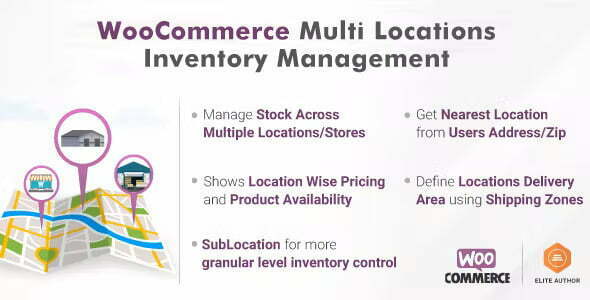
Overview of WooCommerce Multi Locations Inventory Management
Efficiently managing inventory across various physical locations is a critical challenge for growing WooCommerce businesses. The WooCommerce Multi Locations Inventory Management plugin is the ultimate solution, empowering store owners to accurately track, control, and distribute stock from multiple warehouses, stores, or fulfillment centers. This powerful tool is designed for any e-commerce enterprise looking to optimize its supply chain, improve order fulfillment, and provide a superior customer experience by ensuring product availability and faster delivery.
Key Features of WooCommerce Multi Locations Inventory Management
- Multiple Warehouse & Location Support: Seamlessly add and manage an unlimited number of inventory locations, warehouses, or physical stores directly within your WooCommerce backend. WooCommerce Multi Locations Inventory Management provides a centralized hub for all your stock points.
- Location-Specific Inventory Management: Assign specific stock quantities to each location for every product. This allows for precise inventory control and prevents overselling from a single pool of stock, ensuring accuracy across your entire operation.
- Intelligent Order Routing & Fulfillment: Automatically (or manually) route orders to the nearest or most appropriate inventory location based on product availability and shipping proximity, significantly improving fulfillment times and reducing shipping costs.
- Stock Transfers Between Locations: Easily transfer stock from one location to another with a clear, auditable trail. This feature of WooCommerce Multi Locations Inventory Management helps balance inventory levels and respond to demand fluctuations efficiently.
- Customer Location Selection: Allow customers to view product availability at different locations or even choose their preferred pickup location during checkout, enhancing transparency and convenience.
- Advanced Reporting & Analytics: Gain valuable insights into stock levels, sales performance per location, and transfer histories with comprehensive reports, helping you make data-driven decisions for your inventory strategy.
- User Role & Permission Management: Assign specific users or staff members to manage inventory for particular locations, ensuring accountability and streamlining operational workflows.
- Partial Order Fulfillment: If an order contains items available in different locations, WooCommerce Multi Locations Inventory Management supports splitting the order for fulfillment from multiple sources, ensuring customers receive their products as quickly as possible.
Why Choose WooCommerce Multi Locations Inventory Management?
Choosing WooCommerce Multi Locations Inventory Management means investing in the future of your e-commerce operations. In today’s competitive online retail landscape, efficiency and accuracy are paramount. This robust plugin eliminates the guesswork and manual errors associated with managing inventory across various points, providing a streamlined, automated solution that saves time and reduces operational costs. By centralizing your inventory data and offering intelligent fulfillment options, you can significantly reduce shipping times, minimize stockouts, and ultimately boost customer satisfaction and loyalty.
The value proposition of WooCommerce Multi Locations Inventory Management extends beyond mere stock tracking. It empowers your business to scale effectively, supporting growth into new regions or with additional warehouses without compromising on control or visibility. The ability to manage stock transfers, assign roles, and gain detailed insights ensures that every aspect of your inventory is optimized for peak performance. This leads to better resource allocation, improved cash flow, and a more responsive supply chain, giving you a distinct competitive advantage in the market.
Who Should Use WooCommerce Multi Locations Inventory Management?
WooCommerce Multi Locations Inventory Management is ideal for any WooCommerce store that operates with more than one physical location where inventory is stored. This includes businesses with multiple retail stores, several warehouses, drop-shipping arrangements, or even those utilizing third-party logistics (3PL) providers. It’s also perfect for online stores experiencing rapid growth and needing to scale their inventory management capabilities beyond basic single-location tracking, ensuring their operations remain smooth and efficient as they expand.
How to Install WooCommerce Multi Locations Inventory Management
- Download the Plugin: After acquiring WooCommerce Multi Locations Inventory Management, download the plugin zip file to your computer.
- Upload to WordPress: Log in to your WordPress admin dashboard. Navigate to ‘Plugins’ > ‘Add New’ and then click the ‘Upload Plugin’ button at the top of the page.
- Choose File & Install: Click ‘Choose File’, select the downloaded plugin zip file, and then click ‘Install Now’.
- Activate the Plugin: Once the installation is complete, click ‘Activate Plugin’.
- Configure Settings: After activation, navigate to the new ‘Multi Locations Inventory’ or similar menu item in your WooCommerce settings to begin configuring your locations, assigning inventory, and setting up order routing preferences for WooCommerce Multi Locations Inventory Management.
Frequently Asked Questions About WooCommerce Multi Locations Inventory Management
Can I manage different shipping costs per location with WooCommerce Multi Locations Inventory Management?
Yes, WooCommerce Multi Locations Inventory Management often integrates with WooCommerce’s shipping zones and methods, allowing you to configure different shipping costs or options based on the originating fulfillment location for an order. This ensures accurate shipping calculations for your customers.
Does WooCommerce Multi Locations Inventory Management support backorders?
Many advanced inventory management plugins, including WooCommerce Multi Locations Inventory Management, offer robust backorder functionality. You can typically configure whether backorders are allowed for specific products or locations, providing flexibility in managing your stock and customer expectations.
Is it possible to assign inventory managers to specific locations?
Absolutely. A key feature of WooCommerce Multi Locations Inventory Management is its ability to create and assign user roles with specific permissions. This allows you to designate certain staff members or managers to oversee inventory solely for their assigned locations, enhancing security and operational efficiency.
Get WooCommerce Multi Locations Inventory Management Today
Transform your WooCommerce store’s inventory management from a complex challenge into a streamlined, efficient process. With WooCommerce Multi Locations Inventory Management, you gain unparalleled control and visibility over your stock across all your locations, ensuring faster fulfillment and happier customers. Explore this essential tool and many other powerful WordPress Plugins and GPL WordPress Products to elevate your online business today.
Related Products You May Like
Here's everything you need to know about your purchase:
- 100% original files — Every product is the genuine, virus-free file, exactly as released by the original developer.
- Instant download — Access your files immediately after purchase from your account.
- Lifetime access — Re-download your purchased files anytime. No expiry, no limits.
- Free updates — Newer version released? Just request an update from us, free for all customers.
- Dedicated support — Our team is available 24/7 for installation and file-related help.
- Easy refunds — Not satisfied? Review our Refund Policy. We offer a hassle-free 7-day guarantee.
$100.00 Original price was: $100.00.$2.00Current price is: $2.00.
Version
4.2.7
Last Updated
30/04/2026
License
GPL v2
Compatibility
WordPress 5.0+
Need latest version?
Newer version released? Request an update from us — free for all customers!
Request Update →🎁 Your Purchase Includes
Overview of WooCommerce Multi Locations Inventory Management
Efficiently managing inventory across various physical locations is a critical challenge for growing WooCommerce businesses. The WooCommerce Multi Locations Inventory Management plugin is the ultimate solution, empowering store owners to accurately track, control, and distribute stock from multiple warehouses, stores, or fulfillment centers. This powerful tool is designed for any e-commerce enterprise looking to optimize its supply chain, improve order fulfillment, and provide a superior customer experience by ensuring product availability and faster delivery.
Key Features of WooCommerce Multi Locations Inventory Management
- Multiple Warehouse & Location Support: Seamlessly add and manage an unlimited number of inventory locations, warehouses, or physical stores directly within your WooCommerce backend. WooCommerce Multi Locations Inventory Management provides a centralized hub for all your stock points.
- Location-Specific Inventory Management: Assign specific stock quantities to each location for every product. This allows for precise inventory control and prevents overselling from a single pool of stock, ensuring accuracy across your entire operation.
- Intelligent Order Routing & Fulfillment: Automatically (or manually) route orders to the nearest or most appropriate inventory location based on product availability and shipping proximity, significantly improving fulfillment times and reducing shipping costs.
- Stock Transfers Between Locations: Easily transfer stock from one location to another with a clear, auditable trail. This feature of WooCommerce Multi Locations Inventory Management helps balance inventory levels and respond to demand fluctuations efficiently.
- Customer Location Selection: Allow customers to view product availability at different locations or even choose their preferred pickup location during checkout, enhancing transparency and convenience.
- Advanced Reporting & Analytics: Gain valuable insights into stock levels, sales performance per location, and transfer histories with comprehensive reports, helping you make data-driven decisions for your inventory strategy.
- User Role & Permission Management: Assign specific users or staff members to manage inventory for particular locations, ensuring accountability and streamlining operational workflows.
- Partial Order Fulfillment: If an order contains items available in different locations, WooCommerce Multi Locations Inventory Management supports splitting the order for fulfillment from multiple sources, ensuring customers receive their products as quickly as possible.
Why Choose WooCommerce Multi Locations Inventory Management?
Choosing WooCommerce Multi Locations Inventory Management means investing in the future of your e-commerce operations. In today’s competitive online retail landscape, efficiency and accuracy are paramount. This robust plugin eliminates the guesswork and manual errors associated with managing inventory across various points, providing a streamlined, automated solution that saves time and reduces operational costs. By centralizing your inventory data and offering intelligent fulfillment options, you can significantly reduce shipping times, minimize stockouts, and ultimately boost customer satisfaction and loyalty.
The value proposition of WooCommerce Multi Locations Inventory Management extends beyond mere stock tracking. It empowers your business to scale effectively, supporting growth into new regions or with additional warehouses without compromising on control or visibility. The ability to manage stock transfers, assign roles, and gain detailed insights ensures that every aspect of your inventory is optimized for peak performance. This leads to better resource allocation, improved cash flow, and a more responsive supply chain, giving you a distinct competitive advantage in the market.
Who Should Use WooCommerce Multi Locations Inventory Management?
WooCommerce Multi Locations Inventory Management is ideal for any WooCommerce store that operates with more than one physical location where inventory is stored. This includes businesses with multiple retail stores, several warehouses, drop-shipping arrangements, or even those utilizing third-party logistics (3PL) providers. It’s also perfect for online stores experiencing rapid growth and needing to scale their inventory management capabilities beyond basic single-location tracking, ensuring their operations remain smooth and efficient as they expand.
How to Install WooCommerce Multi Locations Inventory Management
- Download the Plugin: After acquiring WooCommerce Multi Locations Inventory Management, download the plugin zip file to your computer.
- Upload to WordPress: Log in to your WordPress admin dashboard. Navigate to ‘Plugins’ > ‘Add New’ and then click the ‘Upload Plugin’ button at the top of the page.
- Choose File & Install: Click ‘Choose File’, select the downloaded plugin zip file, and then click ‘Install Now’.
- Activate the Plugin: Once the installation is complete, click ‘Activate Plugin’.
- Configure Settings: After activation, navigate to the new ‘Multi Locations Inventory’ or similar menu item in your WooCommerce settings to begin configuring your locations, assigning inventory, and setting up order routing preferences for WooCommerce Multi Locations Inventory Management.
Frequently Asked Questions About WooCommerce Multi Locations Inventory Management
Can I manage different shipping costs per location with WooCommerce Multi Locations Inventory Management?
Yes, WooCommerce Multi Locations Inventory Management often integrates with WooCommerce’s shipping zones and methods, allowing you to configure different shipping costs or options based on the originating fulfillment location for an order. This ensures accurate shipping calculations for your customers.
Does WooCommerce Multi Locations Inventory Management support backorders?
Many advanced inventory management plugins, including WooCommerce Multi Locations Inventory Management, offer robust backorder functionality. You can typically configure whether backorders are allowed for specific products or locations, providing flexibility in managing your stock and customer expectations.
Is it possible to assign inventory managers to specific locations?
Absolutely. A key feature of WooCommerce Multi Locations Inventory Management is its ability to create and assign user roles with specific permissions. This allows you to designate certain staff members or managers to oversee inventory solely for their assigned locations, enhancing security and operational efficiency.
Get WooCommerce Multi Locations Inventory Management Today
Transform your WooCommerce store’s inventory management from a complex challenge into a streamlined, efficient process. With WooCommerce Multi Locations Inventory Management, you gain unparalleled control and visibility over your stock across all your locations, ensuring faster fulfillment and happier customers. Explore this essential tool and many other powerful WordPress Plugins and GPL WordPress Products to elevate your online business today.
Related Products You May Like
Reviews
There are no reviews yet.
Here's everything you need to know about your purchase:
- 100% original files — Every product is the genuine, virus-free file, exactly as released by the original developer.
- Instant download — Access your files immediately after purchase from your account.
- Lifetime access — Re-download your purchased files anytime. No expiry, no limits.
- Free updates — Newer version released? Just request an update from us, free for all customers.
- Dedicated support — Our team is available 24/7 for installation and file-related help.
- Easy refunds — Not satisfied? Review our Refund Policy. We offer a hassle-free 7-day guarantee.
Reviews
There are no reviews yet.