

Zota 1.3.16 – Elementor Multi-Purpose WooCommerce Theme
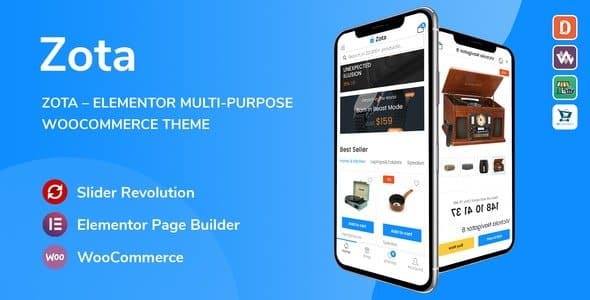
Overview of Zota
Welcome to Zota, the ultimate multi-purpose WooCommerce theme meticulously crafted for Elementor. Zota empowers you to build stunning, high-converting online stores with unparalleled ease and flexibility. Designed for entrepreneurs, small businesses, and large enterprises alike, Zota provides a robust foundation for any e-commerce venture, from fashion and electronics to furniture and digital products. With Zota, your vision for an elegant and functional online shop becomes a beautiful reality, allowing you to showcase your products in the best light.
Key Features of Zota
- Drag-and-Drop Page Building with Elementor: Zota is built from the ground up to integrate seamlessly with Elementor, the world’s leading drag-and-drop page builder. Create custom layouts, design unique product pages, and build your entire site visually without touching a single line of code.
- Extensive Demos & Pre-built Layouts: Jumpstart your project with Zota’s diverse collection of professionally designed demos and pre-built layouts. Import them with a single click and customize them to match your brand identity, saving you countless hours of development time.
- Advanced WooCommerce Integration: Zota offers deep integration with WooCommerce, providing enhanced features like AJAX product filters, quick view, product compare, wishlists, and various shop page layouts to optimize your customers’ shopping experience.
- Fully Responsive & Retina Ready: Ensure your store looks flawless and performs impeccably on any device, from desktops to tablets and smartphones. Zota is designed with responsiveness in mind, guaranteeing a consistent and engaging user experience across all screen sizes.
- Powerful Theme Options Panel: Take full control of your website’s aesthetics and functionality with Zota’s intuitive theme options panel. Easily customize colors, typography, headers, footers, and much more without needing any coding expertise.
- SEO Optimized: Zota is engineered with best SEO practices in mind, helping your online store rank higher in search engine results. This means more organic traffic, increased visibility, and ultimately, more sales for your business.
- Fast Performance & Lightweight Code: Experience blazing-fast loading speeds with Zota. Its optimized and clean code ensures your website performs efficiently, providing a smooth browsing experience for your customers and contributing positively to your search engine rankings.
- Mega Menu Support: Create stunning and highly functional mega menus to easily navigate through your product categories and pages. Zota’s mega menu options help improve user experience and guide visitors to exactly what they’re looking for.
Why Choose Zota?
Choosing Zota means investing in a future-proof foundation for your e-commerce business. In today’s competitive online marketplace, having a website that is not only visually appealing but also highly functional and user-friendly is paramount. Zota excels in all these areas, offering a sophisticated design coupled with robust performance. Its deep integration with Elementor provides an unparalleled level of customization, allowing you to craft a unique online identity that truly reflects your brand. You’re not just getting a theme; you’re gaining a powerful toolkit that puts you in complete control of your online presence.
Beyond aesthetics, Zota is engineered for conversion. Features like advanced product filters, quick view options, and a streamlined checkout process are all designed to enhance the customer journey and reduce cart abandonment. The responsiveness of Zota ensures that whether your customers are browsing on a desktop, tablet, or smartphone, they will have an optimal experience, leading to higher engagement and satisfaction. Furthermore, the SEO-friendly architecture of Zota means your products are more likely to be discovered by potential customers, giving your business a significant edge in search engine visibility.
Ultimately, Zota offers exceptional value. It’s a comprehensive solution for anyone looking to build a professional and successful online store. With its ease of use, extensive features, and continuous optimization, Zota empowers you to focus on what matters most: growing your business. It’s a versatile, reliable, and powerful theme that scales with your needs, ensuring your online store remains cutting-edge and competitive for years to come. Embrace the power of Zota and transform your e-commerce ambitions into reality.
Who Should Use Zota?
Zota is ideal for a wide range of users looking to establish or upgrade their online store. It’s perfect for small to medium-sized businesses, startups, and individual entrepreneurs who need a professional, feature-rich e-commerce platform without requiring extensive coding knowledge. Web designers and agencies will also find Zota invaluable for its flexibility and Elementor integration, allowing them to deliver custom solutions quickly. Whether you’re selling physical products, digital goods, or offering services, Zota provides the robust and adaptable framework you need to succeed online.
How to Install Zota
- Download Zota: After purchasing, download the Zota theme package from your account on GPLUniverse. Ensure you download the installable theme file, typically a `.zip` archive.
- Upload the Theme: Log in to your WordPress dashboard. Navigate to Appearance > Themes and click on the “Add New” button at the top. Then, click “Upload Theme” and choose the Zota `.zip` file you downloaded. Click “Install Now”.
- Activate Zota: Once the theme is uploaded and installed, click the “Activate” link to make Zota your active theme.
- Install Required Plugins: After activation, Zota will likely prompt you to install a set of recommended plugins (e.g., Elementor, WooCommerce, Zota Core). Install and activate all the necessary plugins to ensure full theme functionality.
- Import Demo Content (Optional): For the quickest setup, navigate to the theme’s options panel (usually found under Appearance or a dedicated theme menu item) and use the one-click demo importer to populate your site with content similar to the Zota demos. Customize as needed.
Frequently Asked Questions About Zota
Is Zota compatible with other WordPress plugins?
Yes, Zota is designed with broad compatibility in mind. It works seamlessly with essential WordPress plugins like WooCommerce, Elementor, Yoast SEO, WPML for multilingual support, and many others. While we strive for universal compatibility, it’s always recommended to test specific third-party plugins in a staging environment if you have unique requirements.
Can I customize Zota without knowing how to code?
Absolutely! Zota is built specifically for users who prefer a no-code or low-code approach. With its deep integration with Elementor, you can visually design and customize virtually every aspect of your site using drag-and-drop functionality. The powerful theme options panel also provides extensive customization options for colors, typography, layouts, and more, all without needing to write any code.
Does Zota support different payment gateways for WooCommerce?
Since Zota is built on WooCommerce, it inherently supports all payment gateways that are compatible with WooCommerce. This includes popular options like PayPal, Stripe, credit card processors, and many local payment solutions. You can easily configure and enable your preferred payment gateways directly within your WooCommerce settings.
Get Zota Today
Ready to launch your professional online store with unparalleled style and functionality? Zota offers the perfect blend of aesthetic design, robust features, and user-friendly customization, making it the ideal choice for any e-commerce venture. Don’t miss out on the opportunity to create a stunning, high-converting website that truly stands out. Explore Zota and other premium WordPress Themes and enhance your digital presence today. Visit our store and discover the full range of GPL WordPress Products to empower your website.
Related Products You May Like
Here's everything you need to know about your purchase:
- 100% original files — Every product is the genuine, virus-free file, exactly as released by the original developer.
- Instant download — Access your files immediately after purchase from your account.
- Lifetime access — Re-download your purchased files anytime. No expiry, no limits.
- Free updates — Newer version released? Just request an update from us, free for all customers.
- Dedicated support — Our team is available 24/7 for installation and file-related help.
- Easy refunds — Not satisfied? Review our Refund Policy. We offer a hassle-free 7-day guarantee.
$100.00 Original price was: $100.00.$2.00Current price is: $2.00.
Version
1.3.16
Last Updated
10/02/2026
License
GPL v2
Compatibility
WordPress 5.0+
Need latest version?
Newer version released? Request an update from us — free for all customers!
Request Update →🎁 Your Purchase Includes
Overview of Zota
Welcome to Zota, the ultimate multi-purpose WooCommerce theme meticulously crafted for Elementor. Zota empowers you to build stunning, high-converting online stores with unparalleled ease and flexibility. Designed for entrepreneurs, small businesses, and large enterprises alike, Zota provides a robust foundation for any e-commerce venture, from fashion and electronics to furniture and digital products. With Zota, your vision for an elegant and functional online shop becomes a beautiful reality, allowing you to showcase your products in the best light.
Key Features of Zota
- Drag-and-Drop Page Building with Elementor: Zota is built from the ground up to integrate seamlessly with Elementor, the world’s leading drag-and-drop page builder. Create custom layouts, design unique product pages, and build your entire site visually without touching a single line of code.
- Extensive Demos & Pre-built Layouts: Jumpstart your project with Zota’s diverse collection of professionally designed demos and pre-built layouts. Import them with a single click and customize them to match your brand identity, saving you countless hours of development time.
- Advanced WooCommerce Integration: Zota offers deep integration with WooCommerce, providing enhanced features like AJAX product filters, quick view, product compare, wishlists, and various shop page layouts to optimize your customers’ shopping experience.
- Fully Responsive & Retina Ready: Ensure your store looks flawless and performs impeccably on any device, from desktops to tablets and smartphones. Zota is designed with responsiveness in mind, guaranteeing a consistent and engaging user experience across all screen sizes.
- Powerful Theme Options Panel: Take full control of your website’s aesthetics and functionality with Zota’s intuitive theme options panel. Easily customize colors, typography, headers, footers, and much more without needing any coding expertise.
- SEO Optimized: Zota is engineered with best SEO practices in mind, helping your online store rank higher in search engine results. This means more organic traffic, increased visibility, and ultimately, more sales for your business.
- Fast Performance & Lightweight Code: Experience blazing-fast loading speeds with Zota. Its optimized and clean code ensures your website performs efficiently, providing a smooth browsing experience for your customers and contributing positively to your search engine rankings.
- Mega Menu Support: Create stunning and highly functional mega menus to easily navigate through your product categories and pages. Zota’s mega menu options help improve user experience and guide visitors to exactly what they’re looking for.
Why Choose Zota?
Choosing Zota means investing in a future-proof foundation for your e-commerce business. In today’s competitive online marketplace, having a website that is not only visually appealing but also highly functional and user-friendly is paramount. Zota excels in all these areas, offering a sophisticated design coupled with robust performance. Its deep integration with Elementor provides an unparalleled level of customization, allowing you to craft a unique online identity that truly reflects your brand. You’re not just getting a theme; you’re gaining a powerful toolkit that puts you in complete control of your online presence.
Beyond aesthetics, Zota is engineered for conversion. Features like advanced product filters, quick view options, and a streamlined checkout process are all designed to enhance the customer journey and reduce cart abandonment. The responsiveness of Zota ensures that whether your customers are browsing on a desktop, tablet, or smartphone, they will have an optimal experience, leading to higher engagement and satisfaction. Furthermore, the SEO-friendly architecture of Zota means your products are more likely to be discovered by potential customers, giving your business a significant edge in search engine visibility.
Ultimately, Zota offers exceptional value. It’s a comprehensive solution for anyone looking to build a professional and successful online store. With its ease of use, extensive features, and continuous optimization, Zota empowers you to focus on what matters most: growing your business. It’s a versatile, reliable, and powerful theme that scales with your needs, ensuring your online store remains cutting-edge and competitive for years to come. Embrace the power of Zota and transform your e-commerce ambitions into reality.
Who Should Use Zota?
Zota is ideal for a wide range of users looking to establish or upgrade their online store. It’s perfect for small to medium-sized businesses, startups, and individual entrepreneurs who need a professional, feature-rich e-commerce platform without requiring extensive coding knowledge. Web designers and agencies will also find Zota invaluable for its flexibility and Elementor integration, allowing them to deliver custom solutions quickly. Whether you’re selling physical products, digital goods, or offering services, Zota provides the robust and adaptable framework you need to succeed online.
How to Install Zota
- Download Zota: After purchasing, download the Zota theme package from your account on GPLUniverse. Ensure you download the installable theme file, typically a `.zip` archive.
- Upload the Theme: Log in to your WordPress dashboard. Navigate to Appearance > Themes and click on the “Add New” button at the top. Then, click “Upload Theme” and choose the Zota `.zip` file you downloaded. Click “Install Now”.
- Activate Zota: Once the theme is uploaded and installed, click the “Activate” link to make Zota your active theme.
- Install Required Plugins: After activation, Zota will likely prompt you to install a set of recommended plugins (e.g., Elementor, WooCommerce, Zota Core). Install and activate all the necessary plugins to ensure full theme functionality.
- Import Demo Content (Optional): For the quickest setup, navigate to the theme’s options panel (usually found under Appearance or a dedicated theme menu item) and use the one-click demo importer to populate your site with content similar to the Zota demos. Customize as needed.
Frequently Asked Questions About Zota
Is Zota compatible with other WordPress plugins?
Yes, Zota is designed with broad compatibility in mind. It works seamlessly with essential WordPress plugins like WooCommerce, Elementor, Yoast SEO, WPML for multilingual support, and many others. While we strive for universal compatibility, it’s always recommended to test specific third-party plugins in a staging environment if you have unique requirements.
Can I customize Zota without knowing how to code?
Absolutely! Zota is built specifically for users who prefer a no-code or low-code approach. With its deep integration with Elementor, you can visually design and customize virtually every aspect of your site using drag-and-drop functionality. The powerful theme options panel also provides extensive customization options for colors, typography, layouts, and more, all without needing to write any code.
Does Zota support different payment gateways for WooCommerce?
Since Zota is built on WooCommerce, it inherently supports all payment gateways that are compatible with WooCommerce. This includes popular options like PayPal, Stripe, credit card processors, and many local payment solutions. You can easily configure and enable your preferred payment gateways directly within your WooCommerce settings.
Get Zota Today
Ready to launch your professional online store with unparalleled style and functionality? Zota offers the perfect blend of aesthetic design, robust features, and user-friendly customization, making it the ideal choice for any e-commerce venture. Don’t miss out on the opportunity to create a stunning, high-converting website that truly stands out. Explore Zota and other premium WordPress Themes and enhance your digital presence today. Visit our store and discover the full range of GPL WordPress Products to empower your website.
Related Products You May Like
Reviews
There are no reviews yet.
Here's everything you need to know about your purchase:
- 100% original files — Every product is the genuine, virus-free file, exactly as released by the original developer.
- Instant download — Access your files immediately after purchase from your account.
- Lifetime access — Re-download your purchased files anytime. No expiry, no limits.
- Free updates — Newer version released? Just request an update from us, free for all customers.
- Dedicated support — Our team is available 24/7 for installation and file-related help.
- Easy refunds — Not satisfied? Review our Refund Policy. We offer a hassle-free 7-day guarantee.
Reviews
There are no reviews yet.