

WPShopmart Tabs Pro 5.5
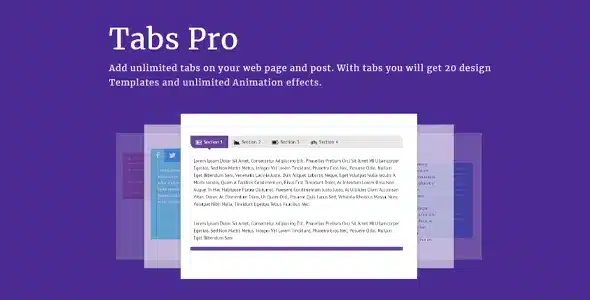
Overview of WPShopmart Tabs Pro
WPShopmart Tabs Pro is an indispensable WordPress plugin designed to help you create stunning, responsive, and highly customizable tabbed content sections on your website. Whether you need to organize product descriptions, FAQs, service details, or any other content, WPShopmart Tabs Pro provides an elegant solution to declutter your pages and enhance user experience. It’s the perfect tool for website owners and developers looking to present information cleanly and efficiently without sacrificing visual appeal or functionality.
Key Features of WPShopmart Tabs Pro
- Fully Responsive Design: Ensure your tabbed content looks impeccable and functions flawlessly across all devices, from desktops to smartphones, with WPShopmart Tabs Pro’s inherent responsive capabilities.
- Unlimited Tabs & Tab Groups: Create as many tabs and tab groups as your website requires, allowing for extensive content organization without any limitations. WPShopmart Tabs Pro empowers you to structure vast amounts of information.
- Multiple Layout & Style Options: Choose from a wide array of pre-designed layouts and styling options to match your website’s aesthetic perfectly. Customize colors, fonts, icons, and more with WPShopmart Tabs Pro.
- Drag & Drop Tab Builder: Effortlessly arrange and reorder your tabs with an intuitive drag-and-drop interface, making content management simple and quick for every user of WPShopmart Tabs Pro.
- Customizable Tab Content: Add any type of content within your tabs, including text, images, videos, shortcodes, and even other plugins, offering ultimate flexibility for your site with WPShopmart Tabs Pro.
- Vertical & Horizontal Tab Orientations: Display your tabs either horizontally across the top or vertically along the side, providing design versatility to best suit your page layout using WPShopmart Tabs Pro.
- Font Awesome Icon Support: Enhance your tabs with a vast library of Font Awesome icons, adding visual cues and improving navigation for your users, a key feature of WPShopmart Tabs Pro.
- SEO-Friendly Structure: WPShopmart Tabs Pro ensures that your tabbed content remains fully crawlable and indexable by search engines, helping to improve your site’s visibility and search rankings.
Why Choose WPShopmart Tabs Pro?
In today’s fast-paced digital world, users demand quick access to information without being overwhelmed by cluttered pages. WPShopmart Tabs Pro addresses this critical need by providing a sophisticated yet easy-to-use solution for organizing complex data. By consolidating related content into neat, interactive tabs, you significantly improve user engagement and retention. Visitors can quickly navigate through sections of information relevant to them, leading to a more positive browsing experience and reducing bounce rates. WPShopmart Tabs Pro is engineered to make your website more professional and user-friendly.
Beyond its aesthetic and organizational benefits, WPShopmart Tabs Pro is built with performance and flexibility in mind. Its lightweight code ensures that adding tabbed content doesn’t slow down your website, which is crucial for SEO and user satisfaction. The extensive customization options mean you can perfectly align the tabs with your brand identity, maintaining a consistent look and feel across your site. For any WordPress site looking to present information more effectively, WPShopmart Tabs Pro stands out as a robust and reliable choice.
Furthermore, the ease of use makes WPShopmart Tabs Pro accessible to everyone, regardless of their technical expertise. You don’t need to be a developer to create stunning tabbed sections. The intuitive interface and comprehensive features allow you to design and implement professional-grade content organization in minutes. Choose WPShopmart Tabs Pro to elevate your content presentation and provide an exceptional user experience.
Who Should Use WPShopmart Tabs Pro?
WPShopmart Tabs Pro is ideal for a wide range of WordPress users. E-commerce store owners can use it to organize product specifications, reviews, FAQs, and shipping information on product pages. Bloggers and content creators can segment long articles into digestible sections. Business websites will find it invaluable for showcasing services, team members, or company portfolios. Additionally, anyone managing a website with a significant amount of information that needs to be presented clearly and concisely will benefit immensely from the organizational power of WPShopmart Tabs Pro.
How to Install WPShopmart Tabs Pro
- Download the Plugin: After acquiring WPShopmart Tabs Pro, download the plugin file (a .zip archive) to your computer.
- Upload via WordPress Dashboard: Log in to your WordPress admin area. Navigate to ‘Plugins’ > ‘Add New’ and then click the ‘Upload Plugin’ button at the top.
- Choose File & Install: Click ‘Choose File’, select the WPShopmart Tabs Pro .zip file you downloaded, and then click ‘Install Now’.
- Activate the Plugin: Once the installation is complete, click on the ‘Activate Plugin’ link. WPShopmart Tabs Pro will now be active on your site.
- Configure Settings: A new menu item for WPShopmart Tabs Pro will appear in your WordPress dashboard. Click on it to access the settings and start creating your first tabbed content.
Frequently Asked Questions About WPShopmart Tabs Pro
Is WPShopmart Tabs Pro compatible with all WordPress themes?
Yes, WPShopmart Tabs Pro is designed to be highly compatible with most standard WordPress themes. Its flexible styling options allow it to seamlessly integrate visually with various theme designs, ensuring your tabs look consistent with your site’s overall aesthetic.
Can I add shortcodes from other plugins inside WPShopmart Tabs Pro?
Absolutely! WPShopmart Tabs Pro fully supports the inclusion of shortcodes from other WordPress plugins. This allows you to embed forms, galleries, maps, and virtually any other shortcode-generated content directly within your tabs, greatly expanding their functionality.
Does WPShopmart Tabs Pro support different content types?
Yes, WPShopmart Tabs Pro is incredibly versatile. You can add any type of content you typically use in the WordPress editor, including text, images, videos, HTML, and even other WordPress shortcodes, ensuring maximum flexibility for your content presentation.
Get WPShopmart Tabs Pro Today
Transform the way you present content on your WordPress website. With WPShopmart Tabs Pro, you can create engaging, organized, and user-friendly layouts that enhance navigation and improve the overall visitor experience. Stop cluttering your pages and start delivering information effectively. Explore WPShopmart Tabs Pro and many other powerful WordPress Plugins available. Elevate your site’s functionality and design by browsing our extensive collection of GPL WordPress Products today.
Related Products You May Like
Here's everything you need to know about your purchase:
- 100% original files — Every product is the genuine, virus-free file, exactly as released by the original developer.
- Instant download — Access your files immediately after purchase from your account.
- Lifetime access — Re-download your purchased files anytime. No expiry, no limits.
- Free updates — Newer version released? Just request an update from us, free for all customers.
- Dedicated support — Our team is available 24/7 for installation and file-related help.
- Easy refunds — Not satisfied? Review our Refund Policy. We offer a hassle-free 7-day guarantee.
$100.00 Original price was: $100.00.$2.00Current price is: $2.00.
Version
5.5
Last Updated
02/11/2024
License
GPL v2
Compatibility
WordPress 5.0+
Need latest version?
Newer version released? Request an update from us — free for all customers!
Request Update →🎁 Your Purchase Includes
Overview of WPShopmart Tabs Pro
WPShopmart Tabs Pro is an indispensable WordPress plugin designed to help you create stunning, responsive, and highly customizable tabbed content sections on your website. Whether you need to organize product descriptions, FAQs, service details, or any other content, WPShopmart Tabs Pro provides an elegant solution to declutter your pages and enhance user experience. It’s the perfect tool for website owners and developers looking to present information cleanly and efficiently without sacrificing visual appeal or functionality.
Key Features of WPShopmart Tabs Pro
- Fully Responsive Design: Ensure your tabbed content looks impeccable and functions flawlessly across all devices, from desktops to smartphones, with WPShopmart Tabs Pro’s inherent responsive capabilities.
- Unlimited Tabs & Tab Groups: Create as many tabs and tab groups as your website requires, allowing for extensive content organization without any limitations. WPShopmart Tabs Pro empowers you to structure vast amounts of information.
- Multiple Layout & Style Options: Choose from a wide array of pre-designed layouts and styling options to match your website’s aesthetic perfectly. Customize colors, fonts, icons, and more with WPShopmart Tabs Pro.
- Drag & Drop Tab Builder: Effortlessly arrange and reorder your tabs with an intuitive drag-and-drop interface, making content management simple and quick for every user of WPShopmart Tabs Pro.
- Customizable Tab Content: Add any type of content within your tabs, including text, images, videos, shortcodes, and even other plugins, offering ultimate flexibility for your site with WPShopmart Tabs Pro.
- Vertical & Horizontal Tab Orientations: Display your tabs either horizontally across the top or vertically along the side, providing design versatility to best suit your page layout using WPShopmart Tabs Pro.
- Font Awesome Icon Support: Enhance your tabs with a vast library of Font Awesome icons, adding visual cues and improving navigation for your users, a key feature of WPShopmart Tabs Pro.
- SEO-Friendly Structure: WPShopmart Tabs Pro ensures that your tabbed content remains fully crawlable and indexable by search engines, helping to improve your site’s visibility and search rankings.
Why Choose WPShopmart Tabs Pro?
In today’s fast-paced digital world, users demand quick access to information without being overwhelmed by cluttered pages. WPShopmart Tabs Pro addresses this critical need by providing a sophisticated yet easy-to-use solution for organizing complex data. By consolidating related content into neat, interactive tabs, you significantly improve user engagement and retention. Visitors can quickly navigate through sections of information relevant to them, leading to a more positive browsing experience and reducing bounce rates. WPShopmart Tabs Pro is engineered to make your website more professional and user-friendly.
Beyond its aesthetic and organizational benefits, WPShopmart Tabs Pro is built with performance and flexibility in mind. Its lightweight code ensures that adding tabbed content doesn’t slow down your website, which is crucial for SEO and user satisfaction. The extensive customization options mean you can perfectly align the tabs with your brand identity, maintaining a consistent look and feel across your site. For any WordPress site looking to present information more effectively, WPShopmart Tabs Pro stands out as a robust and reliable choice.
Furthermore, the ease of use makes WPShopmart Tabs Pro accessible to everyone, regardless of their technical expertise. You don’t need to be a developer to create stunning tabbed sections. The intuitive interface and comprehensive features allow you to design and implement professional-grade content organization in minutes. Choose WPShopmart Tabs Pro to elevate your content presentation and provide an exceptional user experience.
Who Should Use WPShopmart Tabs Pro?
WPShopmart Tabs Pro is ideal for a wide range of WordPress users. E-commerce store owners can use it to organize product specifications, reviews, FAQs, and shipping information on product pages. Bloggers and content creators can segment long articles into digestible sections. Business websites will find it invaluable for showcasing services, team members, or company portfolios. Additionally, anyone managing a website with a significant amount of information that needs to be presented clearly and concisely will benefit immensely from the organizational power of WPShopmart Tabs Pro.
How to Install WPShopmart Tabs Pro
- Download the Plugin: After acquiring WPShopmart Tabs Pro, download the plugin file (a .zip archive) to your computer.
- Upload via WordPress Dashboard: Log in to your WordPress admin area. Navigate to ‘Plugins’ > ‘Add New’ and then click the ‘Upload Plugin’ button at the top.
- Choose File & Install: Click ‘Choose File’, select the WPShopmart Tabs Pro .zip file you downloaded, and then click ‘Install Now’.
- Activate the Plugin: Once the installation is complete, click on the ‘Activate Plugin’ link. WPShopmart Tabs Pro will now be active on your site.
- Configure Settings: A new menu item for WPShopmart Tabs Pro will appear in your WordPress dashboard. Click on it to access the settings and start creating your first tabbed content.
Frequently Asked Questions About WPShopmart Tabs Pro
Is WPShopmart Tabs Pro compatible with all WordPress themes?
Yes, WPShopmart Tabs Pro is designed to be highly compatible with most standard WordPress themes. Its flexible styling options allow it to seamlessly integrate visually with various theme designs, ensuring your tabs look consistent with your site’s overall aesthetic.
Can I add shortcodes from other plugins inside WPShopmart Tabs Pro?
Absolutely! WPShopmart Tabs Pro fully supports the inclusion of shortcodes from other WordPress plugins. This allows you to embed forms, galleries, maps, and virtually any other shortcode-generated content directly within your tabs, greatly expanding their functionality.
Does WPShopmart Tabs Pro support different content types?
Yes, WPShopmart Tabs Pro is incredibly versatile. You can add any type of content you typically use in the WordPress editor, including text, images, videos, HTML, and even other WordPress shortcodes, ensuring maximum flexibility for your content presentation.
Get WPShopmart Tabs Pro Today
Transform the way you present content on your WordPress website. With WPShopmart Tabs Pro, you can create engaging, organized, and user-friendly layouts that enhance navigation and improve the overall visitor experience. Stop cluttering your pages and start delivering information effectively. Explore WPShopmart Tabs Pro and many other powerful WordPress Plugins available. Elevate your site’s functionality and design by browsing our extensive collection of GPL WordPress Products today.
Related Products You May Like
Reviews
There are no reviews yet.
Here's everything you need to know about your purchase:
- 100% original files — Every product is the genuine, virus-free file, exactly as released by the original developer.
- Instant download — Access your files immediately after purchase from your account.
- Lifetime access — Re-download your purchased files anytime. No expiry, no limits.
- Free updates — Newer version released? Just request an update from us, free for all customers.
- Dedicated support — Our team is available 24/7 for installation and file-related help.
- Easy refunds — Not satisfied? Review our Refund Policy. We offer a hassle-free 7-day guarantee.
Reviews
There are no reviews yet.