

WPCode Pro 2.3.5 – The Best WordPress Code Snippets Plugin
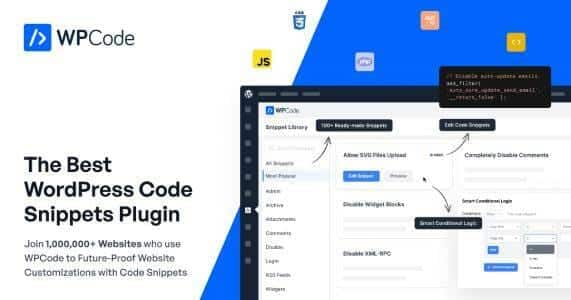
Overview of WPCode Pro
WPCode Pro is the definitive solution for effortlessly managing and deploying custom code snippets across your WordPress website without ever touching your theme’s core files. This powerful plugin is meticulously designed for developers, agencies, and site owners who demand a safe, efficient, and organized way to enhance their site’s functionality, inject custom CSS, JavaScript, PHP, and more, all while significantly improving performance and maintainability. With WPCode Pro, you gain complete control over your site’s custom code, transforming complex tasks into simple, manageable actions.
Key Features of WPCode Pro
- Smart Code Snippets: Easily add, organize, and execute all types of code snippets, including PHP, HTML, CSS, JavaScript, and even text, from a centralized, intuitive interface. WPCode Pro ensures your custom code is always clean, accessible, and perfectly managed.
- Conditional Logic for Snippets: Gain unparalleled control over where and when your snippets load. Utilize advanced conditional logic to target specific pages, posts, custom post types, user roles, device types, or even dates, ensuring optimal performance and precise functionality.
- Code Revisions & Version Control: Never worry about losing your work or making irreversible mistakes. WPCode Pro includes robust code revision history, allowing you to easily revert to previous versions of your snippets with a single click, providing peace of mind during development.
- Advanced Snippet Settings: Configure each snippet with precision. Choose where to run the code (frontend, backend, or everywhere), set execution priority, and even enable auto-insert locations for popular hooks, making WPCode Pro incredibly flexible.
- Error Handling & Safe Mode: Protect your site from potential issues. WPCode Pro features smart error handling that automatically deactivates problematic PHP snippets, preventing site crashes, and offers a Safe Mode for troubleshooting.
- Global Snippets & Reusable Code: Create global snippets that can be easily inserted into any post, page, or widget using a simple shortcode, PHP function, or block. This promotes code reusability and dramatically speeds up your workflow with WPCode Pro.
- WooCommerce Snippets Library: Access a growing library of ready-to-use snippets specifically designed for WooCommerce. Quickly add custom features, modify store behavior, and enhance your e-commerce site without writing a single line of code from scratch.
- Custom Shortcodes & Blocks: Turn any snippet into a reusable shortcode or Gutenberg block. This feature allows non-technical users to easily insert complex functionalities into their content without needing to understand the underlying code, making WPCode Pro a true team player.
Why Choose WPCode Pro?
Choosing WPCode Pro means opting for a smarter, safer, and significantly more efficient way to customize your WordPress site. Gone are the days of directly editing your `functions.php` file, risking irreversible errors with every change, or cluttering your theme with dozens of small, unorganized modifications. WPCode Pro centralizes all your custom code in one secure location, providing a clean interface where you can activate, deactivate, and manage snippets with ease. This not only streamlines your development process but also ensures that your custom functionalities persist even when you switch themes or update your WordPress core.
The true power of WPCode Pro lies in its ability to empower both seasoned developers and everyday site owners. For developers, features like conditional logic, code revisions, and advanced execution settings offer unparalleled flexibility and control, allowing for sophisticated customizations without the overhead. For site owners, the intuitive interface, pre-built snippet library, and error-handling capabilities mean they can safely implement powerful enhancements without fear of breaking their site. WPCode Pro dramatically reduces the learning curve and the risk associated with custom code, making advanced WordPress customization accessible to everyone. It’s an indispensable tool for maintaining a fast, secure, and highly functional website.
Who Should Use WPCode Pro?
WPCode Pro is an essential tool for virtually anyone running a WordPress website who needs to add custom code. This includes: WordPress developers and agencies looking for a robust and organized way to manage client customizations; website owners who want to add specific functionalities like custom CSS, Google Analytics, or Facebook Pixel without hiring a developer; bloggers who need to inject ad code or custom scripts; and e-commerce store owners utilizing WooCommerce who wish to modify their store’s behavior or add unique features. If you’re tired of sifting through theme files or using multiple plugins for simple code injections, WPCode Pro is your all-in-one solution.
How to Install WPCode Pro
- First, download the WPCode Pro plugin package from your purchase dashboard on GPLUniverse.
- Log in to your WordPress admin area and navigate to ‘Plugins’ > ‘Add New’.
- Click on the ‘Upload Plugin’ button at the top of the page, then click ‘Choose File’.
- Select the downloaded `wpcode-pro.zip` file and click ‘Install Now’.
- Once the installation is complete, click ‘Activate Plugin’. You’ll then find the new ‘Code Snippets’ menu item in your WordPress dashboard, ready to manage your custom code with WPCode Pro.
Frequently Asked Questions About WPCode Pro
Does WPCode Pro slow down my website?
No, quite the opposite. WPCode Pro is built with performance in mind. By organizing your snippets and allowing you to precisely control where and when they execute, it helps prevent unnecessary code from loading. Furthermore, its efficient architecture means your custom code is handled optimally, often leading to better site performance compared to adding snippets directly to theme files or using multiple single-purpose plugins.
Can I import and export snippets with WPCode Pro?
Yes, WPCode Pro offers robust import and export functionalities. You can easily export individual snippets or your entire library of snippets as a JSON file. This feature is incredibly useful for backing up your code, migrating snippets between different WordPress sites, or sharing custom functionalities with other developers. It makes managing your code across multiple projects seamless.
Is WPCode Pro compatible with all WordPress themes?
WPCode Pro is designed to be universally compatible with all well-coded WordPress themes, regardless of whether they are free or premium. Since it manages code snippets independently of your theme’s core files, it avoids conflicts and ensures your customizations remain active even if you change or update your theme. It integrates directly with WordPress’s hook system for maximum compatibility and flexibility.
Get WPCode Pro Today
Transform the way you manage custom code on your WordPress site. With its intuitive interface, powerful features, and robust error handling, WPCode Pro is the essential tool for anyone looking to enhance their website’s functionality safely and efficiently. Say goodbye to complex manual edits and hello to streamlined code management. Explore our wide range of WordPress Plugins and other premium GPL WordPress Products to further supercharge your site. Get WPCode Pro today and unlock a new level of customization and control!
Related Products You May Like
Here's everything you need to know about your purchase:
- 100% original files — Every product is the genuine, virus-free file, exactly as released by the original developer.
- Instant download — Access your files immediately after purchase from your account.
- Lifetime access — Re-download your purchased files anytime. No expiry, no limits.
- Free updates — Newer version released? Just request an update from us, free for all customers.
- Dedicated support — Our team is available 24/7 for installation and file-related help.
- Easy refunds — Not satisfied? Review our Refund Policy. We offer a hassle-free 7-day guarantee.
$100.00 Original price was: $100.00.$2.00Current price is: $2.00.
Version
2.3.5
Last Updated
03/03/2026
License
GPL v2
Compatibility
WordPress 5.0+
Need latest version?
Newer version released? Request an update from us — free for all customers!
Request Update →🎁 Your Purchase Includes
Overview of WPCode Pro
WPCode Pro is the definitive solution for effortlessly managing and deploying custom code snippets across your WordPress website without ever touching your theme’s core files. This powerful plugin is meticulously designed for developers, agencies, and site owners who demand a safe, efficient, and organized way to enhance their site’s functionality, inject custom CSS, JavaScript, PHP, and more, all while significantly improving performance and maintainability. With WPCode Pro, you gain complete control over your site’s custom code, transforming complex tasks into simple, manageable actions.
Key Features of WPCode Pro
- Smart Code Snippets: Easily add, organize, and execute all types of code snippets, including PHP, HTML, CSS, JavaScript, and even text, from a centralized, intuitive interface. WPCode Pro ensures your custom code is always clean, accessible, and perfectly managed.
- Conditional Logic for Snippets: Gain unparalleled control over where and when your snippets load. Utilize advanced conditional logic to target specific pages, posts, custom post types, user roles, device types, or even dates, ensuring optimal performance and precise functionality.
- Code Revisions & Version Control: Never worry about losing your work or making irreversible mistakes. WPCode Pro includes robust code revision history, allowing you to easily revert to previous versions of your snippets with a single click, providing peace of mind during development.
- Advanced Snippet Settings: Configure each snippet with precision. Choose where to run the code (frontend, backend, or everywhere), set execution priority, and even enable auto-insert locations for popular hooks, making WPCode Pro incredibly flexible.
- Error Handling & Safe Mode: Protect your site from potential issues. WPCode Pro features smart error handling that automatically deactivates problematic PHP snippets, preventing site crashes, and offers a Safe Mode for troubleshooting.
- Global Snippets & Reusable Code: Create global snippets that can be easily inserted into any post, page, or widget using a simple shortcode, PHP function, or block. This promotes code reusability and dramatically speeds up your workflow with WPCode Pro.
- WooCommerce Snippets Library: Access a growing library of ready-to-use snippets specifically designed for WooCommerce. Quickly add custom features, modify store behavior, and enhance your e-commerce site without writing a single line of code from scratch.
- Custom Shortcodes & Blocks: Turn any snippet into a reusable shortcode or Gutenberg block. This feature allows non-technical users to easily insert complex functionalities into their content without needing to understand the underlying code, making WPCode Pro a true team player.
Why Choose WPCode Pro?
Choosing WPCode Pro means opting for a smarter, safer, and significantly more efficient way to customize your WordPress site. Gone are the days of directly editing your `functions.php` file, risking irreversible errors with every change, or cluttering your theme with dozens of small, unorganized modifications. WPCode Pro centralizes all your custom code in one secure location, providing a clean interface where you can activate, deactivate, and manage snippets with ease. This not only streamlines your development process but also ensures that your custom functionalities persist even when you switch themes or update your WordPress core.
The true power of WPCode Pro lies in its ability to empower both seasoned developers and everyday site owners. For developers, features like conditional logic, code revisions, and advanced execution settings offer unparalleled flexibility and control, allowing for sophisticated customizations without the overhead. For site owners, the intuitive interface, pre-built snippet library, and error-handling capabilities mean they can safely implement powerful enhancements without fear of breaking their site. WPCode Pro dramatically reduces the learning curve and the risk associated with custom code, making advanced WordPress customization accessible to everyone. It’s an indispensable tool for maintaining a fast, secure, and highly functional website.
Who Should Use WPCode Pro?
WPCode Pro is an essential tool for virtually anyone running a WordPress website who needs to add custom code. This includes: WordPress developers and agencies looking for a robust and organized way to manage client customizations; website owners who want to add specific functionalities like custom CSS, Google Analytics, or Facebook Pixel without hiring a developer; bloggers who need to inject ad code or custom scripts; and e-commerce store owners utilizing WooCommerce who wish to modify their store’s behavior or add unique features. If you’re tired of sifting through theme files or using multiple plugins for simple code injections, WPCode Pro is your all-in-one solution.
How to Install WPCode Pro
- First, download the WPCode Pro plugin package from your purchase dashboard on GPLUniverse.
- Log in to your WordPress admin area and navigate to ‘Plugins’ > ‘Add New’.
- Click on the ‘Upload Plugin’ button at the top of the page, then click ‘Choose File’.
- Select the downloaded `wpcode-pro.zip` file and click ‘Install Now’.
- Once the installation is complete, click ‘Activate Plugin’. You’ll then find the new ‘Code Snippets’ menu item in your WordPress dashboard, ready to manage your custom code with WPCode Pro.
Frequently Asked Questions About WPCode Pro
Does WPCode Pro slow down my website?
No, quite the opposite. WPCode Pro is built with performance in mind. By organizing your snippets and allowing you to precisely control where and when they execute, it helps prevent unnecessary code from loading. Furthermore, its efficient architecture means your custom code is handled optimally, often leading to better site performance compared to adding snippets directly to theme files or using multiple single-purpose plugins.
Can I import and export snippets with WPCode Pro?
Yes, WPCode Pro offers robust import and export functionalities. You can easily export individual snippets or your entire library of snippets as a JSON file. This feature is incredibly useful for backing up your code, migrating snippets between different WordPress sites, or sharing custom functionalities with other developers. It makes managing your code across multiple projects seamless.
Is WPCode Pro compatible with all WordPress themes?
WPCode Pro is designed to be universally compatible with all well-coded WordPress themes, regardless of whether they are free or premium. Since it manages code snippets independently of your theme’s core files, it avoids conflicts and ensures your customizations remain active even if you change or update your theme. It integrates directly with WordPress’s hook system for maximum compatibility and flexibility.
Get WPCode Pro Today
Transform the way you manage custom code on your WordPress site. With its intuitive interface, powerful features, and robust error handling, WPCode Pro is the essential tool for anyone looking to enhance their website’s functionality safely and efficiently. Say goodbye to complex manual edits and hello to streamlined code management. Explore our wide range of WordPress Plugins and other premium GPL WordPress Products to further supercharge your site. Get WPCode Pro today and unlock a new level of customization and control!
Related Products You May Like
Reviews
There are no reviews yet.
Here's everything you need to know about your purchase:
- 100% original files — Every product is the genuine, virus-free file, exactly as released by the original developer.
- Instant download — Access your files immediately after purchase from your account.
- Lifetime access — Re-download your purchased files anytime. No expiry, no limits.
- Free updates — Newer version released? Just request an update from us, free for all customers.
- Dedicated support — Our team is available 24/7 for installation and file-related help.
- Easy refunds — Not satisfied? Review our Refund Policy. We offer a hassle-free 7-day guarantee.
Reviews
There are no reviews yet.