

WeDevs WP User Frontend Pro Business 4.2.11
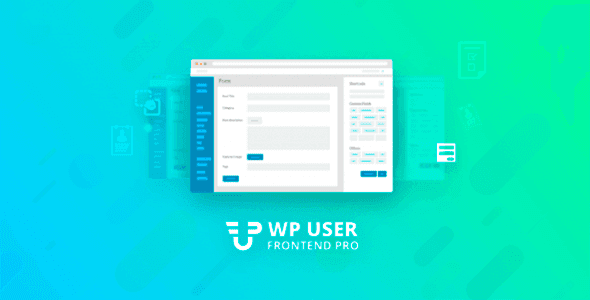
Overview of WP User Frontend Pro
WP User Frontend Pro is a powerful and versatile WordPress plugin designed to transform your website into a dynamic, user-driven platform. It empowers users to submit posts, create and manage profiles, and interact with your content directly from the front-end, eliminating the need for them to access the WordPress backend. This solution is perfect for anyone looking to build community sites, membership portals, directories, or any platform where user-generated content and front-end interaction are key.
Key Features of WP User Frontend Pro
- Front-end Post Submission: Allow users to create, edit, and manage all types of content, including posts, pages, and custom post types, directly from the front-end of your website. This streamlines content creation and significantly reduces administrative overhead.
- Custom Fields & Taxonomies: Extend the functionality of your forms by adding unlimited custom fields (text, textarea, select, checkbox, radio, etc.) and custom taxonomies, ensuring you capture all necessary information from your users.
- Drag & Drop Form Builder: Easily create and customize powerful submission forms using an intuitive drag-and-drop interface. Design forms for various purposes without writing a single line of code.
- User Profile Builder: Enable users to register, log in, and manage their profiles, update personal information, and view their submitted content from a dedicated front-end dashboard. This enhances user experience and engagement.
- Content Restriction: Control who can see what content on your site. Restrict pages, posts, or custom post types based on user roles or subscription levels, making WP User Frontend Pro ideal for membership sites.
- Subscription Packs & Payments: Offer paid submission packages, allowing users to purchase credits or subscriptions to submit content. Integrate popular payment gateways like PayPal and Stripe for seamless transactions.
- Email Notifications: Set up automated email notifications for various events, such as new post submissions, post approvals, and user registrations, keeping both admins and users informed.
- Guest Posting & Moderation: Allow non-registered users to submit content with options for moderation, ensuring quality control before content goes live on your site.
Why Choose WP User Frontend Pro?
Choosing WP User Frontend Pro means investing in a solution that significantly enhances your website’s functionality and user engagement. It liberates your content management process, allowing you to delegate content creation to your community while maintaining full control over moderation and quality. This plugin is not just about convenience; it’s about building a more interactive, dynamic, and self-sufficient website that can grow with your audience.
With WP User Frontend Pro, you can transform a static WordPress site into a vibrant platform where users are active participants rather than just passive consumers. Imagine a directory where businesses can list themselves, a job board where employers can post openings, or a community blog where members share their stories – all managed effortlessly through a user-friendly front-end interface. The robust features, from custom fields to subscription management, provide a comprehensive toolkit for almost any user-generated content scenario.
Furthermore, the intuitive drag-and-drop form builder and extensive customization options ensure that WP User Frontend Pro integrates seamlessly with your existing website design and branding. You don’t need to be a developer to create complex forms or manage user submissions effectively. This empowers site owners to focus on content strategy and community building, rather than wrestling with backend complexities. It’s a professional-grade tool designed to make your life easier and your website more powerful.
Who Should Use WP User Frontend Pro?
WP User Frontend Pro is an indispensable tool for a wide range of WordPress users and businesses, including:
- Community Websites: For forums, social networks, or any site where user interaction and content sharing are central.
- Membership Sites: To manage user subscriptions, restrict content, and provide member-exclusive submission forms.
- Directory & Listing Sites: Allowing users to submit business listings, classifieds, events, or job postings.
- Guest Blogging Platforms: Streamlining the process for external contributors to submit articles for review.
- Educational Portals: Enabling students or instructors to submit assignments, courses, or resources.
- Service Marketplaces: Where vendors can create profiles and list their services.
How to Install WP User Frontend Pro
- Download the Plugin: After acquiring WP User Frontend Pro, download the plugin package to your computer. It will typically be a .zip file.
- Upload via WordPress Dashboard: Log in to your WordPress admin panel. Navigate to ‘Plugins’ > ‘Add New’. Click the ‘Upload Plugin’ button at the top of the page.
- Choose File and Install: Click ‘Choose File’, select the WP User Frontend Pro .zip file you downloaded, and then click ‘Install Now’.
- Activate the Plugin: Once the installation is complete, click the ‘Activate Plugin’ button.
- Initial Configuration: After activation, a new menu item for “WP User Frontend” will appear in your WordPress dashboard. Follow the setup wizard or navigate through the settings to configure your first form, pages, and other essential options for WP User Frontend Pro.
Frequently Asked Questions About WP User Frontend Pro
What is WP User Frontend Pro primarily used for?
WP User Frontend Pro is primarily used to enable front-end content submission, user registration, profile management, and content restriction on WordPress websites. It allows site visitors to create and manage posts, pages, and custom post types without accessing the WordPress backend, making it ideal for community-driven sites, directories, and membership platforms.
Can I create custom post types and custom fields with WP User Frontend Pro?
Yes, absolutely! WP User Frontend Pro fully supports custom post types and allows you to easily add an unlimited number of custom fields to your submission forms. This flexibility ensures you can collect any type of data relevant to your specific website needs, from images and files to dates and checkboxes.
Does WP User Frontend Pro integrate with payment gateways for paid submissions?
Yes, WP User Frontend Pro offers robust integration with popular payment gateways such as PayPal and Stripe. This allows you to create paid submission packages, subscription models, or charge for specific content types, providing a powerful monetization option for your user-generated content platform.
Get WP User Frontend Pro Today
Ready to empower your users and transform your WordPress site into a dynamic, interactive platform? Get WP User Frontend Pro today and unlock a world of possibilities for user-generated content, profiles, and community engagement. Explore this and many other premium WordPress Plugins available in our collection of high-quality GPL WordPress Products. Enhance your website’s functionality and streamline your content management like never before!
Related Products You May Like
Here's everything you need to know about your purchase:
- 100% original files — Every product is the genuine, virus-free file, exactly as released by the original developer.
- Instant download — Access your files immediately after purchase from your account.
- Lifetime access — Re-download your purchased files anytime. No expiry, no limits.
- Free updates — Newer version released? Just request an update from us, free for all customers.
- Dedicated support — Our team is available 24/7 for installation and file-related help.
- Easy refunds — Not satisfied? Review our Refund Policy. We offer a hassle-free 7-day guarantee.
$100.00 Original price was: $100.00.$2.00Current price is: $2.00.
Version
4.2.11
Last Updated
03/03/2026
License
GPL v2
Compatibility
WordPress 5.0+
Need latest version?
Newer version released? Request an update from us — free for all customers!
Request Update →🎁 Your Purchase Includes
Overview of WP User Frontend Pro
WP User Frontend Pro is a powerful and versatile WordPress plugin designed to transform your website into a dynamic, user-driven platform. It empowers users to submit posts, create and manage profiles, and interact with your content directly from the front-end, eliminating the need for them to access the WordPress backend. This solution is perfect for anyone looking to build community sites, membership portals, directories, or any platform where user-generated content and front-end interaction are key.
Key Features of WP User Frontend Pro
- Front-end Post Submission: Allow users to create, edit, and manage all types of content, including posts, pages, and custom post types, directly from the front-end of your website. This streamlines content creation and significantly reduces administrative overhead.
- Custom Fields & Taxonomies: Extend the functionality of your forms by adding unlimited custom fields (text, textarea, select, checkbox, radio, etc.) and custom taxonomies, ensuring you capture all necessary information from your users.
- Drag & Drop Form Builder: Easily create and customize powerful submission forms using an intuitive drag-and-drop interface. Design forms for various purposes without writing a single line of code.
- User Profile Builder: Enable users to register, log in, and manage their profiles, update personal information, and view their submitted content from a dedicated front-end dashboard. This enhances user experience and engagement.
- Content Restriction: Control who can see what content on your site. Restrict pages, posts, or custom post types based on user roles or subscription levels, making WP User Frontend Pro ideal for membership sites.
- Subscription Packs & Payments: Offer paid submission packages, allowing users to purchase credits or subscriptions to submit content. Integrate popular payment gateways like PayPal and Stripe for seamless transactions.
- Email Notifications: Set up automated email notifications for various events, such as new post submissions, post approvals, and user registrations, keeping both admins and users informed.
- Guest Posting & Moderation: Allow non-registered users to submit content with options for moderation, ensuring quality control before content goes live on your site.
Why Choose WP User Frontend Pro?
Choosing WP User Frontend Pro means investing in a solution that significantly enhances your website’s functionality and user engagement. It liberates your content management process, allowing you to delegate content creation to your community while maintaining full control over moderation and quality. This plugin is not just about convenience; it’s about building a more interactive, dynamic, and self-sufficient website that can grow with your audience.
With WP User Frontend Pro, you can transform a static WordPress site into a vibrant platform where users are active participants rather than just passive consumers. Imagine a directory where businesses can list themselves, a job board where employers can post openings, or a community blog where members share their stories – all managed effortlessly through a user-friendly front-end interface. The robust features, from custom fields to subscription management, provide a comprehensive toolkit for almost any user-generated content scenario.
Furthermore, the intuitive drag-and-drop form builder and extensive customization options ensure that WP User Frontend Pro integrates seamlessly with your existing website design and branding. You don’t need to be a developer to create complex forms or manage user submissions effectively. This empowers site owners to focus on content strategy and community building, rather than wrestling with backend complexities. It’s a professional-grade tool designed to make your life easier and your website more powerful.
Who Should Use WP User Frontend Pro?
WP User Frontend Pro is an indispensable tool for a wide range of WordPress users and businesses, including:
- Community Websites: For forums, social networks, or any site where user interaction and content sharing are central.
- Membership Sites: To manage user subscriptions, restrict content, and provide member-exclusive submission forms.
- Directory & Listing Sites: Allowing users to submit business listings, classifieds, events, or job postings.
- Guest Blogging Platforms: Streamlining the process for external contributors to submit articles for review.
- Educational Portals: Enabling students or instructors to submit assignments, courses, or resources.
- Service Marketplaces: Where vendors can create profiles and list their services.
How to Install WP User Frontend Pro
- Download the Plugin: After acquiring WP User Frontend Pro, download the plugin package to your computer. It will typically be a .zip file.
- Upload via WordPress Dashboard: Log in to your WordPress admin panel. Navigate to ‘Plugins’ > ‘Add New’. Click the ‘Upload Plugin’ button at the top of the page.
- Choose File and Install: Click ‘Choose File’, select the WP User Frontend Pro .zip file you downloaded, and then click ‘Install Now’.
- Activate the Plugin: Once the installation is complete, click the ‘Activate Plugin’ button.
- Initial Configuration: After activation, a new menu item for “WP User Frontend” will appear in your WordPress dashboard. Follow the setup wizard or navigate through the settings to configure your first form, pages, and other essential options for WP User Frontend Pro.
Frequently Asked Questions About WP User Frontend Pro
What is WP User Frontend Pro primarily used for?
WP User Frontend Pro is primarily used to enable front-end content submission, user registration, profile management, and content restriction on WordPress websites. It allows site visitors to create and manage posts, pages, and custom post types without accessing the WordPress backend, making it ideal for community-driven sites, directories, and membership platforms.
Can I create custom post types and custom fields with WP User Frontend Pro?
Yes, absolutely! WP User Frontend Pro fully supports custom post types and allows you to easily add an unlimited number of custom fields to your submission forms. This flexibility ensures you can collect any type of data relevant to your specific website needs, from images and files to dates and checkboxes.
Does WP User Frontend Pro integrate with payment gateways for paid submissions?
Yes, WP User Frontend Pro offers robust integration with popular payment gateways such as PayPal and Stripe. This allows you to create paid submission packages, subscription models, or charge for specific content types, providing a powerful monetization option for your user-generated content platform.
Get WP User Frontend Pro Today
Ready to empower your users and transform your WordPress site into a dynamic, interactive platform? Get WP User Frontend Pro today and unlock a world of possibilities for user-generated content, profiles, and community engagement. Explore this and many other premium WordPress Plugins available in our collection of high-quality GPL WordPress Products. Enhance your website’s functionality and streamline your content management like never before!
Related Products You May Like
Reviews
There are no reviews yet.
Here's everything you need to know about your purchase:
- 100% original files — Every product is the genuine, virus-free file, exactly as released by the original developer.
- Instant download — Access your files immediately after purchase from your account.
- Lifetime access — Re-download your purchased files anytime. No expiry, no limits.
- Free updates — Newer version released? Just request an update from us, free for all customers.
- Dedicated support — Our team is available 24/7 for installation and file-related help.
- Easy refunds — Not satisfied? Review our Refund Policy. We offer a hassle-free 7-day guarantee.
Reviews
There are no reviews yet.