

WP Sheet Editor 2.26.1 – Premium
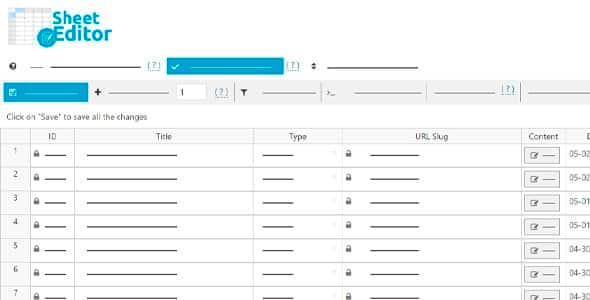
Overview of WP Sheet Editor
WP Sheet Editor is an indispensable tool for anyone managing a WordPress site with extensive data. It transforms your WordPress dashboard into a powerful spreadsheet editor, allowing you to view, edit, and manage all your posts, pages, custom post types, WooCommerce products, users, and more, directly from a familiar spreadsheet interface. This plugin is designed for website administrators, store owners, content managers, and developers who need efficient bulk editing and data management capabilities without diving into complex database operations.
Key Features of WP Sheet Editor
- Intuitive Spreadsheet Interface: Experience a familiar spreadsheet environment right within your WordPress admin. WP Sheet Editor makes managing large datasets as easy as using Excel or Google Sheets, significantly reducing the learning curve.
- Bulk Editing Capabilities: Perform mass edits on thousands of items (posts, products, users, etc.) simultaneously. Filter specific items and apply changes to multiple fields in a single operation, saving countless hours of manual work.
- Advanced Search and Filtering: Locate specific data quickly with powerful search and filtering options. Filter by keywords, categories, tags, custom fields, and more to pinpoint exactly what you need to edit with WP Sheet Editor.
- Custom Post Type & Field Support: Fully supports all standard WordPress post types, custom post types, and custom fields (including those from ACF, Pods, Meta Box, etc.), ensuring comprehensive data management across your entire site.
- WooCommerce Product Management: Specifically tailored for e-commerce, WP Sheet Editor allows you to edit product titles, descriptions, prices, stock levels, attributes, variations, and more in bulk, streamlining your online store operations.
- User and Media Library Management: Easily manage user roles, capabilities, and profiles, or organize your media library by editing titles, alt text, and descriptions for multiple images and files at once.
- Export and Import Functionality: Effortlessly export your WordPress data to CSV files for external analysis or backup, and import data back into your site, making data migration and synchronization simple with WP Sheet Editor.
- Formulas and Conditional Logic: Apply complex calculations and conditional logic to your data. Use formulas to dynamically update fields based on other field values, enhancing the flexibility and power of your data management.
Why Choose WP Sheet Editor?
Choosing WP Sheet Editor means opting for efficiency, control, and simplicity in your WordPress data management. In today’s fast-paced digital environment, managing a large WordPress site, especially an e-commerce store, can be incredibly time-consuming. Manually updating thousands of products, posts, or user profiles is not only tedious but also prone to errors. WP Sheet Editor eliminates this pain point by centralizing all your data into an intuitive spreadsheet, allowing you to perform actions that would otherwise take hours, in mere minutes.
The value proposition of WP Sheet Editor extends beyond just saving time. It empowers you with greater control over your website’s content and data integrity. With its advanced filtering and bulk editing capabilities, you can maintain consistency across your site, ensure accurate information, and quickly respond to changes or updates. Whether you’re adjusting prices for a sale, updating SEO meta descriptions, or reassigning user roles, WP Sheet Editor provides the tools to execute these tasks with precision and confidence.
Furthermore, the comprehensive support for custom post types and fields makes WP Sheet Editor an incredibly versatile solution. It integrates seamlessly with popular plugins that extend WordPress functionality, ensuring that no matter how complex your site’s data structure, WP Sheet Editor can handle it. This makes it an invaluable asset for any serious WordPress user looking to optimize their workflow and unlock the full potential of their website data.
Who Should Use WP Sheet Editor?
WP Sheet Editor is perfect for a wide range of WordPress users, including:
- WooCommerce Store Owners: Who need to manage large product catalogs, update stock, prices, or attributes in bulk.
- Content Managers & Bloggers: Who regularly update posts, pages, or custom content, requiring efficient tag, category, or meta field adjustments.
- Website Administrators: Looking to streamline user management, media library organization, or general site data maintenance.
- Developers & Agencies: Who build and manage client sites, needing a powerful tool for data migration, setup, and ongoing content updates.
- SEO Specialists: Who need to quickly update meta titles, descriptions, and other SEO-related fields across numerous pages.
How to Install WP Sheet Editor
- Download the Plugin: After your purchase, download the WP Sheet Editor plugin file (a .zip archive) from your GPLUniverse account.
- Upload to WordPress: Log in to your WordPress admin dashboard. Navigate to “Plugins” > “Add New” and click the “Upload Plugin” button at the top.
- Choose File: Click “Choose File,” select the WP Sheet Editor .zip file you downloaded, and then click “Install Now.”
- Activate Plugin: Once the installation is complete, click the “Activate Plugin” button.
- Start Managing Data: WP Sheet Editor will now be active. You can find its various spreadsheet interfaces under the “Sheet Editor” menu in your WordPress dashboard, ready to manage your data.
Frequently Asked Questions About WP Sheet Editor
What kind of data can WP Sheet Editor manage?
WP Sheet Editor is incredibly versatile and can manage almost all types of data within your WordPress site. This includes posts, pages, custom post types (like portfolios or testimonials), WooCommerce products, orders, coupons, WordPress users, comments, and media library items. It also supports custom fields from popular plugins like ACF, Pods, and Meta Box.
Can I undo changes made with WP Sheet Editor?
Yes, WP Sheet Editor includes a robust history and undo feature. For most bulk operations, you can revert changes made, providing a safety net for any accidental modifications. It’s always a good practice to back up your site before performing major bulk edits.
Is WP Sheet Editor compatible with other plugins?
WP Sheet Editor is designed with broad compatibility in mind. It works seamlessly with major WordPress plugins that extend functionality, especially those that create custom post types or custom fields, such as WooCommerce, Advanced Custom Fields (ACF), and many others. Its core functionality is built to integrate well within the WordPress ecosystem.
Get WP Sheet Editor Today
Revolutionize the way you manage your WordPress site with WP Sheet Editor. Say goodbye to manual, time-consuming data entry and embrace a powerful, intuitive spreadsheet interface that puts you in control. Enhance your productivity, maintain data accuracy, and streamline your entire workflow. Explore WP Sheet Editor and other premium WordPress Plugins available at GPLUniverse. Elevate your website’s performance and management capabilities with our extensive range of GPL WordPress Products today!
Related Products You May Like
Here's everything you need to know about your purchase:
- 100% original files — Every product is the genuine, virus-free file, exactly as released by the original developer.
- Instant download — Access your files immediately after purchase from your account.
- Lifetime access — Re-download your purchased files anytime. No expiry, no limits.
- Free updates — Newer version released? Just request an update from us, free for all customers.
- Dedicated support — Our team is available 24/7 for installation and file-related help.
- Easy refunds — Not satisfied? Review our Refund Policy. We offer a hassle-free 7-day guarantee.
$100.00 Original price was: $100.00.$2.00Current price is: $2.00.
Version
2.26.1
Last Updated
20/2/2025
License
GPL v2
Compatibility
WordPress 5.0+
Need latest version?
Newer version released? Request an update from us — free for all customers!
Request Update →🎁 Your Purchase Includes
Overview of WP Sheet Editor
WP Sheet Editor is an indispensable tool for anyone managing a WordPress site with extensive data. It transforms your WordPress dashboard into a powerful spreadsheet editor, allowing you to view, edit, and manage all your posts, pages, custom post types, WooCommerce products, users, and more, directly from a familiar spreadsheet interface. This plugin is designed for website administrators, store owners, content managers, and developers who need efficient bulk editing and data management capabilities without diving into complex database operations.
Key Features of WP Sheet Editor
- Intuitive Spreadsheet Interface: Experience a familiar spreadsheet environment right within your WordPress admin. WP Sheet Editor makes managing large datasets as easy as using Excel or Google Sheets, significantly reducing the learning curve.
- Bulk Editing Capabilities: Perform mass edits on thousands of items (posts, products, users, etc.) simultaneously. Filter specific items and apply changes to multiple fields in a single operation, saving countless hours of manual work.
- Advanced Search and Filtering: Locate specific data quickly with powerful search and filtering options. Filter by keywords, categories, tags, custom fields, and more to pinpoint exactly what you need to edit with WP Sheet Editor.
- Custom Post Type & Field Support: Fully supports all standard WordPress post types, custom post types, and custom fields (including those from ACF, Pods, Meta Box, etc.), ensuring comprehensive data management across your entire site.
- WooCommerce Product Management: Specifically tailored for e-commerce, WP Sheet Editor allows you to edit product titles, descriptions, prices, stock levels, attributes, variations, and more in bulk, streamlining your online store operations.
- User and Media Library Management: Easily manage user roles, capabilities, and profiles, or organize your media library by editing titles, alt text, and descriptions for multiple images and files at once.
- Export and Import Functionality: Effortlessly export your WordPress data to CSV files for external analysis or backup, and import data back into your site, making data migration and synchronization simple with WP Sheet Editor.
- Formulas and Conditional Logic: Apply complex calculations and conditional logic to your data. Use formulas to dynamically update fields based on other field values, enhancing the flexibility and power of your data management.
Why Choose WP Sheet Editor?
Choosing WP Sheet Editor means opting for efficiency, control, and simplicity in your WordPress data management. In today’s fast-paced digital environment, managing a large WordPress site, especially an e-commerce store, can be incredibly time-consuming. Manually updating thousands of products, posts, or user profiles is not only tedious but also prone to errors. WP Sheet Editor eliminates this pain point by centralizing all your data into an intuitive spreadsheet, allowing you to perform actions that would otherwise take hours, in mere minutes.
The value proposition of WP Sheet Editor extends beyond just saving time. It empowers you with greater control over your website’s content and data integrity. With its advanced filtering and bulk editing capabilities, you can maintain consistency across your site, ensure accurate information, and quickly respond to changes or updates. Whether you’re adjusting prices for a sale, updating SEO meta descriptions, or reassigning user roles, WP Sheet Editor provides the tools to execute these tasks with precision and confidence.
Furthermore, the comprehensive support for custom post types and fields makes WP Sheet Editor an incredibly versatile solution. It integrates seamlessly with popular plugins that extend WordPress functionality, ensuring that no matter how complex your site’s data structure, WP Sheet Editor can handle it. This makes it an invaluable asset for any serious WordPress user looking to optimize their workflow and unlock the full potential of their website data.
Who Should Use WP Sheet Editor?
WP Sheet Editor is perfect for a wide range of WordPress users, including:
- WooCommerce Store Owners: Who need to manage large product catalogs, update stock, prices, or attributes in bulk.
- Content Managers & Bloggers: Who regularly update posts, pages, or custom content, requiring efficient tag, category, or meta field adjustments.
- Website Administrators: Looking to streamline user management, media library organization, or general site data maintenance.
- Developers & Agencies: Who build and manage client sites, needing a powerful tool for data migration, setup, and ongoing content updates.
- SEO Specialists: Who need to quickly update meta titles, descriptions, and other SEO-related fields across numerous pages.
How to Install WP Sheet Editor
- Download the Plugin: After your purchase, download the WP Sheet Editor plugin file (a .zip archive) from your GPLUniverse account.
- Upload to WordPress: Log in to your WordPress admin dashboard. Navigate to “Plugins” > “Add New” and click the “Upload Plugin” button at the top.
- Choose File: Click “Choose File,” select the WP Sheet Editor .zip file you downloaded, and then click “Install Now.”
- Activate Plugin: Once the installation is complete, click the “Activate Plugin” button.
- Start Managing Data: WP Sheet Editor will now be active. You can find its various spreadsheet interfaces under the “Sheet Editor” menu in your WordPress dashboard, ready to manage your data.
Frequently Asked Questions About WP Sheet Editor
What kind of data can WP Sheet Editor manage?
WP Sheet Editor is incredibly versatile and can manage almost all types of data within your WordPress site. This includes posts, pages, custom post types (like portfolios or testimonials), WooCommerce products, orders, coupons, WordPress users, comments, and media library items. It also supports custom fields from popular plugins like ACF, Pods, and Meta Box.
Can I undo changes made with WP Sheet Editor?
Yes, WP Sheet Editor includes a robust history and undo feature. For most bulk operations, you can revert changes made, providing a safety net for any accidental modifications. It’s always a good practice to back up your site before performing major bulk edits.
Is WP Sheet Editor compatible with other plugins?
WP Sheet Editor is designed with broad compatibility in mind. It works seamlessly with major WordPress plugins that extend functionality, especially those that create custom post types or custom fields, such as WooCommerce, Advanced Custom Fields (ACF), and many others. Its core functionality is built to integrate well within the WordPress ecosystem.
Get WP Sheet Editor Today
Revolutionize the way you manage your WordPress site with WP Sheet Editor. Say goodbye to manual, time-consuming data entry and embrace a powerful, intuitive spreadsheet interface that puts you in control. Enhance your productivity, maintain data accuracy, and streamline your entire workflow. Explore WP Sheet Editor and other premium WordPress Plugins available at GPLUniverse. Elevate your website’s performance and management capabilities with our extensive range of GPL WordPress Products today!
Related Products You May Like
Reviews
There are no reviews yet.
Here's everything you need to know about your purchase:
- 100% original files — Every product is the genuine, virus-free file, exactly as released by the original developer.
- Instant download — Access your files immediately after purchase from your account.
- Lifetime access — Re-download your purchased files anytime. No expiry, no limits.
- Free updates — Newer version released? Just request an update from us, free for all customers.
- Dedicated support — Our team is available 24/7 for installation and file-related help.
- Easy refunds — Not satisfied? Review our Refund Policy. We offer a hassle-free 7-day guarantee.
Reviews
There are no reviews yet.