

WP Sheet Editor Media Library Premium 1.10.23
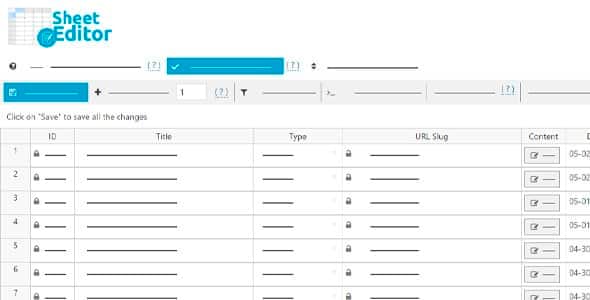
Overview of WP Sheet Editor Media Library
The WP Sheet Editor Media Library is an indispensable tool designed to revolutionize how you manage your WordPress media files. This powerful plugin transforms your default media library into a dynamic, editable spreadsheet, enabling swift and efficient bulk management of images, videos, audio, and documents. It’s perfectly suited for website administrators, content creators, and e-commerce store owners who frequently deal with large volumes of media and seek to optimize their workflow and save countless hours.
Key Features of WP Sheet Editor Media Library
- Bulk Edit All Media Fields: Effortlessly modify titles, captions, descriptions, alt text, file names, and more for thousands of media items simultaneously. The WP Sheet Editor Media Library makes mass updates a breeze, ensuring consistency and accuracy across your entire media collection.
- Advanced Search and Filtering: Locate specific media files with unparalleled precision using powerful search filters. Filter by file type, date uploaded, author, attached post, missing alt text, and many other criteria, greatly simplifying the task of finding and managing your assets.
- Export and Import Media Data: Seamlessly export your entire media library data to a CSV file for offline editing or backup. Then, import updated data back into your site, including new media files or modifications to existing ones, all managed through the intuitive interface of WP Sheet Editor Media Library.
- Create New Media Entries: Add new media items directly from the spreadsheet interface, allowing for quick uploads and comprehensive metadata entry without navigating through multiple screens. This feature streamlines content population, especially for sites with extensive media needs.
- Image Optimization Integration: While not an optimizer itself, WP Sheet Editor Media Library allows you to quickly identify images that might need optimization by filtering for large file sizes or missing compression data, helping you maintain a fast and efficient website.
- Customizable Columns: Tailor the spreadsheet view to your exact needs by choosing which columns to display or hide. Focus only on the information relevant to your current task, enhancing productivity and user experience within the WP Sheet Editor Media Library interface.
- User Role Editor Integration: Control who can access and edit the media library spreadsheet by integrating with popular user role editor plugins. This ensures secure and controlled access to powerful media management capabilities.
- Undo/Redo Changes: Work with confidence knowing that you can easily undo any unintended changes made within the spreadsheet. The built-in undo/redo functionality provides a safety net for all your bulk editing operations with WP Sheet Editor Media Library.
Why Choose WP Sheet Editor Media Library?
Choosing the WP Sheet Editor Media Library means opting for efficiency, control, and unparalleled flexibility in managing your WordPress media. In today’s digital landscape, a well-organized and optimized media library is crucial for website performance, SEO, and overall user experience. This plugin eliminates the tedious, time-consuming process of editing media files one by one, allowing you to perform complex tasks in minutes rather than hours. Imagine updating alt text for hundreds of images to improve SEO, or correcting captions across an entire product catalog with just a few clicks – that’s the power the WP Sheet Editor Media Library brings to your fingertips.
Beyond saving time, the WP Sheet Editor Media Library significantly enhances the quality and consistency of your media data. By providing a centralized, spreadsheet-like interface, it reduces errors and ensures that all your media assets are accurately tagged, described, and categorized. This consistency is vital for accessibility, search engine visibility, and maintaining a professional appearance. For businesses and large content platforms, the ability to quickly audit and correct media information across the entire site is invaluable, making the WP Sheet Editor Media Library an investment that pays dividends in operational efficiency and improved website health.
Furthermore, the intuitive design of the WP Sheet Editor Media Library makes it accessible even for users who are not tech-savvy. Its familiar spreadsheet interface means a minimal learning curve, allowing you to get started with powerful bulk edits almost immediately. This user-friendly approach, combined with its robust feature set, makes it the go-to solution for anyone serious about mastering their WordPress media library. Experience the difference that streamlined media management can make for your website’s performance and your team’s productivity with WP Sheet Editor Media Library.
Who Should Use WP Sheet Editor Media Library?
The WP Sheet Editor Media Library is an essential tool for a wide range of WordPress users. It’s perfect for e-commerce store owners managing thousands of product images, ensuring all alt texts and descriptions are optimized for SEO and user experience. Content creators and bloggers with extensive archives will find it invaluable for organizing and updating their visual assets. Web developers and agencies can use it to quickly set up and migrate client sites, ensuring media metadata is perfect from day one. Any WordPress administrator or content manager who spends significant time navigating the default media library will benefit immensely from the bulk editing capabilities and efficiency offered by the WP Sheet Editor Media Library.
How to Install WP Sheet Editor Media Library
- Download the Plugin: After acquiring the WP Sheet Editor Media Library plugin, download the zip file to your computer.
- Upload to WordPress: Log in to your WordPress admin dashboard. Navigate to ‘Plugins’ > ‘Add New’ and click on the ‘Upload Plugin’ button at the top of the page.
- Choose File and Install: Click ‘Choose File’, select the downloaded zip file for WP Sheet Editor Media Library, and then click ‘Install Now’.
- Activate the Plugin: Once the installation is complete, click on the ‘Activate Plugin’ button.
- Access the Sheet Editor: After activation, you will find a new menu item, often under ‘Sheet Editor’ or directly accessible via ‘Media’ in your WordPress admin menu, where you can start using the powerful features of WP Sheet Editor Media Library.
Frequently Asked Questions About WP Sheet Editor Media Library
Can I edit custom fields for media files using WP Sheet Editor Media Library?
Yes, the WP Sheet Editor Media Library is designed to support custom fields associated with your media attachments. It automatically detects and allows you to edit these custom fields directly within the spreadsheet interface, providing comprehensive control over all your media metadata.
Is WP Sheet Editor Media Library compatible with other plugins?
The WP Sheet Editor Media Library is built to be highly compatible with a wide range of WordPress plugins, including popular SEO tools, image optimization plugins, and custom field plugins. Its robust architecture ensures it integrates smoothly into most WordPress environments, enhancing your overall site management capabilities.
Can I undo changes made with WP Sheet Editor Media Library?
Absolutely. The WP Sheet Editor Media Library includes a crucial undo/redo functionality. This means you can revert any unintended changes or errors made during your bulk editing sessions, providing peace of mind and a safety net for all your operations.
Get WP Sheet Editor Media Library Today
Transform your media management experience from tedious to triumphant with WP Sheet Editor Media Library. Say goodbye to endless clicking and hello to efficient, bulk editing power that saves you time and enhances your website’s performance. Explore this essential tool and many other premium WordPress Plugins available. Elevate your site’s functionality and streamline your workflow by integrating top-tier solutions from our collection of GPL WordPress Products. Don’t let media management slow you down – empower your website with WP Sheet Editor Media Library now!
Related Products You May Like
Here's everything you need to know about your purchase:
- 100% original files — Every product is the genuine, virus-free file, exactly as released by the original developer.
- Instant download — Access your files immediately after purchase from your account.
- Lifetime access — Re-download your purchased files anytime. No expiry, no limits.
- Free updates — Newer version released? Just request an update from us, free for all customers.
- Dedicated support — Our team is available 24/7 for installation and file-related help.
- Easy refunds — Not satisfied? Review our Refund Policy. We offer a hassle-free 7-day guarantee.
$100.00 Original price was: $100.00.$2.00Current price is: $2.00.
Version
1.10.23
Last Updated
02/02/2026
License
GPL v2
Compatibility
WordPress 5.0+
Need latest version?
Newer version released? Request an update from us — free for all customers!
Request Update →🎁 Your Purchase Includes
Overview of WP Sheet Editor Media Library
The WP Sheet Editor Media Library is an indispensable tool designed to revolutionize how you manage your WordPress media files. This powerful plugin transforms your default media library into a dynamic, editable spreadsheet, enabling swift and efficient bulk management of images, videos, audio, and documents. It’s perfectly suited for website administrators, content creators, and e-commerce store owners who frequently deal with large volumes of media and seek to optimize their workflow and save countless hours.
Key Features of WP Sheet Editor Media Library
- Bulk Edit All Media Fields: Effortlessly modify titles, captions, descriptions, alt text, file names, and more for thousands of media items simultaneously. The WP Sheet Editor Media Library makes mass updates a breeze, ensuring consistency and accuracy across your entire media collection.
- Advanced Search and Filtering: Locate specific media files with unparalleled precision using powerful search filters. Filter by file type, date uploaded, author, attached post, missing alt text, and many other criteria, greatly simplifying the task of finding and managing your assets.
- Export and Import Media Data: Seamlessly export your entire media library data to a CSV file for offline editing or backup. Then, import updated data back into your site, including new media files or modifications to existing ones, all managed through the intuitive interface of WP Sheet Editor Media Library.
- Create New Media Entries: Add new media items directly from the spreadsheet interface, allowing for quick uploads and comprehensive metadata entry without navigating through multiple screens. This feature streamlines content population, especially for sites with extensive media needs.
- Image Optimization Integration: While not an optimizer itself, WP Sheet Editor Media Library allows you to quickly identify images that might need optimization by filtering for large file sizes or missing compression data, helping you maintain a fast and efficient website.
- Customizable Columns: Tailor the spreadsheet view to your exact needs by choosing which columns to display or hide. Focus only on the information relevant to your current task, enhancing productivity and user experience within the WP Sheet Editor Media Library interface.
- User Role Editor Integration: Control who can access and edit the media library spreadsheet by integrating with popular user role editor plugins. This ensures secure and controlled access to powerful media management capabilities.
- Undo/Redo Changes: Work with confidence knowing that you can easily undo any unintended changes made within the spreadsheet. The built-in undo/redo functionality provides a safety net for all your bulk editing operations with WP Sheet Editor Media Library.
Why Choose WP Sheet Editor Media Library?
Choosing the WP Sheet Editor Media Library means opting for efficiency, control, and unparalleled flexibility in managing your WordPress media. In today’s digital landscape, a well-organized and optimized media library is crucial for website performance, SEO, and overall user experience. This plugin eliminates the tedious, time-consuming process of editing media files one by one, allowing you to perform complex tasks in minutes rather than hours. Imagine updating alt text for hundreds of images to improve SEO, or correcting captions across an entire product catalog with just a few clicks – that’s the power the WP Sheet Editor Media Library brings to your fingertips.
Beyond saving time, the WP Sheet Editor Media Library significantly enhances the quality and consistency of your media data. By providing a centralized, spreadsheet-like interface, it reduces errors and ensures that all your media assets are accurately tagged, described, and categorized. This consistency is vital for accessibility, search engine visibility, and maintaining a professional appearance. For businesses and large content platforms, the ability to quickly audit and correct media information across the entire site is invaluable, making the WP Sheet Editor Media Library an investment that pays dividends in operational efficiency and improved website health.
Furthermore, the intuitive design of the WP Sheet Editor Media Library makes it accessible even for users who are not tech-savvy. Its familiar spreadsheet interface means a minimal learning curve, allowing you to get started with powerful bulk edits almost immediately. This user-friendly approach, combined with its robust feature set, makes it the go-to solution for anyone serious about mastering their WordPress media library. Experience the difference that streamlined media management can make for your website’s performance and your team’s productivity with WP Sheet Editor Media Library.
Who Should Use WP Sheet Editor Media Library?
The WP Sheet Editor Media Library is an essential tool for a wide range of WordPress users. It’s perfect for e-commerce store owners managing thousands of product images, ensuring all alt texts and descriptions are optimized for SEO and user experience. Content creators and bloggers with extensive archives will find it invaluable for organizing and updating their visual assets. Web developers and agencies can use it to quickly set up and migrate client sites, ensuring media metadata is perfect from day one. Any WordPress administrator or content manager who spends significant time navigating the default media library will benefit immensely from the bulk editing capabilities and efficiency offered by the WP Sheet Editor Media Library.
How to Install WP Sheet Editor Media Library
- Download the Plugin: After acquiring the WP Sheet Editor Media Library plugin, download the zip file to your computer.
- Upload to WordPress: Log in to your WordPress admin dashboard. Navigate to ‘Plugins’ > ‘Add New’ and click on the ‘Upload Plugin’ button at the top of the page.
- Choose File and Install: Click ‘Choose File’, select the downloaded zip file for WP Sheet Editor Media Library, and then click ‘Install Now’.
- Activate the Plugin: Once the installation is complete, click on the ‘Activate Plugin’ button.
- Access the Sheet Editor: After activation, you will find a new menu item, often under ‘Sheet Editor’ or directly accessible via ‘Media’ in your WordPress admin menu, where you can start using the powerful features of WP Sheet Editor Media Library.
Frequently Asked Questions About WP Sheet Editor Media Library
Can I edit custom fields for media files using WP Sheet Editor Media Library?
Yes, the WP Sheet Editor Media Library is designed to support custom fields associated with your media attachments. It automatically detects and allows you to edit these custom fields directly within the spreadsheet interface, providing comprehensive control over all your media metadata.
Is WP Sheet Editor Media Library compatible with other plugins?
The WP Sheet Editor Media Library is built to be highly compatible with a wide range of WordPress plugins, including popular SEO tools, image optimization plugins, and custom field plugins. Its robust architecture ensures it integrates smoothly into most WordPress environments, enhancing your overall site management capabilities.
Can I undo changes made with WP Sheet Editor Media Library?
Absolutely. The WP Sheet Editor Media Library includes a crucial undo/redo functionality. This means you can revert any unintended changes or errors made during your bulk editing sessions, providing peace of mind and a safety net for all your operations.
Get WP Sheet Editor Media Library Today
Transform your media management experience from tedious to triumphant with WP Sheet Editor Media Library. Say goodbye to endless clicking and hello to efficient, bulk editing power that saves you time and enhances your website’s performance. Explore this essential tool and many other premium WordPress Plugins available. Elevate your site’s functionality and streamline your workflow by integrating top-tier solutions from our collection of GPL WordPress Products. Don’t let media management slow you down – empower your website with WP Sheet Editor Media Library now!
Related Products You May Like
Reviews
There are no reviews yet.
Here's everything you need to know about your purchase:
- 100% original files — Every product is the genuine, virus-free file, exactly as released by the original developer.
- Instant download — Access your files immediately after purchase from your account.
- Lifetime access — Re-download your purchased files anytime. No expiry, no limits.
- Free updates — Newer version released? Just request an update from us, free for all customers.
- Dedicated support — Our team is available 24/7 for installation and file-related help.
- Easy refunds — Not satisfied? Review our Refund Policy. We offer a hassle-free 7-day guarantee.
Reviews
There are no reviews yet.