

WP Sheet Editor Comments Pro 1.1.40
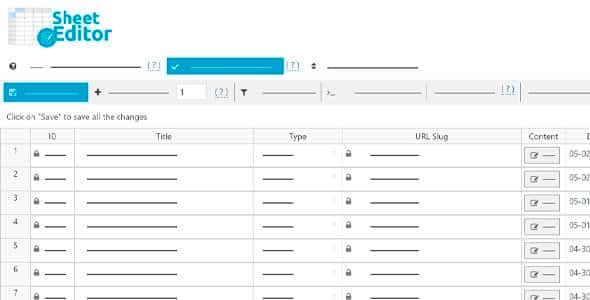
Overview of WP Sheet Editor Comments Pro
WP Sheet Editor Comments Pro is an indispensable WordPress plugin designed to revolutionize how you manage your website’s comments. It transforms the often tedious process of moderating and editing comments into an efficient, spreadsheet-like experience. Perfect for site administrators, content managers, and anyone dealing with a high volume of user engagement, WP Sheet Editor Comments Pro empowers you to view, filter, and modify comments in bulk, saving you countless hours and streamlining your workflow.
Key Features of WP Sheet Editor Comments Pro
- Intuitive Spreadsheet Interface: Gain full control over your WordPress comments through a familiar, easy-to-use spreadsheet interface, making bulk editing and management straightforward and fast. WP Sheet Editor Comments Pro simplifies complex tasks.
- Advanced Filtering Options: Quickly locate specific comments using powerful filters based on author, post, date, status (approved, pending, spam, trash), keywords, and more. This precision helps you manage comments effectively with WP Sheet Editor Comments Pro.
- Bulk Editing Capabilities: Edit hundreds or thousands of comments simultaneously. Change status, author, email, URL, and content for multiple comments in just a few clicks, drastically improving your productivity with WP Sheet Editor Comments Pro.
- Search and Sort Functionality: Efficiently search for comments by any keyword or phrase, and sort your comment data by various columns to organize your information exactly how you need it.
- Export and Import Comments: Easily export your entire comment database or specific filtered sets to a CSV file for external analysis or backup. Import comments back into your site, making migrations or mass updates seamless with WP Sheet Editor Comments Pro.
- Custom Fields Support: If your theme or other plugins add custom fields to comments, WP Sheet Editor Comments Pro allows you to view and edit these fields directly within the spreadsheet, offering comprehensive data management.
- Quick Status Changes: Approve, unapprove, mark as spam, or trash comments with lightning speed directly from the spreadsheet, ensuring your moderation queue never gets out of hand.
- Undo/Redo Actions: Work with confidence knowing that WP Sheet Editor Comments Pro includes undo and redo functionality, allowing you to revert changes if necessary and preventing accidental data loss.
Why Choose WP Sheet Editor Comments Pro?
Choosing WP Sheet Editor Comments Pro means opting for unparalleled efficiency and control over your WordPress comments. In today’s dynamic online environment, effective comment moderation is crucial for maintaining a healthy and engaging community. Manual moderation of a large number of comments can be a daunting, time-consuming, and error-prone task. This is where WP Sheet Editor Comments Pro shines, transforming a laborious chore into a streamlined process that saves you valuable time and resources.
With WP Sheet Editor Comments Pro, you’re not just getting a tool; you’re investing in a solution that enhances your site’s operational efficiency and user experience. Imagine being able to clean up spam, approve legitimate comments, or update commenter information across your entire site in minutes, not hours. The intuitive interface reduces the learning curve, allowing even non-technical users to manage comments like a pro. Its robust filtering and bulk editing features ensure that you always have a clear overview and precise control, making WP Sheet Editor Comments Pro an essential addition for any serious WordPress administrator.
Who Should Use WP Sheet Editor Comments Pro?
WP Sheet Editor Comments Pro is ideal for a wide range of WordPress users. Bloggers and content creators with active comment sections will find it invaluable for quick moderation. E-commerce store owners can use it to manage product reviews and customer feedback efficiently. Community forums and membership sites will benefit from its ability to handle high volumes of user interactions. Furthermore, agencies and web developers managing multiple client sites will appreciate the standardized and powerful approach to comment management that WP Sheet Editor Comments Pro provides, ensuring consistency and saving time across projects.
How to Install WP Sheet Editor Comments Pro
- Download the Plugin File: After purchasing, download the WP Sheet Editor Comments Pro .zip file from your account on our website. Do not unzip the file.
- Upload via WordPress Dashboard: Log in to your WordPress admin area. Navigate to ‘Plugins’ > ‘Add New’. Click on the ‘Upload Plugin’ button at the top of the page.
- Choose File and Install: Click ‘Choose File’, select the WP Sheet Editor Comments Pro .zip file you downloaded, and then click ‘Install Now’.
- Activate the Plugin: Once the installation is complete, click on the ‘Activate Plugin’ link.
- Access the Sheet Editor: After activation, you will find a new menu item, usually under ‘Sheet Editor’ or ‘Comments’, allowing you to access the spreadsheet interface for WP Sheet Editor Comments Pro and begin managing your comments.
Frequently Asked Questions About WP Sheet Editor Comments Pro
What types of comments can I edit with WP Sheet Editor Comments Pro?
WP Sheet Editor Comments Pro allows you to edit all standard WordPress comments, including those associated with posts, pages, and custom post types. It provides a unified interface for managing all comments across your entire site, ensuring you have comprehensive control over user interactions.
Is it safe to make bulk changes with WP Sheet Editor Comments Pro?
Yes, WP Sheet Editor Comments Pro is designed with data integrity in mind. We always recommend backing up your website before performing any large-scale operations. Additionally, the plugin includes undo/redo functionality, allowing you to reverse changes if you make a mistake, providing an extra layer of safety when using WP Sheet Editor Comments Pro.
Can I filter comments by custom fields using WP Sheet Editor Comments Pro?
Absolutely! WP Sheet Editor Comments Pro supports filtering and editing comments based on custom fields that are associated with them. This advanced feature allows for incredibly granular control, enabling you to manage specific data points added by other plugins or themes directly within the spreadsheet interface.
Get WP Sheet Editor Comments Pro Today
Elevate your comment management strategy and reclaim your time with WP Sheet Editor Comments Pro. This powerful plugin is an essential tool for any WordPress site owner looking to optimize their workflow and maintain a clean, engaging comment section. Don’t let comment moderation be a burden any longer. Explore our wide range of WordPress Plugins and other high-quality GPL WordPress Products to further enhance your website’s capabilities.
Related Products You May Like
Here's everything you need to know about your purchase:
- 100% original files — Every product is the genuine, virus-free file, exactly as released by the original developer.
- Instant download — Access your files immediately after purchase from your account.
- Lifetime access — Re-download your purchased files anytime. No expiry, no limits.
- Free updates — Newer version released? Just request an update from us, free for all customers.
- Dedicated support — Our team is available 24/7 for installation and file-related help.
- Easy refunds — Not satisfied? Review our Refund Policy. We offer a hassle-free 7-day guarantee.
$100.00 Original price was: $100.00.$3.00Current price is: $3.00.
Version
1.1.34
Last Updated
04/03/2026
License
GPL v2
Compatibility
WordPress 5.0+
Need latest version?
Newer version released? Request an update from us — free for all customers!
Request Update →🎁 Your Purchase Includes
Overview of WP Sheet Editor Comments Pro
WP Sheet Editor Comments Pro is an indispensable WordPress plugin designed to revolutionize how you manage your website’s comments. It transforms the often tedious process of moderating and editing comments into an efficient, spreadsheet-like experience. Perfect for site administrators, content managers, and anyone dealing with a high volume of user engagement, WP Sheet Editor Comments Pro empowers you to view, filter, and modify comments in bulk, saving you countless hours and streamlining your workflow.
Key Features of WP Sheet Editor Comments Pro
- Intuitive Spreadsheet Interface: Gain full control over your WordPress comments through a familiar, easy-to-use spreadsheet interface, making bulk editing and management straightforward and fast. WP Sheet Editor Comments Pro simplifies complex tasks.
- Advanced Filtering Options: Quickly locate specific comments using powerful filters based on author, post, date, status (approved, pending, spam, trash), keywords, and more. This precision helps you manage comments effectively with WP Sheet Editor Comments Pro.
- Bulk Editing Capabilities: Edit hundreds or thousands of comments simultaneously. Change status, author, email, URL, and content for multiple comments in just a few clicks, drastically improving your productivity with WP Sheet Editor Comments Pro.
- Search and Sort Functionality: Efficiently search for comments by any keyword or phrase, and sort your comment data by various columns to organize your information exactly how you need it.
- Export and Import Comments: Easily export your entire comment database or specific filtered sets to a CSV file for external analysis or backup. Import comments back into your site, making migrations or mass updates seamless with WP Sheet Editor Comments Pro.
- Custom Fields Support: If your theme or other plugins add custom fields to comments, WP Sheet Editor Comments Pro allows you to view and edit these fields directly within the spreadsheet, offering comprehensive data management.
- Quick Status Changes: Approve, unapprove, mark as spam, or trash comments with lightning speed directly from the spreadsheet, ensuring your moderation queue never gets out of hand.
- Undo/Redo Actions: Work with confidence knowing that WP Sheet Editor Comments Pro includes undo and redo functionality, allowing you to revert changes if necessary and preventing accidental data loss.
Why Choose WP Sheet Editor Comments Pro?
Choosing WP Sheet Editor Comments Pro means opting for unparalleled efficiency and control over your WordPress comments. In today’s dynamic online environment, effective comment moderation is crucial for maintaining a healthy and engaging community. Manual moderation of a large number of comments can be a daunting, time-consuming, and error-prone task. This is where WP Sheet Editor Comments Pro shines, transforming a laborious chore into a streamlined process that saves you valuable time and resources.
With WP Sheet Editor Comments Pro, you’re not just getting a tool; you’re investing in a solution that enhances your site’s operational efficiency and user experience. Imagine being able to clean up spam, approve legitimate comments, or update commenter information across your entire site in minutes, not hours. The intuitive interface reduces the learning curve, allowing even non-technical users to manage comments like a pro. Its robust filtering and bulk editing features ensure that you always have a clear overview and precise control, making WP Sheet Editor Comments Pro an essential addition for any serious WordPress administrator.
Who Should Use WP Sheet Editor Comments Pro?
WP Sheet Editor Comments Pro is ideal for a wide range of WordPress users. Bloggers and content creators with active comment sections will find it invaluable for quick moderation. E-commerce store owners can use it to manage product reviews and customer feedback efficiently. Community forums and membership sites will benefit from its ability to handle high volumes of user interactions. Furthermore, agencies and web developers managing multiple client sites will appreciate the standardized and powerful approach to comment management that WP Sheet Editor Comments Pro provides, ensuring consistency and saving time across projects.
How to Install WP Sheet Editor Comments Pro
- Download the Plugin File: After purchasing, download the WP Sheet Editor Comments Pro .zip file from your account on our website. Do not unzip the file.
- Upload via WordPress Dashboard: Log in to your WordPress admin area. Navigate to ‘Plugins’ > ‘Add New’. Click on the ‘Upload Plugin’ button at the top of the page.
- Choose File and Install: Click ‘Choose File’, select the WP Sheet Editor Comments Pro .zip file you downloaded, and then click ‘Install Now’.
- Activate the Plugin: Once the installation is complete, click on the ‘Activate Plugin’ link.
- Access the Sheet Editor: After activation, you will find a new menu item, usually under ‘Sheet Editor’ or ‘Comments’, allowing you to access the spreadsheet interface for WP Sheet Editor Comments Pro and begin managing your comments.
Frequently Asked Questions About WP Sheet Editor Comments Pro
What types of comments can I edit with WP Sheet Editor Comments Pro?
WP Sheet Editor Comments Pro allows you to edit all standard WordPress comments, including those associated with posts, pages, and custom post types. It provides a unified interface for managing all comments across your entire site, ensuring you have comprehensive control over user interactions.
Is it safe to make bulk changes with WP Sheet Editor Comments Pro?
Yes, WP Sheet Editor Comments Pro is designed with data integrity in mind. We always recommend backing up your website before performing any large-scale operations. Additionally, the plugin includes undo/redo functionality, allowing you to reverse changes if you make a mistake, providing an extra layer of safety when using WP Sheet Editor Comments Pro.
Can I filter comments by custom fields using WP Sheet Editor Comments Pro?
Absolutely! WP Sheet Editor Comments Pro supports filtering and editing comments based on custom fields that are associated with them. This advanced feature allows for incredibly granular control, enabling you to manage specific data points added by other plugins or themes directly within the spreadsheet interface.
Get WP Sheet Editor Comments Pro Today
Elevate your comment management strategy and reclaim your time with WP Sheet Editor Comments Pro. This powerful plugin is an essential tool for any WordPress site owner looking to optimize their workflow and maintain a clean, engaging comment section. Don’t let comment moderation be a burden any longer. Explore our wide range of WordPress Plugins and other high-quality GPL WordPress Products to further enhance your website’s capabilities.
Related Products You May Like
Reviews
There are no reviews yet.
Here's everything you need to know about your purchase:
- 100% original files — Every product is the genuine, virus-free file, exactly as released by the original developer.
- Instant download — Access your files immediately after purchase from your account.
- Lifetime access — Re-download your purchased files anytime. No expiry, no limits.
- Free updates — Newer version released? Just request an update from us, free for all customers.
- Dedicated support — Our team is available 24/7 for installation and file-related help.
- Easy refunds — Not satisfied? Review our Refund Policy. We offer a hassle-free 7-day guarantee.
Reviews
There are no reviews yet.