

WP Multi Store Locator Pro 4.4.8
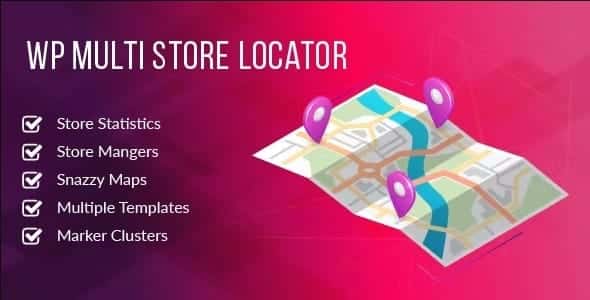
Overview of WP Multi Store Locator Pro
WP Multi Store Locator Pro is a powerful and intuitive WordPress plugin designed to help businesses of all sizes showcase their physical locations with ease and efficiency. Whether you manage a chain of retail stores, a network of service providers, or multiple branch offices, WP Multi Store Locator Pro offers a comprehensive solution to guide your customers directly to your doorstep. It’s the ultimate tool for enhancing local SEO, improving customer experience, and driving foot traffic to your establishments.
Key Features of WP Multi Store Locator Pro
- Advanced Search Functionality: Allow customers to find stores by location, radius, category, tags, and even custom fields, ensuring they quickly find what they need.
- Google Maps Integration: Seamlessly integrate with Google Maps, providing interactive maps, directions, and satellite views for a superior user experience.
- Customizable Store Details: Display essential information for each store, including address, phone number, working hours, website link, images, and a detailed description.
- Multiple Layout Options: Choose from various attractive map and listing layouts to best suit your website’s design and user preferences, making WP Multi Store Locator Pro highly adaptable.
- Drag & Drop Marker Management: Easily add and position store markers on the map using a user-friendly drag-and-drop interface, simplifying the setup process.
- Filter & Category Management: Organize your stores into categories and add custom filters, enabling users to refine their search results with precision.
- Import/Export Stores: Efficiently manage a large number of locations by importing and exporting store data via CSV, saving valuable time and effort.
- Responsive Design: Ensure your store locator looks and functions flawlessly on all devices, from desktops to tablets and smartphones, providing an optimal experience for every visitor.
Why Choose WP Multi Store Locator Pro?
Choosing WP Multi Store Locator Pro means investing in a solution that not only looks great but also delivers robust functionality designed to meet the demands of modern businesses. This plugin goes beyond basic store listing, offering advanced features that empower your customers to find your locations effortlessly. Its deep integration with Google Maps provides accurate directions and a familiar interface, building trust and reducing friction in the customer journey. For businesses keen on local SEO, WP Multi Store Locator Pro is an invaluable asset, structuring your location data in a way that search engines love.
Furthermore, the flexibility and customization options offered by WP Multi Store Locator Pro ensure that it integrates seamlessly with your existing WordPress website. You can tailor the appearance, search filters, and store information to perfectly align with your brand identity. This attention to detail not only enhances your website’s aesthetics but also significantly improves user engagement, leading to higher conversion rates and increased customer satisfaction. With WP Multi Store Locator Pro, you’re not just adding a map; you’re creating an interactive, user-friendly directory that serves as a powerful marketing tool.
Who Should Use WP Multi Store Locator Pro?
WP Multi Store Locator Pro is ideal for any business or organization with multiple physical locations that wants to help customers find them easily. This includes retail chains, restaurant franchises, service-based businesses (e.g., electricians, plumbers, real estate agents), educational institutions, healthcare providers, banks, and non-profit organizations. Essentially, if you have multiple points of presence and want to drive local traffic, improve customer accessibility, and enhance your local online visibility, WP Multi Store Locator Pro is built for you.
How to Install WP Multi Store Locator Pro
- Download the Plugin: After purchasing, download the WP Multi Store Locator Pro plugin file (a .zip archive) to your computer.
- Upload to WordPress: Log in to your WordPress dashboard, navigate to ‘Plugins’ > ‘Add New’, then click ‘Upload Plugin’. Choose the downloaded .zip file and click ‘Install Now’.
- Activate the Plugin: Once the installation is complete, click the ‘Activate Plugin’ button to enable WP Multi Store Locator Pro on your website.
- Configure Settings: Go to the new ‘Store Locator’ menu item in your WordPress dashboard. Here, you can configure your Google Maps API key, general settings, and start adding your store locations.
- Add Your Stores: Begin adding individual store details, including address, contact information, images, and any custom fields you wish to display.
Frequently Asked Questions About WP Multi Store Locator Pro
Does WP Multi Store Locator Pro require a Google Maps API key?
Yes, to fully utilize the mapping features and ensure proper functionality with Google Maps, WP Multi Store Locator Pro requires a valid Google Maps API key. Instructions on how to obtain and configure this key are typically provided within the plugin’s documentation.
Can I customize the appearance of the store locator map and listings?
Absolutely! WP Multi Store Locator Pro offers extensive customization options. You can choose from various layouts, adjust colors, fonts, and even use custom CSS to perfectly match the store locator with your website’s branding and design.
Is WP Multi Store Locator Pro compatible with popular WordPress themes and page builders?
WP Multi Store Locator Pro is developed with high compatibility in mind, working seamlessly with most well-coded WordPress themes and popular page builders like Elementor, Beaver Builder, and WPBakery. If you encounter any specific compatibility issues, our GPL products are generally robust and widely used.
Get WP Multi Store Locator Pro Today
Empower your customers to find your locations effortlessly and elevate your business’s online presence. WP Multi Store Locator Pro is the essential tool for any multi-location enterprise looking to optimize its local search visibility and enhance customer experience. Don’t miss out on potential foot traffic and increased engagement. Explore our range of WordPress Plugins and discover the full potential of GPL WordPress Products to transform your website. Purchase WP Multi Store Locator Pro today and start guiding your customers directly to your stores!
Related Products You May Like
Here's everything you need to know about your purchase:
- 100% original files — Every product is the genuine, virus-free file, exactly as released by the original developer.
- Instant download — Access your files immediately after purchase from your account.
- Lifetime access — Re-download your purchased files anytime. No expiry, no limits.
- Free updates — Newer version released? Just request an update from us, free for all customers.
- Dedicated support — Our team is available 24/7 for installation and file-related help.
- Easy refunds — Not satisfied? Review our Refund Policy. We offer a hassle-free 7-day guarantee.
$100.00 Original price was: $100.00.$3.00Current price is: $3.00.
Version
4.4.8
Last Updated
11/02/2026
License
GPL v2
Compatibility
WordPress 5.0+
Need latest version?
Newer version released? Request an update from us — free for all customers!
Request Update →🎁 Your Purchase Includes
Overview of WP Multi Store Locator Pro
WP Multi Store Locator Pro is a powerful and intuitive WordPress plugin designed to help businesses of all sizes showcase their physical locations with ease and efficiency. Whether you manage a chain of retail stores, a network of service providers, or multiple branch offices, WP Multi Store Locator Pro offers a comprehensive solution to guide your customers directly to your doorstep. It’s the ultimate tool for enhancing local SEO, improving customer experience, and driving foot traffic to your establishments.
Key Features of WP Multi Store Locator Pro
- Advanced Search Functionality: Allow customers to find stores by location, radius, category, tags, and even custom fields, ensuring they quickly find what they need.
- Google Maps Integration: Seamlessly integrate with Google Maps, providing interactive maps, directions, and satellite views for a superior user experience.
- Customizable Store Details: Display essential information for each store, including address, phone number, working hours, website link, images, and a detailed description.
- Multiple Layout Options: Choose from various attractive map and listing layouts to best suit your website’s design and user preferences, making WP Multi Store Locator Pro highly adaptable.
- Drag & Drop Marker Management: Easily add and position store markers on the map using a user-friendly drag-and-drop interface, simplifying the setup process.
- Filter & Category Management: Organize your stores into categories and add custom filters, enabling users to refine their search results with precision.
- Import/Export Stores: Efficiently manage a large number of locations by importing and exporting store data via CSV, saving valuable time and effort.
- Responsive Design: Ensure your store locator looks and functions flawlessly on all devices, from desktops to tablets and smartphones, providing an optimal experience for every visitor.
Why Choose WP Multi Store Locator Pro?
Choosing WP Multi Store Locator Pro means investing in a solution that not only looks great but also delivers robust functionality designed to meet the demands of modern businesses. This plugin goes beyond basic store listing, offering advanced features that empower your customers to find your locations effortlessly. Its deep integration with Google Maps provides accurate directions and a familiar interface, building trust and reducing friction in the customer journey. For businesses keen on local SEO, WP Multi Store Locator Pro is an invaluable asset, structuring your location data in a way that search engines love.
Furthermore, the flexibility and customization options offered by WP Multi Store Locator Pro ensure that it integrates seamlessly with your existing WordPress website. You can tailor the appearance, search filters, and store information to perfectly align with your brand identity. This attention to detail not only enhances your website’s aesthetics but also significantly improves user engagement, leading to higher conversion rates and increased customer satisfaction. With WP Multi Store Locator Pro, you’re not just adding a map; you’re creating an interactive, user-friendly directory that serves as a powerful marketing tool.
Who Should Use WP Multi Store Locator Pro?
WP Multi Store Locator Pro is ideal for any business or organization with multiple physical locations that wants to help customers find them easily. This includes retail chains, restaurant franchises, service-based businesses (e.g., electricians, plumbers, real estate agents), educational institutions, healthcare providers, banks, and non-profit organizations. Essentially, if you have multiple points of presence and want to drive local traffic, improve customer accessibility, and enhance your local online visibility, WP Multi Store Locator Pro is built for you.
How to Install WP Multi Store Locator Pro
- Download the Plugin: After purchasing, download the WP Multi Store Locator Pro plugin file (a .zip archive) to your computer.
- Upload to WordPress: Log in to your WordPress dashboard, navigate to ‘Plugins’ > ‘Add New’, then click ‘Upload Plugin’. Choose the downloaded .zip file and click ‘Install Now’.
- Activate the Plugin: Once the installation is complete, click the ‘Activate Plugin’ button to enable WP Multi Store Locator Pro on your website.
- Configure Settings: Go to the new ‘Store Locator’ menu item in your WordPress dashboard. Here, you can configure your Google Maps API key, general settings, and start adding your store locations.
- Add Your Stores: Begin adding individual store details, including address, contact information, images, and any custom fields you wish to display.
Frequently Asked Questions About WP Multi Store Locator Pro
Does WP Multi Store Locator Pro require a Google Maps API key?
Yes, to fully utilize the mapping features and ensure proper functionality with Google Maps, WP Multi Store Locator Pro requires a valid Google Maps API key. Instructions on how to obtain and configure this key are typically provided within the plugin’s documentation.
Can I customize the appearance of the store locator map and listings?
Absolutely! WP Multi Store Locator Pro offers extensive customization options. You can choose from various layouts, adjust colors, fonts, and even use custom CSS to perfectly match the store locator with your website’s branding and design.
Is WP Multi Store Locator Pro compatible with popular WordPress themes and page builders?
WP Multi Store Locator Pro is developed with high compatibility in mind, working seamlessly with most well-coded WordPress themes and popular page builders like Elementor, Beaver Builder, and WPBakery. If you encounter any specific compatibility issues, our GPL products are generally robust and widely used.
Get WP Multi Store Locator Pro Today
Empower your customers to find your locations effortlessly and elevate your business’s online presence. WP Multi Store Locator Pro is the essential tool for any multi-location enterprise looking to optimize its local search visibility and enhance customer experience. Don’t miss out on potential foot traffic and increased engagement. Explore our range of WordPress Plugins and discover the full potential of GPL WordPress Products to transform your website. Purchase WP Multi Store Locator Pro today and start guiding your customers directly to your stores!
Related Products You May Like
Reviews
There are no reviews yet.
Here's everything you need to know about your purchase:
- 100% original files — Every product is the genuine, virus-free file, exactly as released by the original developer.
- Instant download — Access your files immediately after purchase from your account.
- Lifetime access — Re-download your purchased files anytime. No expiry, no limits.
- Free updates — Newer version released? Just request an update from us, free for all customers.
- Dedicated support — Our team is available 24/7 for installation and file-related help.
- Easy refunds — Not satisfied? Review our Refund Policy. We offer a hassle-free 7-day guarantee.
Reviews
There are no reviews yet.