

WP MAPS PRO 6.0.4 – Advanced Google Maps Plugin for WordPress
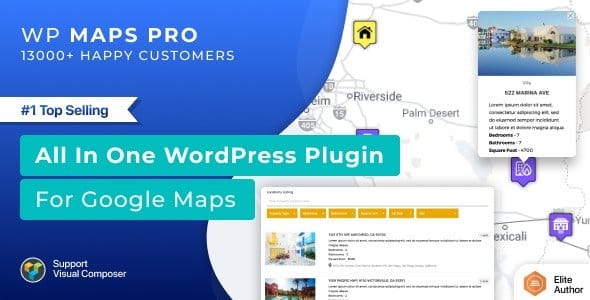
Overview of WP MAPS PRO
WP MAPS PRO is an advanced Google Maps plugin for WordPress, designed to empower website owners with highly customizable and interactive map solutions. Whether you’re a local business showcasing multiple branches, a travel blogger plotting destinations, or an event organizer pinpointing venues, WP MAPS PRO provides a robust and user-friendly platform to integrate sophisticated mapping functionalities directly into your WordPress site.
Key Features of WP MAPS PRO
- Unlimited Maps & Markers: Create an endless number of unique Google Maps, each with its own set of custom markers. WP MAPS PRO allows you to easily add, manage, and categorize locations, ensuring your visitors can find exactly what they’re looking for.
- Customizable Marker Icons: Elevate your map’s aesthetics and branding by uploading your own custom marker icons. This feature enables you to differentiate locations, match your site’s design, and provide a more intuitive visual experience for users.
- Advanced Directions & Routing: Provide comprehensive directions and routing options directly on your maps. Users can input start and end points to get turn-by-turn directions, making it incredibly convenient for visitors to navigate to your specified locations.
- Responsive Design & Mobile-Friendly: WP MAPS PRO ensures that all your maps look stunning and function perfectly across all devices, from desktops to smartphones and tablets. Its responsive design guarantees an optimal viewing experience for every user.
- Multiple Map Types & Styles: Choose from various Google Map types, including Roadmap, Satellite, Hybrid, and Terrain. Further customize the look and feel with a wide range of predefined map styles or create your own to perfectly match your website’s theme.
- Marker Clustering & Filtering: For maps with numerous markers, WP MAPS PRO offers intelligent marker clustering to prevent clutter, automatically grouping nearby markers. Users can also filter markers by category or other criteria, enhancing usability.
- Polygon & Polyline Drawing: Highlight specific areas or define routes with precision using polygon and polyline drawing tools. This is ideal for outlining service areas, property boundaries, or displaying complex travel paths.
- Shortcode & Widget Integration: Seamlessly integrate your custom maps anywhere on your WordPress site using intuitive shortcodes or dedicated widgets. This flexibility allows for easy placement in posts, pages, sidebars, and custom template areas.
Why Choose WP MAPS PRO?
Choosing WP MAPS PRO means opting for unparalleled flexibility and control over your website’s mapping needs. This powerful plugin is engineered to transform static location information into dynamic, interactive experiences that engage your audience. Its intuitive interface ensures that even users without extensive technical knowledge can create stunning, functional maps in minutes, while advanced features cater to the most demanding requirements. WP MAPS PRO is not just about displaying locations; it’s about enhancing user engagement, improving local SEO, and providing valuable navigational tools directly within your site.
The value of WP MAPS PRO extends beyond its feature set; it’s about the tangible benefits it brings to your online presence. By providing clear, interactive maps, you reduce friction for your visitors, helping them easily find your physical locations, event venues, or areas of interest. This improved user experience can lead to increased foot traffic, better conversions, and a more professional image for your brand. With WP MAPS PRO, you invest in a solution that combines robust functionality with user-centric design, ensuring your maps are both visually appealing and highly effective.
Who Should Use WP MAPS PRO?
WP MAPS PRO is an indispensable tool for a diverse range of WordPress users and businesses. It’s perfect for real estate agencies needing to display property locations and surrounding amenities, travel bloggers showcasing itineraries and points of interest, and local businesses with multiple outlets wanting to guide customers. Event organizers, directory websites, portfolio sites, and anyone looking to visually represent geographical data will find WP MAPS PRO to be an essential asset. If your website benefits from clearly presented location information, WP MAPS PRO is designed for you.
How to Install WP MAPS PRO
- Download the Plugin: After acquiring WP MAPS PRO, download the plugin zip file to your computer. Ensure you have the latest version for optimal performance and security.
- Upload via WordPress Dashboard: Log in to your WordPress admin area. Navigate to ‘Plugins’ > ‘Add New’. Click on the ‘Upload Plugin’ button at the top of the page.
- Choose File and Install: Click ‘Choose File’, select the WP MAPS PRO zip file you downloaded, and then click ‘Install Now’. WordPress will upload and unpack the plugin.
- Activate the Plugin: Once the installation is complete, click on the ‘Activate Plugin’ link. WP MAPS PRO will now be active on your website, and a new menu item for the plugin will appear in your WordPress dashboard.
- Configure Settings: Go to the new WP MAPS PRO menu item to access its settings. Here, you can enter your Google Maps API key, configure default map settings, and begin creating your custom maps.
Frequently Asked Questions About WP MAPS PRO
Is WP MAPS PRO compatible with all WordPress themes?
WP MAPS PRO is developed with broad compatibility in mind and should work seamlessly with most well-coded WordPress themes. However, due to the vast diversity of themes and custom implementations, we always recommend testing the plugin on a staging site first to ensure full compatibility with your specific theme and other active plugins.
Can I add multiple maps to a single page or post using WP MAPS PRO?
Yes, absolutely! WP MAPS PRO is designed to be highly flexible. You can easily add multiple distinct maps to a single page or post using different shortcodes for each map. Each map can have its own unique settings, markers, and styles, allowing for complex geographical presentations.
Does WP MAPS PRO require a Google Maps API key?
Yes, to fully utilize the features of WP MAPS PRO and display Google Maps on your website, you will need a valid Google Maps API key. The plugin provides clear instructions within its settings on how to obtain and integrate your API key for seamless functionality.
Get WP MAPS PRO Today
Enhance your WordPress website with the advanced mapping capabilities of WP MAPS PRO. This powerful plugin offers everything you need to create stunning, interactive, and highly functional Google Maps that engage your audience and improve navigation. Unlock a new level of geographical presentation for your site. Explore WP MAPS PRO and other essential WordPress Plugins and premium GPL WordPress Products to elevate your web presence.
Related Products You May Like
Here's everything you need to know about your purchase:
- 100% original files — Every product is the genuine, virus-free file, exactly as released by the original developer.
- Instant download — Access your files immediately after purchase from your account.
- Lifetime access — Re-download your purchased files anytime. No expiry, no limits.
- Free updates — Newer version released? Just request an update from us, free for all customers.
- Dedicated support — Our team is available 24/7 for installation and file-related help.
- Easy refunds — Not satisfied? Review our Refund Policy. We offer a hassle-free 7-day guarantee.
$100.00 Original price was: $100.00.$2.00Current price is: $2.00.
Version
6.0.4
Last Updated
10/03/2026
License
GPL v2
Compatibility
WordPress 5.0+
Need latest version?
Newer version released? Request an update from us — free for all customers!
Request Update →🎁 Your Purchase Includes
Overview of WP MAPS PRO
WP MAPS PRO is an advanced Google Maps plugin for WordPress, designed to empower website owners with highly customizable and interactive map solutions. Whether you’re a local business showcasing multiple branches, a travel blogger plotting destinations, or an event organizer pinpointing venues, WP MAPS PRO provides a robust and user-friendly platform to integrate sophisticated mapping functionalities directly into your WordPress site.
Key Features of WP MAPS PRO
- Unlimited Maps & Markers: Create an endless number of unique Google Maps, each with its own set of custom markers. WP MAPS PRO allows you to easily add, manage, and categorize locations, ensuring your visitors can find exactly what they’re looking for.
- Customizable Marker Icons: Elevate your map’s aesthetics and branding by uploading your own custom marker icons. This feature enables you to differentiate locations, match your site’s design, and provide a more intuitive visual experience for users.
- Advanced Directions & Routing: Provide comprehensive directions and routing options directly on your maps. Users can input start and end points to get turn-by-turn directions, making it incredibly convenient for visitors to navigate to your specified locations.
- Responsive Design & Mobile-Friendly: WP MAPS PRO ensures that all your maps look stunning and function perfectly across all devices, from desktops to smartphones and tablets. Its responsive design guarantees an optimal viewing experience for every user.
- Multiple Map Types & Styles: Choose from various Google Map types, including Roadmap, Satellite, Hybrid, and Terrain. Further customize the look and feel with a wide range of predefined map styles or create your own to perfectly match your website’s theme.
- Marker Clustering & Filtering: For maps with numerous markers, WP MAPS PRO offers intelligent marker clustering to prevent clutter, automatically grouping nearby markers. Users can also filter markers by category or other criteria, enhancing usability.
- Polygon & Polyline Drawing: Highlight specific areas or define routes with precision using polygon and polyline drawing tools. This is ideal for outlining service areas, property boundaries, or displaying complex travel paths.
- Shortcode & Widget Integration: Seamlessly integrate your custom maps anywhere on your WordPress site using intuitive shortcodes or dedicated widgets. This flexibility allows for easy placement in posts, pages, sidebars, and custom template areas.
Why Choose WP MAPS PRO?
Choosing WP MAPS PRO means opting for unparalleled flexibility and control over your website’s mapping needs. This powerful plugin is engineered to transform static location information into dynamic, interactive experiences that engage your audience. Its intuitive interface ensures that even users without extensive technical knowledge can create stunning, functional maps in minutes, while advanced features cater to the most demanding requirements. WP MAPS PRO is not just about displaying locations; it’s about enhancing user engagement, improving local SEO, and providing valuable navigational tools directly within your site.
The value of WP MAPS PRO extends beyond its feature set; it’s about the tangible benefits it brings to your online presence. By providing clear, interactive maps, you reduce friction for your visitors, helping them easily find your physical locations, event venues, or areas of interest. This improved user experience can lead to increased foot traffic, better conversions, and a more professional image for your brand. With WP MAPS PRO, you invest in a solution that combines robust functionality with user-centric design, ensuring your maps are both visually appealing and highly effective.
Who Should Use WP MAPS PRO?
WP MAPS PRO is an indispensable tool for a diverse range of WordPress users and businesses. It’s perfect for real estate agencies needing to display property locations and surrounding amenities, travel bloggers showcasing itineraries and points of interest, and local businesses with multiple outlets wanting to guide customers. Event organizers, directory websites, portfolio sites, and anyone looking to visually represent geographical data will find WP MAPS PRO to be an essential asset. If your website benefits from clearly presented location information, WP MAPS PRO is designed for you.
How to Install WP MAPS PRO
- Download the Plugin: After acquiring WP MAPS PRO, download the plugin zip file to your computer. Ensure you have the latest version for optimal performance and security.
- Upload via WordPress Dashboard: Log in to your WordPress admin area. Navigate to ‘Plugins’ > ‘Add New’. Click on the ‘Upload Plugin’ button at the top of the page.
- Choose File and Install: Click ‘Choose File’, select the WP MAPS PRO zip file you downloaded, and then click ‘Install Now’. WordPress will upload and unpack the plugin.
- Activate the Plugin: Once the installation is complete, click on the ‘Activate Plugin’ link. WP MAPS PRO will now be active on your website, and a new menu item for the plugin will appear in your WordPress dashboard.
- Configure Settings: Go to the new WP MAPS PRO menu item to access its settings. Here, you can enter your Google Maps API key, configure default map settings, and begin creating your custom maps.
Frequently Asked Questions About WP MAPS PRO
Is WP MAPS PRO compatible with all WordPress themes?
WP MAPS PRO is developed with broad compatibility in mind and should work seamlessly with most well-coded WordPress themes. However, due to the vast diversity of themes and custom implementations, we always recommend testing the plugin on a staging site first to ensure full compatibility with your specific theme and other active plugins.
Can I add multiple maps to a single page or post using WP MAPS PRO?
Yes, absolutely! WP MAPS PRO is designed to be highly flexible. You can easily add multiple distinct maps to a single page or post using different shortcodes for each map. Each map can have its own unique settings, markers, and styles, allowing for complex geographical presentations.
Does WP MAPS PRO require a Google Maps API key?
Yes, to fully utilize the features of WP MAPS PRO and display Google Maps on your website, you will need a valid Google Maps API key. The plugin provides clear instructions within its settings on how to obtain and integrate your API key for seamless functionality.
Get WP MAPS PRO Today
Enhance your WordPress website with the advanced mapping capabilities of WP MAPS PRO. This powerful plugin offers everything you need to create stunning, interactive, and highly functional Google Maps that engage your audience and improve navigation. Unlock a new level of geographical presentation for your site. Explore WP MAPS PRO and other essential WordPress Plugins and premium GPL WordPress Products to elevate your web presence.
Related Products You May Like
Reviews
There are no reviews yet.
Here's everything you need to know about your purchase:
- 100% original files — Every product is the genuine, virus-free file, exactly as released by the original developer.
- Instant download — Access your files immediately after purchase from your account.
- Lifetime access — Re-download your purchased files anytime. No expiry, no limits.
- Free updates — Newer version released? Just request an update from us, free for all customers.
- Dedicated support — Our team is available 24/7 for installation and file-related help.
- Easy refunds — Not satisfied? Review our Refund Policy. We offer a hassle-free 7-day guarantee.
Reviews
There are no reviews yet.