

WP EventsPlus – Events Calendar Registration & Booking 2.5.9
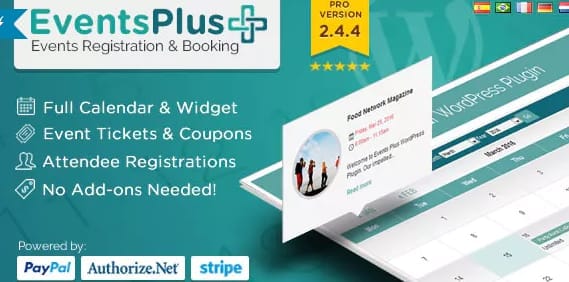
Overview of WP EventsPlus – Events Calendar Registration & Booking
WP EventsPlus – Events Calendar Registration & Booking is a powerful and intuitive WordPress plugin designed to streamline event creation, management, and registration directly on your website. This essential tool empowers businesses, organizations, and individuals to effortlessly publish events, manage bookings, and engage with attendees, all within the familiar WordPress environment.
Key Features of WP EventsPlus – Events Calendar Registration & Booking
- Comprehensive Event Management: Create and publish a wide range of events, from workshops and conferences to webinars and recurring meetings, with a user-friendly interface using WP EventsPlus – Events Calendar Registration & Booking.
- Flexible Registration Forms: Design custom registration forms with various field types to gather all necessary attendee information, ensuring a smooth signup process.
- Secure Booking & Payment Integration: Facilitate secure online bookings and payments, offering a seamless transaction experience for your attendees and simplifying your financial management.
- Dynamic Calendar Views: Display your events in multiple attractive calendar formats (day, week, month, list) allowing visitors to easily browse and find events that interest them.
- Efficient Attendee Management: Keep track of all registrants, manage their details, send confirmations, and communicate effectively with your event participants from one central dashboard.
- Email Notifications & Reminders: Automate welcome emails, booking confirmations, and event reminders to keep attendees informed and reduce no-shows.
- Customizable Event Pages: Create unique and engaging event pages with rich content, images, and maps to provide all the necessary details for your participants.
- Shortcode & Widget Support: Easily embed events and calendars anywhere on your site using simple shortcodes and widgets, offering maximum flexibility in design and layout.
Why Choose WP EventsPlus – Events Calendar Registration & Booking?
Choosing WP EventsPlus – Events Calendar Registration & Booking means opting for a robust, all-in-one solution that simplifies the complexities of event planning and execution. It transforms your WordPress site into a fully functional event hub, saving you countless hours typically spent on manual registrations, communications, and scheduling. With its intuitive design, even those new to event management can quickly get started, while experienced organizers will appreciate its depth of features.
WP EventsPlus – Events Calendar Registration & Booking isn’t just about listing events; it’s about creating a complete experience for both organizers and attendees. From the initial event creation to post-event follow-ups, every step is designed to be efficient and user-friendly. Its ability to handle registrations, payments, and attendee communication in one place reduces administrative overhead, allowing you to focus more on the quality of your events and less on the logistics. Embrace a professional, streamlined approach to event management with WP EventsPlus – Events Calendar Registration & Booking.
Who Should Use WP EventsPlus – Events Calendar Registration & Booking?
WP EventsPlus – Events Calendar Registration & Booking is ideal for a diverse range of users. Event organizers, educational institutions, non-profit organizations, small businesses, community groups, and individual professionals will find it indispensable. Whether you’re hosting workshops, conferences, online courses, sports events, music festivals, or local meetups, this plugin provides the tools needed to manage your calendar and registrations effectively, ensuring smooth operations and successful events.
How to Install WP EventsPlus – Events Calendar Registration & Booking
- Download the Plugin: After your purchase, download the WP EventsPlus – Events Calendar Registration & Booking plugin file (a .zip archive) from your account dashboard.
- Upload to WordPress: Log in to your WordPress admin panel. Navigate to ‘Plugins’ > ‘Add New’ and then click the ‘Upload Plugin’ button at the top of the page.
- Choose File & Install: Click ‘Choose File’, select the WP EventsPlus – Events Calendar Registration & Booking .zip file you downloaded, and then click ‘Install Now’.
- Activate the Plugin: Once the installation is complete, click the ‘Activate Plugin’ button.
- Configure Settings: After activation, a new menu item for WP EventsPlus – Events Calendar Registration & Booking will appear in your WordPress dashboard. Navigate to its settings to configure your event types, payment gateways, calendar display options, and more to get started.
Frequently Asked Questions About WP EventsPlus – Events Calendar Registration & Booking
Is WP EventsPlus – Events Calendar Registration & Booking compatible with my WordPress theme?
WP EventsPlus – Events Calendar Registration & Booking is developed with WordPress best practices in mind, making it highly compatible with most standard and well-coded WordPress themes. In the rare event of a conflict, our support team is available to assist.
Can I manage attendees and their information using WP EventsPlus – Events Calendar Registration & Booking?
Yes, absolutely. WP EventsPlus – Events Calendar Registration & Booking provides a dedicated dashboard for comprehensive attendee management. You can view registrant details, track their payment status, and even export attendee lists for further processing or check-in.
Does WP EventsPlus – Events Calendar Registration & Booking support recurring events?
Yes, WP EventsPlus – Events Calendar Registration & Booking includes robust functionality for creating and managing recurring events, allowing you to set up daily, weekly, monthly, or custom recurring schedules with ease, saving you time and effort.
Get WP EventsPlus – Events Calendar Registration & Booking Today
Elevate your event management capabilities and provide a seamless experience for your attendees with WP EventsPlus – Events Calendar Registration & Booking. This powerful plugin is a game-changer for anyone looking to host and manage events directly from their WordPress site. Don’t miss out on optimizing your event strategy. Explore our collection of premium WordPress Plugins and other high-quality GPL WordPress Products today and take control of your event calendar!
Related Products You May Like
Here's everything you need to know about your purchase:
- 100% original files — Every product is the genuine, virus-free file, exactly as released by the original developer.
- Instant download — Access your files immediately after purchase from your account.
- Lifetime access — Re-download your purchased files anytime. No expiry, no limits.
- Free updates — Newer version released? Just request an update from us, free for all customers.
- Dedicated support — Our team is available 24/7 for installation and file-related help.
- Easy refunds — Not satisfied? Review our Refund Policy. We offer a hassle-free 7-day guarantee.
$59.00 Original price was: $59.00.$2.00Current price is: $2.00.
Version
2.5.9
Last Updated
25/2/2026
License
GPL v2
Compatibility
WordPress 5.0+
Need latest version?
Newer version released? Request an update from us — free for all customers!
Request Update →🎁 Your Purchase Includes
Overview of WP EventsPlus – Events Calendar Registration & Booking
WP EventsPlus – Events Calendar Registration & Booking is a powerful and intuitive WordPress plugin designed to streamline event creation, management, and registration directly on your website. This essential tool empowers businesses, organizations, and individuals to effortlessly publish events, manage bookings, and engage with attendees, all within the familiar WordPress environment.
Key Features of WP EventsPlus – Events Calendar Registration & Booking
- Comprehensive Event Management: Create and publish a wide range of events, from workshops and conferences to webinars and recurring meetings, with a user-friendly interface using WP EventsPlus – Events Calendar Registration & Booking.
- Flexible Registration Forms: Design custom registration forms with various field types to gather all necessary attendee information, ensuring a smooth signup process.
- Secure Booking & Payment Integration: Facilitate secure online bookings and payments, offering a seamless transaction experience for your attendees and simplifying your financial management.
- Dynamic Calendar Views: Display your events in multiple attractive calendar formats (day, week, month, list) allowing visitors to easily browse and find events that interest them.
- Efficient Attendee Management: Keep track of all registrants, manage their details, send confirmations, and communicate effectively with your event participants from one central dashboard.
- Email Notifications & Reminders: Automate welcome emails, booking confirmations, and event reminders to keep attendees informed and reduce no-shows.
- Customizable Event Pages: Create unique and engaging event pages with rich content, images, and maps to provide all the necessary details for your participants.
- Shortcode & Widget Support: Easily embed events and calendars anywhere on your site using simple shortcodes and widgets, offering maximum flexibility in design and layout.
Why Choose WP EventsPlus – Events Calendar Registration & Booking?
Choosing WP EventsPlus – Events Calendar Registration & Booking means opting for a robust, all-in-one solution that simplifies the complexities of event planning and execution. It transforms your WordPress site into a fully functional event hub, saving you countless hours typically spent on manual registrations, communications, and scheduling. With its intuitive design, even those new to event management can quickly get started, while experienced organizers will appreciate its depth of features.
WP EventsPlus – Events Calendar Registration & Booking isn’t just about listing events; it’s about creating a complete experience for both organizers and attendees. From the initial event creation to post-event follow-ups, every step is designed to be efficient and user-friendly. Its ability to handle registrations, payments, and attendee communication in one place reduces administrative overhead, allowing you to focus more on the quality of your events and less on the logistics. Embrace a professional, streamlined approach to event management with WP EventsPlus – Events Calendar Registration & Booking.
Who Should Use WP EventsPlus – Events Calendar Registration & Booking?
WP EventsPlus – Events Calendar Registration & Booking is ideal for a diverse range of users. Event organizers, educational institutions, non-profit organizations, small businesses, community groups, and individual professionals will find it indispensable. Whether you’re hosting workshops, conferences, online courses, sports events, music festivals, or local meetups, this plugin provides the tools needed to manage your calendar and registrations effectively, ensuring smooth operations and successful events.
How to Install WP EventsPlus – Events Calendar Registration & Booking
- Download the Plugin: After your purchase, download the WP EventsPlus – Events Calendar Registration & Booking plugin file (a .zip archive) from your account dashboard.
- Upload to WordPress: Log in to your WordPress admin panel. Navigate to ‘Plugins’ > ‘Add New’ and then click the ‘Upload Plugin’ button at the top of the page.
- Choose File & Install: Click ‘Choose File’, select the WP EventsPlus – Events Calendar Registration & Booking .zip file you downloaded, and then click ‘Install Now’.
- Activate the Plugin: Once the installation is complete, click the ‘Activate Plugin’ button.
- Configure Settings: After activation, a new menu item for WP EventsPlus – Events Calendar Registration & Booking will appear in your WordPress dashboard. Navigate to its settings to configure your event types, payment gateways, calendar display options, and more to get started.
Frequently Asked Questions About WP EventsPlus – Events Calendar Registration & Booking
Is WP EventsPlus – Events Calendar Registration & Booking compatible with my WordPress theme?
WP EventsPlus – Events Calendar Registration & Booking is developed with WordPress best practices in mind, making it highly compatible with most standard and well-coded WordPress themes. In the rare event of a conflict, our support team is available to assist.
Can I manage attendees and their information using WP EventsPlus – Events Calendar Registration & Booking?
Yes, absolutely. WP EventsPlus – Events Calendar Registration & Booking provides a dedicated dashboard for comprehensive attendee management. You can view registrant details, track their payment status, and even export attendee lists for further processing or check-in.
Does WP EventsPlus – Events Calendar Registration & Booking support recurring events?
Yes, WP EventsPlus – Events Calendar Registration & Booking includes robust functionality for creating and managing recurring events, allowing you to set up daily, weekly, monthly, or custom recurring schedules with ease, saving you time and effort.
Get WP EventsPlus – Events Calendar Registration & Booking Today
Elevate your event management capabilities and provide a seamless experience for your attendees with WP EventsPlus – Events Calendar Registration & Booking. This powerful plugin is a game-changer for anyone looking to host and manage events directly from their WordPress site. Don’t miss out on optimizing your event strategy. Explore our collection of premium WordPress Plugins and other high-quality GPL WordPress Products today and take control of your event calendar!
Related Products You May Like
Reviews
There are no reviews yet.
Here's everything you need to know about your purchase:
- 100% original files — Every product is the genuine, virus-free file, exactly as released by the original developer.
- Instant download — Access your files immediately after purchase from your account.
- Lifetime access — Re-download your purchased files anytime. No expiry, no limits.
- Free updates — Newer version released? Just request an update from us, free for all customers.
- Dedicated support — Our team is available 24/7 for installation and file-related help.
- Easy refunds — Not satisfied? Review our Refund Policy. We offer a hassle-free 7-day guarantee.
Reviews
There are no reviews yet.