

WP and Divi Icons Pro 2.0.9
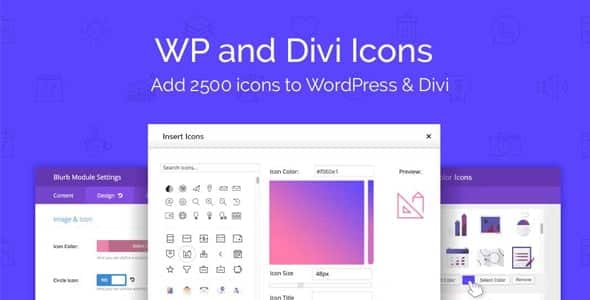
Overview of WP and Divi Icons Pro
WP and Divi Icons Pro is an essential plugin designed to dramatically expand your icon library within WordPress, specifically tailored for seamless integration with the Divi theme. This powerful tool empowers web designers, developers, and anyone building a WordPress site with Divi to access an unprecedented array of icons, transforming mundane designs into visually captivating experiences. WP and Divi Icons Pro eliminates the limitations of built-in icon sets, providing a rich selection that enhances aesthetics and user engagement across your entire website.
Key Features of WP and Divi Icons Pro
- Extensive Icon Libraries: WP and Divi Icons Pro unlocks a massive collection of premium icon packs, including popular sets like Font Awesome (all styles), Material Design Icons, Line Awesome, Themify, and many more, ensuring you always find the perfect icon for any design need.
- Seamless Divi Builder Integration: Experience native integration with the Divi Builder. WP and Divi Icons Pro makes it incredibly easy to browse, select, and apply icons directly from the Divi module settings, just like Divi’s default icons, but with a vastly expanded choice.
- Custom Icon Uploads: Go beyond the included libraries by uploading your own custom SVG icons. This feature of WP and Divi Icons Pro allows for complete branding consistency and truly unique design elements, giving you ultimate creative control.
- Advanced Styling Options: Customize every aspect of your icons. WP and Divi Icons Pro provides comprehensive styling controls within the Divi Builder, allowing you to easily adjust colors, sizes, backgrounds, borders, shadows, and even add hover effects for dynamic interactions.
- Optimized Performance: Designed with performance in mind, WP and Divi Icons Pro ensures that your website remains fast and efficient. It intelligently loads only the icons you use, preventing unnecessary bloat and maintaining optimal site speed.
- Intuitive Icon Management: Easily manage your vast icon collection. WP and Divi Icons Pro offers robust search, filtering, and categorization tools, making it simple to locate and utilize specific icons across your projects.
- Regular Updates & New Packs: The plugin is continuously updated with new icon packs and features, ensuring that WP and Divi Icons Pro stays at the forefront of web design trends and provides you with the latest visual assets.
- Shortcode & CSS Support: While primarily integrated with Divi, WP and Divi Icons Pro also provides shortcode functionality and CSS classes, allowing you to utilize its extensive icon library in other areas of your WordPress site or with other themes if needed.
Why Choose WP and Divi Icons Pro?
Choosing WP and Divi Icons Pro means elevating your website’s visual appeal and functionality to a professional standard. In today’s competitive digital landscape, captivating visuals are paramount for engaging visitors and conveying your message effectively. With its unparalleled collection of icons, WP and Divi Icons Pro provides the creative freedom you need to craft stunning, unique, and highly functional designs that truly stand out.
The native integration with the Divi Builder is a game-changer, streamlining your workflow and making icon implementation incredibly intuitive. No more searching for custom CSS or external icon fonts; everything you need is right within your familiar Divi interface. WP and Divi Icons Pro saves you valuable time and effort, allowing you to focus on the creative aspects of your design rather than wrestling with technical complexities. Furthermore, the ability to upload custom SVG icons ensures that your branding remains consistent and your designs are truly one-of-a-kind. WP and Divi Icons Pro is an investment in design excellence.
Beyond aesthetics, WP and Divi Icons Pro contributes to a better user experience. Well-chosen icons can improve navigation, highlight important information, and make your content more scannable and digestible. By leveraging the diverse range of icons available through WP and Divi Icons Pro, you can guide your users more effectively, enhance readability, and create a more intuitive and enjoyable browsing experience across all devices. It’s not just about adding pretty pictures; it’s about making your website more effective and professional.
Who Should Use WP and Divi Icons Pro?
WP and Divi Icons Pro is ideal for a wide range of users, including:
- Divi Web Designers and Developers: Those who regularly build websites with the Divi theme and want to expand their design capabilities beyond Divi’s default icon set.
- Agencies and Freelancers: Professionals seeking to deliver more unique and polished designs to their clients, offering a broader array of visual options with WP and Divi Icons Pro.
- Small Business Owners: Individuals managing their own Divi websites who want to enhance their site’s professionalism and user experience without needing advanced coding skills.
- Bloggers and Content Creators: Anyone looking to make their articles and pages more visually engaging and scannable using relevant and attractive icons.
- Anyone Seeking Enhanced Visuals: Users who simply desire a more extensive and versatile icon library to make their WordPress site more dynamic and appealing.
How to Install WP and Divi Icons Pro
- Download the Plugin: After your purchase, download the WP and Divi Icons Pro plugin file (a .zip archive) to your computer.
- Upload to WordPress: Log in to your WordPress dashboard. Navigate to ‘Plugins’ > ‘Add New’ and then click the ‘Upload Plugin’ button at the top of the page.
- Choose File: Click ‘Choose File’, select the WP and Divi Icons Pro .zip file you downloaded, and then click ‘Install Now’.
- Activate Plugin: Once the installation is complete, click the ‘Activate Plugin’ button.
- Start Designing: WP and Divi Icons Pro is now active! You can begin using the expanded icon libraries directly within your Divi Builder modules.
Frequently Asked Questions About WP and Divi Icons Pro
What types of icon libraries are included with WP and Divi Icons Pro?
WP and Divi Icons Pro comes packed with several popular and extensive icon libraries, including all styles of Font Awesome (Solid, Regular, Light, Duotone, Brands), Material Design Icons, Line Awesome, Themify Icons, and many more. This vast collection ensures you have access to a diverse range of visual elements for any project.
Is WP and Divi Icons Pro fully compatible with the latest version of Divi?
Yes, WP and Divi Icons Pro is consistently updated to maintain full compatibility with the latest versions of the Divi theme and the WordPress core. Our goal is to ensure a seamless and stable experience for all users, allowing you to leverage the power of WP and Divi Icons Pro without compatibility concerns.
Can I upload my own custom SVG icons using WP and Divi Icons Pro?
Absolutely! One of the standout features of WP and Divi Icons Pro is its ability to allow users to upload their own custom SVG icons. This means you can integrate unique brand assets or specific design elements directly into your Divi workflow, expanding the default libraries even further with WP and Divi Icons Pro.
Does WP and Divi Icons Pro impact website loading speed?
WP and Divi Icons Pro is developed with performance optimization in mind. It intelligently loads only the icon sets or individual icons that are actually used on your pages, rather than loading entire libraries unnecessarily. This approach minimizes HTTP requests and file sizes, ensuring that WP and Divi Icons Pro enhances your design without compromising your website’s loading speed.
Get WP and Divi Icons Pro Today
Ready to unlock a world of design possibilities for your Divi website? Enhance your visual storytelling and create more engaging user experiences with an unparalleled selection of icons. Get WP and Divi Icons Pro today and transform your WordPress projects. Explore this powerful addition and many other premium WordPress Plugins and GPL WordPress Products to empower your website development journey.
Related Products You May Like
Here's everything you need to know about your purchase:
- 100% original files — Every product is the genuine, virus-free file, exactly as released by the original developer.
- Instant download — Access your files immediately after purchase from your account.
- Lifetime access — Re-download your purchased files anytime. No expiry, no limits.
- Free updates — Newer version released? Just request an update from us, free for all customers.
- Dedicated support — Our team is available 24/7 for installation and file-related help.
- Easy refunds — Not satisfied? Review our Refund Policy. We offer a hassle-free 7-day guarantee.
$100.00 Original price was: $100.00.$2.00Current price is: $2.00.
Version
2.0.9
Last Updated
27/04/2026
License
GPL v2
Compatibility
WordPress 5.0+
Need latest version?
Newer version released? Request an update from us — free for all customers!
Request Update →🎁 Your Purchase Includes
Overview of WP and Divi Icons Pro
WP and Divi Icons Pro is an essential plugin designed to dramatically expand your icon library within WordPress, specifically tailored for seamless integration with the Divi theme. This powerful tool empowers web designers, developers, and anyone building a WordPress site with Divi to access an unprecedented array of icons, transforming mundane designs into visually captivating experiences. WP and Divi Icons Pro eliminates the limitations of built-in icon sets, providing a rich selection that enhances aesthetics and user engagement across your entire website.
Key Features of WP and Divi Icons Pro
- Extensive Icon Libraries: WP and Divi Icons Pro unlocks a massive collection of premium icon packs, including popular sets like Font Awesome (all styles), Material Design Icons, Line Awesome, Themify, and many more, ensuring you always find the perfect icon for any design need.
- Seamless Divi Builder Integration: Experience native integration with the Divi Builder. WP and Divi Icons Pro makes it incredibly easy to browse, select, and apply icons directly from the Divi module settings, just like Divi’s default icons, but with a vastly expanded choice.
- Custom Icon Uploads: Go beyond the included libraries by uploading your own custom SVG icons. This feature of WP and Divi Icons Pro allows for complete branding consistency and truly unique design elements, giving you ultimate creative control.
- Advanced Styling Options: Customize every aspect of your icons. WP and Divi Icons Pro provides comprehensive styling controls within the Divi Builder, allowing you to easily adjust colors, sizes, backgrounds, borders, shadows, and even add hover effects for dynamic interactions.
- Optimized Performance: Designed with performance in mind, WP and Divi Icons Pro ensures that your website remains fast and efficient. It intelligently loads only the icons you use, preventing unnecessary bloat and maintaining optimal site speed.
- Intuitive Icon Management: Easily manage your vast icon collection. WP and Divi Icons Pro offers robust search, filtering, and categorization tools, making it simple to locate and utilize specific icons across your projects.
- Regular Updates & New Packs: The plugin is continuously updated with new icon packs and features, ensuring that WP and Divi Icons Pro stays at the forefront of web design trends and provides you with the latest visual assets.
- Shortcode & CSS Support: While primarily integrated with Divi, WP and Divi Icons Pro also provides shortcode functionality and CSS classes, allowing you to utilize its extensive icon library in other areas of your WordPress site or with other themes if needed.
Why Choose WP and Divi Icons Pro?
Choosing WP and Divi Icons Pro means elevating your website’s visual appeal and functionality to a professional standard. In today’s competitive digital landscape, captivating visuals are paramount for engaging visitors and conveying your message effectively. With its unparalleled collection of icons, WP and Divi Icons Pro provides the creative freedom you need to craft stunning, unique, and highly functional designs that truly stand out.
The native integration with the Divi Builder is a game-changer, streamlining your workflow and making icon implementation incredibly intuitive. No more searching for custom CSS or external icon fonts; everything you need is right within your familiar Divi interface. WP and Divi Icons Pro saves you valuable time and effort, allowing you to focus on the creative aspects of your design rather than wrestling with technical complexities. Furthermore, the ability to upload custom SVG icons ensures that your branding remains consistent and your designs are truly one-of-a-kind. WP and Divi Icons Pro is an investment in design excellence.
Beyond aesthetics, WP and Divi Icons Pro contributes to a better user experience. Well-chosen icons can improve navigation, highlight important information, and make your content more scannable and digestible. By leveraging the diverse range of icons available through WP and Divi Icons Pro, you can guide your users more effectively, enhance readability, and create a more intuitive and enjoyable browsing experience across all devices. It’s not just about adding pretty pictures; it’s about making your website more effective and professional.
Who Should Use WP and Divi Icons Pro?
WP and Divi Icons Pro is ideal for a wide range of users, including:
- Divi Web Designers and Developers: Those who regularly build websites with the Divi theme and want to expand their design capabilities beyond Divi’s default icon set.
- Agencies and Freelancers: Professionals seeking to deliver more unique and polished designs to their clients, offering a broader array of visual options with WP and Divi Icons Pro.
- Small Business Owners: Individuals managing their own Divi websites who want to enhance their site’s professionalism and user experience without needing advanced coding skills.
- Bloggers and Content Creators: Anyone looking to make their articles and pages more visually engaging and scannable using relevant and attractive icons.
- Anyone Seeking Enhanced Visuals: Users who simply desire a more extensive and versatile icon library to make their WordPress site more dynamic and appealing.
How to Install WP and Divi Icons Pro
- Download the Plugin: After your purchase, download the WP and Divi Icons Pro plugin file (a .zip archive) to your computer.
- Upload to WordPress: Log in to your WordPress dashboard. Navigate to ‘Plugins’ > ‘Add New’ and then click the ‘Upload Plugin’ button at the top of the page.
- Choose File: Click ‘Choose File’, select the WP and Divi Icons Pro .zip file you downloaded, and then click ‘Install Now’.
- Activate Plugin: Once the installation is complete, click the ‘Activate Plugin’ button.
- Start Designing: WP and Divi Icons Pro is now active! You can begin using the expanded icon libraries directly within your Divi Builder modules.
Frequently Asked Questions About WP and Divi Icons Pro
What types of icon libraries are included with WP and Divi Icons Pro?
WP and Divi Icons Pro comes packed with several popular and extensive icon libraries, including all styles of Font Awesome (Solid, Regular, Light, Duotone, Brands), Material Design Icons, Line Awesome, Themify Icons, and many more. This vast collection ensures you have access to a diverse range of visual elements for any project.
Is WP and Divi Icons Pro fully compatible with the latest version of Divi?
Yes, WP and Divi Icons Pro is consistently updated to maintain full compatibility with the latest versions of the Divi theme and the WordPress core. Our goal is to ensure a seamless and stable experience for all users, allowing you to leverage the power of WP and Divi Icons Pro without compatibility concerns.
Can I upload my own custom SVG icons using WP and Divi Icons Pro?
Absolutely! One of the standout features of WP and Divi Icons Pro is its ability to allow users to upload their own custom SVG icons. This means you can integrate unique brand assets or specific design elements directly into your Divi workflow, expanding the default libraries even further with WP and Divi Icons Pro.
Does WP and Divi Icons Pro impact website loading speed?
WP and Divi Icons Pro is developed with performance optimization in mind. It intelligently loads only the icon sets or individual icons that are actually used on your pages, rather than loading entire libraries unnecessarily. This approach minimizes HTTP requests and file sizes, ensuring that WP and Divi Icons Pro enhances your design without compromising your website’s loading speed.
Get WP and Divi Icons Pro Today
Ready to unlock a world of design possibilities for your Divi website? Enhance your visual storytelling and create more engaging user experiences with an unparalleled selection of icons. Get WP and Divi Icons Pro today and transform your WordPress projects. Explore this powerful addition and many other premium WordPress Plugins and GPL WordPress Products to empower your website development journey.
Related Products You May Like
Reviews
There are no reviews yet.
Here's everything you need to know about your purchase:
- 100% original files — Every product is the genuine, virus-free file, exactly as released by the original developer.
- Instant download — Access your files immediately after purchase from your account.
- Lifetime access — Re-download your purchased files anytime. No expiry, no limits.
- Free updates — Newer version released? Just request an update from us, free for all customers.
- Dedicated support — Our team is available 24/7 for installation and file-related help.
- Easy refunds — Not satisfied? Review our Refund Policy. We offer a hassle-free 7-day guarantee.
Reviews
There are no reviews yet.