

WP Adminify Pro 4.1.7 – Toolkit for WordPress Dashboard
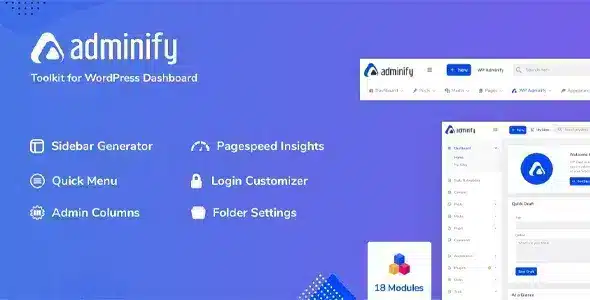
Overview of WP Adminify
WP Adminify is an all-in-one WordPress dashboard toolkit designed to transform and optimize your administrative experience. It empowers website owners, developers, and agencies to fully customize the WordPress backend, streamline workflows, and enhance user management, making site administration more efficient and enjoyable. With WP Adminify, you gain unparalleled control over your dashboard’s appearance and functionality, ensuring a tailored environment for every user.
Key Features of WP Adminify
- Dashboard Customizer: Fully personalize your WordPress dashboard with custom layouts, widgets, and branding options. Remove unnecessary elements and add vital information to create a truly bespoke administrative interface with WP Adminify.
- Login Page Customizer: Design stunning and branded login pages that perfectly match your website’s aesthetic or your client’s brand identity. WP Adminify offers extensive options to modify logos, backgrounds, forms, and more.
- Admin Menu Editor: Take complete control of the WordPress admin menu. Reorder, rename, hide, or add custom menu items to simplify navigation for your users or clients, ensuring they only see what’s relevant to their role.
- Folders Module: Organize your media library, posts, pages, and custom post types into intuitive folders. This powerful feature of WP Adminify significantly improves content management and searchability, especially for large websites.
- Activity Logs: Keep a comprehensive record of all actions taken within your WordPress site. Monitor user activities, track changes, and maintain accountability, enhancing security and troubleshooting capabilities.
- Custom Admin Columns: Add, remove, or reorder columns in your post, page, and custom post type lists. Display critical information at a glance, making content management and overview far more efficient.
- Dark Mode: Provide a comfortable viewing experience for users working in low-light conditions or those who simply prefer a darker interface. WP Adminify includes a seamless dark mode toggle for the entire admin panel.
- Notification Bar: Create custom, dismissible notification bars to communicate important messages, updates, or announcements directly within the WordPress admin area to all or specific user roles.
Why Choose WP Adminify?
Choosing WP Adminify means opting for unparalleled control and efficiency in managing your WordPress website. This powerful toolkit goes beyond basic customization, offering a comprehensive suite of features designed to streamline every aspect of your administrative workflow. Imagine a WordPress dashboard that not only looks exactly how you want it but also functions precisely to meet your operational needs. WP Adminify makes this a reality, allowing you to create a more intuitive, less cluttered, and highly personalized backend experience for yourself, your team, or your clients. It drastically reduces the time spent navigating irrelevant menus and searching for specific content, letting you focus on what truly matters: growing your online presence.
Furthermore, WP Adminify is a game-changer for agencies and developers who manage multiple client sites. The ability to brand client dashboards, simplify navigation, and provide a tailored user experience adds immense value to your services. You can hide complex settings from clients, preventing accidental changes, while simultaneously making their daily tasks easier and more enjoyable. The robust features like the Admin Menu Editor and Custom Admin Columns ensure that every user role has access to exactly what they need, no more, no less. This level of granular control offered by WP Adminify significantly enhances client satisfaction and reduces support requests, ultimately saving you time and resources.
Beyond aesthetics and organization, WP Adminify contributes to a more secure and accountable environment. With detailed activity logs, you can monitor every action taken within your site, providing an invaluable tool for troubleshooting, auditing, and maintaining site integrity. The flexibility to create custom login pages also adds a professional touch and reinforces brand identity from the very first interaction. By integrating such a comprehensive toolkit, you’re not just customizing your dashboard; you’re optimizing your entire WordPress ecosystem for peak performance and user satisfaction. WP Adminify truly transforms the often-overlooked admin area into a powerful, user-friendly command center.
Who Should Use WP Adminify?
WP Adminify is an essential tool for anyone who wants to take full control of their WordPress admin experience. It’s ideal for:
- Website Owners: To simplify their own site management and create a more personalized, efficient dashboard.
- WordPress Developers: To build highly customized and branded client dashboards, improving handover and reducing support.
- Web Agencies: For standardizing client backend experiences, applying consistent branding, and streamlining client workflows across multiple projects.
- Multisite Network Admins: To manage and customize individual site dashboards within a network effectively.
- Content Managers & Editors: To organize content efficiently with folders and access relevant information quickly via custom columns.
- Anyone Seeking Efficiency: If you find the default WordPress backend cluttered or inefficient, WP Adminify will revolutionize your workflow.
How to Install WP Adminify
Installing WP Adminify is a straightforward process, similar to most WordPress plugins. Follow these steps to get started:
- Download the Plugin: First, obtain the WP Adminify plugin file, typically a .zip archive, from your purchase source.
- Upload via WordPress Dashboard: Log in to your WordPress admin area. Navigate to ‘Plugins’ > ‘Add New’. Click the ‘Upload Plugin’ button at the top of the page.
- Choose File and Install: Click ‘Choose File’, locate the WP Adminify .zip file on your computer, and then click ‘Install Now’.
- Activate the Plugin: Once the installation is complete, WordPress will prompt you to activate the plugin. Click the ‘Activate Plugin’ button.
- Configure WP Adminify: After activation, you’ll find a new ‘WP Adminify’ menu item in your WordPress dashboard. Click on it to access its settings and begin customizing your admin experience.
Frequently Asked Questions About WP Adminify
What is WP Adminify?
WP Adminify is a comprehensive WordPress dashboard toolkit designed to offer extensive customization and optimization features for the administrative backend. It allows users to personalize the dashboard, streamline workflows, enhance user management, and improve the overall efficiency and aesthetics of their WordPress admin area.
Can WP Adminify improve my workflow?
Absolutely. WP Adminify is specifically built to enhance workflow efficiency. Features like the Admin Menu Editor, Custom Admin Columns, and the Folders Module help you organize content, simplify navigation, and access critical information faster, significantly reducing the time and effort required for daily administrative tasks.
Is WP Adminify compatible with other plugins?
WP Adminify is developed following WordPress best practices and is designed to be highly compatible with most well-coded WordPress themes and plugins. While conflicts can occasionally arise with any combination of plugins, WP Adminify aims for broad compatibility to ensure a smooth experience. If you encounter any issues, our support resources are available to assist.
Get WP Adminify Today
Ready to transform your WordPress dashboard into a powerful, personalized command center? With WP Adminify, you’re not just installing a plugin; you’re investing in a superior administrative experience that saves time, boosts productivity, and elevates your site management. Unlock the full potential of your WordPress backend and take control like never before. Explore our range of WordPress Themes and other premium GPL WordPress Products to complete your toolkit.
Related Products You May Like
Here's everything you need to know about your purchase:
- 100% original files — Every product is the genuine, virus-free file, exactly as released by the original developer.
- Instant download — Access your files immediately after purchase from your account.
- Lifetime access — Re-download your purchased files anytime. No expiry, no limits.
- Free updates — Newer version released? Just request an update from us, free for all customers.
- Dedicated support — Our team is available 24/7 for installation and file-related help.
- Easy refunds — Not satisfied? Review our Refund Policy. We offer a hassle-free 7-day guarantee.
$59.00 Original price was: $59.00.$2.00Current price is: $2.00.
Version
4.1.7
Last Updated
08/07/2025
License
GPL v2
Compatibility
WordPress 5.0+
Need latest version?
Newer version released? Request an update from us — free for all customers!
Request Update →🎁 Your Purchase Includes
Overview of WP Adminify
WP Adminify is an all-in-one WordPress dashboard toolkit designed to transform and optimize your administrative experience. It empowers website owners, developers, and agencies to fully customize the WordPress backend, streamline workflows, and enhance user management, making site administration more efficient and enjoyable. With WP Adminify, you gain unparalleled control over your dashboard’s appearance and functionality, ensuring a tailored environment for every user.
Key Features of WP Adminify
- Dashboard Customizer: Fully personalize your WordPress dashboard with custom layouts, widgets, and branding options. Remove unnecessary elements and add vital information to create a truly bespoke administrative interface with WP Adminify.
- Login Page Customizer: Design stunning and branded login pages that perfectly match your website’s aesthetic or your client’s brand identity. WP Adminify offers extensive options to modify logos, backgrounds, forms, and more.
- Admin Menu Editor: Take complete control of the WordPress admin menu. Reorder, rename, hide, or add custom menu items to simplify navigation for your users or clients, ensuring they only see what’s relevant to their role.
- Folders Module: Organize your media library, posts, pages, and custom post types into intuitive folders. This powerful feature of WP Adminify significantly improves content management and searchability, especially for large websites.
- Activity Logs: Keep a comprehensive record of all actions taken within your WordPress site. Monitor user activities, track changes, and maintain accountability, enhancing security and troubleshooting capabilities.
- Custom Admin Columns: Add, remove, or reorder columns in your post, page, and custom post type lists. Display critical information at a glance, making content management and overview far more efficient.
- Dark Mode: Provide a comfortable viewing experience for users working in low-light conditions or those who simply prefer a darker interface. WP Adminify includes a seamless dark mode toggle for the entire admin panel.
- Notification Bar: Create custom, dismissible notification bars to communicate important messages, updates, or announcements directly within the WordPress admin area to all or specific user roles.
Why Choose WP Adminify?
Choosing WP Adminify means opting for unparalleled control and efficiency in managing your WordPress website. This powerful toolkit goes beyond basic customization, offering a comprehensive suite of features designed to streamline every aspect of your administrative workflow. Imagine a WordPress dashboard that not only looks exactly how you want it but also functions precisely to meet your operational needs. WP Adminify makes this a reality, allowing you to create a more intuitive, less cluttered, and highly personalized backend experience for yourself, your team, or your clients. It drastically reduces the time spent navigating irrelevant menus and searching for specific content, letting you focus on what truly matters: growing your online presence.
Furthermore, WP Adminify is a game-changer for agencies and developers who manage multiple client sites. The ability to brand client dashboards, simplify navigation, and provide a tailored user experience adds immense value to your services. You can hide complex settings from clients, preventing accidental changes, while simultaneously making their daily tasks easier and more enjoyable. The robust features like the Admin Menu Editor and Custom Admin Columns ensure that every user role has access to exactly what they need, no more, no less. This level of granular control offered by WP Adminify significantly enhances client satisfaction and reduces support requests, ultimately saving you time and resources.
Beyond aesthetics and organization, WP Adminify contributes to a more secure and accountable environment. With detailed activity logs, you can monitor every action taken within your site, providing an invaluable tool for troubleshooting, auditing, and maintaining site integrity. The flexibility to create custom login pages also adds a professional touch and reinforces brand identity from the very first interaction. By integrating such a comprehensive toolkit, you’re not just customizing your dashboard; you’re optimizing your entire WordPress ecosystem for peak performance and user satisfaction. WP Adminify truly transforms the often-overlooked admin area into a powerful, user-friendly command center.
Who Should Use WP Adminify?
WP Adminify is an essential tool for anyone who wants to take full control of their WordPress admin experience. It’s ideal for:
- Website Owners: To simplify their own site management and create a more personalized, efficient dashboard.
- WordPress Developers: To build highly customized and branded client dashboards, improving handover and reducing support.
- Web Agencies: For standardizing client backend experiences, applying consistent branding, and streamlining client workflows across multiple projects.
- Multisite Network Admins: To manage and customize individual site dashboards within a network effectively.
- Content Managers & Editors: To organize content efficiently with folders and access relevant information quickly via custom columns.
- Anyone Seeking Efficiency: If you find the default WordPress backend cluttered or inefficient, WP Adminify will revolutionize your workflow.
How to Install WP Adminify
Installing WP Adminify is a straightforward process, similar to most WordPress plugins. Follow these steps to get started:
- Download the Plugin: First, obtain the WP Adminify plugin file, typically a .zip archive, from your purchase source.
- Upload via WordPress Dashboard: Log in to your WordPress admin area. Navigate to ‘Plugins’ > ‘Add New’. Click the ‘Upload Plugin’ button at the top of the page.
- Choose File and Install: Click ‘Choose File’, locate the WP Adminify .zip file on your computer, and then click ‘Install Now’.
- Activate the Plugin: Once the installation is complete, WordPress will prompt you to activate the plugin. Click the ‘Activate Plugin’ button.
- Configure WP Adminify: After activation, you’ll find a new ‘WP Adminify’ menu item in your WordPress dashboard. Click on it to access its settings and begin customizing your admin experience.
Frequently Asked Questions About WP Adminify
What is WP Adminify?
WP Adminify is a comprehensive WordPress dashboard toolkit designed to offer extensive customization and optimization features for the administrative backend. It allows users to personalize the dashboard, streamline workflows, enhance user management, and improve the overall efficiency and aesthetics of their WordPress admin area.
Can WP Adminify improve my workflow?
Absolutely. WP Adminify is specifically built to enhance workflow efficiency. Features like the Admin Menu Editor, Custom Admin Columns, and the Folders Module help you organize content, simplify navigation, and access critical information faster, significantly reducing the time and effort required for daily administrative tasks.
Is WP Adminify compatible with other plugins?
WP Adminify is developed following WordPress best practices and is designed to be highly compatible with most well-coded WordPress themes and plugins. While conflicts can occasionally arise with any combination of plugins, WP Adminify aims for broad compatibility to ensure a smooth experience. If you encounter any issues, our support resources are available to assist.
Get WP Adminify Today
Ready to transform your WordPress dashboard into a powerful, personalized command center? With WP Adminify, you’re not just installing a plugin; you’re investing in a superior administrative experience that saves time, boosts productivity, and elevates your site management. Unlock the full potential of your WordPress backend and take control like never before. Explore our range of WordPress Themes and other premium GPL WordPress Products to complete your toolkit.
Related Products You May Like
Reviews
There are no reviews yet.
Here's everything you need to know about your purchase:
- 100% original files — Every product is the genuine, virus-free file, exactly as released by the original developer.
- Instant download — Access your files immediately after purchase from your account.
- Lifetime access — Re-download your purchased files anytime. No expiry, no limits.
- Free updates — Newer version released? Just request an update from us, free for all customers.
- Dedicated support — Our team is available 24/7 for installation and file-related help.
- Easy refunds — Not satisfied? Review our Refund Policy. We offer a hassle-free 7-day guarantee.
Reviews
There are no reviews yet.