

WordPress Widget Style Editor Elementor Addon 1.1.4
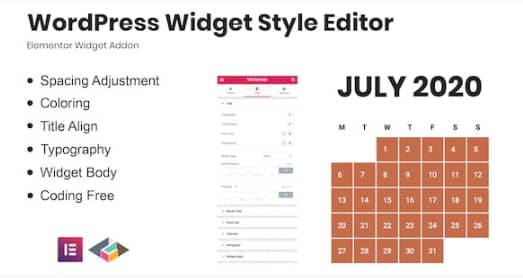
Overview of WordPress Widget Style Editor Elementor Addon
Transform the look and feel of your WordPress widgets with the powerful WordPress Widget Style Editor Elementor Addon. This essential Elementor addon empowers WordPress users, designers, and agencies to effortlessly customize the styling of any widget directly within the familiar Elementor interface. Say goodbye to custom CSS and hello to intuitive visual controls for a truly unique website design.
Key Features of WordPress Widget Style Editor Elementor Addon
- Advanced Styling Controls: Gain complete control over typography, colors, backgrounds, borders, padding, and margins for all your WordPress widgets. The WordPress Widget Style Editor Elementor Addon provides an extensive suite of options.
- Live Visual Editor: See your style changes in real-time as you make them within the Elementor editor, ensuring precision and speeding up your design workflow. This visual feedback is a core benefit of the WordPress Widget Style Editor Elementor Addon.
- Responsive Design Options: Tailor your widget styles for optimal viewing on desktops, tablets, and mobile devices with dedicated responsive controls, ensuring a perfect look across all screen sizes.
- Universal Widget Compatibility: Works seamlessly with any standard WordPress widget, whether it’s a core widget, a theme-specific widget, or a plugin-provided widget, making the WordPress Widget Style Editor Elementor Addon incredibly versatile.
- Intuitive User Interface: Designed with user-friendliness in mind, the addon integrates perfectly with Elementor’s drag-and-drop builder, making styling accessible to users of all skill levels.
- No Coding Required: Achieve stunning, customized widget designs without writing a single line of CSS code. The WordPress Widget Style Editor Elementor Addon simplifies complex styling tasks.
- Granular Control: Apply styles globally or customize individual widgets to create unique sections and highlights on your pages, offering unparalleled design flexibility.
- Performance Optimized: Built to be lightweight and efficient, ensuring that your website’s loading speed remains fast and your user experience smooth.
Why Choose WordPress Widget Style Editor Elementor Addon?
Choosing the WordPress Widget Style Editor Elementor Addon means opting for unparalleled design freedom and efficiency. For too long, customizing WordPress widgets has been a frustrating experience, often requiring developers or a deep understanding of CSS. This addon breaks down those barriers, providing a robust yet incredibly easy-to-use solution that integrates flawlessly with Elementor, the world’s leading page builder.
With this powerful addon, you can elevate your website’s aesthetics without compromising on performance or spending countless hours on custom coding. It empowers you to create a cohesive and professional design that truly reflects your brand, ensuring every element on your page, including the often-overlooked widgets, contributes to a polished user experience. Invest in the WordPress Widget Style Editor Elementor Addon to unlock a new level of design control and bring your creative vision to life with ease.
The value proposition of the WordPress Widget Style Editor Elementor Addon extends beyond just aesthetics. It’s a time-saving tool that allows designers and website owners to iterate quickly, experiment with different styles, and achieve pixel-perfect results in a fraction of the time. Whether you’re building a new site or refining an existing one, this addon is an indispensable asset for anyone serious about professional web design and looking to maximize the potential of their Elementor-powered WordPress site.
Who Should Use WordPress Widget Style Editor Elementor Addon?
The WordPress Widget Style Editor Elementor Addon is ideal for Elementor users, web designers, WordPress developers, bloggers, small business owners, and anyone who wants to customize the appearance of their WordPress widgets without needing to write custom CSS. If you’re looking to enhance your site’s visual appeal, maintain brand consistency, and improve user experience through finely-tuned widget designs, this addon is for you.
How to Install WordPress Widget Style Editor Elementor Addon
- Download the Addon: After purchase, download the plugin zip file for the WordPress Widget Style Editor Elementor Addon from your account dashboard.
- Upload to WordPress: Log in to your WordPress admin panel. Navigate to ‘Plugins’ > ‘Add New’ and click the ‘Upload Plugin’ button. Choose the downloaded zip file and click ‘Install Now’.
- Activate the Plugin: Once the installation is complete, click ‘Activate Plugin’. The WordPress Widget Style Editor Elementor Addon will now be active on your site.
- Ensure Elementor is Active: Make sure you have Elementor Page Builder installed and activated on your website, as this addon is built to extend Elementor’s functionality.
- Start Styling: Open any page or post with Elementor, add a widget, and you will find the new styling options provided by the WordPress Widget Style Editor Elementor Addon within the Elementor editor.
Frequently Asked Questions About WordPress Widget Style Editor Elementor Addon
Is the WordPress Widget Style Editor Elementor Addon compatible with all themes?
Yes, the WordPress Widget Style Editor Elementor Addon is designed to be compatible with any WordPress theme that works with Elementor. It focuses on styling widgets, which are generally independent of specific theme structures, ensuring broad compatibility.
Can I use the WordPress Widget Style Editor Elementor Addon to style custom widgets from other plugins?
Absolutely! The WordPress Widget Style Editor Elementor Addon is built to extend styling capabilities to any standard WordPress widget, including those created by other plugins. As long as it registers as a standard WordPress widget, you should be able to style it.
Does the WordPress Widget Style Editor Elementor Addon affect website performance?
No, the WordPress Widget Style Editor Elementor Addon is developed with performance in mind. It’s lightweight and optimized to ensure that the added styling capabilities do not negatively impact your website’s loading speed or overall performance.
Get WordPress Widget Style Editor Elementor Addon Today
Elevate your website’s design and gain complete control over your widget aesthetics with the WordPress Widget Style Editor Elementor Addon. Stop struggling with custom CSS and start enjoying intuitive, visual styling. Enhance your Elementor experience and create truly unique layouts effortlessly. Explore this and many other premium WordPress Plugins and GPL WordPress Products to empower your website building journey today!
Related Products You May Like
Here's everything you need to know about your purchase:
- 100% original files — Every product is the genuine, virus-free file, exactly as released by the original developer.
- Instant download — Access your files immediately after purchase from your account.
- Lifetime access — Re-download your purchased files anytime. No expiry, no limits.
- Free updates — Newer version released? Just request an update from us, free for all customers.
- Dedicated support — Our team is available 24/7 for installation and file-related help.
- Easy refunds — Not satisfied? Review our Refund Policy. We offer a hassle-free 7-day guarantee.
$59.00 Original price was: $59.00.$2.00Current price is: $2.00.
Version
1.1.4
Last Updated
10/3/2024
License
GPL v2
Compatibility
WordPress 5.0+
Need latest version?
Newer version released? Request an update from us — free for all customers!
Request Update →🎁 Your Purchase Includes
Overview of WordPress Widget Style Editor Elementor Addon
Transform the look and feel of your WordPress widgets with the powerful WordPress Widget Style Editor Elementor Addon. This essential Elementor addon empowers WordPress users, designers, and agencies to effortlessly customize the styling of any widget directly within the familiar Elementor interface. Say goodbye to custom CSS and hello to intuitive visual controls for a truly unique website design.
Key Features of WordPress Widget Style Editor Elementor Addon
- Advanced Styling Controls: Gain complete control over typography, colors, backgrounds, borders, padding, and margins for all your WordPress widgets. The WordPress Widget Style Editor Elementor Addon provides an extensive suite of options.
- Live Visual Editor: See your style changes in real-time as you make them within the Elementor editor, ensuring precision and speeding up your design workflow. This visual feedback is a core benefit of the WordPress Widget Style Editor Elementor Addon.
- Responsive Design Options: Tailor your widget styles for optimal viewing on desktops, tablets, and mobile devices with dedicated responsive controls, ensuring a perfect look across all screen sizes.
- Universal Widget Compatibility: Works seamlessly with any standard WordPress widget, whether it’s a core widget, a theme-specific widget, or a plugin-provided widget, making the WordPress Widget Style Editor Elementor Addon incredibly versatile.
- Intuitive User Interface: Designed with user-friendliness in mind, the addon integrates perfectly with Elementor’s drag-and-drop builder, making styling accessible to users of all skill levels.
- No Coding Required: Achieve stunning, customized widget designs without writing a single line of CSS code. The WordPress Widget Style Editor Elementor Addon simplifies complex styling tasks.
- Granular Control: Apply styles globally or customize individual widgets to create unique sections and highlights on your pages, offering unparalleled design flexibility.
- Performance Optimized: Built to be lightweight and efficient, ensuring that your website’s loading speed remains fast and your user experience smooth.
Why Choose WordPress Widget Style Editor Elementor Addon?
Choosing the WordPress Widget Style Editor Elementor Addon means opting for unparalleled design freedom and efficiency. For too long, customizing WordPress widgets has been a frustrating experience, often requiring developers or a deep understanding of CSS. This addon breaks down those barriers, providing a robust yet incredibly easy-to-use solution that integrates flawlessly with Elementor, the world’s leading page builder.
With this powerful addon, you can elevate your website’s aesthetics without compromising on performance or spending countless hours on custom coding. It empowers you to create a cohesive and professional design that truly reflects your brand, ensuring every element on your page, including the often-overlooked widgets, contributes to a polished user experience. Invest in the WordPress Widget Style Editor Elementor Addon to unlock a new level of design control and bring your creative vision to life with ease.
The value proposition of the WordPress Widget Style Editor Elementor Addon extends beyond just aesthetics. It’s a time-saving tool that allows designers and website owners to iterate quickly, experiment with different styles, and achieve pixel-perfect results in a fraction of the time. Whether you’re building a new site or refining an existing one, this addon is an indispensable asset for anyone serious about professional web design and looking to maximize the potential of their Elementor-powered WordPress site.
Who Should Use WordPress Widget Style Editor Elementor Addon?
The WordPress Widget Style Editor Elementor Addon is ideal for Elementor users, web designers, WordPress developers, bloggers, small business owners, and anyone who wants to customize the appearance of their WordPress widgets without needing to write custom CSS. If you’re looking to enhance your site’s visual appeal, maintain brand consistency, and improve user experience through finely-tuned widget designs, this addon is for you.
How to Install WordPress Widget Style Editor Elementor Addon
- Download the Addon: After purchase, download the plugin zip file for the WordPress Widget Style Editor Elementor Addon from your account dashboard.
- Upload to WordPress: Log in to your WordPress admin panel. Navigate to ‘Plugins’ > ‘Add New’ and click the ‘Upload Plugin’ button. Choose the downloaded zip file and click ‘Install Now’.
- Activate the Plugin: Once the installation is complete, click ‘Activate Plugin’. The WordPress Widget Style Editor Elementor Addon will now be active on your site.
- Ensure Elementor is Active: Make sure you have Elementor Page Builder installed and activated on your website, as this addon is built to extend Elementor’s functionality.
- Start Styling: Open any page or post with Elementor, add a widget, and you will find the new styling options provided by the WordPress Widget Style Editor Elementor Addon within the Elementor editor.
Frequently Asked Questions About WordPress Widget Style Editor Elementor Addon
Is the WordPress Widget Style Editor Elementor Addon compatible with all themes?
Yes, the WordPress Widget Style Editor Elementor Addon is designed to be compatible with any WordPress theme that works with Elementor. It focuses on styling widgets, which are generally independent of specific theme structures, ensuring broad compatibility.
Can I use the WordPress Widget Style Editor Elementor Addon to style custom widgets from other plugins?
Absolutely! The WordPress Widget Style Editor Elementor Addon is built to extend styling capabilities to any standard WordPress widget, including those created by other plugins. As long as it registers as a standard WordPress widget, you should be able to style it.
Does the WordPress Widget Style Editor Elementor Addon affect website performance?
No, the WordPress Widget Style Editor Elementor Addon is developed with performance in mind. It’s lightweight and optimized to ensure that the added styling capabilities do not negatively impact your website’s loading speed or overall performance.
Get WordPress Widget Style Editor Elementor Addon Today
Elevate your website’s design and gain complete control over your widget aesthetics with the WordPress Widget Style Editor Elementor Addon. Stop struggling with custom CSS and start enjoying intuitive, visual styling. Enhance your Elementor experience and create truly unique layouts effortlessly. Explore this and many other premium WordPress Plugins and GPL WordPress Products to empower your website building journey today!
Related Products You May Like
Reviews
There are no reviews yet.
Here's everything you need to know about your purchase:
- 100% original files — Every product is the genuine, virus-free file, exactly as released by the original developer.
- Instant download — Access your files immediately after purchase from your account.
- Lifetime access — Re-download your purchased files anytime. No expiry, no limits.
- Free updates — Newer version released? Just request an update from us, free for all customers.
- Dedicated support — Our team is available 24/7 for installation and file-related help.
- Easy refunds — Not satisfied? Review our Refund Policy. We offer a hassle-free 7-day guarantee.
Reviews
There are no reviews yet.