

WordPress Upload Files Anywhere 2.8
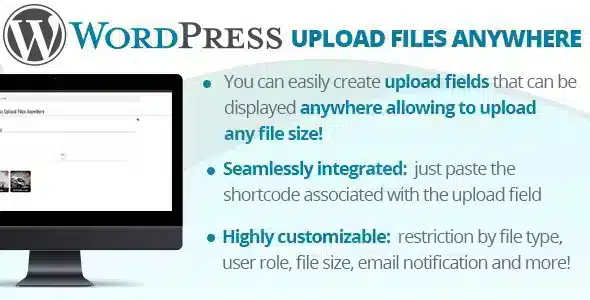
Overview of WordPress Upload Files Anywhere
WordPress Upload Files Anywhere is an indispensable plugin designed to transform your WordPress site into a dynamic content hub, enabling seamless file uploads from any front-end location. This powerful tool caters to website owners, community managers, and businesses seeking to empower their users with an intuitive and secure way to submit various file types directly to their site, completely bypassing the backend dashboard. Whether you’re running a directory, a community forum, a job board, or simply need an efficient method for user-generated content, WordPress Upload Files Anywhere provides the solution.
Key Features of WordPress Upload Files Anywhere
- Front-End File Uploads: Empower your users to upload files directly from the front-end of your WordPress site, ensuring a smooth and user-friendly experience without requiring backend access.
- Customizable Upload Forms: Create and tailor multiple upload forms with specific fields, file type restrictions, and size limits to perfectly match the unique requirements of different sections of your website.
- Comprehensive File Type Support: Accommodate a wide range of media including images, documents (PDF, DOCX, XLSX), videos, audio, and more, making WordPress Upload Files Anywhere highly versatile for diverse content needs.
- User Role-Based Access Control: Define precisely which user roles can access and utilize the upload forms, providing robust security and granular control over content submission permissions.
- Intuitive Drag & Drop Interface: Enhance user convenience with a modern drag-and-drop functionality for effortless file selection and submission, streamlining the upload process.
- Seamless Media Library Integration: All uploaded files are automatically integrated into your WordPress Media Library, simplifying management, organization, and subsequent use across your site.
- Email Notification System: Configure automatic email alerts to administrators or specific users whenever new files are submitted, ensuring you stay informed about fresh content.
- Shortcode Integration: Easily embed your custom upload forms into any post, page, or custom post type using simple shortcodes, offering maximum flexibility in placement.
Why Choose WordPress Upload Files Anywhere?
Choosing WordPress Upload Files Anywhere means opting for a significant upgrade in functionality and user experience for your WordPress site. This plugin eliminates the complexities often associated with user file submissions, providing a streamlined, secure, and highly customizable solution. It empowers your community, clients, or team members to contribute content without needing to navigate the WordPress admin area, drastically improving efficiency and engagement. For sites that rely on user-generated content, such as portfolios, listings, or educational platforms, WordPress Upload Files Anywhere is an indispensable asset that enhances both usability and content flow.
Beyond its user-friendly interface, WordPress Upload Files Anywhere offers robust control and management features for site administrators. You can easily define file types, set size limits, and manage who can upload what, ensuring that all submissions align with your site’s policies and technical specifications. The seamless integration with the WordPress Media Library means all uploaded content is immediately available for use within your existing content ecosystem, saving time and reducing manual effort. This makes WordPress Upload Files Anywhere not just a convenience, but a strategic tool for content management and community building.
Furthermore, the flexibility of WordPress Upload Files Anywhere allows it to adapt to almost any use case. Whether you need a simple form for visitors to submit images, a sophisticated system for members to upload documents, or a secure portal for clients to share project files, this plugin can be configured to meet those demands. Its reliable performance and ease of deployment ensure that you can quickly implement a powerful file upload solution without extensive technical knowledge, making it a valuable addition for any WordPress professional or enthusiast looking to elevate their site’s capabilities.
Who Should Use WordPress Upload Files Anywhere?
WordPress Upload Files Anywhere is perfect for a wide range of WordPress users and site types. It’s ideal for membership sites needing user profile image uploads or document submissions, community forums where users share media, directory websites requiring listing submissions with attachments, and e-learning platforms for assignment uploads. Businesses that collect client files or testimonials, photographers managing client galleries, and even personal blogs that accept guest contributions will find immense value in its capabilities. Essentially, any WordPress site that benefits from secure, front-end user file submissions will thrive with WordPress Upload Files Anywhere.
How to Install WordPress Upload Files Anywhere
- Download the Plugin: After purchasing WordPress Upload Files Anywhere, download the plugin zip file from your account on GPLUniverse.
- Upload via WordPress Dashboard: Log in to your WordPress admin area, navigate to ‘Plugins’ > ‘Add New’, then click ‘Upload Plugin’ at the top of the page. Choose the zip file you just downloaded and click ‘Install Now’.
- Activate the Plugin: Once the installation is complete, click the ‘Activate Plugin’ button. WordPress Upload Files Anywhere is now active on your site.
- Configure Settings: Go to the new ‘Upload Files Anywhere’ menu item in your WordPress dashboard to configure forms, settings, file types, and user permissions according to your needs.
- Embed Forms: Use the provided shortcodes to embed your custom file upload forms into any post, page, or widget area on your front-end.
Frequently Asked Questions About WordPress Upload Files Anywhere
Does WordPress Upload Files Anywhere support all file types?
Yes, WordPress Upload Files Anywhere is designed to support a comprehensive range of file types, including common image formats (JPG, PNG, GIF), documents (PDF, DOCX, XLSX), audio, video, and more. You can also define and restrict specific file types allowed through your custom forms.
Can I restrict who can upload files with WordPress Upload Files Anywhere?
Absolutely. WordPress Upload Files Anywhere offers robust user role-based access control. You can easily configure which WordPress user roles are permitted to see and use specific upload forms, ensuring only authorized individuals can submit content.
Are uploaded files automatically added to the Media Library?
Yes, one of the key features of WordPress Upload Files Anywhere is its seamless integration with the WordPress Media Library. All files uploaded through the plugin’s forms are automatically added to your Media Library, making them easy to manage, organize, and use throughout your site.
Get WordPress Upload Files Anywhere Today
Elevate your WordPress site’s capabilities and empower your users with an unparalleled file submission experience. WordPress Upload Files Anywhere offers a robust, flexible, and user-friendly solution for all your front-end upload needs. Don’t miss out on the opportunity to streamline content collection and boost engagement on your platform. Explore our full range of WordPress Plugins and other premium GPL WordPress Products to further enhance your website’s functionality.
Related Products You May Like
Here's everything you need to know about your purchase:
- 100% original files — Every product is the genuine, virus-free file, exactly as released by the original developer.
- Instant download — Access your files immediately after purchase from your account.
- Lifetime access — Re-download your purchased files anytime. No expiry, no limits.
- Free updates — Newer version released? Just request an update from us, free for all customers.
- Dedicated support — Our team is available 24/7 for installation and file-related help.
- Easy refunds — Not satisfied? Review our Refund Policy. We offer a hassle-free 7-day guarantee.
$100.00 Original price was: $100.00.$2.00Current price is: $2.00.
Version
2.8
Last Updated
28/1/2026
License
GPL v2
Compatibility
WordPress 5.0+
Need latest version?
Newer version released? Request an update from us — free for all customers!
Request Update →🎁 Your Purchase Includes
Overview of WordPress Upload Files Anywhere
WordPress Upload Files Anywhere is an indispensable plugin designed to transform your WordPress site into a dynamic content hub, enabling seamless file uploads from any front-end location. This powerful tool caters to website owners, community managers, and businesses seeking to empower their users with an intuitive and secure way to submit various file types directly to their site, completely bypassing the backend dashboard. Whether you’re running a directory, a community forum, a job board, or simply need an efficient method for user-generated content, WordPress Upload Files Anywhere provides the solution.
Key Features of WordPress Upload Files Anywhere
- Front-End File Uploads: Empower your users to upload files directly from the front-end of your WordPress site, ensuring a smooth and user-friendly experience without requiring backend access.
- Customizable Upload Forms: Create and tailor multiple upload forms with specific fields, file type restrictions, and size limits to perfectly match the unique requirements of different sections of your website.
- Comprehensive File Type Support: Accommodate a wide range of media including images, documents (PDF, DOCX, XLSX), videos, audio, and more, making WordPress Upload Files Anywhere highly versatile for diverse content needs.
- User Role-Based Access Control: Define precisely which user roles can access and utilize the upload forms, providing robust security and granular control over content submission permissions.
- Intuitive Drag & Drop Interface: Enhance user convenience with a modern drag-and-drop functionality for effortless file selection and submission, streamlining the upload process.
- Seamless Media Library Integration: All uploaded files are automatically integrated into your WordPress Media Library, simplifying management, organization, and subsequent use across your site.
- Email Notification System: Configure automatic email alerts to administrators or specific users whenever new files are submitted, ensuring you stay informed about fresh content.
- Shortcode Integration: Easily embed your custom upload forms into any post, page, or custom post type using simple shortcodes, offering maximum flexibility in placement.
Why Choose WordPress Upload Files Anywhere?
Choosing WordPress Upload Files Anywhere means opting for a significant upgrade in functionality and user experience for your WordPress site. This plugin eliminates the complexities often associated with user file submissions, providing a streamlined, secure, and highly customizable solution. It empowers your community, clients, or team members to contribute content without needing to navigate the WordPress admin area, drastically improving efficiency and engagement. For sites that rely on user-generated content, such as portfolios, listings, or educational platforms, WordPress Upload Files Anywhere is an indispensable asset that enhances both usability and content flow.
Beyond its user-friendly interface, WordPress Upload Files Anywhere offers robust control and management features for site administrators. You can easily define file types, set size limits, and manage who can upload what, ensuring that all submissions align with your site’s policies and technical specifications. The seamless integration with the WordPress Media Library means all uploaded content is immediately available for use within your existing content ecosystem, saving time and reducing manual effort. This makes WordPress Upload Files Anywhere not just a convenience, but a strategic tool for content management and community building.
Furthermore, the flexibility of WordPress Upload Files Anywhere allows it to adapt to almost any use case. Whether you need a simple form for visitors to submit images, a sophisticated system for members to upload documents, or a secure portal for clients to share project files, this plugin can be configured to meet those demands. Its reliable performance and ease of deployment ensure that you can quickly implement a powerful file upload solution without extensive technical knowledge, making it a valuable addition for any WordPress professional or enthusiast looking to elevate their site’s capabilities.
Who Should Use WordPress Upload Files Anywhere?
WordPress Upload Files Anywhere is perfect for a wide range of WordPress users and site types. It’s ideal for membership sites needing user profile image uploads or document submissions, community forums where users share media, directory websites requiring listing submissions with attachments, and e-learning platforms for assignment uploads. Businesses that collect client files or testimonials, photographers managing client galleries, and even personal blogs that accept guest contributions will find immense value in its capabilities. Essentially, any WordPress site that benefits from secure, front-end user file submissions will thrive with WordPress Upload Files Anywhere.
How to Install WordPress Upload Files Anywhere
- Download the Plugin: After purchasing WordPress Upload Files Anywhere, download the plugin zip file from your account on GPLUniverse.
- Upload via WordPress Dashboard: Log in to your WordPress admin area, navigate to ‘Plugins’ > ‘Add New’, then click ‘Upload Plugin’ at the top of the page. Choose the zip file you just downloaded and click ‘Install Now’.
- Activate the Plugin: Once the installation is complete, click the ‘Activate Plugin’ button. WordPress Upload Files Anywhere is now active on your site.
- Configure Settings: Go to the new ‘Upload Files Anywhere’ menu item in your WordPress dashboard to configure forms, settings, file types, and user permissions according to your needs.
- Embed Forms: Use the provided shortcodes to embed your custom file upload forms into any post, page, or widget area on your front-end.
Frequently Asked Questions About WordPress Upload Files Anywhere
Does WordPress Upload Files Anywhere support all file types?
Yes, WordPress Upload Files Anywhere is designed to support a comprehensive range of file types, including common image formats (JPG, PNG, GIF), documents (PDF, DOCX, XLSX), audio, video, and more. You can also define and restrict specific file types allowed through your custom forms.
Can I restrict who can upload files with WordPress Upload Files Anywhere?
Absolutely. WordPress Upload Files Anywhere offers robust user role-based access control. You can easily configure which WordPress user roles are permitted to see and use specific upload forms, ensuring only authorized individuals can submit content.
Are uploaded files automatically added to the Media Library?
Yes, one of the key features of WordPress Upload Files Anywhere is its seamless integration with the WordPress Media Library. All files uploaded through the plugin’s forms are automatically added to your Media Library, making them easy to manage, organize, and use throughout your site.
Get WordPress Upload Files Anywhere Today
Elevate your WordPress site’s capabilities and empower your users with an unparalleled file submission experience. WordPress Upload Files Anywhere offers a robust, flexible, and user-friendly solution for all your front-end upload needs. Don’t miss out on the opportunity to streamline content collection and boost engagement on your platform. Explore our full range of WordPress Plugins and other premium GPL WordPress Products to further enhance your website’s functionality.
Related Products You May Like
Reviews
There are no reviews yet.
Here's everything you need to know about your purchase:
- 100% original files — Every product is the genuine, virus-free file, exactly as released by the original developer.
- Instant download — Access your files immediately after purchase from your account.
- Lifetime access — Re-download your purchased files anytime. No expiry, no limits.
- Free updates — Newer version released? Just request an update from us, free for all customers.
- Dedicated support — Our team is available 24/7 for installation and file-related help.
- Easy refunds — Not satisfied? Review our Refund Policy. We offer a hassle-free 7-day guarantee.
Reviews
There are no reviews yet.